

Personalized Outbound Strategy
Get The Right Outbound Strategy In Minutes
Enter your email to get a custom plan & stack recommendation for your business
It's being carefully crafted by AI
Please check your mailbox in 5 minutes
ZoomInfo is often one of the first tools that comes up when you're looking for B2B contacts, company data, buyer intent signals, or lead enrichment. But before investing in the platform, most buyers want to know one thing, how much does ZoomInfo actually cost?
ZoomInfo costs vary based on the number of users, credits, features, and add-ons included in your package. As a result, it can be difficult to estimate your budget or compare ZoomInfo with other sales intelligence tools.
In this guide, I'll break down ZoomInfo pricing in 2026, explain how ZoomInfo credits work, cover the additional costs that can affect your final bill, and compare ZoomInfo with popular alternatives so you can decide whether it's the right fit for your team.
ZoomInfo offers a free plan called ZoomInfo Lite, but it does not publicly disclose pricing for its paid plans. Instead, pricing is customized based on factors such as the number of users, credit usage, features, integrations, and add-ons included in your package.
For sales teams, ZoomInfo offers Professional, Copilot Advanced, and Copilot Enterprise plans. For marketing teams, it offers Marketing Demand, ABM Lite, and ABM Enterprise plans. Each plan includes different levels of data access, intent signals, automation, reporting, and AI-powered capabilities.
The table below provides an approximate overview of ZoomInfo's plans and who they are designed for.
Because ZoomInfo uses a custom pricing model, you'll need to contact its sales team for a quote based on your business requirements.
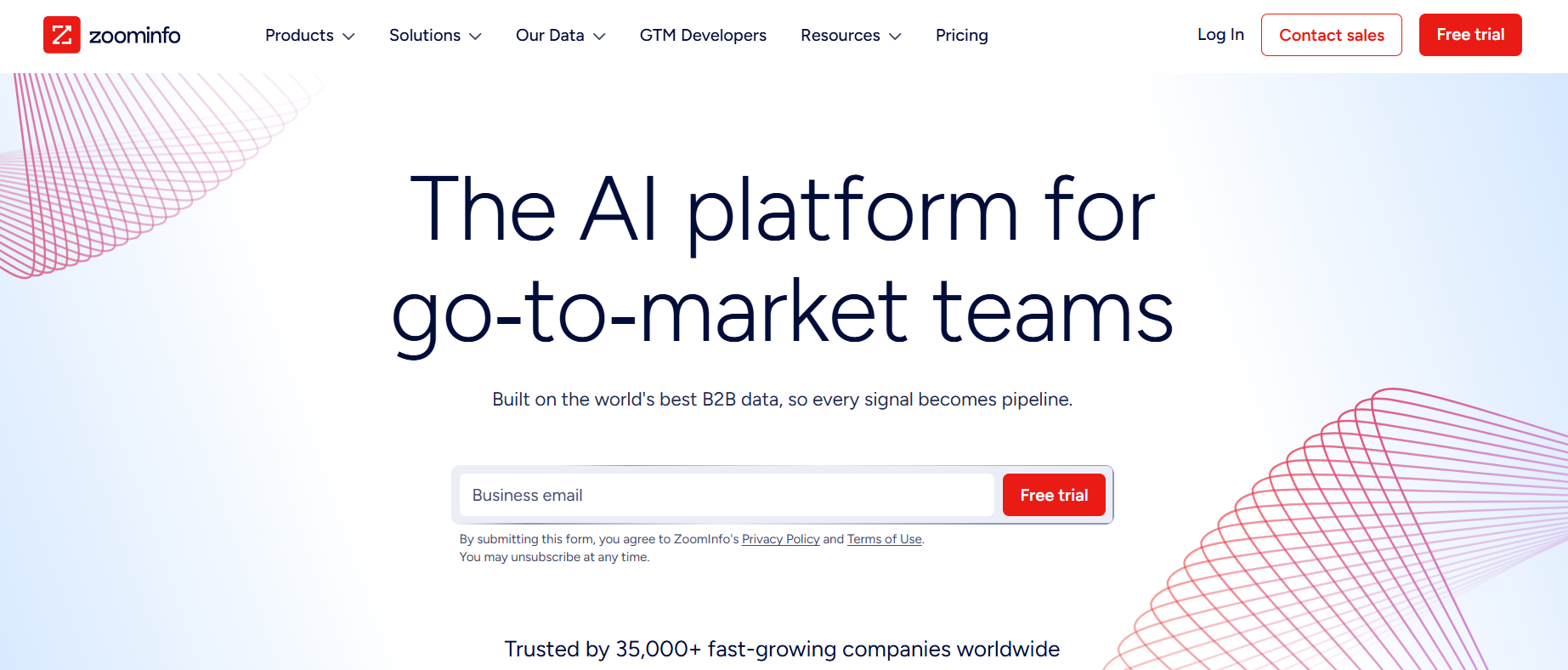
ZoomInfo is a go-to-market (GTM) intelligence platform that helps businesses find potential buyers, identify buying signals, enrich customer data, and automate parts of their sales and marketing workflows. It combines B2B contact data, company information, buyer intent data, and AI-powered tools in a single platform.
Sales teams use ZoomInfo to find decision-makers, build prospect lists, and identify companies that are actively researching products like theirs. Marketing teams use it to build target audiences, run account-based marketing campaigns, and improve lead generation efforts. RevOps teams use ZoomInfo to enrich CRM data, automate workflows, and keep customer records accurate.
According to ZoomInfo, the platform provides access to hundreds of millions of professional profiles, company records, buyer intent signals, and company insights that help teams identify and engage potential customers more effectively.
Also check - 10 Best ZoomInfo Alternatives for Lead Data in 2026
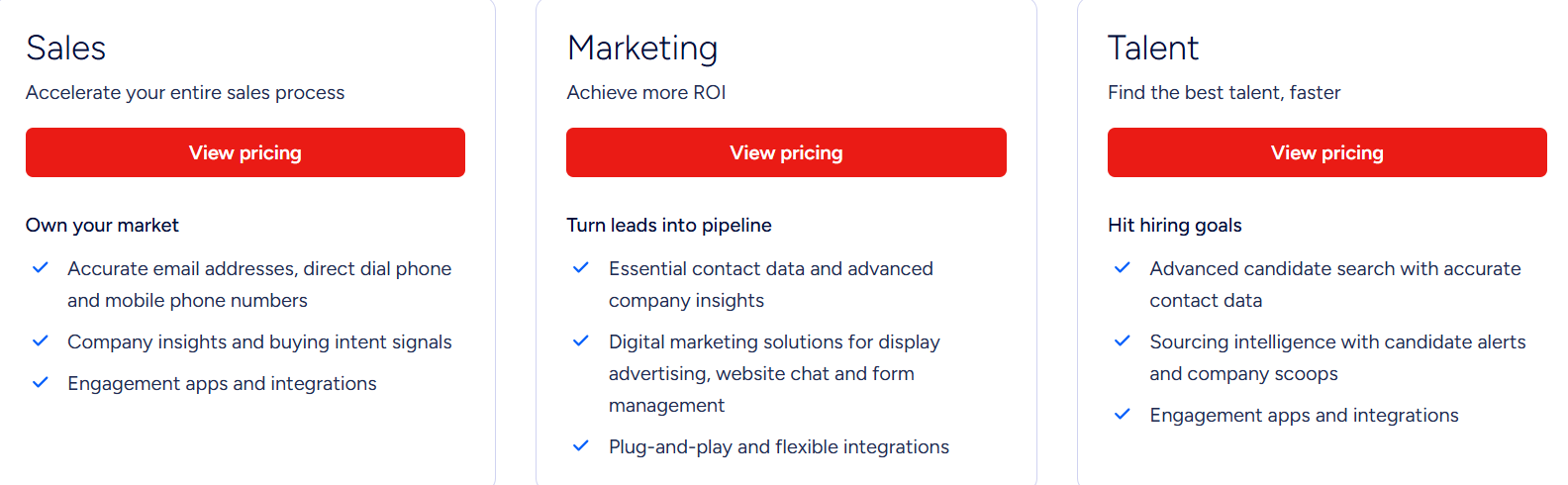
ZoomInfo offers separate plans for sales and marketing teams. Each plan includes different levels of data, buyer intent signals, automation, reporting, and AI-powered features.
However, based on publicly reported customer quotes and industry research, most ZoomInfo contracts appear to start at around $15,000 per year and can exceed $40,000+ per year depending on the number of users, credits, and features included.
While ZoomInfo publicly lists the features included in each plan, you'll need to contact its sales team for custom pricing.
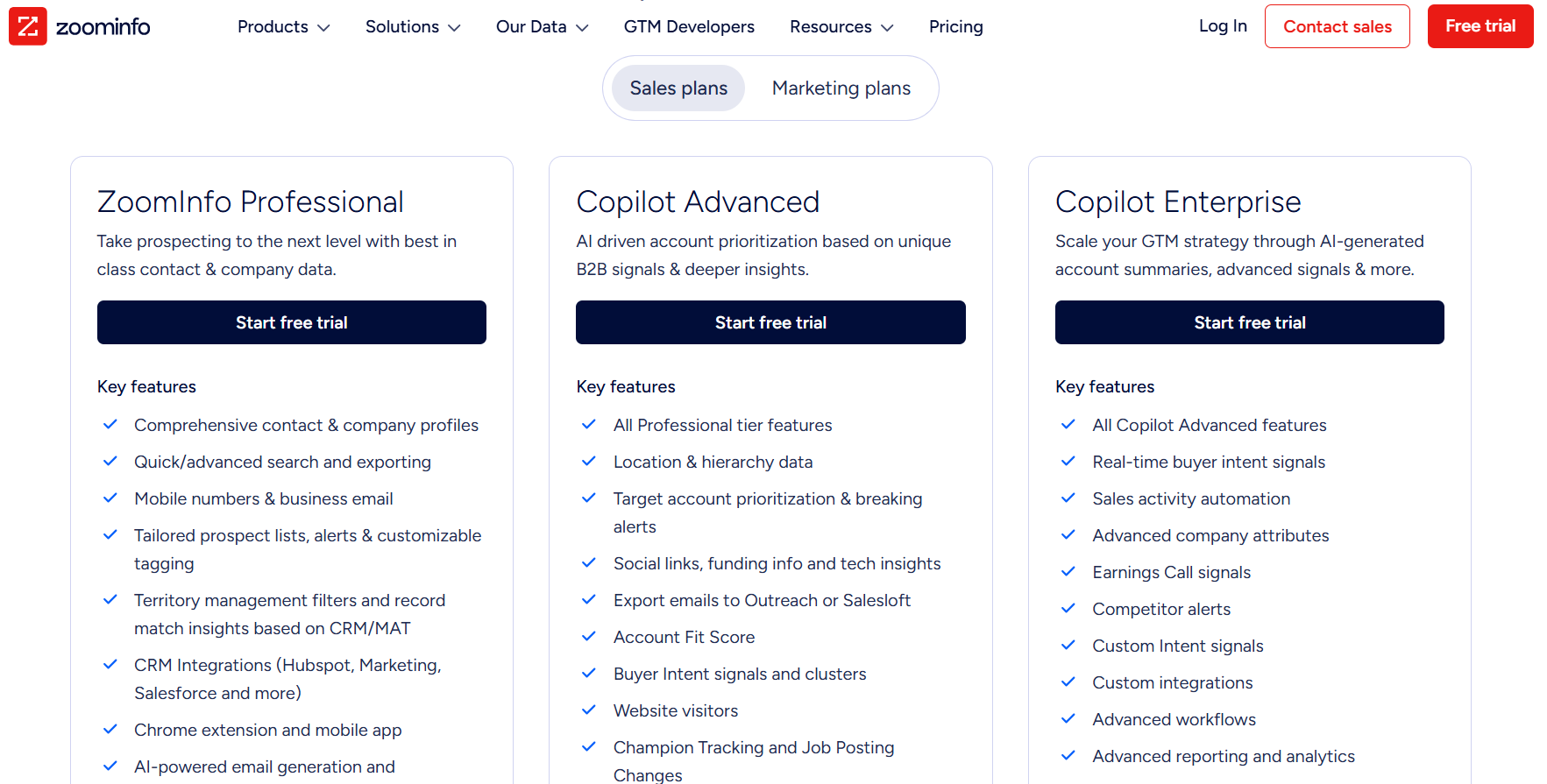
ZoomInfo Professional is the entry-level sales plan. It focuses on helping teams find prospects and build targeted lists using ZoomInfo's contact and company database. Its key features include:
Best for: Teams that need contact data, company information, and prospecting tools.
Copilot Advanced includes everything in Professional and adds more account intelligence and buyer intent data. Its key features include:
Best for: Teams that want deeper insights into accounts and buying activity.
Copilot Enterprise includes everything in Copilot Advanced and adds advanced automation, reporting, and AI capabilities. Its key features include:
Best for: Organizations that need advanced sales intelligence and automation across larger teams.
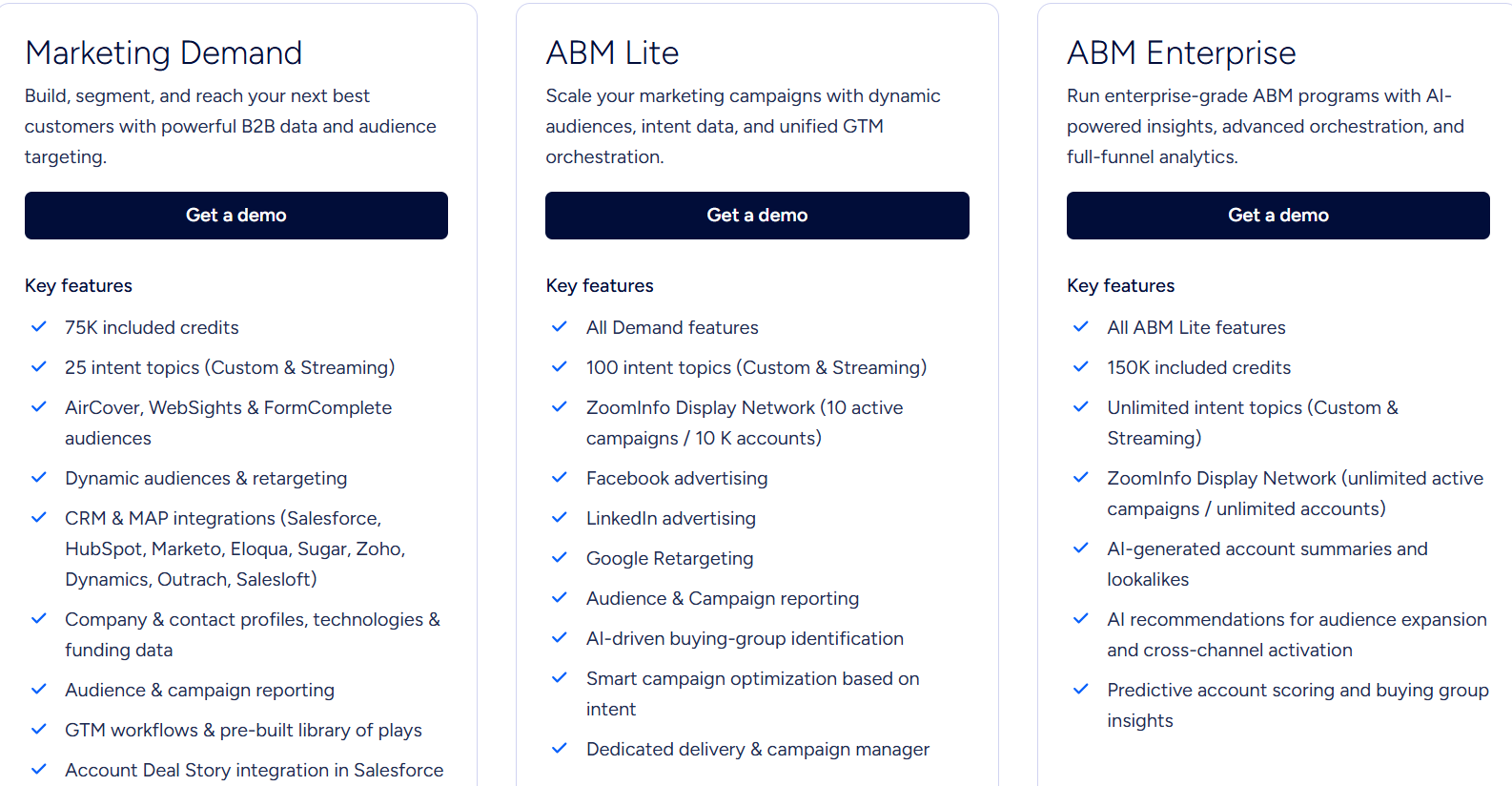
Marketing Demand is ZoomInfo's entry-level marketing plan. It helps teams build audiences, enrich data, and run targeted campaigns. The key features include:
Best For: Marketing teams that need audience targeting, intent data, campaign reporting, and customer data enrichment in one platform.
ABM Lite includes everything in Marketing Demand and adds account-based marketing and advertising capabilities.
Key features include:
Best For: Teams running account-based marketing (ABM) campaigns across multiple advertising channels.
ABM Enterprise is ZoomInfo's most advanced marketing package.
Key features include:
Best For: Organizations that need advanced ABM capabilities, larger campaign scale, and deeper audience intelligence.
ZoomInfo also offers Talent solutions for recruiting teams. These solutions help recruiters find candidates, access contact data, receive candidate alerts, track company hiring activity, and manage recruiting workflows.
Best For: Recruiting and talent acquisition teams looking to identify, engage, and track potential candidates more efficiently.
ZoomInfo uses a credit-based system for exporting contact and company data. Every ZoomInfo plan comes with a set number of credits, and a credit is consumed whenever data is exported from the platform. In simple terms, credits act like a currency inside ZoomInfo.
Each time your team exports contact or company information, credits are deducted from your account.
Credits can be used when you:
Here's a simple example of how ZoomInfo credits work:
The number of credits included depends on your ZoomInfo package. For example, ZoomInfo Lite includes 10 monthly credits, while paid plans come with custom credit allocations based on your business requirements.
If your team exports large volumes of contacts and company records, credit usage can have a significant impact on your total ZoomInfo cost. That's why it's important to look beyond the subscription itself and understand how many credits your team is likely to use.
Next, let's look at the hidden costs that can increase your overall ZoomInfo investment.
The price quoted by ZoomInfo is not always the final amount you'll pay. According to ZoomInfo, several factors can increase the overall cost of your subscription, including credit usage, add-on products, integrations, and the level of data access included in your package. Here are some of the most common costs to be aware of:
According to ZoomInfo, pricing is influenced by:
Another important consideration is credit consumption. If your team regularly exports contacts, company profiles, or data through CRM and API integrations, you may use credits faster than expected and need to purchase additional credits. Before signing a contract, it's worth asking ZoomInfo's sales team about:
Understanding these costs upfront can help you estimate the total cost of ZoomInfo and avoid unexpected expenses later.
ZoomInfo is a strong platform, but it may not be the right fit for every team. If you want more transparent pricing, easier prospecting, stronger enrichment workflows, or a lighter tool for finding verified contacts, these ZoomInfo alternatives are worth considering.
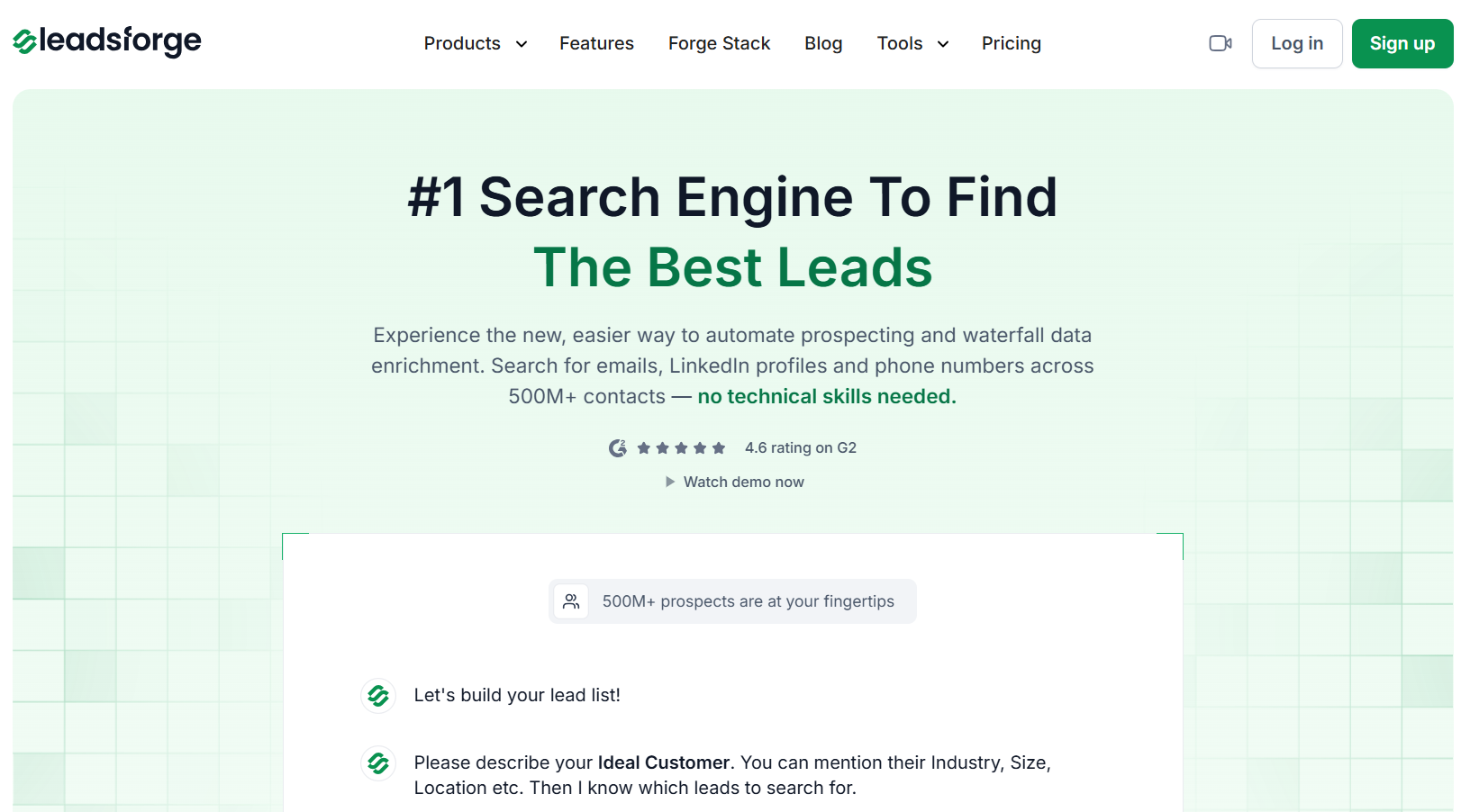
Leadsforge is a search engine for finding B2B leads. Instead of using complex filters, you can describe your ideal customer in plain English and Leadsforge builds a lead list for you. It helps you find emails, LinkedIn profiles, phone numbers, lookalike companies, competitor followers, and intent signals.
It also uses waterfall enrichment, which means it checks multiple data sources to find the best available contact data.
Best For: Teams that want a simple, chat-based way to find and enrich leads without dealing with complex database filters.
Apollo.io is a sales platform that combines prospecting, outreach, enrichment, and deal execution in one tool. It includes a large B2B database, email sequences, CRM integrations, AI research, intent filters, and workflow automation. Apollo also offers a free plan, with paid plans starting at $59 per seat per month.
Best For: Sales teams that want prospecting data and outreach automation in one platform.
Cognism is a B2B data platform focused on accurate and compliant contact data. It offers sales prospecting, CRM enrichment, intent data, job change signals, funding signals, and phone-verified data. It is especially useful for teams selling into Europe or markets where data compliance matters.
Best For: B2B sales and RevOps teams that need compliant data, phone-verified contacts, and strong European coverage.
RocketReach helps teams find verified emails, phone numbers, and company data. It provides access to a large global database, browser extension, CRM integrations, API access, technographics, org charts, and intent data on higher plans. RocketReach plans start at $69 per month for email-only access.
Best For: Teams that need a straightforward tool for finding emails, phone numbers, and contact details.
ZoomInfo vs RocketReach: Which Platform is Best for You?
Lusha is a B2B data and enrichment platform for sales, marketing, and RevOps teams. It provides verified emails and phone numbers, company data, buying signals, API access, CRM integrations, Chrome extension, and enrichment workflows. Lusha offers a free plan, with paid plans starting at $49.90 per month.
Best For: Teams that want an easy-to-use contact data tool with flexible pricing and enrichment features.
Enter your email to get a custom plan & stack recommendation for your business
Please check your mailbox in 5 minutes

ZoomInfo can be worth the investment if your team needs more than just contact data. The platform combines prospecting, buyer intent data, company insights, marketing tools, recruiting solutions, integrations, and automation in one place.
That said, ZoomInfo is not the cheapest option on the market. Since pricing is customized, your total cost can depend on factors such as the number of users, credit usage, add-ons, and integrations. For some teams, that can make the platform difficult to budget for upfront.
ZoomInfo may be a good fit if you:
However, if your main goal is finding and enriching leads, a more focused and affordable solution may offer better value.
For example, Leadsforge helps you find verified emails, LinkedIn profiles, and phone numbers using a simple chat-based search experience. Instead of navigating complex filters, you can describe your ideal customer and generate targeted lead lists in minutes.
Ultimately, whether ZoomInfo is worth the price comes down to how many of its features your team will actually use. If you need a full GTM platform, it may be a good fit. If your priority is prospecting and data enrichment, it's worth comparing alternatives like Leadsforge before making a decision.
Try Leadsforge Now and Get 100 Free Credits!