Your CRM is lying to you.
Not on purpose. But right now, most of the records sitting in your database are incomplete, outdated, or flat-out wrong.
And it’s costing you more than you think.
But here’s what most people miss.
The problem isn’t just that your data is bad today. It’s that it’s getting worse tomorrow. B2B contact data decays faster than you think.
People switch jobs. Companies rebrand. Emails go dead. Phone numbers change.
Your CRM doesn’t update itself. So the longer you wait, the worse it gets.
This is exactly what CRM enrichment solves.
CRM enrichment takes your thin, incomplete records and fills them with verified, current data from external sources. This often involves connecting your CRM or database to third party data providers through APIs, allowing information to be shared and updated automatically.
In this guide, I’m breaking down everything you need to know about CRM enrichment.
CRM enrichment is the process of taking your existing CRM records and automatically enhancing them with verified, up-to-date data from external sources.
That’s it.
A lead completes a form submission on your website—a key source of first-party data. They give you their name and work email. That’s all you have. Two data points. Not exactly enough to run a personalized outreach campaign.
CRM enrichment fixes that.
Within seconds, your enrichment system pulls in everything else.
Job title. Seniority level. Department. Company name. And in some cases, even buying intent signals.
Real time data enrichment and real time enrichment ensure your CRM records are instantly updated during interactions or data syncs, keeping information accurate and actionable.
You went from “Sarah, [email protected]“ to “Sarah Martinez, VP of Sales at Acme Inc. Series B SaaS company. 120 employees. $15M ARR. 40% headcount growth. Uses Salesforce and HubSpot. Based in San Francisco.”
That second version? Your rep can actually do something with it.
And here’s the important part.
This isn’t a one-time data entry project. CRM enrichment is systematic, automated, and continuous. Enriched CRM data is maintained through ongoing updates, ensuring that information remains accurate and relevant over time.
It runs in the background, updating records as people change jobs, companies raise funding, and contact details go stale.
Set it up once. Let it work forever.
These terms get thrown around interchangeably. They shouldn’t be.
Here’s a quick way to remember it:
The bottom line? Cleansing fixes the past. Enrichment builds the future. You need both.
Most teams know their CRM data isn’t great.
But very few understand how much it’s actually costing them.
Reliable CRM systems depend on strong data coverage and high quality data to ensure that all information is accurate, comprehensive, and up-to-date. Without these, data accuracy suffers, leading to unreliable insights and poor decision-making.
Let’s look at the numbers.
Bad data in your CRM can have significant downstream effects. Data gaps—such as missing or outdated contact information—can lead to missed opportunities and inefficiencies throughout your sales and marketing processes.
That’s why ongoing enrichment is essential. Continuous monitoring updates CRM records based on changes in external data sources, ensuring your data remains current and actionable. The same idea matters when member records live in a spreadsheet, because a useful membership database in Excel needs a structure that makes updates easy instead of turning maintenance into a manual mess.
Ultimately, CRM enrichment matters because it provides a holistic view of customer relationships, which is crucial for effective relationship management and business growth.
Here’s something uncomfortable.
Your CRM data has an expiration date. And it’s closer than you think.
B2B contact data decays at roughly 2.1% per month. That compounds to over 22% per year.
So if you have 10,000 contacts in your CRM today, more than 2,200 of them will be inaccurate by this time next year.
And that’s the conservative estimate.
When you zoom into what’s actually changing, it gets worse.
Within any 12-month period, 70.8% of business contacts experience at least one major change. 65.8% change job titles. 42.9% change phone numbers. 37.3% change email addresses.
In tech? It’s even faster. Technology professionals switch jobs every 2 to 3 years, pushing tech-sector data decay to 35 to 45% annually.
And the pace is accelerating.
To prevent data degradation, it’s crucial to continuously update existing records through regular CRM enrichment and monitoring.
The rule of thumb? Contact data should be considered fresh for no longer than 90 days.
After that, you’re guessing.
Bad data isn’t just annoying. It’s expensive.
44% of companies estimate they lose over 10% of their annual revenue due to poor CRM data quality. For a $10 million company, that’s a million dollars gone. Every year.
At the individual level, Gartner puts the cost at $12.9 to $15 million per organization annually through wasted marketing, lost sales, and operational inefficiency (Fullcast).
Each bad record costs $10 to $100 to fix. Across a database of 100,000 records, that’s up to $10 million in remediation alone.
And here’s the stat that really stings.
76% of CRM users say less than half of their organization’s CRM data is accurate and complete.
Not half. Less than half.
Only 15% of companies have confidence in their CRM data quality. Which means 85% of teams are making decisions based on data they don’t trust. Data accuracy and having accurate data are critical for reliable business decisions, as poor data quality can lead to costly mistakes and missed opportunities.
That’s not a data problem. That’s a business problem.
The real damage from bad CRM data doesn’t show up in one place. It bleeds into everything.
The bottom line is simple.
Every downstream process in your revenue engine depends on CRM data quality. Lead scoring. Personalization. Routing. Forecasting. Deliverability. Compliance.
When the data is wrong, everything built on top of it breaks.
CRM enrichment is how you fix the foundation. By turning raw information into actionable data and actionable insights, enrichment empowers better decision-making across investments and relationships.
Not all enrichment data is created equal.
Some data helps you qualify leads. Some help you personalize outreach. Some tell you when to reach out. And some tell you whether you even should.
Understanding the different types of CRM enrichment data helps you decide exactly what to enrich, why, and when.
Data enrichment tools and enrichment software automate the process of adding these data types to your CRM, improving accuracy and streamlining sales and marketing workflows.
Company data, including comprehensive firmographic and technographic data, plays a crucial role in providing detailed business profiles and tailored outreach.
Integrating external data sources, such as APIs, expands the data scope and data coverage, enhancing the accuracy and depth of enrichment.
Contextual intelligence from CRM enrichment combines firmographic, demographic, and technographic data to give a better understanding of prospects and support more informed decision-making.
Here are the seven types that matter most.
This is the most common type of enrichment. And for good reason.
Contact enrichment adds individual-level data to your CRM records.
Job title. Seniority level. Department. Verified email address. Direct-dial phone number. LinkedIn URL. Decision-making authority.
It is also crucial for identifying and monitoring key contacts within organizations, ensuring you always have up-to-date information on the most critical individuals for your sales process.
Why does this matter?
Because B2B buying decisions don’t happen in a vacuum. The average B2B purchase involves 6 to 10 stakeholders. If you only have one contact at an account, you’re flying blind. Contact enrichment helps you map the entire buying committee.
Here’s what it looks like in practice.
A form capture gives you “Sarah, [email protected].” That’s all. After enrichment, you have “Sarah Martinez, VP of Sales, reports to CRO, 12 years experience, active on LinkedIn, direct dial verified.”
If contact enrichment tells you about the person, firmographic enrichment tells you about the company they work for.
This includes employee count, annual revenue range, industry classification (SIC and NAICS codes), headquarters location, funding stage, year founded, and growth indicators like headcount growth percentage and hiring velocity.
This is the foundation of any lead scoring model.
Without firmographics, you can’t match a lead against your Ideal Customer Profile. You can’t tell whether a company is a startup with 10 employees or an enterprise with 10,000. You can’t segment by industry. You can’t prioritize by revenue.
Technographic enrichment identifies a company’s technology stack by providing detailed technographic data about the software and tools they use. What CRM do they use?
What marketing automation platform? What cloud providers? What security tools? What web technologies are running on their site?
Technographic data is crucial for lead research, sales prospecting, and keeping CRM records up to date. Tools like Datanyze provide technographic data to help you understand the software used by potential customers.
Why is this so valuable?
Because it enables competitive displacement messaging.
If you know a prospect uses a competitor’s product, you can tailor your pitch around switching. If you know they use a tool that integrates with yours, you can lead with compatibility.
“I noticed your team is using [Competitor X]. Companies like yours have been switching to [Your Product] because…” is infinitely more powerful than a generic cold email.
This is where things get really interesting.
Intent data enrichment captures buying signals.
By analyzing engagement signals—such as user interactions, buying intent, and content consumption—and identifying engagement patterns, you can better qualify leads and understand buyer behavior, making your outreach more targeted and effective.
Major intent data providers include Bombora, 6sense, and Demandbase. They track content consumption patterns across thousands of B2B websites and create “surge scores” that indicate when a company is actively in-market.
Here’s why this matters.
Timing is everything in sales. A perfectly qualified lead who isn’t ready to buy will ignore you. A moderately qualified lead who is actively researching solutions will take your call.
Intent data tells you who is looking right now. Not just who fits your ICP on paper.
Companies using intent data see 2.9 times higher revenue growth compared to those that don’t.
Social enrichment adds social media profiles, activity data, follower counts, and community participation to your CRM records.
This sounds less critical than firmographic or intent data. But it’s incredibly useful for one thing: conversation starters.
Integrating social data provides deeper insights into your prospects, helping your team better understand their interests, behaviors, and engagement patterns.
Knowing that your prospect just posted about a hiring milestone, shared an opinion on an industry trend, or attended a specific conference gives your rep something real to reference in their outreach.
Social selling works because it feels human. Social enrichment gives your team the raw material to make it happen.
Behavioral enrichment tracks how a prospect interacts with your brand specifically.
Form submissions—like downloading resources or filling out contact forms—provide valuable first-party data that helps track engagement and enrich customer profiles.
This data is gold for two things.
First, lead scoring. A prospect who visited your pricing page three times this week is warmer than one who hasn’t opened an email in six months. Behavioral enrichment lets you score based on actions, not just attributes.
Second, retention and expansion. For existing customers, behavioral data flags churn risks (declining product usage, increasing support tickets) and expansion opportunities (heavy feature adoption, team growth signals).
Geographic enrichment adds precise location data, timezone information, and compliance-relevant jurisdiction details to your records.
This might seem basic compared to intent data or technographics. But it's operationally critical.
Territory planning and lead routing depend on geographic data. You need to know which rep owns which region. Timezone-aware outreach scheduling means your emails land at 9 AM their time, not 3 AM. And jurisdiction data determines which privacy laws apply to each contact.
GDPR for EU residents. CCPA for California. Different rules for different locations.
Skip geographic enrichment and your team ends up calling London at midnight and violating GDPR by Tuesday.
Most articles explain what CRM enrichment does.
Very few explain how it actually works.
That changes here.
Understanding the technical process helps you set up enrichment correctly, troubleshoot when things break, and make smarter decisions about which tools to use.
The whole thing runs in five steps.
Everything starts when a new record enters your CRM.
That could be a form fill on your website. A CSV import from a purchased list. A manual entry by a sales rep. An API push from another tool in your stack.
At this stage, both raw data and existing data are ingested and identified as the first step in the enrichment process. Raw data, often unstructured and unprocessed, is combined with your existing data to ensure a comprehensive foundation for enrichment.
However it arrives, the enrichment engine kicks in.
It scans the record and flags what’s missing. Name but no title? Company but no employee count? Email but no phone number? The system identifies every empty or incomplete field and creates a list of what needs to be found.
At the same time, it identifies matching keys. These are the data points it will use to look up the rest. The most common matching keys are email address, company domain, LinkedIn URL, and company name.
The stronger your matching key, the better your results. An email address is almost always more reliable than a company name. “Acme Inc” could match a dozen companies. “[email protected]“ matches one.
Now the system goes to work.
Using those matching keys, it searches external databases for additional information.
Depending on your tool, that could be one proprietary database or dozens of third-party sources.
Three matching methods are typically used.
Data standardization is crucial before matching, as it ensures consistent formatting across diverse data sources, improving the accuracy and reliability of data matching.
Each method has tradeoffs. Deterministic matching is the most accurate but requires exact data. Probabilistic matching casts a wider net but can return false positives.
Most good enrichment tools use all three in combination.
Finding data is one thing. Trusting it is another.
Once the system locates potential matches, it runs validation checks before adding anything to your CRM.
To ensure only high quality data is integrated, the system verifies information using multiple channels and sources, confirming accuracy, freshness, and reliability before adding it to your CRM.
Only data that passes all these checks moves forward. Everything else gets filtered out.
This is the step that separates good enrichment tools from bad ones. Anyone can pull data from a database. The question is whether that data has been verified before it hits your CRM.
Verified data now flows into your CRM.
But this isn’t a simple data dump.
The system maps each enriched data point to the correct CRM field based on rules you configure.
Field population automatically fills empty CRM fields based on mapping rules defined by the user, ensuring that existing data and existing records are maintained and only supplemented where appropriate.
Two main approaches here.
Most teams use a hybrid. Fill empty fields automatically. Flag outdated fields for human review. For specialized recruiting workflows, a CRM for recruitment like Recruit CRM can also help teams organize and manage enriched candidate and client data. Never overwrite fields a rep has manually verified.
One team enriched 15,000 contacts with industry data. The enrichment worked perfectly. But the CRM field for “Industry” was a dropdown menu, and the enriched data came in as free text.
None of it mapped correctly. $3,000 in wasted credits. 20 hours to fix.
Field mapping sounds boring. Until it costs you.
Enrichment isn’t a one-and-done event.
The best systems continuously monitor for changes. Job changes. Company acquisitions. Funding rounds. Office relocations. Leadership turnover.
When a change is detected, the system automatically re-enriches the affected record. Continuous monitoring updates CRM records based on changes in external data sources, ensuring your data remains current.
Additionally, you can review enrichment history for each record, giving you visibility into all past enrichment activities and allowing you to track and audit changes over time.
The key principle is simple. Any record older than 90 days should be treated as potentially stale and queued for re-enrichment.
Set up continuous monitoring once. Your CRM stays current without anyone touching it.
We’ve covered the cost of bad data.
We’ve broken down the types and methods.
Now let’s talk about what actually happens when you get enrichment right. CRM enrichment delivers actionable data, actionable insights, and deeper insights for sales and marketing teams, enabling them to make informed decisions and drive better outcomes.
Here's how:
Lead scoring without enriched data is guesswork.
You’re scoring based on what little information you have. Maybe an email domain and a form fill. That’s not enough to tell a hot lead from a tire-kicker.
Enrichment changes the game. When every record includes firmographic data (company size, revenue, industry), demographic data (title, seniority, department), behavioral signals (website visits, content downloads), and enhanced lead data such as contact details, technographics, and social media profiles, your scoring model can actually match leads against your ICP with precision.
Automated data enrichment provides real-time insights for lead scoring and prioritization, while predictive analytics leverages this enriched lead data to improve scoring accuracy and model buyer behavior.
Collecting missing criteria through CRM enrichment facilitates accurate lead scoring, resulting in higher quality leads and more effective segmentation.
The impact is measurable. A 10% improvement in lead quality can result in a 40% increase in sales revenue.
Better scoring. Better prioritization. More revenue from the same pipeline.
When your reps open a CRM record and everything is already there, they skip the research phase entirely.
No Googling the prospect. No hunting for a LinkedIn profile. No trying to figure out what the company does or how big it is.
They go straight to selling.
CRM enrichment accelerates the sales pipeline by providing complete, up-to-date information, allowing opportunities to move through each stage faster and enabling quicker qualification and engagement of prospects.
Teams using enrichment combined with automated lead management report 15% shorter sales cycles on average.
Two weeks off a six-month deal cycle might not sound like much. But across your entire pipeline, that’s a significant acceleration in revenue velocity.
Bad email addresses kill deliverability. And deliverability problems compound fast.
When you send to unverified addresses, your bounce rate spikes. When your bounce rate spikes, ISPs flag your domain. When your domain gets flagged, even your good emails start landing in spam.
CRM enrichment with email verification keeps your bounce rate under the critical 2% threshold. Ensuring data accuracy and using accurate data in your CRM is essential for maintaining high deliverability rates, as verified and up-to-date information helps protect your sender reputation.
Your sender reputation stays clean. Your emails reach inboxes instead of junk folders.
And when those emails contain personalized data from enrichment? The numbers speak for themselves. Personalized emails see 29% higher open rates and 51% better click-through rates.
“Hi {First_Name}” is not personalization.
Real personalization means tailoring your message to the prospect’s role, industry, company stage, tech stack, and current challenges. That requires data. Lots of it.
CRM enrichment gives your team that data automatically.
Same effort. Completely different response rate.
Tailored messaging, enabled by CRM enrichment, allows your team to address specific pain points and business context, making outreach more relevant and engaging. Enhanced personalization in sales leads to more relevant conversations and increases conversion chances.
80% of customers are more likely to buy from companies that offer personalized experiences.
You can’t personalize without data. And you can’t get that data at scale without enrichment.
Account-based marketing lives and dies on data quality.
You need to know which accounts to target. Who the decision-makers are. What technology they use. How fast they’re growing. Whether they’re actively in-market.
That’s enrichment. All of it.
Effective segmentation and targeting in ABM relies on comprehensive firmographic and technographic data, robust company data, and broad data coverage. These elements ensure your CRM enrichment provides accurate business profiling and enables better segmentation, leading to more effective targeted campaigns.
But none of that works if your account data is thin. Firmographic, technographic, and intent enrichment are the fuel that makes ABM run.
Garbage data in. Garbage forecasts out.
When your CRM is full of duplicates, outdated records, and incomplete profiles, your pipeline numbers are fiction. You can't forecast revenue accurately when you don't even know how many real opportunities you have.
Companies that improve CRM data hygiene can increase forecast accuracy by up to 30%.
Clean, enriched data means trustworthy pipeline metrics. Which means confident forecasts.
Which means better resource allocation across your entire business.
This one is underrated.
When reps spend 27% of their time fighting bad data, they burn out. They lose trust in the CRM. They start keeping their own spreadsheets. They stop updating records because “what’s the point?”
Enrichment breaks that cycle. Unlike manual enrichment, which is slow, inconsistent, and creates bottlenecks, automated enrichment ensures data is updated quickly and accurately, making the process scalable and reliable.
When your reps open a record and everything is already accurate and complete, they actually use the CRM. They trust it. They update it. The whole system works the way it was designed to.
Less frustration. Less turnover. More selling time.
You’ve read this entire guide. You understand how CRM enrichment works. You know the types, the process, the best practices, and the mistakes to avoid.
Now you need a tool that actually makes it easy.
That’s Leadsforge.
Leadsforge is an AI-powered lead generation and data enrichment tool built for B2B sales teams that don’t want to waste time on manual prospecting, messy data, or five-tool tech stacks. Its key features include real-time enrichment, instant scheduling, and a streamlined CRM designed specifically for revenue operations.
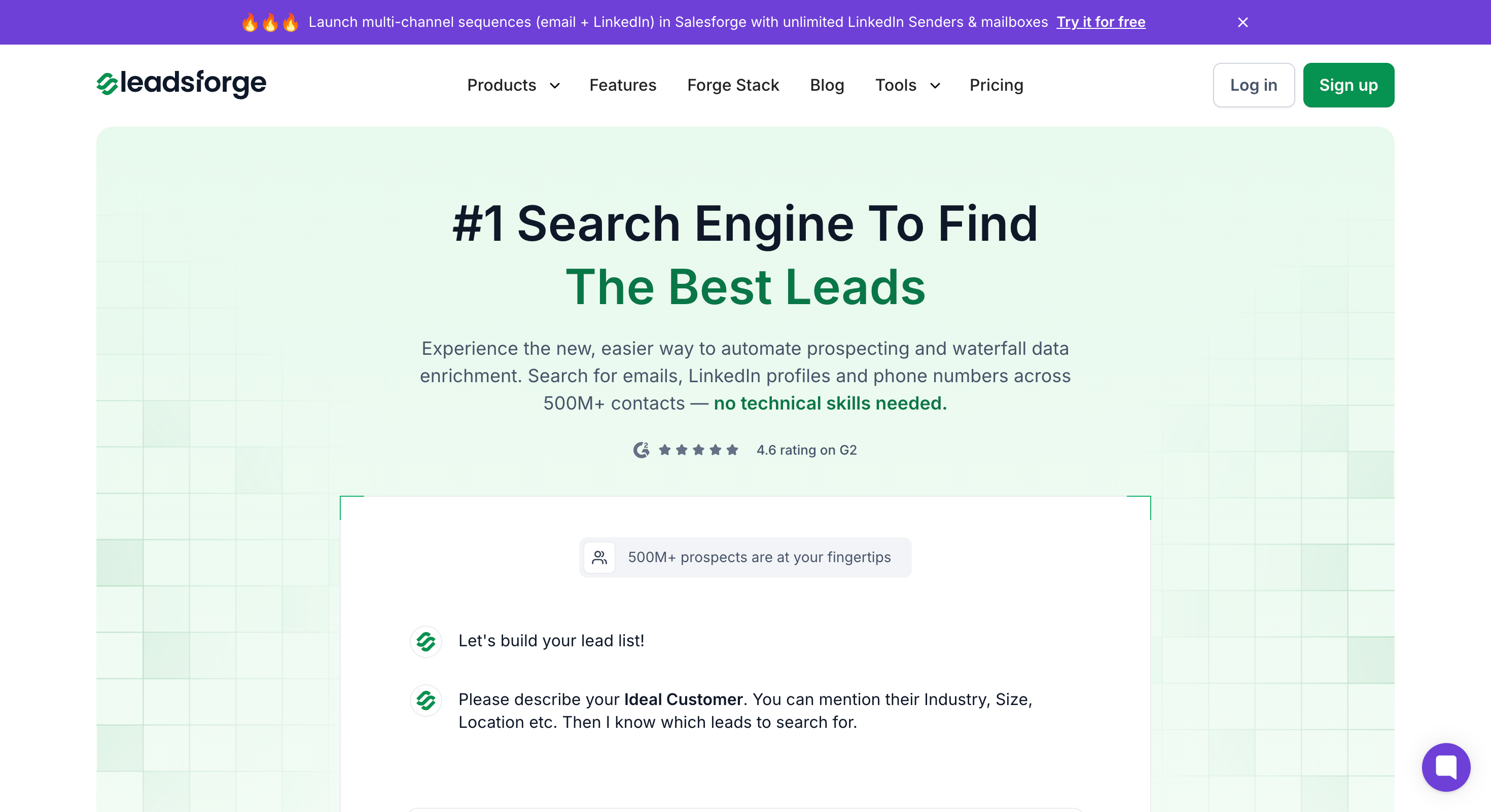
Here’s how it works.
You tell Leadsforge who you want to reach. In plain English. No filters to configure. No Boolean strings to write. No databases to search manually.
“Marketing directors at SaaS companies in the US with 100 to 500 employees.”
“CTOs at Series A fintech startups in Europe.”
“Sales managers at logistics companies in Texas using HubSpot.”
Leadsforge takes your description and returns a list of verified, enriched contacts that match. Names. Job titles. Verified email addresses. Company firmographics. All confirmed at the point of search.
No stale data. No guesswork. No bounced emails.
Traditional enrichment tools make you do the work in steps. Find leads somewhere. Import them into your CRM. Run them through an enrichment provider. Wait for results. Fix field mapping issues. Validate the emails. Clean the duplicates. Then maybe start your outreach.
Leadsforge compresses all of that into one step.
Search. Get verified leads. Start selling.
That’s it.
And because Leadsforge is part of the Salesforge ecosystem, your enriched leads flow directly into your outreach workflow. No exports. No imports. No data lost between tools.
If you’re tired of patching together multiple tools just to get a clean list of leads, Leadsforge is the simpler path.
One tool. Verified leads. Enriched data. Ready for outreach.
Start your 14-day free trial →
CRM data enrichment is the process of automatically adding verified data from external sources to your existing CRM records. This includes job titles, company details, phone numbers, tech stack, and buying signals. The goal is to turn thin records into complete profiles your team can sell to.
Every 90 days at minimum. High-value contacts should be refreshed monthly. Inbound leads should be enriched in real-time the moment they hit your CRM. If a record hasn't been updated in 90 days, treat it as stale.
Data cleansing fixes bad data. It removes duplicates and corrects errors. Data enrichment adds new data from external sources. They're different processes. But cleansing should always come first. Enriching dirty data makes the mess worse.
Waterfall enrichment queries multiple data providers in sequence. If Provider A doesn't have the data, the system tries Provider B, then C. This typically doubles coverage from around 40% to 78% compared to using a single provider.
Yes. Most modern tools support automated enrichment triggered by events like new lead entry, job changes, or scheduled batch refreshes. Set it up once and your CRM stays current without manual effort.
Free tiers exist (Apollo: 100 credits/month, Breeze Intelligence: 25 credits/month). Mid-market tools run $50 to $300 per month. Enterprise platforms like ZoomInfo start at $15,000 per year or more. Cost per record typically ranges from $0.05 to $1.00.
HubSpot has Breeze Intelligence. Salesforce has third-party options through AppExchange. Pipedrive, Zoho, and Microsoft Dynamics support enrichment through APIs or middleware like Zapier. Most teams get the best results by combining native CRM features with a dedicated enrichment tool.