If finding prospects on LinkedIn already feels time-consuming, wait until you try to understand LinkedIn Sales Navigator pricing.
Most people assume it’s simple.
Just pick a plan and start finding leads.
But once you look closer, things get less clear.
There are different plans, different team features, and some capabilities that only appear in higher tiers.
Core, Advanced, or Advanced Plus?
Each plan sounds similar, but the actual value depends on how you plan to use LinkedIn for prospecting.
So in this guide, I’ll break down LinkedIn Sales Navigator pricing in simple terms.
You will learn what each plan includes, where the limits show up, and when you should upgrade.
LinkedIn Sales Navigator has three main plans, depending on whether you are an individual seller or a sales team.
Here is a quick breakdown.
All plans include advanced search filters and 50 InMail credits per month.
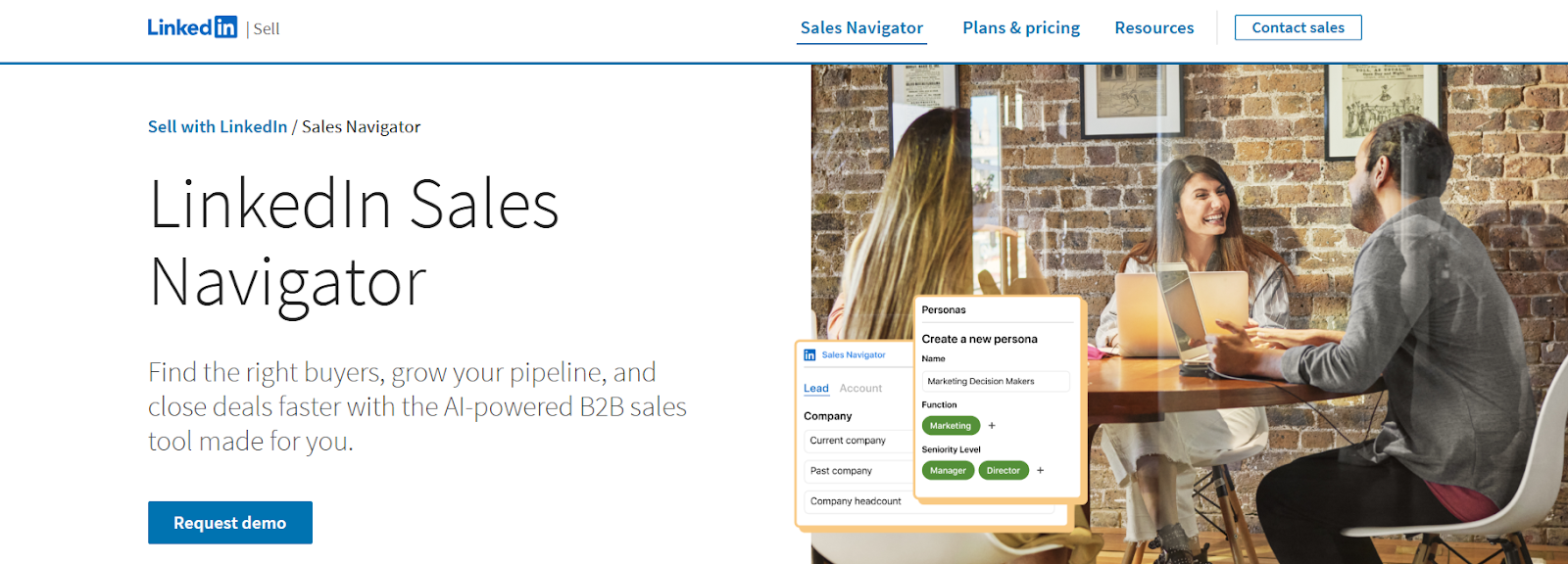
LinkedIn Sales Navigator is a sales prospecting platform built for B2B sellers and sales teams.
It helps find and track potential buyers using advanced search filters, lead recommendations, and account insights.
Users can save leads, monitor updates like job changes or company news, and contact prospects through InMail messaging.
Sales Navigator also integrates with CRMs such as Salesforce, HubSpot, and Microsoft Dynamics.
The platform is mainly used for researching prospects and identifying decision-makers on LinkedIn.
Sales Navigator is mainly used for prospect research and relationship-based selling on LinkedIn.
Here are the best use cases of LinkedIn Sales Navigator:
LinkedIn Sales Navigator offers three main plans.
Each plan is built for a different type of sales workflow.
Let’s start with the first plan.
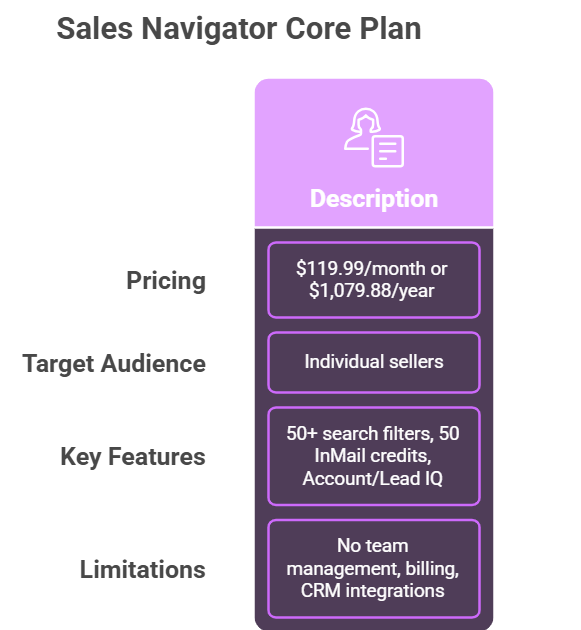
I. Pricing;
Most people start with the Core plan when they want to improve LinkedIn prospecting.
It’s for individual sellers, and the main value comes from better search and messaging tools.
II. Features Provided:
The Core plan focuses mainly on helping you find the right prospects faster.
Here are the main features included.
The search filters are the biggest improvement compared to regular LinkedIn.
They make it easier to find decision-makers instead of manually scanning profiles.
III. Limitations:
The Core plan works well for individual prospecting, but it does have limits.
Because of this, the Core plan is usually best when one person is handling LinkedIn prospecting.
IV. Who Should Choose This Plan?
The Core plan works best for:
It gives strong LinkedIn prospecting features without the complexity of team tools.
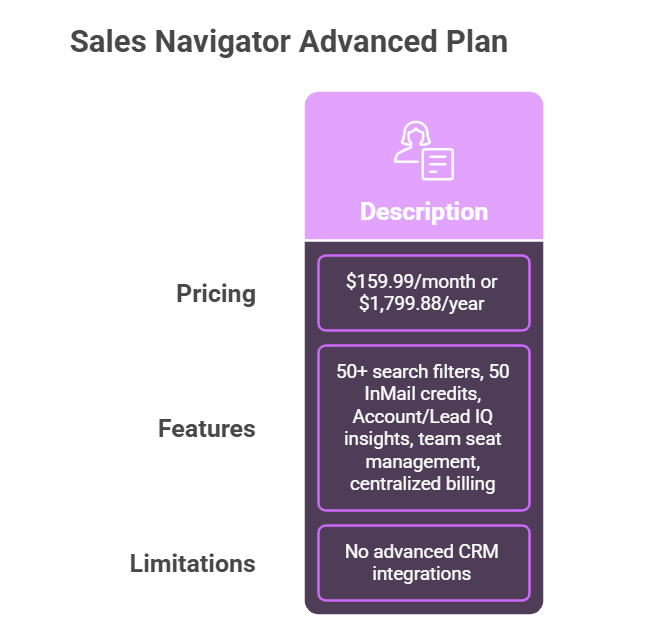
I. Pricing:
When prospecting moves from one seller to a team, the Advanced plan usually becomes the next step.
I noticed this plan keeps the same lead search tools but adds features that make team collaboration easier.
II. Features Provided:
The Advanced plan keeps the core prospecting features from the Core plan.
This includes:
The difference appears when multiple reps work together.
Sales Navigator adds team seat management and centralized billing, which helps organize accounts across a team.
This plan is designed for teams with two or more sellers.
III. Limitations:
The Advanced plan improves team collaboration, but some capabilities still remain limited.
For example, advanced CRM integrations are not included in this plan.
Teams that rely heavily on CRM syncing usually move to the Advanced Plus plan instead.
IV. Who Should Choose This Plan?
From what I’ve observed, this plan works well for:
It mainly helps teams organize prospecting while keeping LinkedIn research structured.
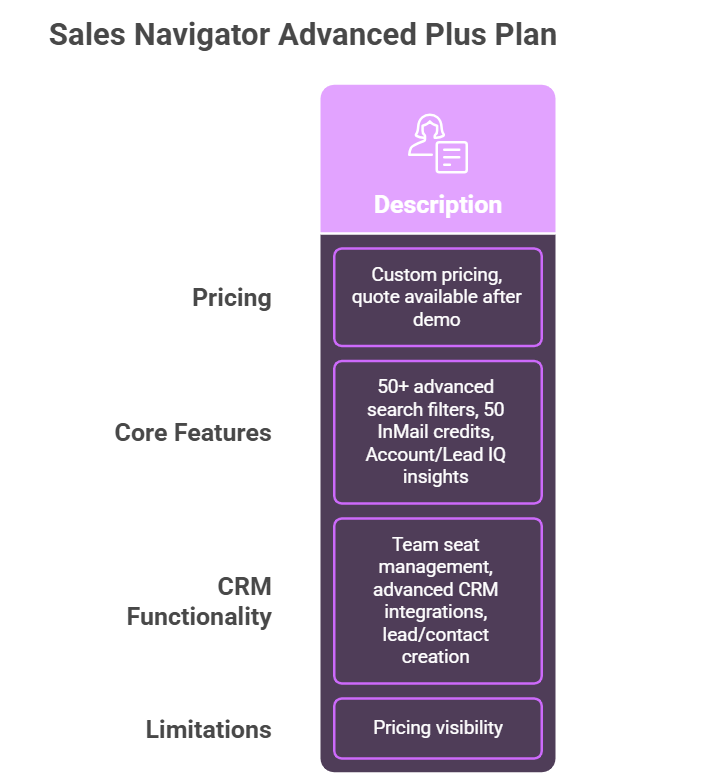
I. Pricing:
When a team starts running prospecting tightly with their CRM, this plan usually appears.
LinkedIn does not publish a fixed price for Advanced Plus.
The quote depends on team size, CRM integrations, and onboarding requirements.
II. Features Provided:
The core prospecting features remain the same.
Teams still get:
This plan also adds deeper CRM functionality.
This allows teams to move leads from LinkedIn into their CRM without manual entry.
III. Limitations:
The biggest limitation is pricing visibility. LinkedIn does not publicly list the price for this plan.
Companies need to request a demo to receive a quote.
IV. Who Should Choose This Plan?
Based on how LinkedIn positions it, this plan works best for:
When I reviewed the pricing structure closely, the subscription price is only part of the cost.
A few limits and plan differences can affect how much teams actually spend when using Sales Navigator.
Here are the main ones I noticed.
If outreach depends heavily on InMail, the limit can slow prospecting once credits are used.
As more sellers join the team, the total monthly cost increases.
Advanced CRM integrations with systems like Salesforce and HubSpot are available only in the Advanced Plus plan.
The final cost depends on team size, CRM integrations, and onboarding requirements.
When I compare pricing with other prospecting tools, LinkedIn Sales Navigator is usually more expensive per user.
The platform charges per license, which means costs grow quickly as teams add more seats.
For example:
This pricing mainly gives you LinkedIn prospecting features, such as advanced filters, InMail messages, and account insights.
However, it does not provide verified emails or phone numbers.
Sales Navigator relies on LinkedIn filters and manual research.
Tools like Leadsforge focus directly on finding and enriching contacts instead.
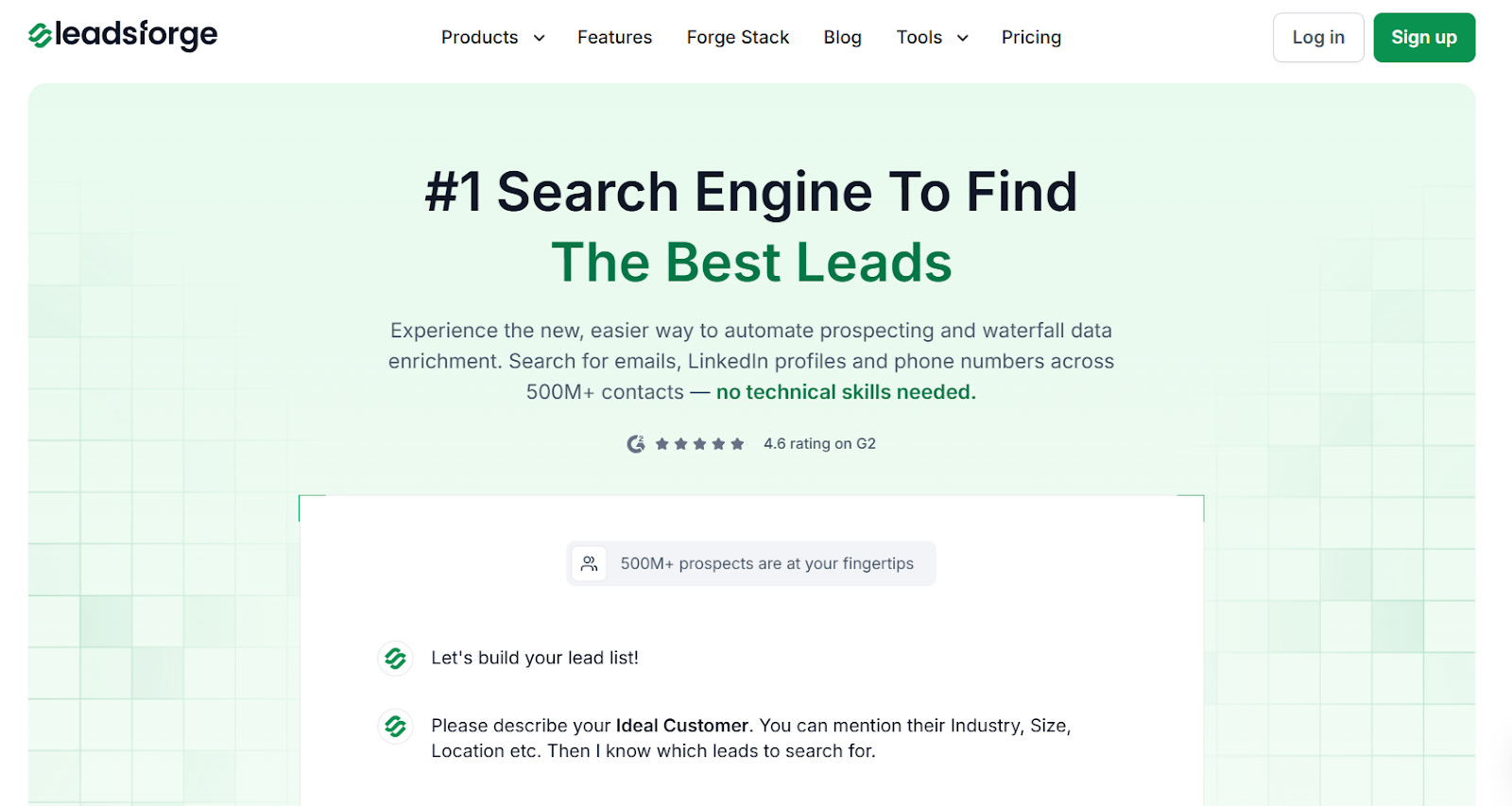
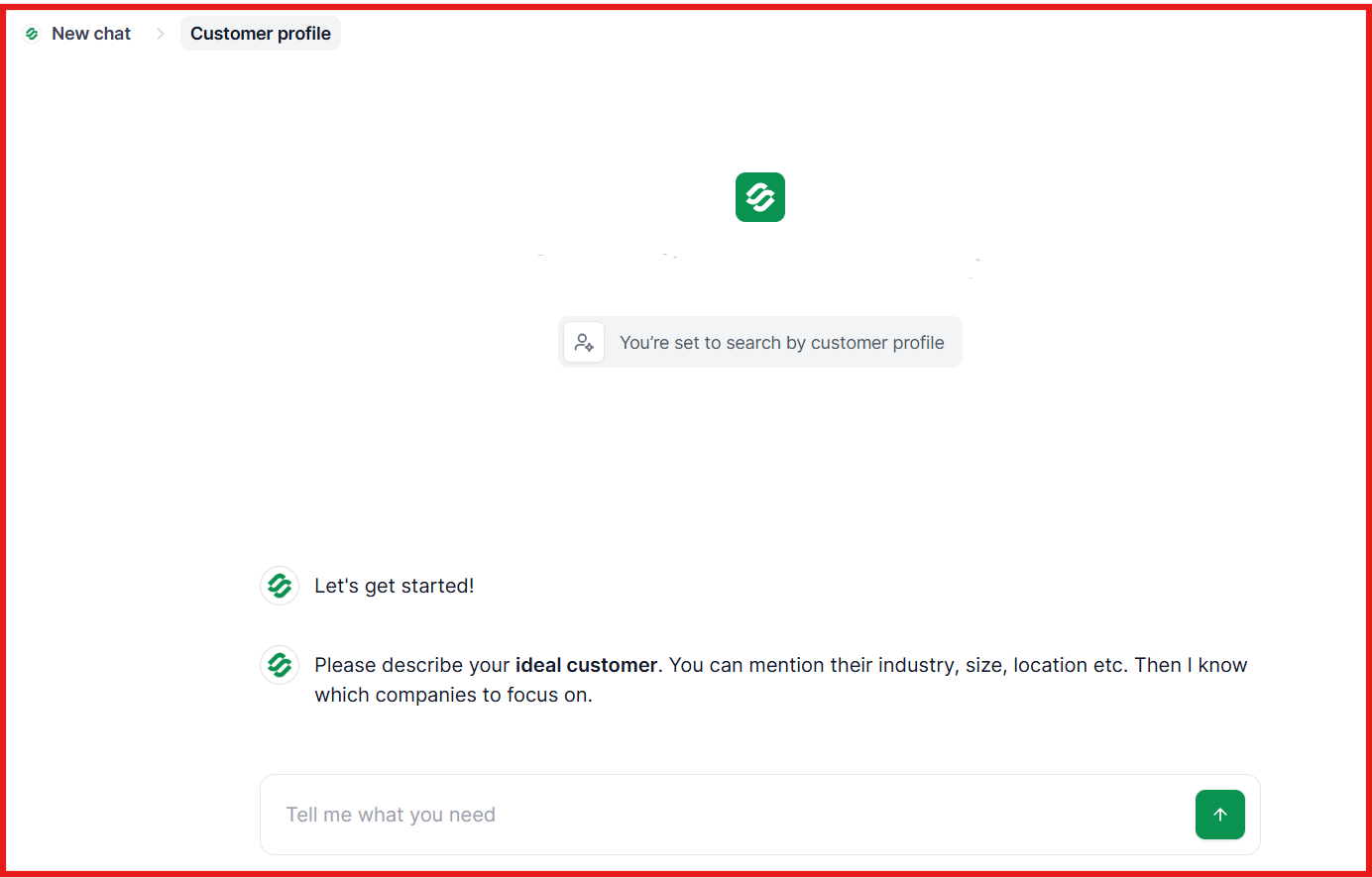
Leadsforge works like a search engine for leads.
You describe your ideal customer, and the system generates lead lists automatically.
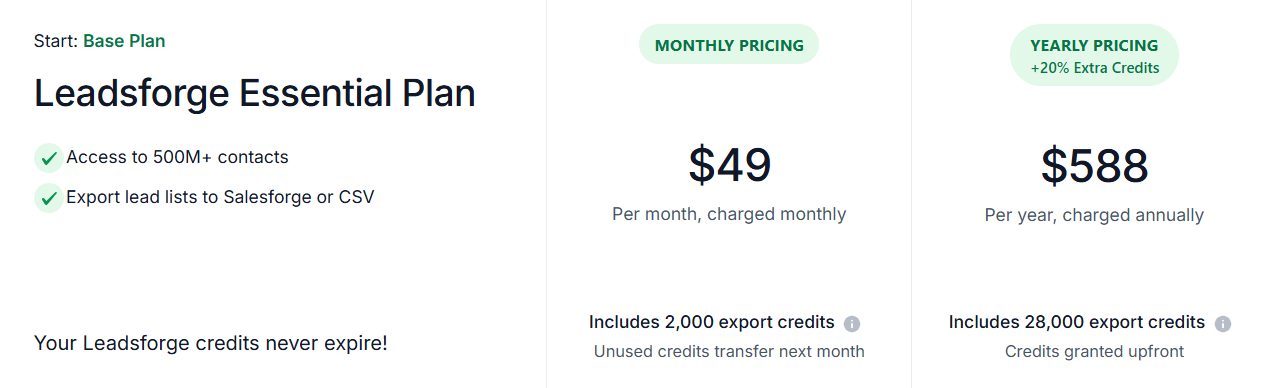
The pricing is relatively cheaper and provides more value:
Sales Navigator is great for finding prospects on LinkedIn, but tools like Leadsforge help turn those prospects into ready-to-contact lead lists.
From my experience, LinkedIn Sales Navigator works well for prospect research on LinkedIn.
The platform helps find decision-makers using advanced search filters, account insights, and InMail.
But Sales Navigator mainly shows profiles, not complete outreach data.
When I prepare campaigns, I still need verified emails, LinkedIn URLs, and phone numbers.
That’s when I switch to Leadsforge.
I describe my ICP, and Leadsforge builds a lead list from a 500M+ contact database with waterfall enrichment that checks multiple data sources.
It usually gives me a usable lead list faster than exporting prospects manually.
Once the list is ready, I launch outreach in Salesforge and manage replies inside Primebox™.
If you want to test this workflow yourself, try Leadsforge now with 100 free credits!