If you work in B2B sales, you’ve probably heard of LinkedIn Sales Navigator.
It’s LinkedIn’s paid sales tool, built to help you find the right people, track target accounts, and reach buyers at the right time.
But before paying for it, most people ask the same questions:
Is LinkedIn Sales Navigator worth the money in 2026?
Who is it actually good for?
Where does it help, and where does it fall short?
In this LinkedIn Sales Navigator review, we take an honest look at the tool. We break down five things it does well and five things it doesn’t.
By the end, you’ll know whether Sales Navigator fits your sales workflow, or if another tool would be a better choice.
LinkedIn Sales Navigator Review: Key Takeaways
LinkedIn Sales Navigator helps sales teams find and track the right leads and accounts on LinkedIn based on their ideal customer profile (ICP).
It uses LinkedIn’s real-time data to show job changes, company updates, and relationship insights in one platform.
Lead and account alerts highlight when prospects change roles or when accounts show activity, so teams know when to reach out.
You can create targeted lead and account lists using filters like job title, seniority, company size, industry, and location.
Sales Navigator works best for account-based and relationship-driven sales, not mass cold outreach.
It does not include emails or phone numbers, so extra tools are needed for contact data.
Pricing is high for individuals and small teams, with advanced features locked behind higher plans.
What Is LinkedIn Sales Navigator?
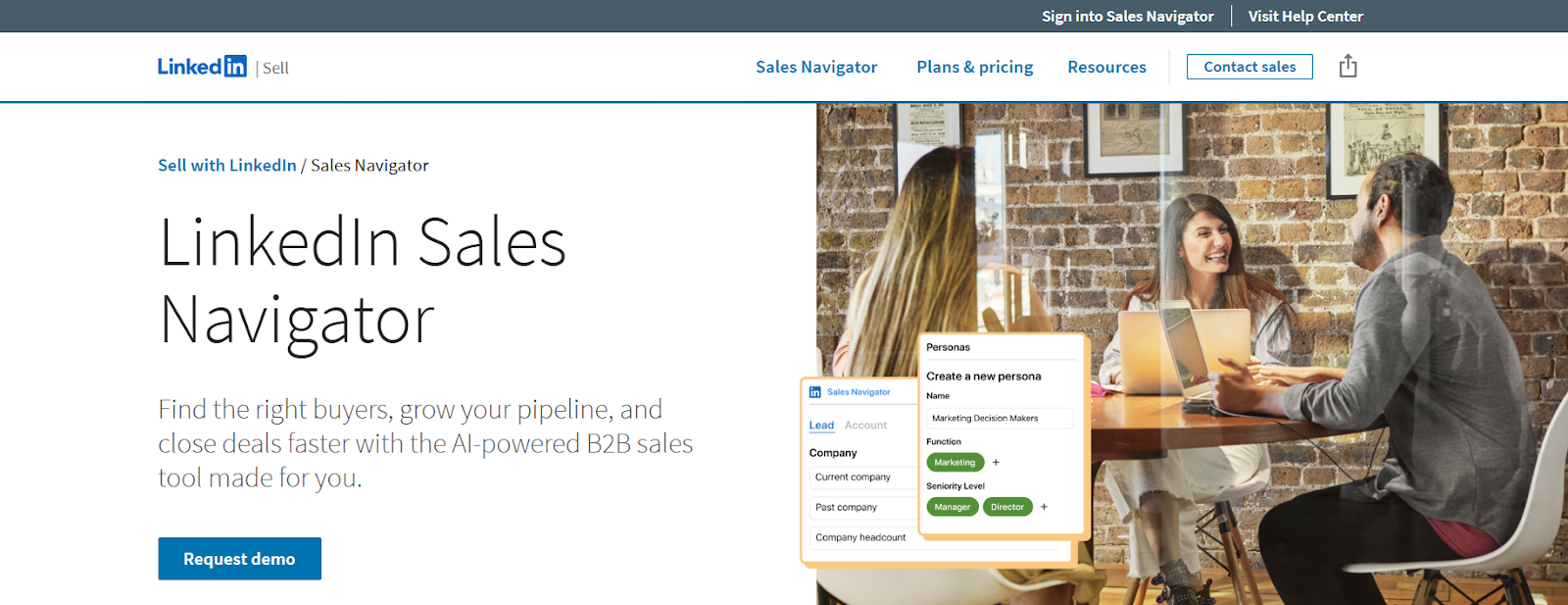
This image shows the LinkedIn Sales Navigator homepage
LinkedIn Sales Navigator is a paid LinkedIn tool made for B2B sales teams.
It helps sellers find the right people, track target companies, and manage sales conversations using LinkedIn data.
Sales Navigator works on top of LinkedIn. Instead of using basic LinkedIn search, it gives you advanced filters, saved leads, saved accounts, and real-time alerts.
These features help sales teams focus on the right prospects and reach out at the right time.
Sales Navigator is mainly used by sales reps, account executives, founders, and sales teams that rely on LinkedIn for prospecting and relationship-based selling.
It is built for finding and engaging prospects on LinkedIn, not for collecting emails, phone numbers, or running mass outreach campaigns.
How LinkedIn Sales Navigator Works
LinkedIn Sales Navigator works by using LinkedIn’s live profile and company data to help sales teams find, track, and engage the right prospects.
Here’s how it works step by step:
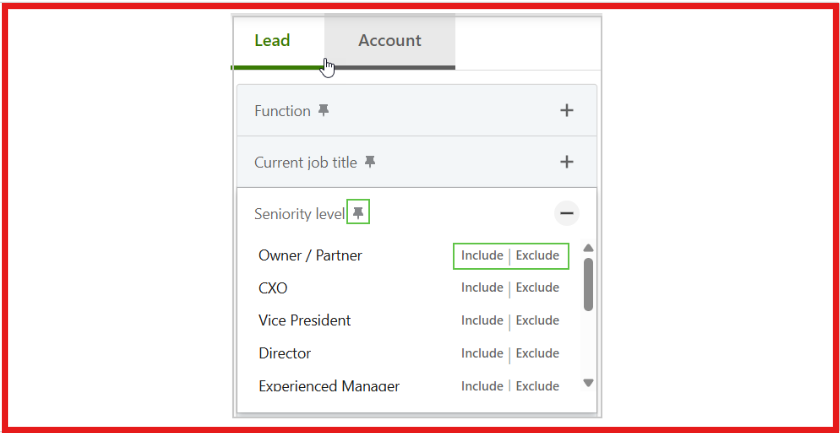
Search for leads and accounts: You use advanced search filters to find people and companies by job title, seniority, company size, industry, location, and more.
This image shows the Search for leads on LinkedIn Sales Navigator
Save leads and accounts: When you save a lead or an account, Sales Navigator starts tracking updates for you automatically.
Get real-time alerts: You receive alerts when leads change jobs, post on LinkedIn, or when companies grow, hire, or show activity. This helps you reach out at the right time.
Use lead and account pages: Each lead and account has a page that shows key details, recent updates, relationship insights, and suggested next actions.
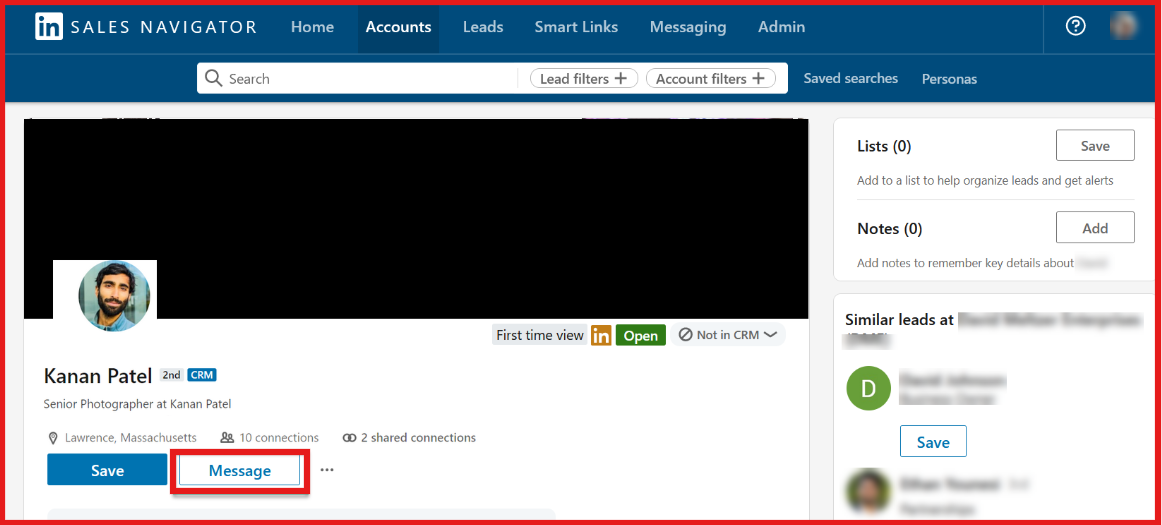
Send messages using LinkedIn InMail: You can message prospects directly on LinkedIn using InMail credits, even if you’re not connected.
This image shows the Send messages using LinkedIn InMail
Organize work with lists and personas: You can group leads and accounts into lists, create personas, and prioritize who to focus on first.
See relationship and team insights: Features like TeamLink and relationship maps show if someone on your team is connected to a prospect and can help with warm introductions.
Sync with your CRM (higher plans): Advanced and Advanced Plus plans allow syncing leads, accounts, messages, and notes with CRMs like Salesforce, HubSpot, and Microsoft Dynamics.
Use insights and AI features (where available): Sales Navigator provides account insights, buyer intent signals, and AI-assisted suggestions to help personalize outreach.
In short, LinkedIn Sales Navigator helps sales teams find the right people, stay updated, and engage prospects on LinkedIn, but it does not provide emails, phone numbers, or bulk outreach tools.
Top Features of LinkedIn Sales Navigator
LinkedIn Sales Navigator offers tools that help sales teams find the right people, track accounts, and reach out at the right time using LinkedIn data.
Below are the main features of LinkedIn Sales Navigator you should know.
Feature
What It Does
Advanced Lead & Account Search
Helps you find people and companies using filters like job title, seniority, company size, industry, and location.
Saved Leads & Accounts
Lets you save prospects and companies and track their updates.
Lead Pages
Shows important details and updates about each lead.
Account Pages
Gives an overview of a company, key people, and recent changes.
InMail Messaging
Lets you message prospects on LinkedIn without a connection.
Lists & Personas
Helps organize leads and focus on the right buyer profiles.
TeamLink
Shows if someone on your team is connected to a prospect.
Relationship Maps
Helps visualize relationships inside a target company.
Buyer Intent & Account Insights
Shows signals and insights that help prioritize accounts.
AI-Assisted Features
Helps with research and message writing.
What Is LinkedIn Sales Navigator Good For?
LinkedIn Sales Navigator is good for finding the right leads using filters like job title, seniority, company size, industry, and location.
It is useful for tracking leads and accounts by saving them and getting alerts when job or company changes happen.
Sales Navigator helps sales teams reach decision-makers by clearly showing roles, seniority levels, and key people inside companies.
It is good for account-based selling because it shows relationships, shared connections, and team links through TeamLink and Relationship Maps.
Sales Navigator works well for organizing sales work using lists, personas, and saved searches to stay focused on the right accounts.
What Is LinkedIn Sales Navigator Not Good For?
LinkedIn Sales Navigator is not good for finding email addresses or phone numbers, as it does not provide direct contact details.
It is not built for high-volume cold outreach or bulk messaging, since InMail usage is limited and bulk messaging is not available.
Sales Navigator is not ideal for users who want a low-cost or free prospecting tool, as pricing can be high for individuals and small teams.
It is not a complete sales automation platform, as it does not include email sequences, dialers, or outreach campaigns.
Sales Navigator is not useful for prospecting outside of LinkedIn, since all data and insights come from LinkedIn’s network.
What Users Like About LinkedIn Sales Navigator
Many users like the advanced search filters, because they can quickly find the right leads by job title, seniority, company size, industry, and location.
This image shows the LinkedIn Sales Navigator G2 review about advanced search filters
Users appreciate how much time it saves, as they can build targeted lead lists in minutes instead of manually checking profiles.
This image shows the LinkedIn Sales Navigator G2 review about time-saving lead generation
Many users like real-time alerts, such as job changes, company updates, and LinkedIn activity, which help them reach out at the right time.
Users like the quality of LinkedIn data, saying the profiles, roles, and company information help them personalize outreach and talk to decision-makers.
This image shows the LinkedIn Sales Navigator G2 review about LinkedIn data
What Users Dislike About LinkedIn Sales Navigator
Many users say the pricing is high, especially for individual users, startups, and small teams, making it harder to scale.
This image shows the LinkedIn Sales Navigator G2 review about high pricing
Some users dislike the limited InMail credits, saying caps make it difficult to do outreach at scale.
Some users report CRM sync issues, such as contacts appearing missing or not clearly marked as synced.
Users say Sales Navigator does not provide emails or phone numbers, so they still need other tools for contact data.
This image shows the LinkedIn Sales Navigator G2 review about phone numbers and emails
Many users find the inbox separation confusing, since Sales Navigator messages are separate from the main LinkedIn inbox.
LinkedIn Sales Navigator Pricing
LinkedIn Sales Navigator offers three main plans. Pricing depends on the plan and whether you pay monthly or yearly. Advanced features are available only on higher plans.
I. Sales Navigator Core
This image shows the LinkedIn Sales Navigator Core plan
Designed for individual sellers.
Starts at $119.99 per month per license.
Annual billing is available at a lower yearly cost.
Includes advanced search filters, saved leads and accounts, alerts, and InMail credits.
Does not include team features or CRM sync.
II. Sales Navigator Advanced
This image shows the LinkedIn Sales Navigator Advanced plan
Designed for sales teams.
Starts at $159.99 per month per license.
Annual billing offers some savings.
Includes everything in Core.
Adds team collaboration features like TeamLink and shared lists.
Buyer intent signals and more advanced insights are included.
CRM integrations are limited compared to Advanced Plus.
III. Sales Navigator Advanced Plus
Designed for larger sales teams using a CRM.
Pricing is custom and available on request.
Includes everything in Advanced.
Adds full CRM sync, lead and contact creation, embedded experiences, and ROI reporting.
Best suited for teams that want deep CRM integration and advanced reporting.
Important Pricing Notes:
All plans include a limited number of InMail credits per month.
Prices can vary by country and currency.
Taxes and fees may apply depending on location.
Advanced features are locked behind higher plans.
Is LinkedIn Sales Navigator Right For You?
LinkedIn Sales Navigator is built for sellers who use LinkedIn to find and manage leads.
Here’s a quick way to decide if LinkedIn Sales Navigator is the right fit for you:
I. LinkedIn Sales Navigator is right for you if:
You use LinkedIn regularly to find and research potential customers.
You want advanced filters to find the right people by job title, seniority, company size, industry, and location.
You need to track leads and accounts and get alerts when people change jobs or companies.
You sell to mid-size or large companies and need to reach decision-makers.
You use account-based selling and want to see relationships, shared connections, and team links.
II. LinkedIn Sales Navigator may not be right for you if:
You need direct email addresses or phone numbers for prospects.
You want to send bulk messages or run large-scale cold outreach campaigns.
You are looking for a low-cost or free lead generation tool.
You want to prospect outside of LinkedIn or use non-LinkedIn data sources.
You only need a tool for short-term or one-time prospecting.
Best LinkedIn Sales Navigator Alternative → Leadsforge
LinkedIn Sales Navigator is useful for LinkedIn prospecting, but it does not provide emails or phone numbers and is limited to LinkedIn-only outreach.
For teams that need full contact data and scalable outbound, Leadsforge is a better fit.
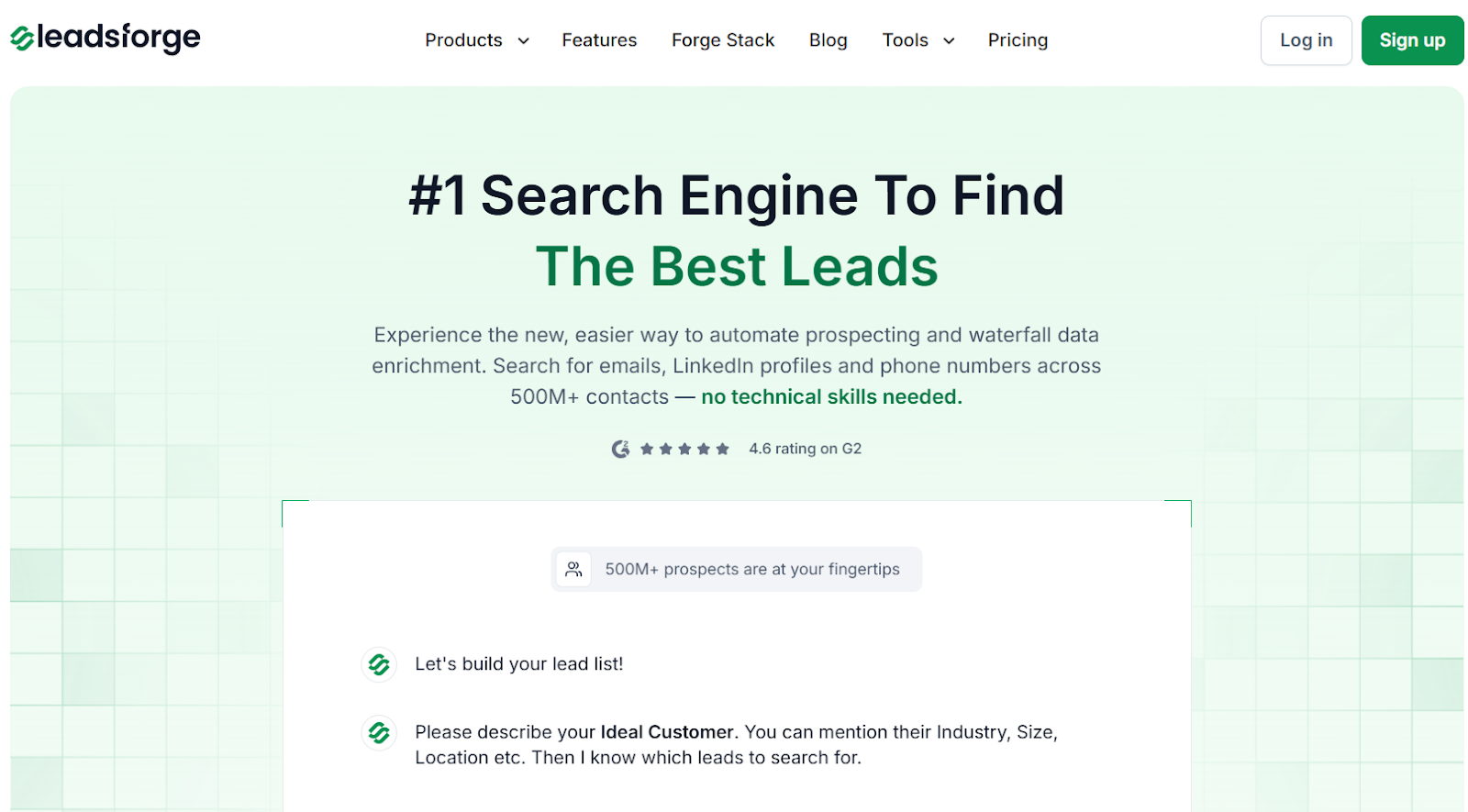
This image shows the Leadsforge homepage
Leadsforge is a B2B lead generation search engine that finds emails, LinkedIn profiles, and phone numbers across 500M+ contacts using a simple chat-based search.
This image shows the Find lookalike audience with Leadsforge
You describe your ideal customer in plain English, and Leadsforge builds and enriches the lead list with lookalikes, competitor followers, intent signals, and waterfall enrichment.
Sales Navigator vs. Leadsforge: Feature Comparison
Feature
Sales Navigator
Leadsforge
Prospecting
LinkedIn only
Chat-based
Emails
No
Yes
Phone Numbers
No
Yes
Lookalikes
No
Yes
Intent Signals
Limited
Yes
Waterfall Enrichment
No
Yes
Export
Limited
CSV + Salesforge
Starting Price
Higher per user
$49/month
Credits Rollover
N/A
Yes
Free Credits
No
100
If your goal is relationship-based selling inside LinkedIn, LinkedIn Sales Navigator works well.
But if you want emails, phone numbers, intent signals, flexible prospecting, and credits that never expire, Leadsforge is the better alternative for building and scaling outbound pipelines.
Is LinkedIn Sales Navigator Worth It?
LinkedIn Sales Navigator is worth it if you rely on LinkedIn to find and track leads and reach decision-makers.
However, it does not provide emails or phone numbers, and outreach is limited to LinkedIn messaging.
If you need full contact data and scalable outbound, Leadsforge is the better choice.