If you are searching for an AI Ark review, you probably want to know one thing.
Can it help build better outbound lead lists?
List quality matters in cold outreach.
Bad data leads to bounces and wasted campaigns.
AI Ark is a B2B data platform for finding companies and contacts.
Like many outbound tools, I had heard a lot about it.
I have used lead databases for a few years, so I wanted to see how well AI Ark works,
That is why I explored the platform and tested its features to understand how it works.
In this blog, I will walk you through my complete AI Ark review:
Let’s get started.
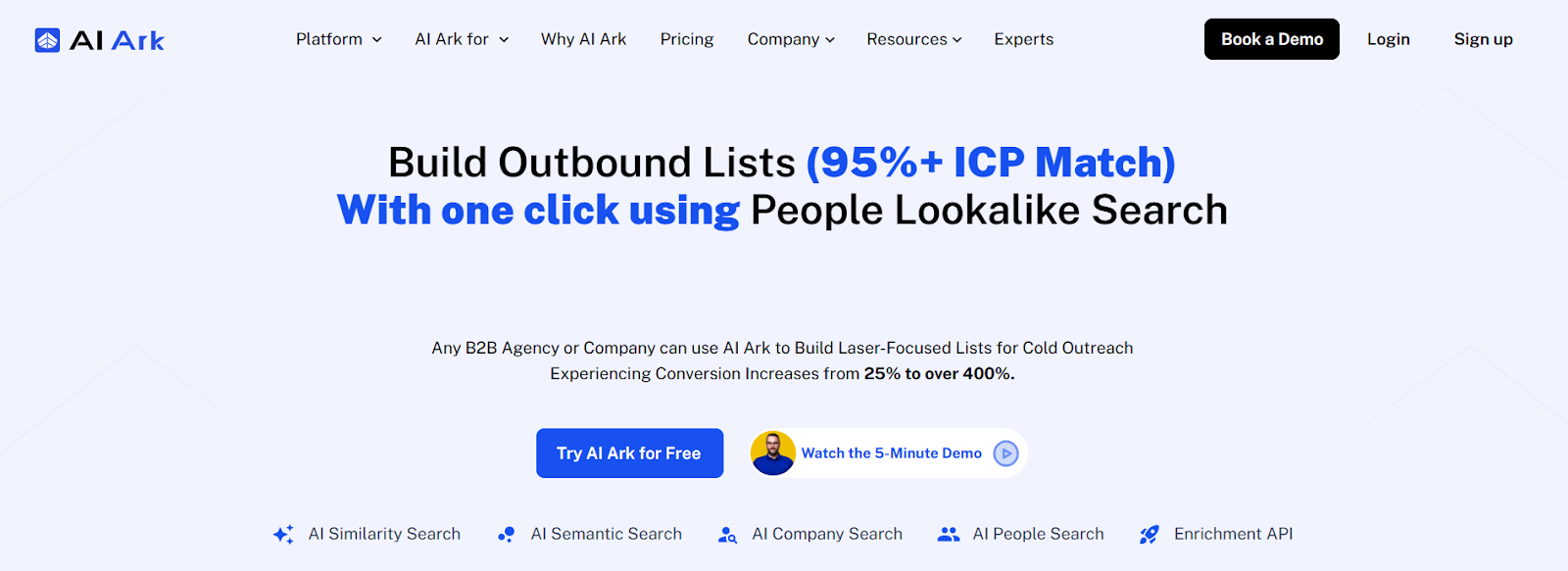
AI Ark is a B2B data platform used to find companies and decision-makers for sales and marketing outreach.
The platform helps teams build targeted prospect lists using AI-powered search.
AI Ark’s database includes over 500 million global contacts and more than 70 million company profiles.
The dataset is refreshed about every 30 days, which helps keep company and contact information up to date.
Email addresses are validated in real time during export, which helps reduce bounce risk in outreach campaigns.
AI Ark offers several search tools, including AI Similarity Search, AI Semantic Search, Company Search, and People Search.
These tools help users discover companies that match their ideal customer profile and find the right decision-makers.
The platform also provides an Enrichment API, which helps update and enrich existing company or contact data.
In this section, I will walk you through a detailed review of the 7 primary features of AI Ark based on my experience using the platform.
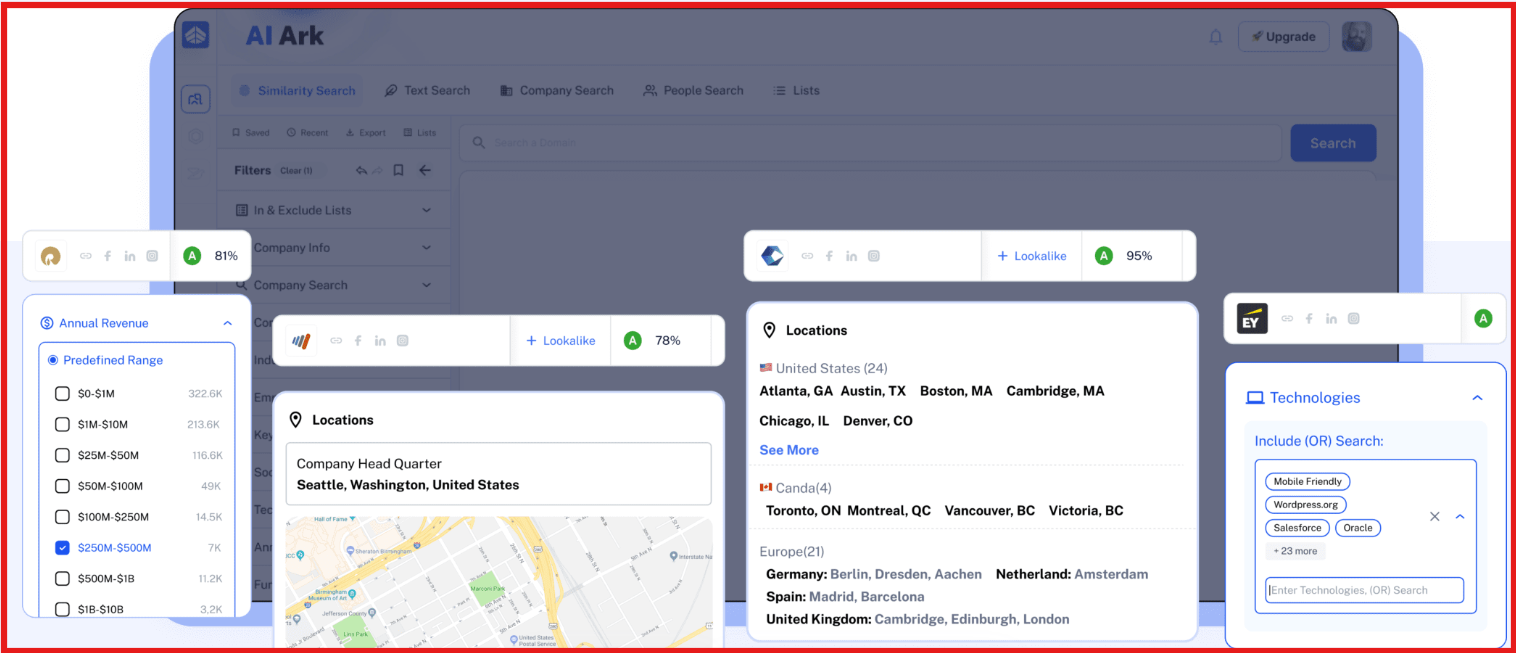
The first feature I tested when reviewing AI Ark was AI Similarity Search.
This feature helps you find companies that are similar to your existing customers or target accounts.
I entered a company domain, and AI Ark generated a list of companies that looked similar.
The platform appears to analyze factors such as:
Each company result also included a relevance score, which helped me quickly see how closely the company matched the original example.
From my testing, this feature is useful when you already know your ideal customer profile.
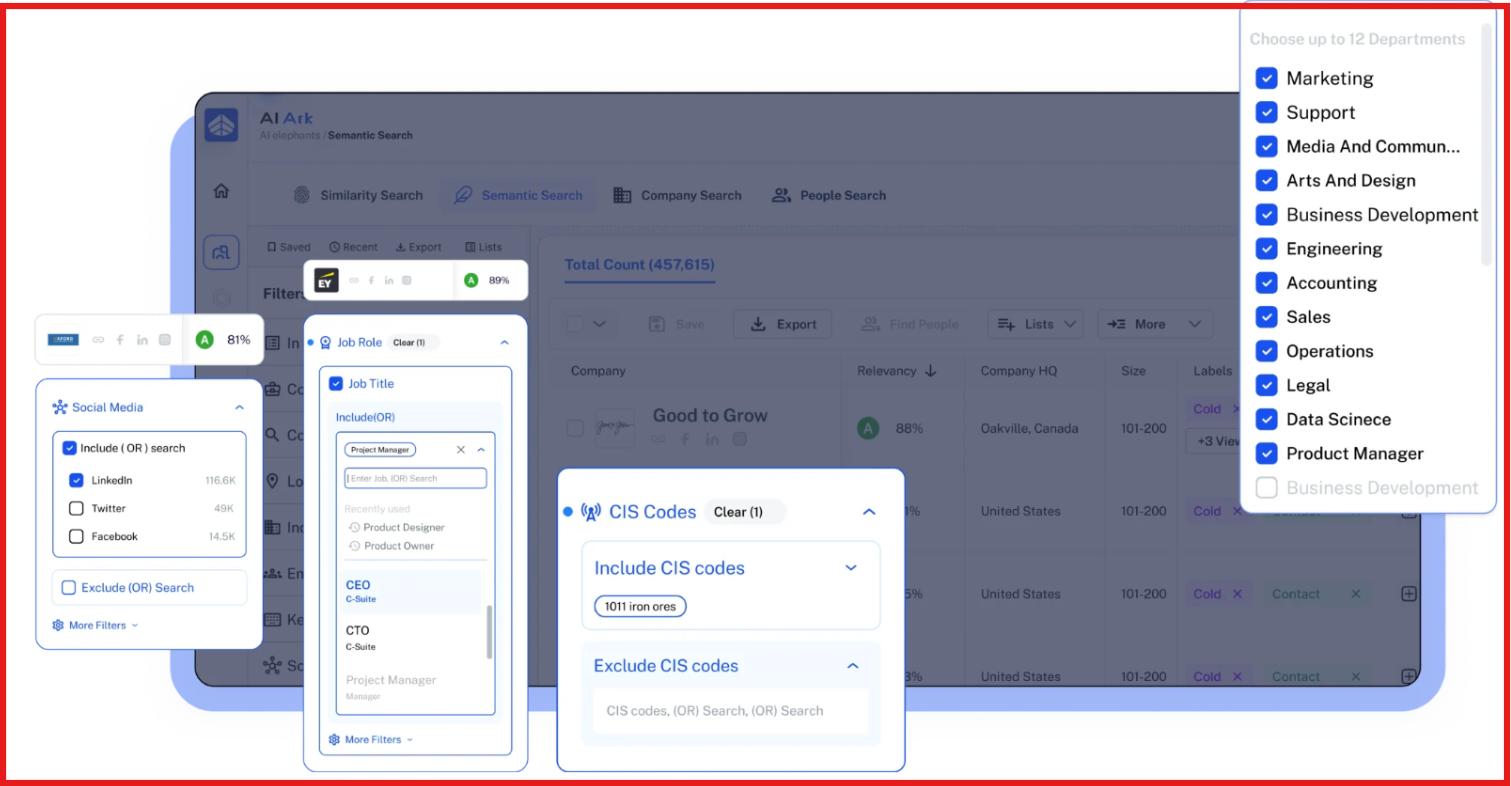
The next feature I explored was AI Semantic Search.
Instead of using only filters, this feature allows you to search companies using keywords or phrases.
For example, I tried searching for terms related to specific industries and product categories.
The platform scans company descriptions and business information to return relevant companies.
During my review, I noticed it works best for discovering companies in specific niches or emerging markets.
Some of the key things it supports include:
Overall, it makes it easier to find companies that match a particular market or business category.
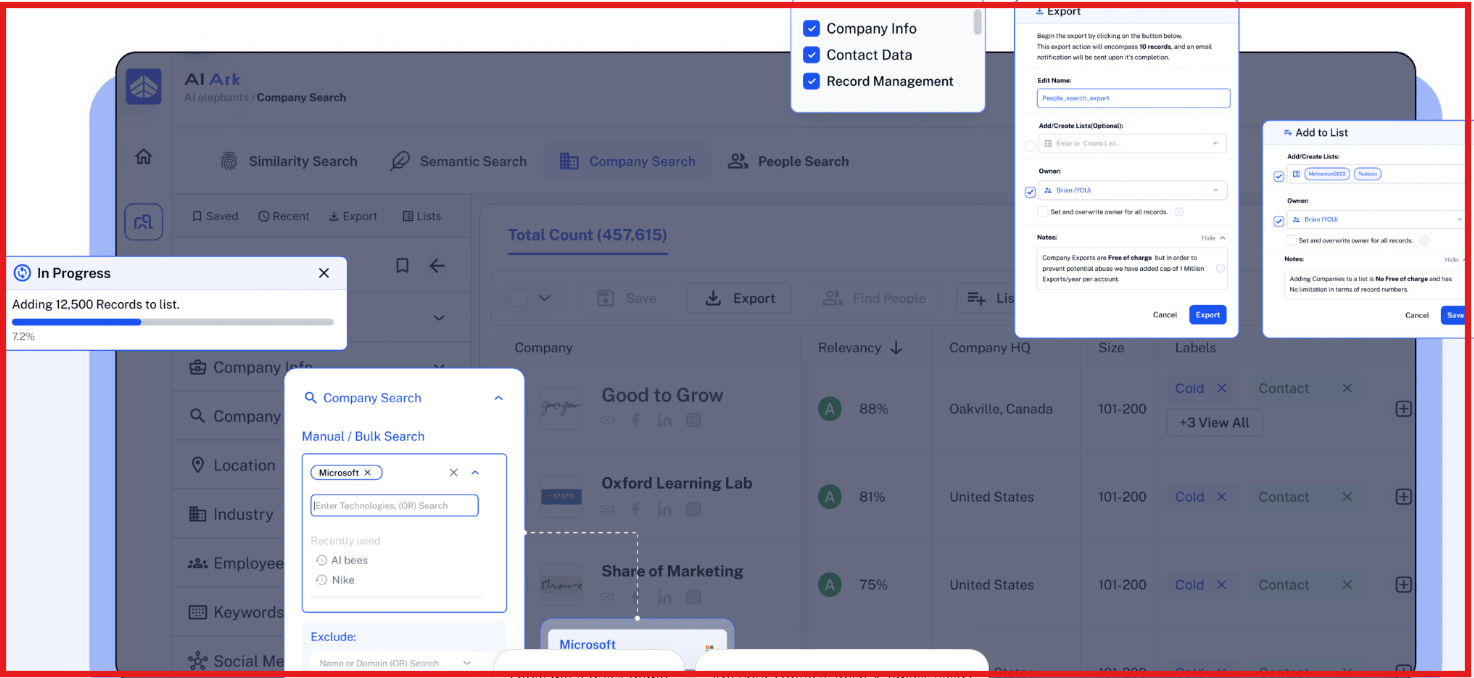
Next, I reviewed AI Company Search, which is one of the core features of the platform.
This feature allows you to filter companies using several criteria.
While testing it, I used filters such as:
Each company result includes a profile with additional information like company description, technologies used, and company size.
According to the platform, AI Ark’s database includes over 70 million company profiles.
Once you identify companies, you can move directly to finding employees working inside those companies.
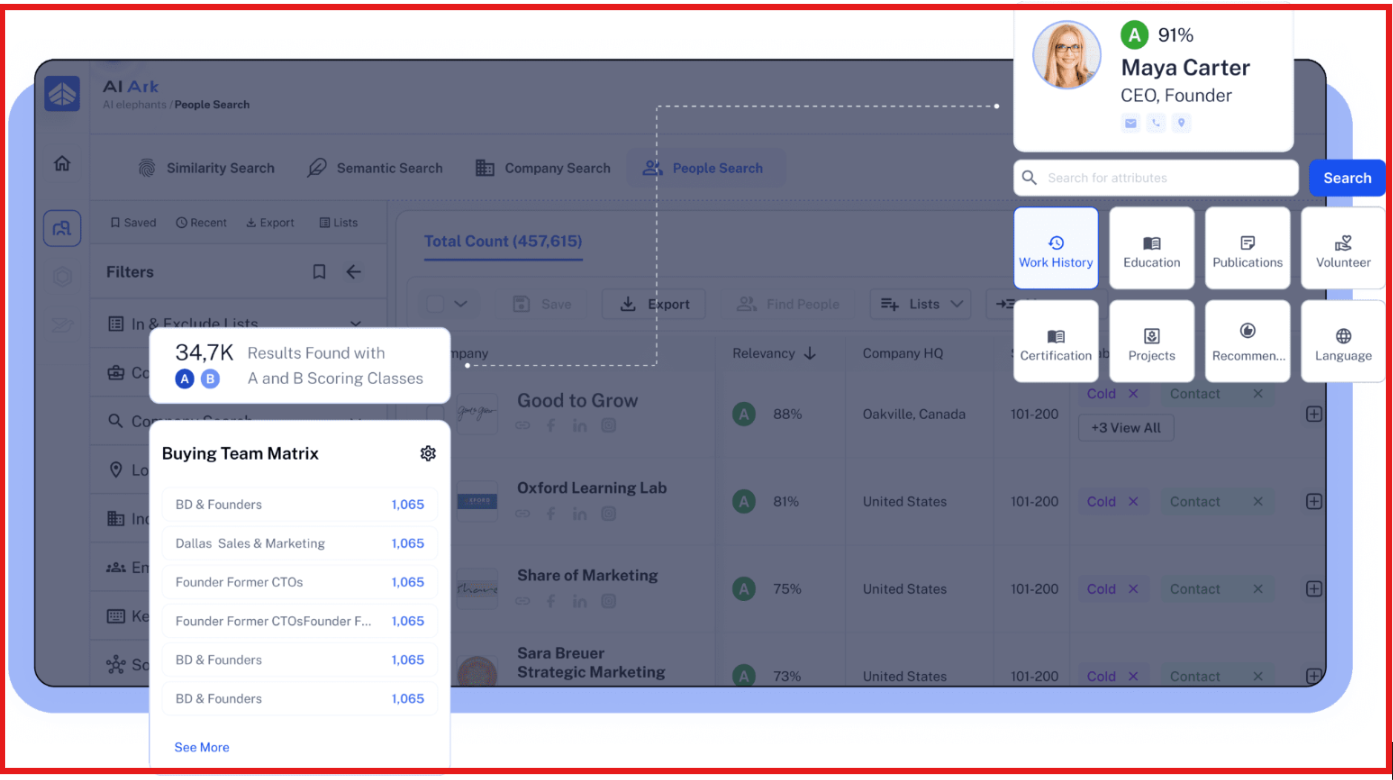
Another feature I reviewed was AI People Search.
This feature focuses on identifying decision-makers inside companies.
When I tested it, I could filter contacts using criteria such as:
Each profile includes professional information such as job role and background details.
AI Ark’s dataset contains over 500 million global contacts, which gives the platform a large pool of potential leads.
One thing I noticed is that emails are validated in real time when exporting contacts, which helps reduce bounce risk.
I also tested the CSV export feature while reviewing AI Ark.
The platform allows you to export both company and contact data.
Before exporting, you can create custom export templates and choose which data fields should appear in the file.
For example, exports can include fields like, job title, company domain, location, and education or languages
For people exports, the platform supports up to 256 selectable columns, which makes the export process flexible.
This makes it easier to prepare data before importing it into CRM systems or outreach tools.
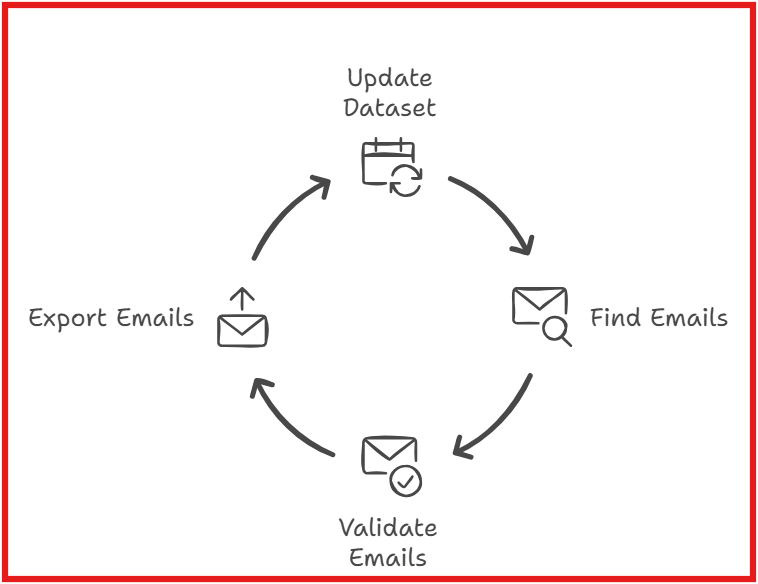
Another aspect I checked while reviewing AI Ark was data freshness.
According to the platform, the dataset is updated every 30 days.
These updates reflect changes such as:
One interesting thing about AI Ark is how it handles email addresses.
Instead of storing emails permanently, the system finds and validates emails in real time when contacts are exported.
This approach helps ensure the emails exported are current and usable for outreach.
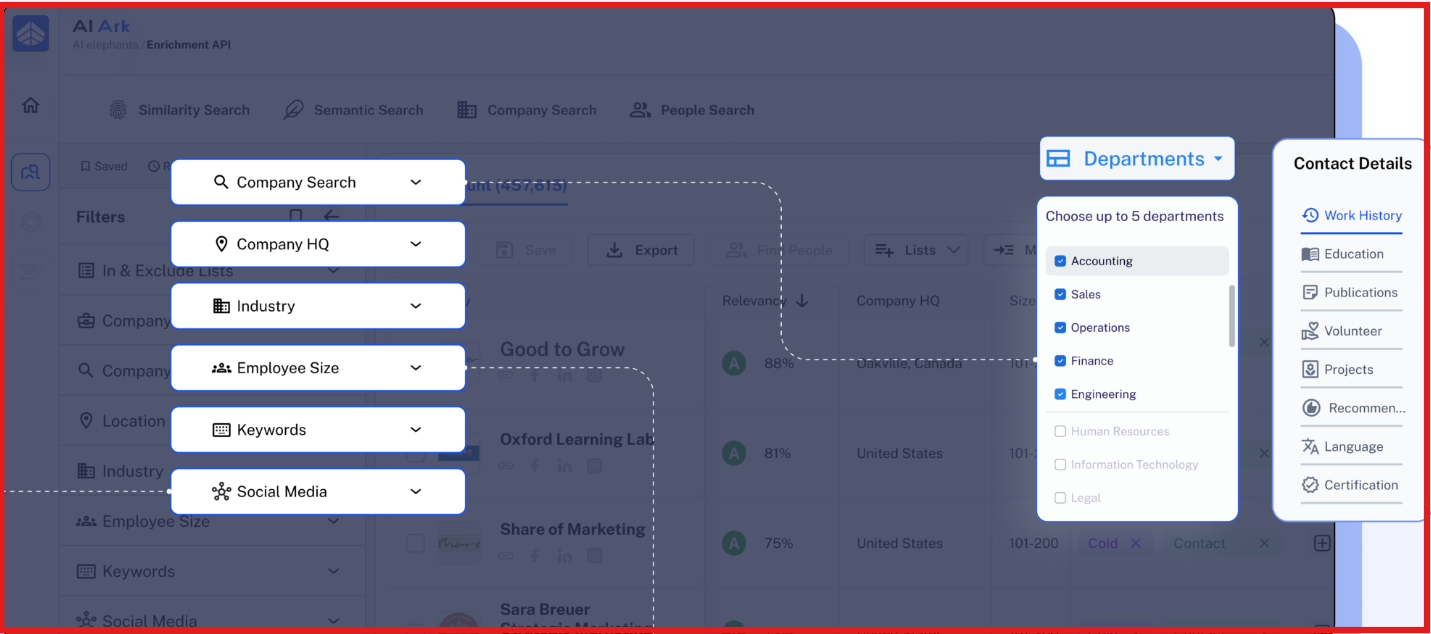
The last feature I explored during my review was the Enrichment API.
This feature helps update or enrich existing contact or company data.
Users can upload a CSV file or integrate the API with their existing systems.
The system then adds additional information such as:
This feature is useful for teams that want to keep their CRM or lead database updated with fresh data.
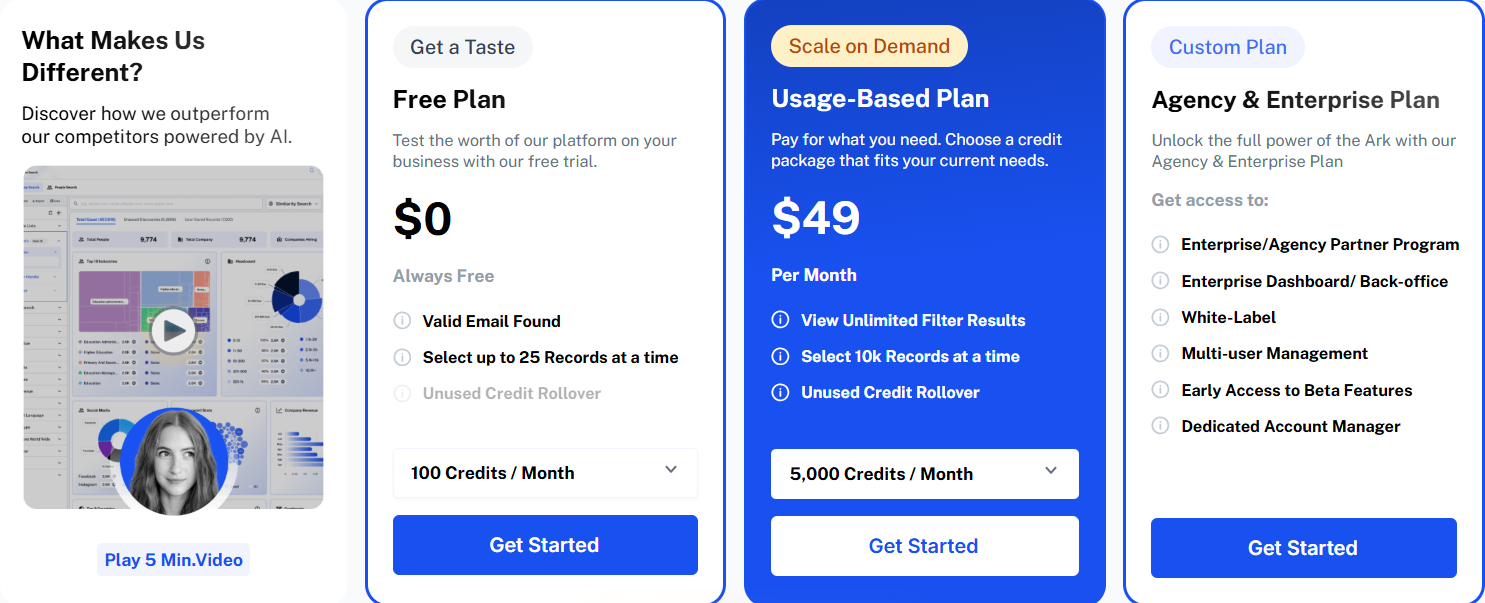
AI Ark uses a credit-based pricing model, where credits are used when exporting company or contact data.
AI Ark Pricing Plans:
Some actions consume credits, such as:
One export credit provides complete information about a company or contact profile.
AI Ark offers a free plan with 100 credits per month, allowing users to test the platform before upgrading.
AI Ark works well when the goal is to search companies and contacts from its database.
But if you want a simpler way to discover, enrich, and export leads in one workflow, Leadsforge can be a stronger option.
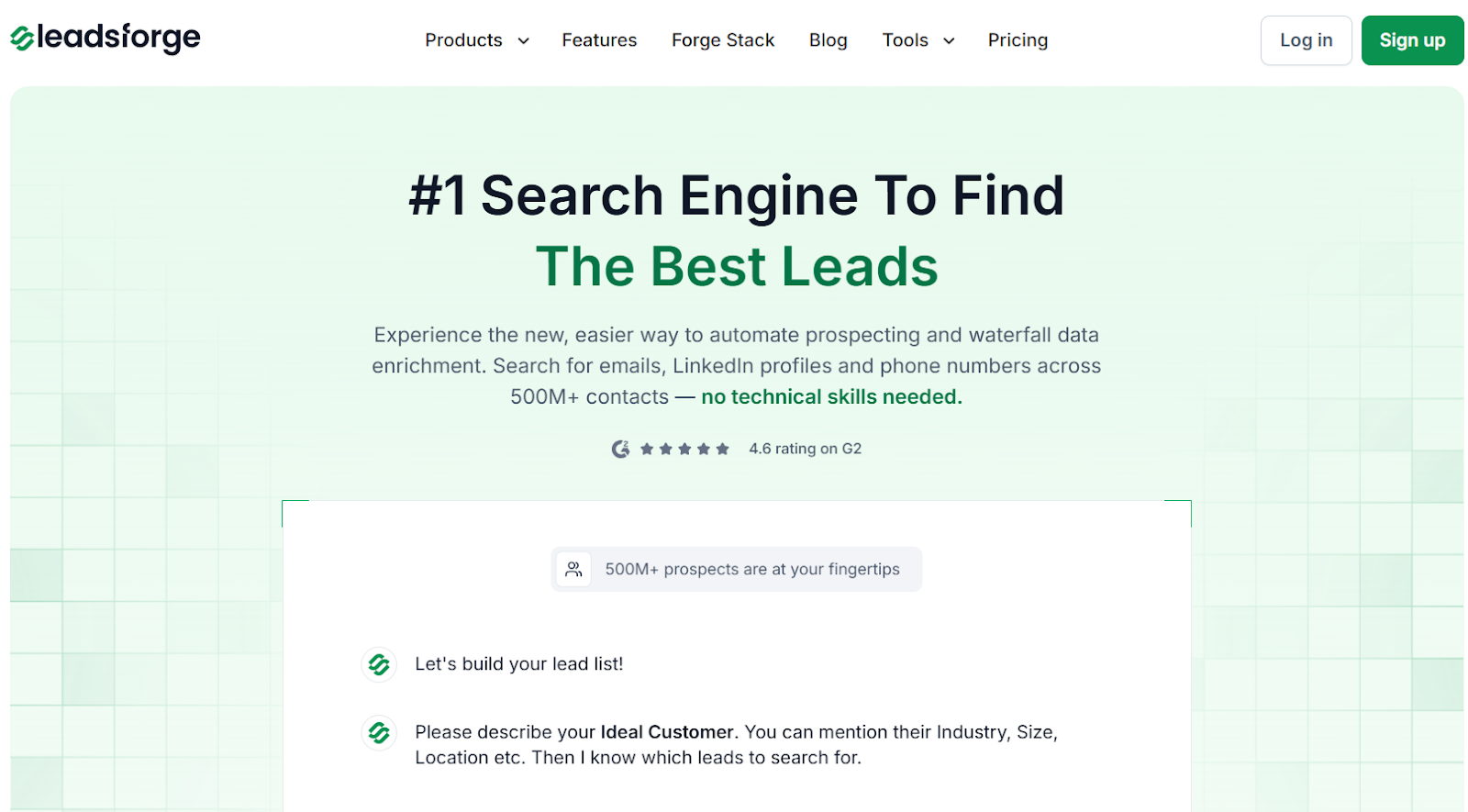
Leadsforge is a chat-based lead search engine. It helps you find emails, LinkedIn profiles, and phone numbers from 500M+ contacts.
It allows you to describe your ideal customer profile (ICP) in simple words and instantly generate a targeted lead list.

You can also enrich contacts with verified emails, LinkedIn profiles, phone numbers, and intent signals.
Here’s a quick comparison:
In short, choose AI Ark if you prefer searching companies and contacts using filters and AI search tools.
But if your goal is daily lead generation with ICP-based search and built-in enrichment, Leadsforge can be the better alternative.
AI Ark works when the goal is searching companies and contacts inside a large B2B database.
It provides tools like company search, people search, and CSV export with customizable columns.
Credits are used when contacts are exported or enriched.
In my review, the platform worked best when I already had a clear target market.
And when I wanted to explore similar companies.
However, building a complete lead list still required multiple steps.
It includes searching, selecting records, enriching contacts, and exporting data.
For daily prospecting, I usually prefer Leadsforge.
Leadsforge works like a search engine for B2B leads.
I can describe my ideal customer profile and instantly generate a targeted list.
Once my lead list is ready, I export it and move into outreach.
I usually push those leads into Salesforge to launch email and LinkedIn sequences.
Replies from both channels appear in Primebox™, which keeps conversations in one place.
This setup lets me move from lead discovery → enrichment → outreach → reply management.
So if you want a faster way to generate ICP-based lead lists, Leadsforge is a better option.
Try Leadsforge now with 100 free credits.

