Social media is transforming B2B lead generation. Platforms like LinkedIn and Twitter enable businesses to reach decision-makers, build trust, and generate high-quality leads. Here's the key takeaway: social media leads have 13% higher conversion rates than traditional methods, and 66% of marketers achieve results with just six hours of effort per week.
To succeed, focus on:
With the right strategy, social media can become your most effective B2B lead generation tool.

Your social media profile is often the first impression you make on potential clients. Think of it as your digital handshake. Before deciding to engage, 84% of B2B buyers turn to social media to gather information during their purchase journey. This means your profile has to establish trust and credibility immediately.
Focus on optimizing what’s visible “above the fold” - your banner, profile photo, and the first line of your headline or bio. These are the first things visitors notice, and they can make or break their decision to explore further. Let’s dig into how you can refine your profiles on key platforms to build that trust.
LinkedIn is where B2B relationships thrive, but your profile shouldn’t just be a resume. Instead of listing achievements, focus on how you solve problems. Start with your headline - it’s the first thing people see in search results or connection requests. Skip generic job titles like "Sales Manager" and opt for a headline that highlights your value. For instance: "Helping B2B SaaS Companies Double Their Revenue" instantly communicates what you bring to the table.
Your About section is another critical area. Use the first two lines strategically, as they appear in search previews on LinkedIn and Google. Include keywords your target audience is likely searching for.
For the visual elements, choose a banner image that reflects the pain points you address, rather than a generic company logo. Pair this with a professional headshot to build trust. Also, aim for at least 500+ connections - it signals that your profile is active and credible. Use LinkedIn’s Featured section to showcase case studies, testimonials, or media appearances as proof of your expertise.
Finally, create a custom LinkedIn URL that directs visitors to a high-value resource, such as a free guide or assessment tool. This simple tweak can turn casual profile visits into genuine leads. To scale this process, you can integrate your outreach stack to automate the transition from lead discovery to engagement.
While LinkedIn thrives on detailed storytelling, Twitter is all about brevity. You have just 160 characters in your bio to make an impression, so every word counts. As Twitter marketing expert Madalyn Sklar puts it:
"Your bio should be compelling and inviting. Don't be cutesy or funny. Your profile should paint your story in 160 characters and encourage me to want to learn more about you".
Choose a header image that aligns with your current campaigns or initiatives. It’s a quick way to show what you’re focused on right now.
Use a pinned tweet to highlight your best content. This could be a tweet with a clear call-to-action and a link to a gated resource like a whitepaper or webinar. It ensures visitors immediately see your most valuable offer. Also, keep your Direct Messages open to the public - making it easy for prospects to reach out removes unnecessary barriers in their decision-making process.
Profile Element
LinkedIn Best Practice
Twitter Best Practice
Banner that highlights the pain you solve
Header image tied to current campaigns
Value-focused headline (who you help and how)
Concise 160-character professional story
Custom URL to a high-value resource
Pinned tweet with a CTA and link
SEO keywords in the About section
Use of industry-specific hashtags
Maintain 500+ connections
Open DMs for easy communication
(function(d,u,ac){var s=d.createElement('script');s.type='text/javascript';s.src='https://a.omappapi.com/app/js/api.min.js';s.async=true;s.dataset.user=u;s.dataset.campaign=ac;d.getElementsByTagName('head')[0].appendChild(s);})(document,372145,'tlb9tturzitublbka5ay');
(function(d,u,ac){var s=d.createElement('script');s.type='text/javascript';s.src='https://a.omappapi.com/app/js/api.min.js';s.async=true;s.dataset.user=u;s.dataset.campaign=ac;d.getElementsByTagName('head')[0].appendChild(s);})(document,372145,'tlb9tturzitublbka5ay');
Once your profile is optimized, the next step is to focus on connecting with the right audience. Here's why that matters: 78% of salespeople using social media for prospecting outperform those who don't. But this only works if you're engaging with the right prospects. Social platforms, when combined with AI tools, offer precise ways to identify and reach your ideal audience.
LinkedIn's basic search is a good starting point, but LinkedIn Sales Navigator takes it to the next level with over 50 advanced filters. These filters allow you to narrow your search by criteria like job function, seniority, tenure, and location. For example, if you're looking for IT Directors at mid-sized SaaS companies in the Northeast, you can set those parameters and get a tailored list in seconds.
Sales Navigator also offers spotlight features that highlight timely opportunities. For instance, you can identify prospects who've recently posted on LinkedIn or changed roles within the last 90 days. Setting alerts ensures you're notified immediately when someone fits your criteria. Why is this important? A job change often signals a prime time to reach out, as new leaders are typically looking for solutions to make an impact. J.D. Veldsman, Pacific Corporate & Commercial Head at Marsh, puts it this way:
"If the person you've been working with is moving from one business to another, having Sales Navigator connected to our CRM keeps us updated immediately".
Another feature worth exploring is TeamLink, which helps you find warm introductions through shared connections in your sales team. Instead of sending a cold message, see if a colleague can provide a referral.
Sales Navigator users also connect with senior leaders - like Directors and above - 4x more often than those without it. The seniority filter makes it easier to bypass gatekeepers and reach decision-makers directly. Plus, with 50 monthly InMail credits included, you can message prospects even if you're not connected yet.
Switching gears, Twitter offers a different kind of opportunity for finding and engaging with prospects.
Twitter's fast-paced, conversational nature makes it ideal for engaging with people early in their buyer journey. The key is to monitor the right discussions. Use Twitter's advanced search to filter tweets by keywords, engagement levels, and location. Look for tweets where people are asking for recommendations, posing industry-related questions, or mentioning competitors.
Here's why this works: 69% of people have purchased from a business after following them on Twitter, and 93% of followers plan to make a purchase. Your presence matters, but how you engage is just as important. Tweets with hashtags generate 2x more engagement than those without, so use industry-relevant hashtags to increase visibility.
A smart tactic is to monitor competitor mentions. This can help you spot dissatisfied customers or users asking questions your competitors haven't addressed. For example, one company used Twitter mentions and competitor tags to quickly grow its lead list.
To stay organized, create private Twitter lists of potential leads. This allows you to track their activity and engage with them consistently. When someone interacts with a topic you're monitoring, guide them toward a webinar or whitepaper to turn that social interaction into a qualified lead in your CRM.
While manual prospecting on LinkedIn and Twitter is effective, automation tools can take your efforts to the next level.
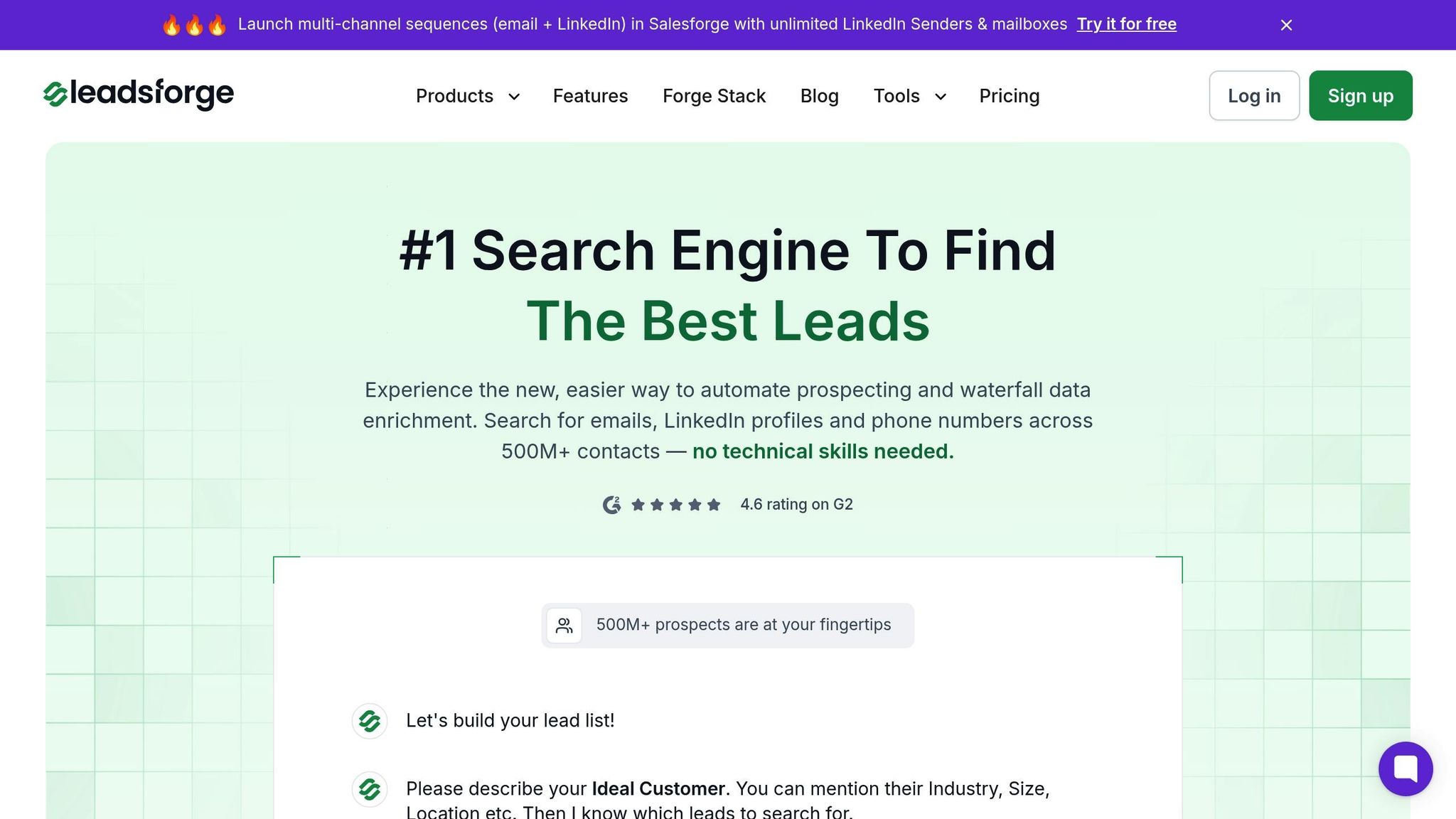
Manual prospecting can be a grind. AI tools like Leadsforge simplify the process by automating much of the work. With a chat-like interface, you simply describe your ideal customer, and Leadsforge generates a targeted, verified lead list.
One standout feature is the company followers search, which lets you pull and enrich lists of people following your competitors. These individuals are already interested in your type of solution, making them warmer leads. Another feature, lookalike search, helps you find companies or individuals similar to your best customers, expanding your reach without starting from scratch.
Leadsforge also offers waterfall data enrichment, providing LinkedIn profiles, email addresses, and phone numbers for multiple outreach options. It verifies this data in real-time, so your messages reach valid contacts. For the best results, prioritize prospects who've been active recently - those who've "Posted in Last 30 Days" are much more likely to respond.
Here's how Leadsforge stacks up against other tools:
Feature
Leadsforge
AI Conversational/Chat-like
Manual filters
Standard search
Real-time/Automated
Static/Manual Scrubbing
Inconsistent Accuracy
Full End-to-End
Manual Filtering Required
Partial Automation
High (No tech skills needed)
Low (Steep learning curve)
Moderate
Leadsforge also integrates with Salesforge, enabling multi-channel outreach. Once your list is ready, you can immediately start contacting prospects via LinkedIn, email, or phone. This automation not only saves time but ensures your efforts are focused on high-value prospects instead of repetitive tasks.
Once you've pinpointed your ideal prospects, the next step is crafting content that not only grabs their attention but also earns their trust and drives action. The right content can bridge the gap between interest and conversion. For instance, 93% of B2B marketers say video content boosts their ROI, while 60% view case studies as the most trusted form of content.
Businesses increasingly use ai video maker to create engaging product demonstrations, customer testimonials, and educational content that resonates with potential buyers.
But it’s not just about the message - how you present it matters just as much. Let’s explore how to tailor your content for different platforms to maximize lead generation.
Each social platform has its own strengths, and knowing how to leverage them can make all the difference. Take LinkedIn and Twitter, for example - they reward distinct types of content.
Getting users to leave a platform and fill out a lengthy form can be a tough sell. That’s where native lead forms come in. These forms keep users on the platform and often pre-fill their details, making the process nearly effortless. For example, LinkedIn Lead Gen Forms automatically pull data like name, email, job title, and company from user profiles, allowing prospects to submit their information with just a few clicks.
The effectiveness of these forms is clear: 90% of LinkedIn Lead Gen Forms' pilot users exceeded their cost-per-lead goals. Ashley Hirschbek, Senior Digital Marketing Specialist at LEWIS Pulse, highlights their impact:
"Lead Gen Forms have dramatically improved our target users' experience with amplified content, as well as our form fill rates. It's the optimal ad unit to get the best bang for your lead gen buck."
To get the best results, keep your forms short - 3 to 4 fields work best. While LinkedIn allows up to 12 fields, shorter forms tend to perform better. Keep your offer headline under 60 characters and the details within 160 characters for easy readability. Use the confirmation message (up to 300 characters) to deliver a direct link to your promised content, like an ebook or webinar registration.
Lead magnets are powerful tools for collecting contact information in exchange for something valuable. They’re especially effective for B2B audiences, with resources like case studies, templates, ebooks, and free trials leading the pack. Case studies, in particular, shine on LinkedIn, where professionals actively seek evidence that solutions deliver results.
To maximize their reach, promote lead magnets across multiple channels. On LinkedIn, showcase your best resources through sponsored content or dedicated showcase pages. On Twitter, pin a tweet linking directly to your gated content. If you’re offering a free trial or freemium version of your product, LinkedIn is an excellent platform to target professionals searching for business solutions.
Social proof can amplify the appeal of your lead magnets. Consider running referral contests with enticing rewards, like lifetime access to premium content or major discounts, to encourage sharing and engagement.
Creating great content grabs attention, but turning that attention into meaningful conversations requires direct outreach. With optimized profiles and engaging content already in place, the next step is to focus on personalized connections while scaling your efforts. Striking the right balance between personalization and automation is crucial - you want to reach enough prospects without coming across as robotic. LinkedIn dominates this space, with 80% of B2B leads generated through social media originating from this platform. Your approach can make all the difference.
Generic, cookie-cutter messages rarely get results. The first line of your message determines whether it gets read or ignored. Start by defining a clear ideal customer profile (ICP) - for instance, SaaS marketing managers at companies with 50–200 employees. This kind of targeting can double your reply rates.
Before sending a connection request, engage with your prospect's LinkedIn activity. A thoughtful comment or even a simple "like" on their post 24–48 hours beforehand can make a big difference, boosting acceptance rates from 12% to 33%. Once you reach out, keep your message short - no more than 3–4 lines - and conversational. Avoid formal, email-style language. Instead, reference something specific from their profile, recent company news, or a post they’ve shared. This personal touch shows you're genuinely interested.
Social proof is also powerful. Mention tangible results, like "Helped [Company] secure 35 additional demos", rather than vague claims. If you don’t hear back, follow up 3–4 times over 10–14 days, addressing different pain points or offering new insights each time. To stand out even more, try mixing up your formats - incorporate video messages, voice notes, or unique observations into your outreach.
The stats back this approach: sales professionals active on social media outperform their peers by 78%, and those with higher Social Selling Index scores generate 45% more opportunities. Fast responses also matter - replying to inbound messages within minutes can significantly increase your conversion rates.
For scaling these strategies while maintaining a personal touch, automation tools come into play.
While manual outreach works for a small number of prospects, scaling requires automation. That’s where Leadsforge steps in. This tool uses AI to automate prospecting and enrich data, allowing you to define your ideal customer in a chat-like interface. It then generates targeted, verified lead lists complete with LinkedIn profiles, email addresses, and phone numbers.
Once your list is ready, Salesforge, part of The Forge Stack, takes over. Its AI-driven assistant, Agent Frank, handles everything from lead discovery to personalized messaging and even booking meetings. For example, in November 2025, VAI Consulting used Agent Frank to automate their outreach and scheduled three discovery calls within the first week.
Scaling on LinkedIn also involves leveraging multiple real profiles - such as those of founders, sales team members, and GTM staff - to avoid hitting LinkedIn’s rate limits. A team of at least five LinkedIn senders can help maintain a meaningful outreach volume without jeopardizing account health. Tools like Salesforge’s Primebox™ centralize multiple LinkedIn and email accounts into one dashboard, while Warmforge ensures your email reputation stays intact with unlimited email warm-up.
Combining automated follow-ups, multi-channel outreach, and personalized messaging can create genuine connections. As Jaimin Kapadia from Salesforge puts it:
"Instead of delivering a lengthy pitch, focus on building rapport and sparking dialogue".
LinkedIn outreach consistently outshines email, with response rates often 2x to 10x higher, depending on your targeting and creativity. Investing in the right tools and strategies can pay off significantly.
Criteria
LinkedIn Outreach
Email Outreach
30–40% (average)
10–15% (average)
High (real profiles)
Lower (can feel "salesy")
High (notifications)
Lower (spam filters)
Moderate (rate limits)
Very High
For pricing, the Salesforge Growth Plan starts at $80/month (billed annually) and includes unlimited users and email warm-up. Leadsforge, on the other hand, operates on a credit system, with the Essential Plan priced at $49/month for 2,000 credits. Plus, new users get 100 free credits to get started.
After effective outreach and direct engagement, the next step is to measure your results. Keeping track of key metrics is essential to ensure your efforts are driving revenue. Without this focus, your campaigns may lack direction. For instance, 79% of marketers highlight lead generation as a top priority. Yet, many still face challenges in linking their social media activities to actual revenue.
Start with conversion metrics. One of the most important is your Lead Conversion Rate, which measures the percentage of leads that turn into paying customers. You should also track how Marketing Qualified Leads (MQLs) progress to Sales Qualified Leads (SQLs). This helps you assess whether your audience targeting and messaging are aligned. If you’re generating a high volume of leads but none are converting, it’s a sign that something in your strategy needs adjustment.
Cost and ROI metrics give you a clearer picture of financial performance. For example, the Cost Per Lead (CPL) in B2B social media campaigns typically ranges from $20 to $390, with an average of around $50. Keep an eye on your Customer Acquisition Cost (CAC) and Return on Marketing Investment (ROMI) to ensure your spending is justified by the value of your customers. Data-driven marketing has been shown to increase profitability by up to six times.
Pipeline metrics, like Pipeline Velocity and Lead Velocity Rate (LVR), help you forecast future revenue by measuring how quickly leads move through your sales funnel. Use historical data (three to six months is a good range) to establish benchmarks. This gives you a baseline for understanding what’s typical for your business and helps identify areas for improvement.
These metrics provide a solid foundation for ongoing optimization.
Tools like Leadsforge can streamline the process of analyzing and qualifying leads. For example, Leadsforge uses website activity and download data to automate lead qualification, enabling your sales team to focus on high-potential prospects. Unlike platforms like ZoomInfo, which rely on static data, Leadsforge offers real-time data verification powered by AI. Businesses that implement lead scoring models have seen a 77% increase in ROI from lead generation.
Leadsforge also stands out with its straightforward pricing model. Plans start at $49 per month for 2,000 credits, and new users get 100 free credits. This transparency contrasts with competitors like ZoomInfo, which often have higher and less predictable costs. By prioritizing intent signals and lead qualification, Leadsforge helps you focus on prospects most likely to convert, turning raw data into actionable insights.
These insights can guide you as you refine and improve your strategy.
Once you’ve established clear metrics, the next step is systematic testing to fine-tune your approach. A/B testing is a powerful way to evaluate different content formats, posting times, and audience segments. For example, you could create separate ad sets for different buyer personas - a Marketing Specialist might respond to a different message than a VP of Marketing.
Native lead forms on platforms like LinkedIn and Facebook typically have conversion rates between 15% and 50%. These rates are much higher than those achieved by directing users to external landing pages. Simplifying your lead forms can also make a big difference - reducing the number of fields from 12 to just four can significantly boost conversions. Experiment with content length, CTA placement, and messaging angles. A well-optimized approach can double your lead-to-close rates.
Generating leads through social media isn't about shouting your message to the masses - it's about connecting with the right audience and engaging them with content that feels personal and relevant. Successful B2B companies approach their social media profiles as if they were landing pages, use social listening to identify prospects actively searching for solutions, and coordinate their outreach efforts across platforms like LinkedIn, direct messages, and follow-up emails.
Here’s a compelling stat: leaders in social selling on LinkedIn generate 45% more opportunities compared to those who skip social media for prospecting efforts. While traditional manual prospecting can be time-consuming and inefficient, tools powered by AI - like Leadsforge - can simplify the process. Leadsforge, for example, uses a chat-style interface to create verified, real-time lead lists, cutting down the manual tasks often associated with platforms like ZoomInfo.
The secret to success lies in warming up your prospects before making your pitch. Interact with their posts, keep your messages short (ideally 3–4 lines), and use AI to customize your outreach based on recent company updates or LinkedIn activity. This helps you steer clear of generic templates that often get ignored. By doing this, your social media presence becomes a powerful tool for consistent lead generation.
To make your LinkedIn profile work harder for B2B lead generation, think of it as a mini-website designed specifically for your ideal audience. Start with a headline that clearly communicates the value you bring. Make it benefit-focused, highlight your expertise, and include keywords your target audience is likely to search for. Pair this with a professional headshot and a banner image that supports your brand or value proposition.
In your summary, focus on the challenges you help solve and the results you’ve achieved. Use measurable outcomes where possible, and sprinkle in relevant industry terms to boost your profile’s search visibility. When it comes to the Experience section, keep it concise yet impactful. Use bullet points to highlight your accomplishments, and make sure to include keywords that align with your target market. Don’t forget to showcase your skills, request recommendations from colleagues or clients to build credibility, and personalize your LinkedIn URL for a polished touch.
To take it a step further, enable the “Open to Business” feature to signal availability and stay active by sharing posts or videos that demonstrate thought leadership. Regular engagement keeps you visible and relevant.
For even greater results, consider pairing your optimized profile with an AI-powered platform like Leadsforge. This tool can enhance your LinkedIn profile by adding verified contact information, identifying intent signals, and helping you locate highly targeted leads that fit your ideal customer profile. By combining a sharp LinkedIn presence with Leadsforge’s tools, you can transform profile views into meaningful connections and drive consistent B2B growth.
To effectively connect with B2B prospects on Twitter, start by defining your Ideal Customer Profile (ICP). This step is crucial for narrowing down your audience. Use Twitter’s advanced search operators - like from:, @, relevant hashtags, or keywords combined with job titles (e.g., "CEO" or "VP of Marketing") - to identify decision-makers who align with your ICP. Once you’ve found them, organize these accounts into private Twitter Lists. This allows you to keep track of their activity and engage with their tweets or replies in a timely and genuine manner.
You can take it a step further by using targeted Twitter Ads. These ads let you focus on specific interests, keywords, or even follower look-alike audiences. Promote offers like e-books, webinars, or demo sign-ups to decision-makers who demonstrate interest. Complement this strategy with consistent, value-packed content - think industry insights, case studies, or actionable tips. This type of content not only fosters engagement but also boosts your visibility among your target audience.
For maximum efficiency, consider tools like Leadsforge. Using AI, Leadsforge can analyze your ICP, pinpoint relevant Twitter accounts, and enrich profiles with verified details such as email addresses and phone numbers. This streamlines your prospecting efforts, ensuring you’re reaching the right people quickly and effectively. With the right approach, Twitter can become a powerful platform for B2B lead generation.
AI tools, like Leadsforge, are reshaping how B2B social media prospecting gets done by streamlining tedious processes and delivering precise insights based on real data. Instead of spending hours manually hunting for potential leads, AI steps in to find and enhance profiles on platforms like LinkedIn and Twitter. It gathers verified details such as email addresses, phone numbers, and company information, while also analyzing engagement patterns and intent signals. This allows you to zero in on the most promising leads and focus your efforts where they matter most.
What sets Leadsforge apart is its user-friendly, chat-style interface. You can simply describe your ideal customer, and the platform generates targeted lead lists in no time. Features like company-followers search, lookalike modeling, and real-time data enrichment ensure you're working with accurate and up-to-date information. Even better, Leadsforge integrates seamlessly with tools like Salesforge and Mailforge, cutting down on the hassle of managing multiple subscriptions. Compared to alternatives like ZoomInfo or Clearbit, it makes social media prospecting faster, easier, and more effective.
{"@context":"https://schema.org","@type":"FAQPage","mainEntity":[{"@type":"Question","name":"How can I make my LinkedIn profile more effective for generating B2B leads?","acceptedAnswer":{"@type":"Answer","text":"<p>To make your LinkedIn profile work harder for B2B lead generation, think of it as a mini-website designed specifically for your ideal audience. Start with a headline that clearly communicates the value you bring. Make it benefit-focused, highlight your expertise, and include keywords your target audience is likely to search for. Pair this with a professional headshot and a banner image that supports your brand or value proposition.</p> <p>In your summary, focus on the challenges you help solve and the results you’ve achieved. Use measurable outcomes where possible, and sprinkle in relevant industry terms to boost your profile’s search visibility. When it comes to the Experience section, keep it concise yet impactful. Use bullet points to highlight your accomplishments, and make sure to include keywords that align with your target market. Don’t forget to showcase your skills, request recommendations from colleagues or clients to build credibility, and personalize your LinkedIn URL for a polished touch.</p> <p>To take it a step further, enable the “Open to Business” feature to signal availability and stay active by sharing posts or videos that demonstrate thought leadership. Regular engagement keeps you visible and relevant.</p> <p>For even greater results, consider pairing your optimized profile with an AI-powered platform like <strong>Leadsforge</strong>. This tool can enhance your LinkedIn profile by adding verified contact information, identifying intent signals, and helping you locate highly targeted leads that fit your ideal customer profile. By combining a sharp LinkedIn presence with Leadsforge’s tools, you can transform profile views into meaningful connections and drive consistent B2B growth.</p>"}},{"@type":"Question","name":"What are the best strategies for targeting B2B prospects on Twitter?","acceptedAnswer":{"@type":"Answer","text":"<p>To effectively connect with B2B prospects on Twitter, start by defining your <strong>Ideal Customer Profile (ICP)</strong>. This step is crucial for narrowing down your audience. Use Twitter’s advanced search operators - like <code>from:</code>, <code>@</code>, relevant hashtags, or keywords combined with job titles (e.g., "CEO" or "VP of Marketing") - to identify decision-makers who align with your ICP. Once you’ve found them, organize these accounts into private Twitter Lists. This allows you to keep track of their activity and engage with their tweets or replies in a timely and genuine manner.</p> <p>You can take it a step further by using <strong>targeted Twitter Ads</strong>. These ads let you focus on specific interests, keywords, or even follower look-alike audiences. Promote offers like e-books, webinars, or demo sign-ups to decision-makers who demonstrate interest. Complement this strategy with consistent, value-packed content - think industry insights, case studies, or actionable tips. This type of content not only fosters engagement but also boosts your visibility among your target audience.</p> <p>For maximum efficiency, consider tools like <strong>Leadsforge</strong>. Using AI, Leadsforge can analyze your ICP, pinpoint relevant Twitter accounts, and enrich profiles with verified details such as email addresses and phone numbers. This streamlines your prospecting efforts, ensuring you’re reaching the right people quickly and effectively. With the right approach, Twitter can become a powerful platform for B2B lead generation.</p>"}},{"@type":"Question","name":"How can AI tools like Leadsforge improve B2B lead generation on social media?","acceptedAnswer":{"@type":"Answer","text":"<p>AI tools, like Leadsforge, are reshaping how B2B social media prospecting gets done by streamlining tedious processes and delivering precise insights based on real data. Instead of spending hours manually hunting for potential leads, AI steps in to find and enhance profiles on platforms like LinkedIn and Twitter. It gathers verified details such as email addresses, phone numbers, and company information, while also analyzing engagement patterns and intent signals. This allows you to zero in on the most promising leads and focus your efforts where they matter most.</p> <p>What sets Leadsforge apart is its user-friendly, chat-style interface. You can simply describe your ideal customer, and the platform generates targeted lead lists in no time. Features like company-followers search, lookalike modeling, and real-time data enrichment ensure you're working with accurate and up-to-date information. Even better, Leadsforge integrates seamlessly with tools like Salesforge and <a href=\"https://www.mailforge.ai/\" target=\"_blank\" rel=\"nofollow noopener noreferrer\">Mailforge</a>, cutting down on the hassle of managing multiple subscriptions. Compared to alternatives like ZoomInfo or <a href=\"https://www.leadsforge.ai/blog/d7-lead-finder-alternatives\">Clearbit</a>, it makes social media prospecting faster, easier, and more effective.</p>"}}]}