Finding emails from LinkedIn manually is slow and messy.
You copy names, guess email formats, and still end up with bounced messages.
That’s why most sales teams use LinkedIn email finder tools, they pull verified work emails, job titles, and company info directly from LinkedIn profiles so you can start outreach right away.
In this guide, I’ll show you the 5 best LinkedIn email finder tools for sales outreach, what data they give, how they work, and how to pick the right one for your use.
TL;DR: 5 LinkedIn Email Finder Tools for Sales Outreach
Leadsforge – Best for complete LinkedIn data enrichment (emails, phones, company info).
Snov.io – Great for finding and verifying LinkedIn emails with built-in outreach tools.
Apollo.io – Ideal for teams that want LinkedIn email finding, CRM and sequencing in one place.
ContactOut – Perfect for a quick Chrome extension to pull emails and phone numbers right from LinkedIn profiles.
Skrapp.io – Fast and easy LinkedIn email finder for verified B2B contacts and bulk exports.
How We Evaluated the 5 Best LinkedIn Email Finder Tools for Sales Outreach
To find the best tools, we focused on what actually helps you in daily outreach. Here’s what we looked for:
Accuracy & verification – The tool should give you real, working emails so you don’t waste time on bounced messages.
LinkedIn integration – It should connect directly with LinkedIn or Sales Navigator, making it easy to pull contact info from profiles in one click.
Export & CRM compatibility – You should be able to send leads to your CRM or outreach tool in one click.
Pricing & credits – The plan should match your outreach volume and give you good value for money.
Compliance & safety – The tool needs to follow LinkedIn’s rules and handle data safely under privacy laws like GDPR.
That’s how we evaluated each LinkedIn email finder too, by checking if it’s accurate, easy to use, affordable, and safe for your outreach workflow.
5 LinkedIn Email Finder Tools for Sales Outreach: Quick Comparison
LinkedIn Tools Comparison
LinkedIn Data Enrichment & Extraction Tools
LinkedIn Integrations
Tool
LinkedIn Integration Type
Bulk Extraction Limit
Data Enrichment & Verification
CRM / Export Options
Starting Price
Leadsforge
AI-driven LinkedIn data enrichment (emails, phones, company data) via ICP-based search
Auto-fetches verified contacts (no stated hard cap)
Waterfall enrichment from multiple verified databases
Export to CSV or push directly into Salesforge for outreach
$49/month
Snov.io
Chrome extension for LinkedIn & Sales Navigator
Bulk save via LinkedIn Prospect Finder
7-tier verification system (98% accuracy)
Export to CSV, Google Sheets, HubSpot, Pipedrive
$39/month
Apollo.io
Chrome extension for LinkedIn lead capture & enrichment
Automated through ICP builder & intent signals
Real-time enrichment + domain health validation
CRM sync with Salesforce, HubSpot, Outreach
$49/month
ContactOut
Chrome extension for LinkedIn, Sales Navigator & Recruiter
Bulk reveal from LinkedIn search pages
Triple-verified (99% accuracy) with hourly API updates
Direct sync with Salesforce, HubSpot, Lever
$49/month
Skrapp.io
Chrome extension for LinkedIn & Sales Navigator
Up to 2,500 verified emails per operation
Email verifier with 97% accuracy
CSV export & CRM sync via API
$39/month
1. Leadsforge
This image shows the Leadsforge homepage
Leadsforge is an AI-powered lead generation and enrichment tool that helps you find verified emails, LinkedIn profiles, and phone numbers in seconds.
It works like a search engine for B2B leads, you just describe your ideal customer profile (ICP), and Leadsforge automatically builds a clean, verified list from over 500M+ contacts.
What Leadsforge Provides & How It Works:
Leadsforge connects to multiple verified B2B databases and uses a waterfall enrichment system, meaning if one source doesn’t return a verified result, it automatically checks others until it finds one that’s valid.
For LinkedIn users, it can:
Pull verified work emails, LinkedIn profile URLs, and mobile numbers directly related to your search criteria (industry, company size, role, or location).
This image shows the Leadsforge provides data about LinkedIn profile, work email, and more
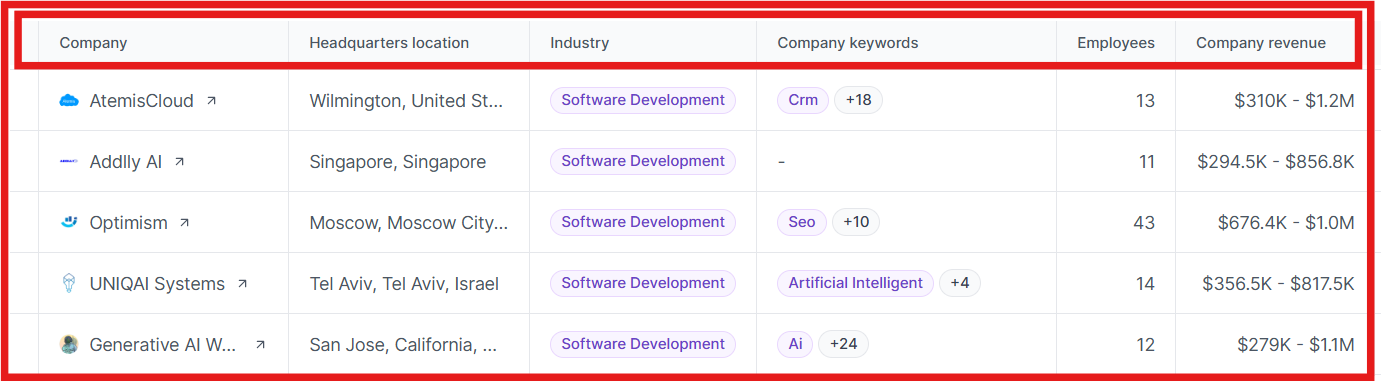
Enrich each profile with job titles, company names, headquarters, industries, revenue, and employee count, everything you’d normally gather manually from LinkedIn.
This image shows the Leadsforge provides data about, company headquarters, industry, revenue, and more
Identify lookalike companies and competitor followers, so you can find prospects similar to your best-performing leads.
This image shows the Find lookalike audience with Leadsforge
All verified data can be exported to CSV or sent straight to Salesforge for launching email or LinkedIn outreach sequences.
Pros of Leadsforge
Leadsforge makes prospecting faster with a chat-style interface where you can describe your ICP in simple words instead of using complex filters.
It gives you complete company details like size, revenue, and location, which helps you segment and target better.
The waterfall enrichment process connects to multiple verified data sources, ensuring higher accuracy and complete profiles.
Cons of Leadsforge
Doesn’t have a Chrome extension for in-browser use yet.
Leadsforge Pricing
This image shows the Leadsforge pricing
Leadsforge uses a flexible credit-based plan:
$49/month (Essential Plan), includes 2,000 export credits, and unused credits roll over.
$588/year – includes 28,000 export credits upfront with a 14% discount.
Additional credits can be purchased anytime, and new users get 100 free credits to start.
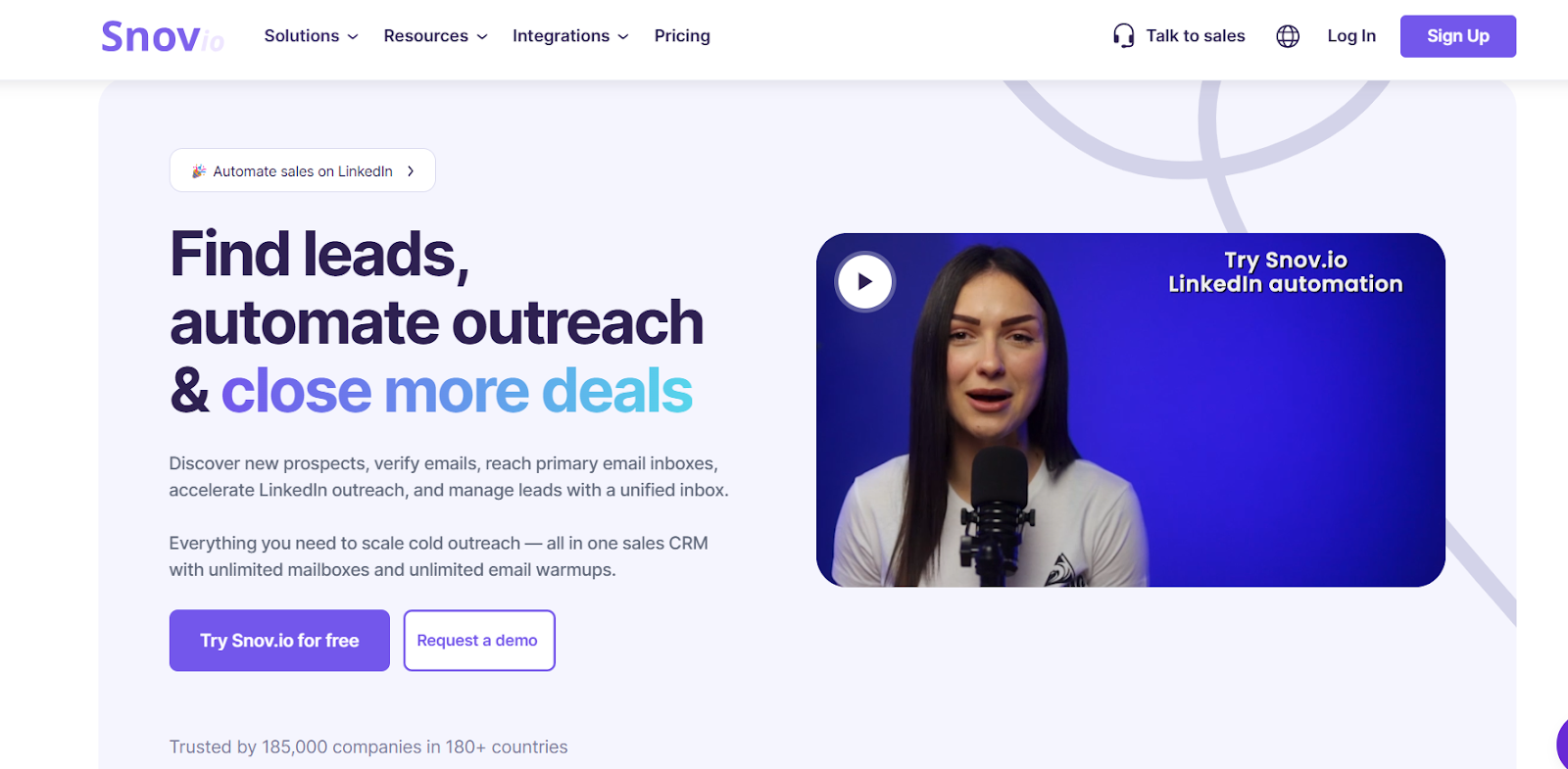
Snov.io is an all-in-one sales automation and LinkedIn email finder tool that helps you discover, verify, and engage B2B prospects at scale.
It combines an Email Finder, LinkedIn Prospect Finder, Email Verifier, CRM, and LinkedIn automation into one platform so you can build verified lead lists and launch multi-channel outreach, all without leaving your browser.
What Snov.io Provides & How It Works?
Snov.io includes a built-in LinkedIn Email Finder extension that lets you capture verified emails directly from LinkedIn profiles or Sales Navigator searches.
Once installed, you can:
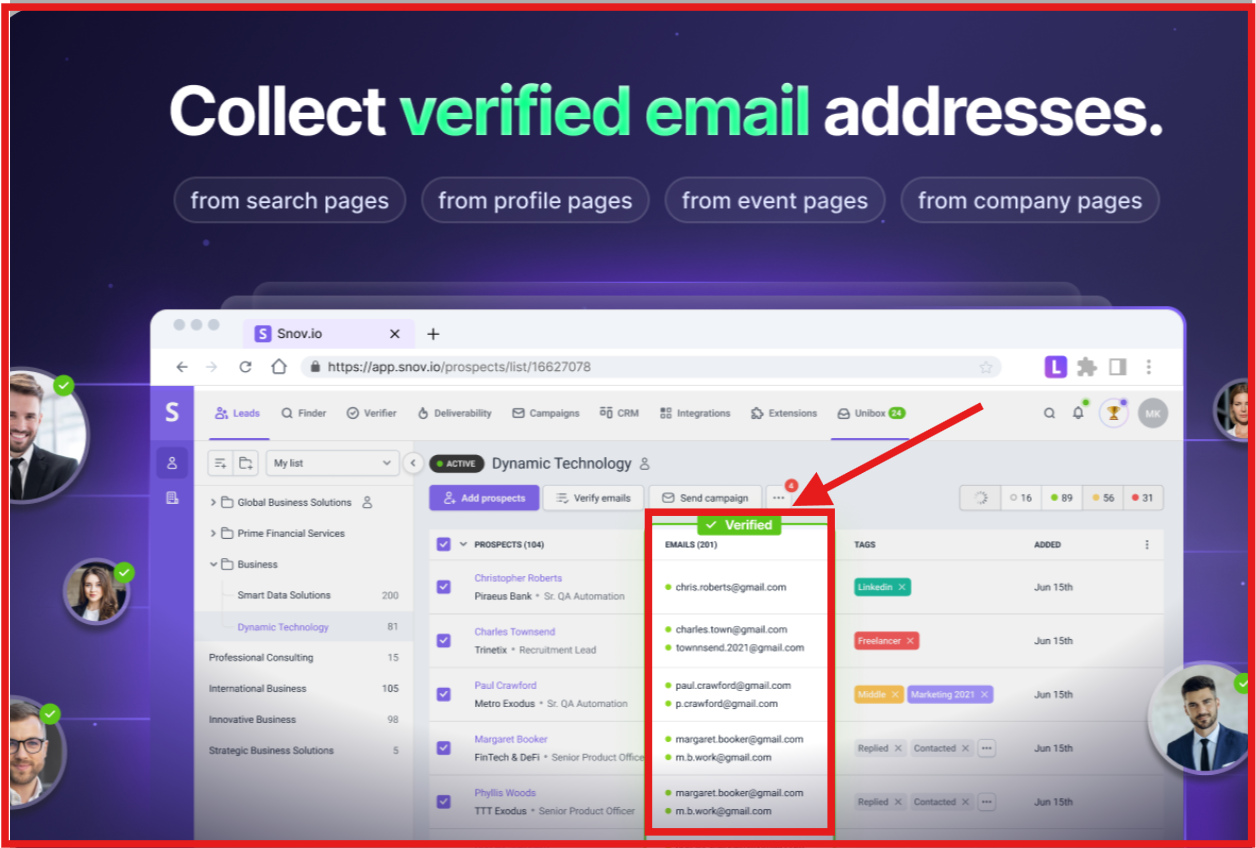
Collect verified emails, job titles, company names, and locations directly from LinkedIn profile and search pages in one click.
This image shows the Get verified emails with LI Prospect finder extension
Save leads individually or in bulk with the LI Prospect Finder Chrome extension, which automatically verifies every email for 98% accuracy.
Export verified data to TXT, CSV, XLS/XLSX, or Google Sheets, or sync directly with CRMs like HubSpot and Pipedrive.
This image shows the Export email addresses in any of these formats
Use the built-in Sales CRM to manage and follow up on every lead using multi-step email + LinkedIn campaigns.
The platform ensures every email you collect is up-to-date and verified through a 7-tier verification system, reducing bounce rates and improving deliverability.
Pros of Snov.io
Snov.io makes LinkedIn email finding simple by letting you extract verified emails from LinkedIn profiles and search results in one click.
The LI Prospect Finder extension saves you hours by allowing bulk lead capture and automatic data enrichment.
The built-in email verifier checks every lead in real time with 98% accuracy, helping you maintain clean and reliable lists.
Cons of Snov.io
The LinkedIn automation feature is sold as an add-on ($69/month) rather than included in lower plans.
Snov.io Pricing
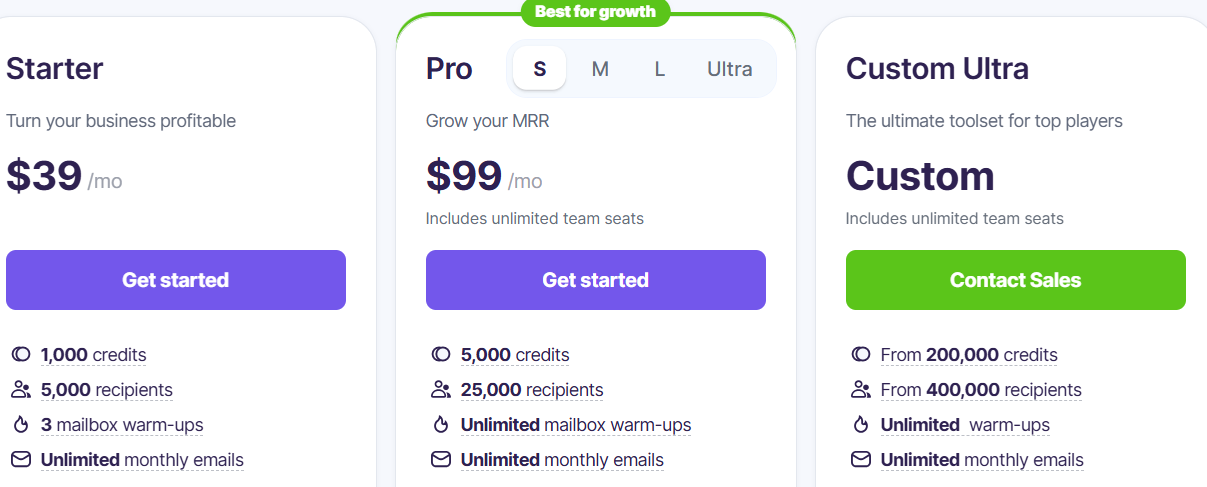
This image shows the Snov pricing
Snov.io offers flexible pricing based on monthly credits:
Starter Plan – $39/month: Includes 1,000 credits, 5,000 recipients, 3 mailbox warm-ups, and access to LinkedIn Prospect Finder.
Pro Plan – $99/month: Includes 5,000 credits, 25,000 recipients, unlimited warm-ups, advanced automation, and CRM sharing.
Custom Ultra Plan – Custom pricing: Starts from 200,000 credits with unlimited seats and dedicated support.
LinkedIn Automation is available as an add-on for $69/month per slot.
3. Apollo.io
This image shows the Apollo.io homepage
Apollo.io is a B2B sales intelligence and engagement platform that helps you find verified emails, phone numbers, and LinkedIn data instantly.
It combines a massive contact database of over 210M+ verified contacts and 35M+ companies with outreach automation, CRM syncing, and built-in deliverability tools, making it one of the most complete LinkedIn email finder solutions for sales teams.
What Apollo.io Provides & How It Works?
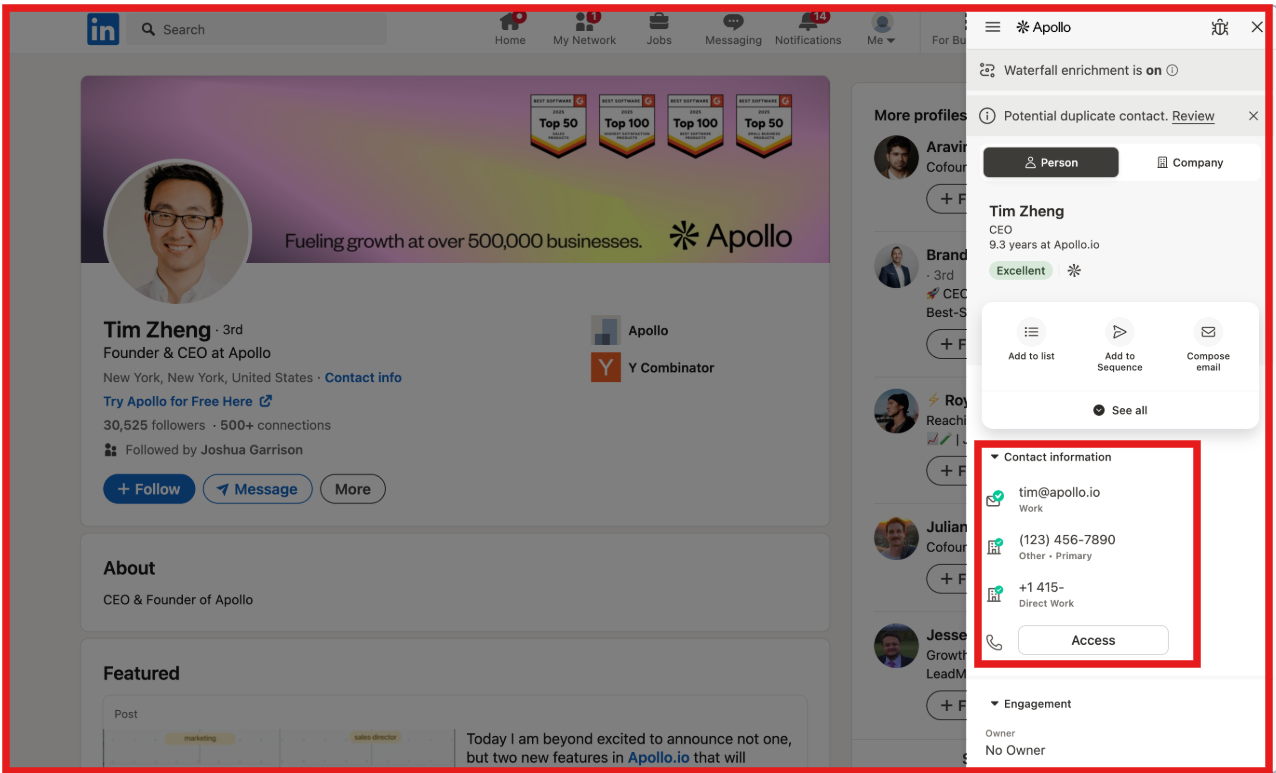
Apollo.io lets you find and verify contact information directly from LinkedIn using its free Chrome Extension.
This image shows the Apollo phone number and email finder extension
Once installed, you can:
Pull verified work emails and direct phone numbers right from LinkedIn or Sales Navigator without leaving your browser.
This image shows the Pull linkedin email from apollo chrome extension
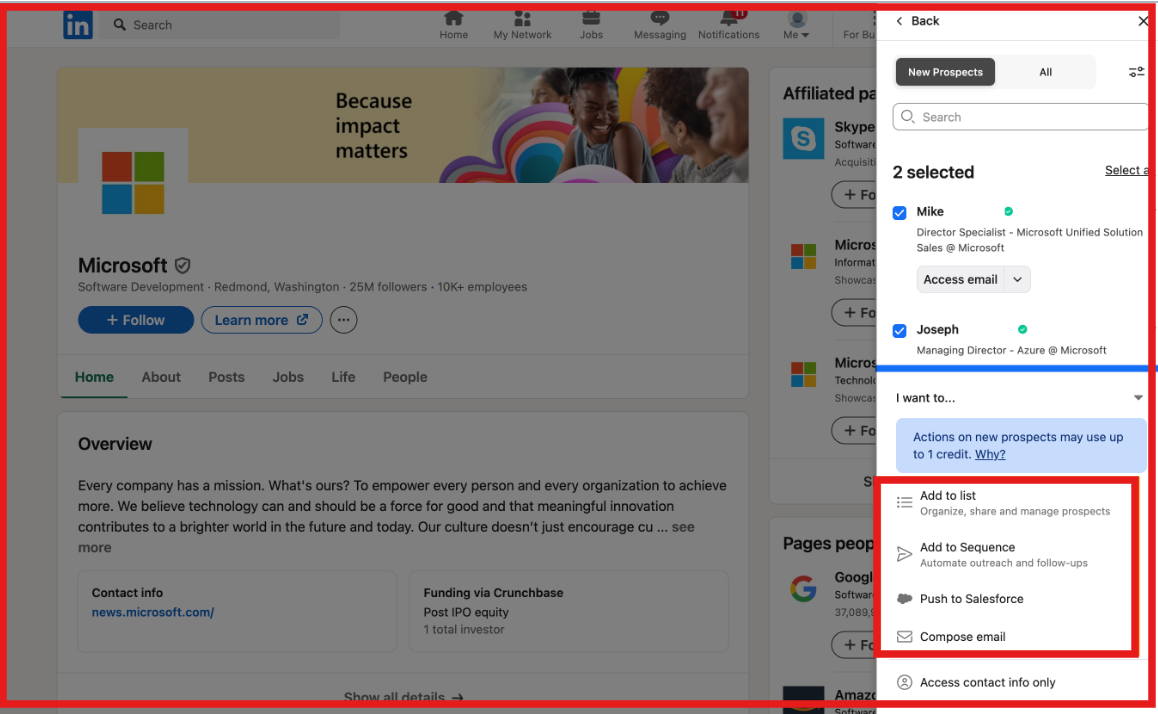
Add contacts directly to Apollo lists or sequences with a single click for follow-ups or multi-channel campaigns.
This image shows the Add data to list, sequence or Salesforce
Export or sync your LinkedIn leads directly with HubSpot, Salesforce, Pipedrive, and other CRMs.
Use AI Research Intelligence to analyze LinkedIn profiles and automatically generate personalized email copy based on the lead’s role and activity.
All data goes through Apollo’s multi-step verification system for up to 91% accuracy.
You can then launch automated email or LinkedIn sequences, track engagement, and optimize outreach within the same platform.
Pros of Apollo.io
The chrome extension automatically enriches LinkedIn profiles with company details, intent signals, and verified contact data.
Advanced filters and waterfall enrichment make it easy to find hyper-targeted decision-makers on LinkedIn.
You can automate multi-channel outreach, email, LinkedIn, and calls, all from one unified dashboard.
Cons of Apollo.io
The Chrome Extension works on desktop, not on mobile.
API access, real-time enrichment, and custom intent filters are restricted to the Professional and Organization plans.
Apollo.io Pricing
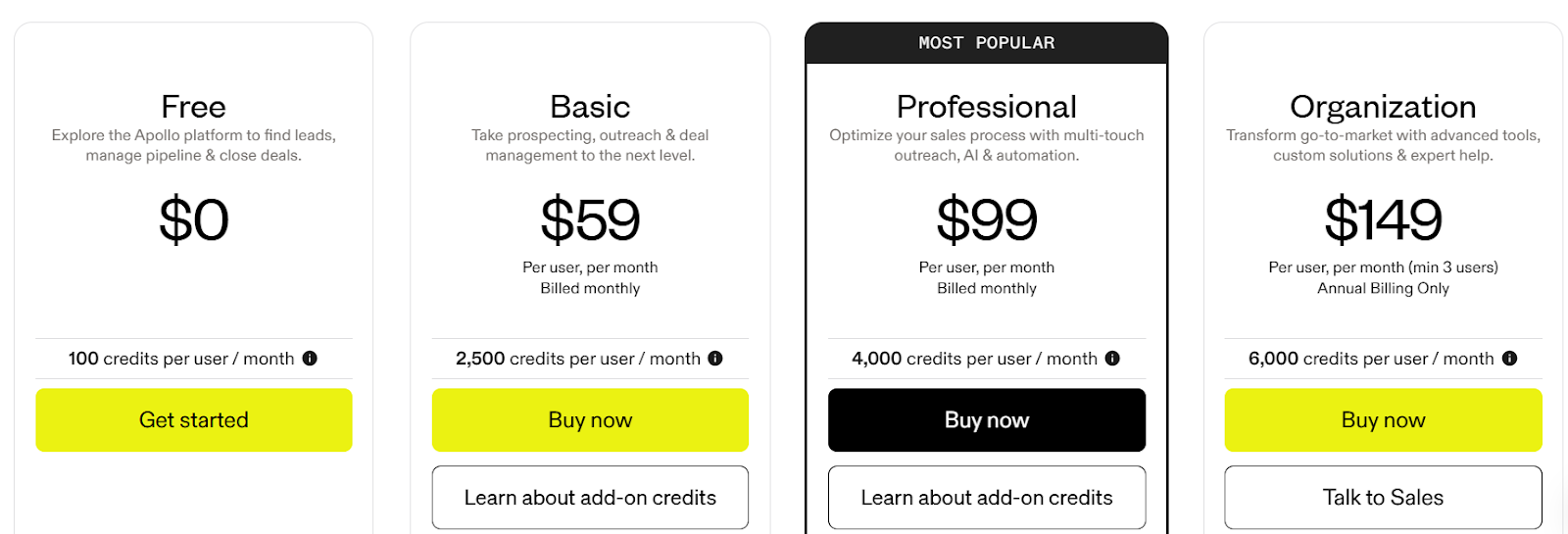
This image shows the Apollo.io pricing
Apollo.io offers a tiered pricing model with both free and paid plans:
Free Plan – Includes 100 credits/month, Chrome Extension access, email warm-up, and two sequence automations.
Basic Plan ($59/month) – Offers 2,500 credits, advanced filters, CRM integrations, and waterfall enrichment.
Professional Plan ($99/month) – Includes 4,000 credits, A/B testing, sentiment tracking, and AI writing.
Organization Plan ($149/month) – Adds 6,000 credits, dialers, analytics, SSO, and advanced security.
ContactOut is a LinkedIn email finder tool that helps you uncover verified work and personal emails, phone numbers, and company details for over 350M professionals.
It works directly on LinkedIn profiles, letting you reveal contact info in one click through its Chrome Extension.
What ContactOut Provides & How It Works?
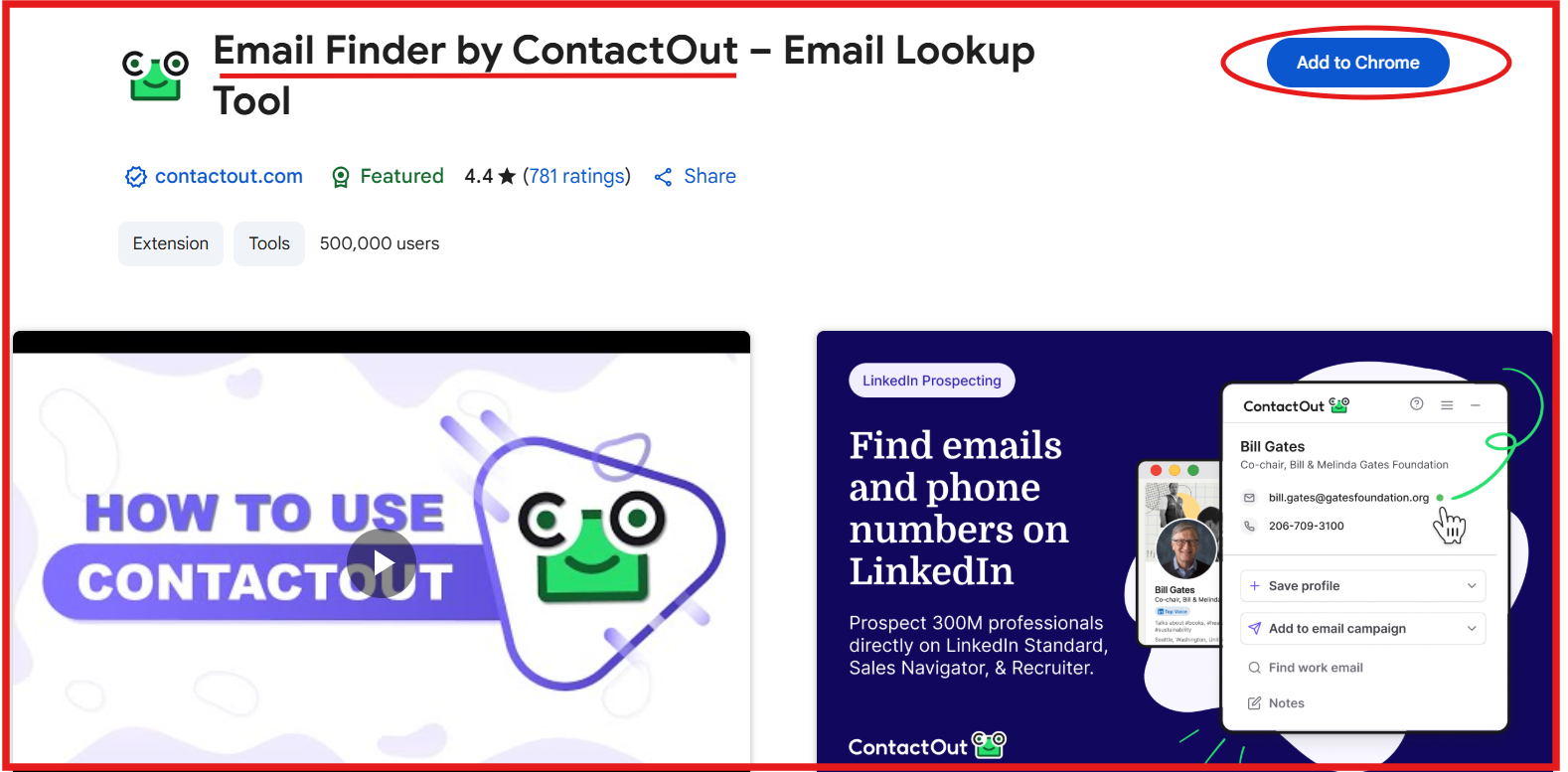
ContactOut works directly on LinkedIn and LinkedIn Sales Navigator through its Chrome Extension.
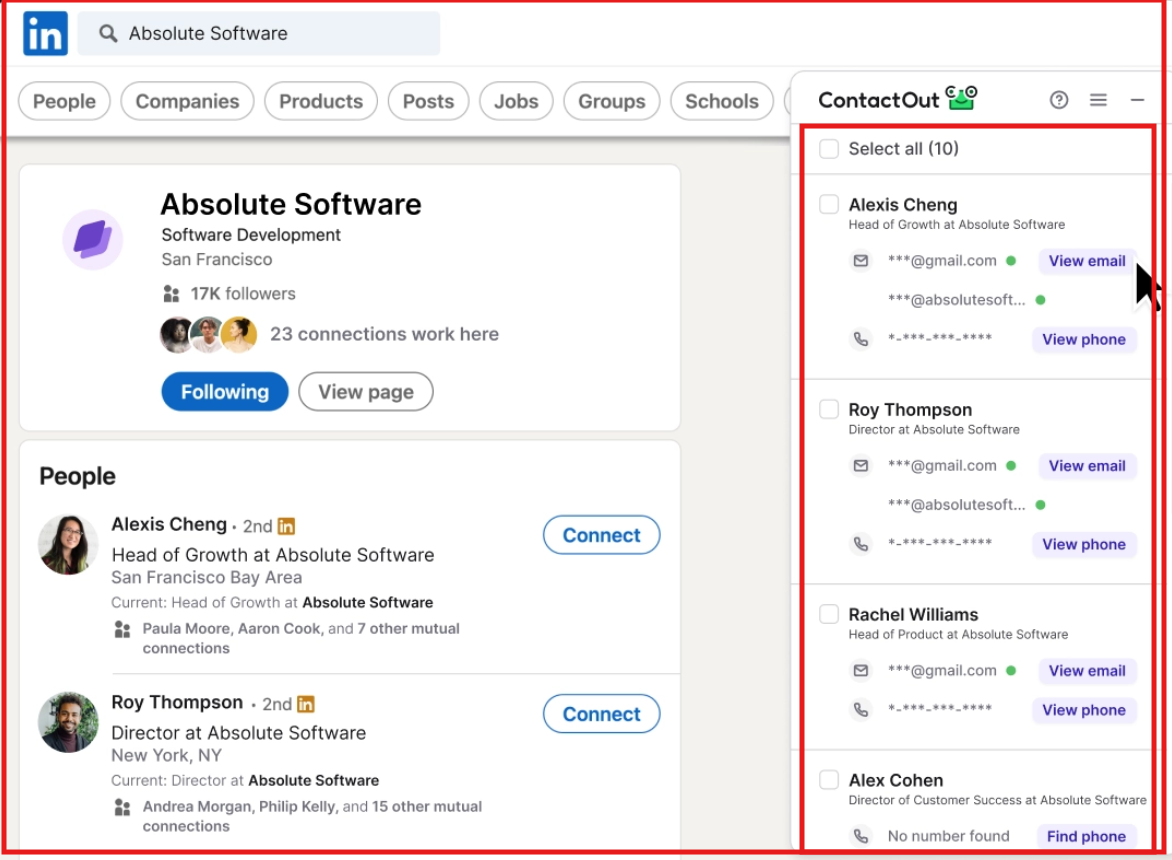
This image shows the Email Finder by ContactOut
Once installed, you can open any LinkedIn profile and click the sidebar to instantly reveal verified work and personal emails, along with phone numbers.
For LinkedIn users, it can:
Reveal emails and phone numbers for up to 75% of people you visit on LinkedIn.
This image shows the Get email and phone numbers from ContactOut email finder extension
Bulk extract contact data from LinkedIn search pages or Recruiter lists using the Chrome Extension.
Save found profiles directly to your ATS or CRM like Salesforce, HubSpot, or Lever in one click.
Enrich uploaded LinkedIn URLs or domains with company size, revenue, technologies, and department data.
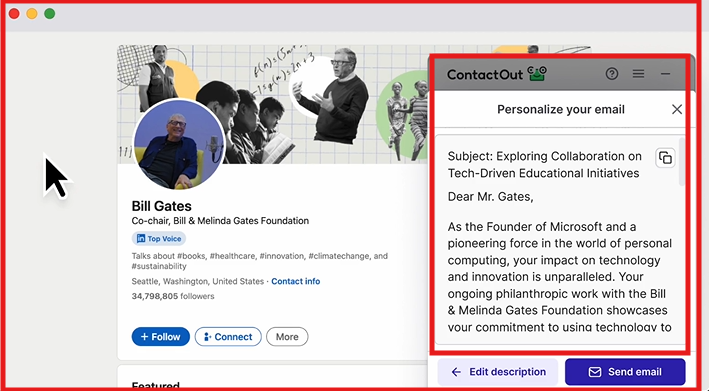
Personalize outreach with AI-generated email content and send automated campaigns directly from the platform.
This image shows the Get email and phone numbers from ContactOut email finder extension
All contact data is triple-verified with 99% accuracy, GDPR/CCPA compliant, and updated hourly through ContactOut’s API.
Pros of ContactOut
You can bulk-reveal contact details from entire LinkedIn search results or Recruiter pages, saving hours of manual research.
The AI Personalizer feature helps you instantly write tailored outreach messages based on each lead’s LinkedIn data.
ContactOut’s Search Portal gives access to 350M+ profiles and 40M companies, expanding your LinkedIn-based reach.
Cons of ContactOut
The Chrome Extension requires a premium plan to access features on LinkedIn Recruiter or Sales Navigator.
The tool is desktop-only, as the extension doesn’t work on mobile browsers.
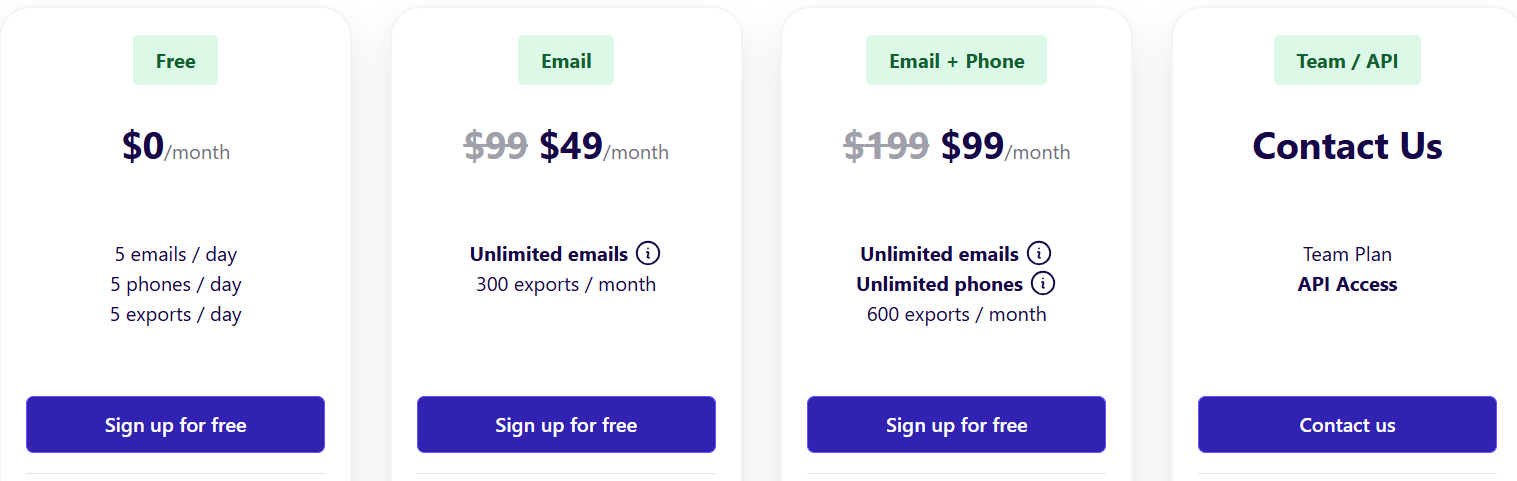
Email Plan – $49/month, includes unlimited emails and up to 300 exports/month.
Email + Phone Plan – $99/month, iincludes unlimited emails, unlimited phones, and 600 exports/month.
Team/API Plan – Custom pricing, iincludes API access, bulk licenses, 700M+ profiles, CRM integrations, and team management.
All plans come with a free Chrome Extension and trial of premium features.
5. Skrapp.io
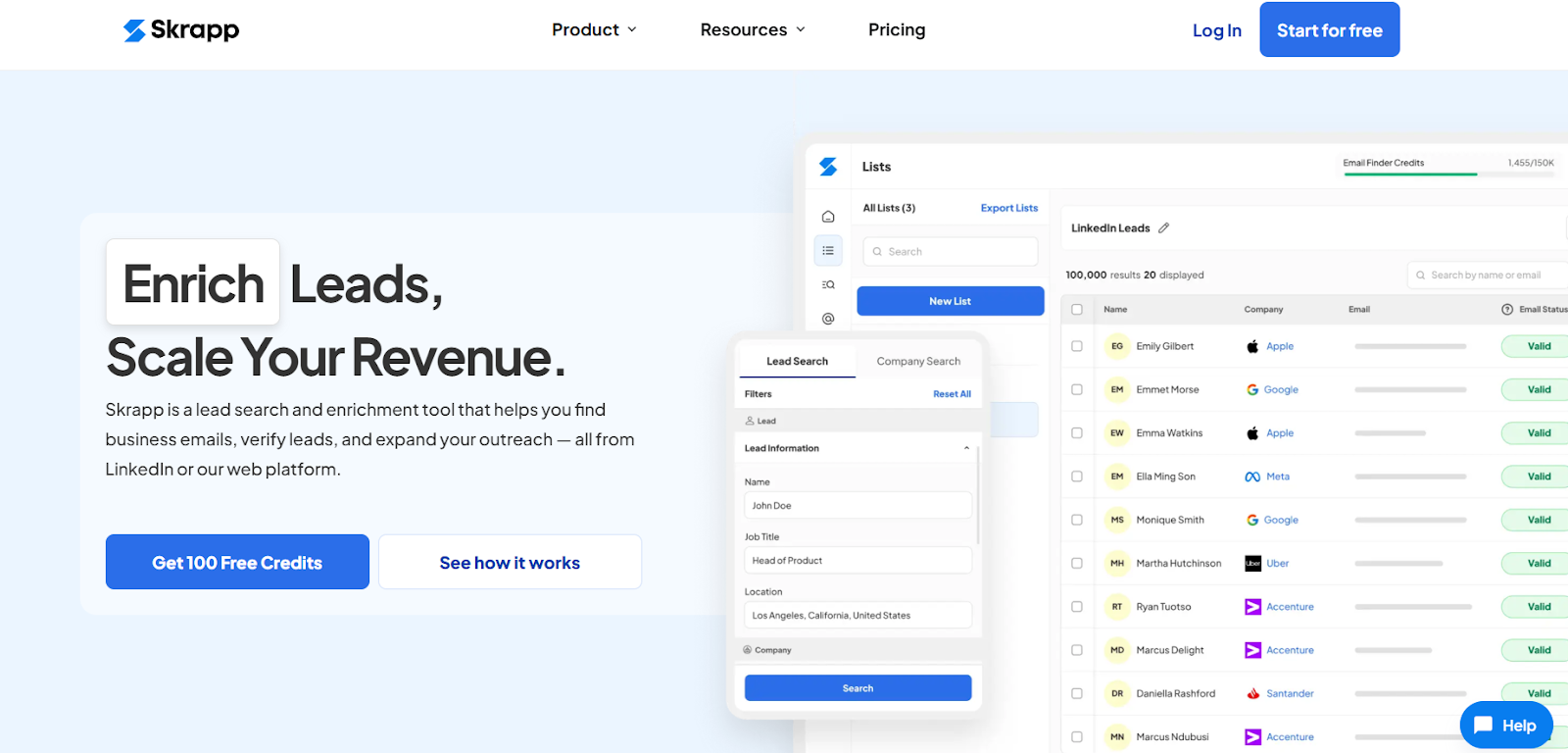
This image shows the Skrapp.io homepage
Skrapp.io is a lead search and enrichment tool that helps you find verified business emails, company data, and contact details directly from LinkedIn, Sales Navigator, and LinkedIn Recruiter.
It combines a Chrome Extension, Email Finder, Email Verifier, and Lead Search engine into one platform so you can build accurate B2B contact lists, verify them instantly, and export them to your CRM for outreach.
What Skrapp.io Provides & How It Works?
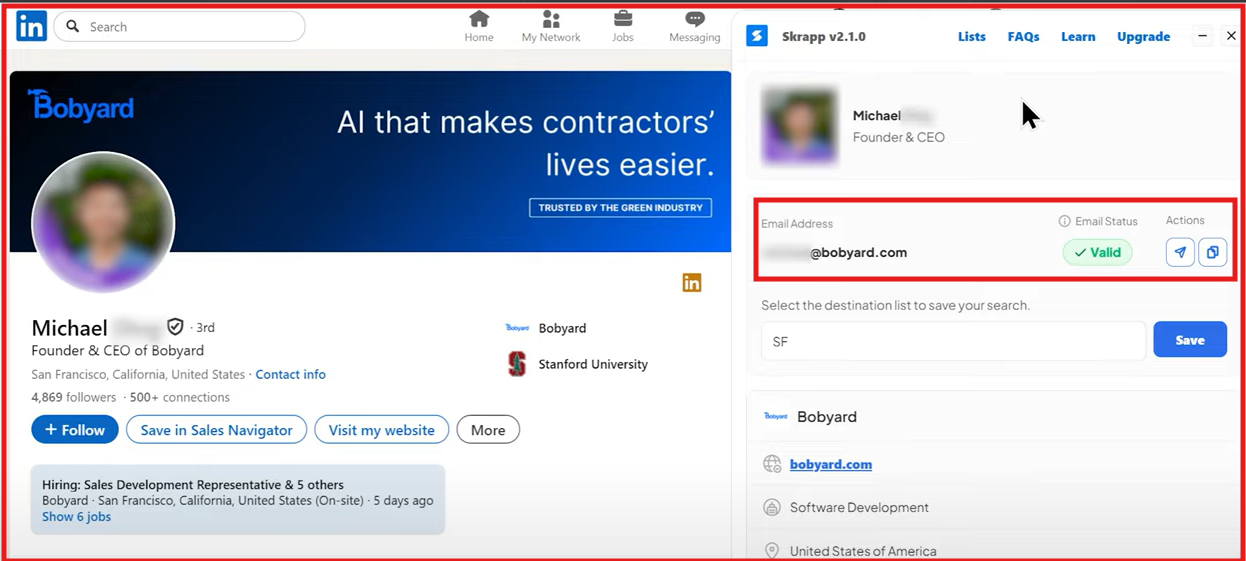
Skrapp.io includes a LinkedIn Chrome Extension that lets you find and verify professional emails directly from LinkedIn profiles and Sales Navigator search results.
This image shows the Skrapp email finder extension
Once installed, you can:
Extract verified business emails, job titles, and company details from LinkedIn with a single click.
This image shows the Find emails from LinkedIn with Skrapp extension
Pull verified contact data in bulk, up to 2,500 emails per operation, from LinkedIn search pages or saved Recruiter lists.
Use the Email Finder to locate work emails using just a person’s name or company domain.
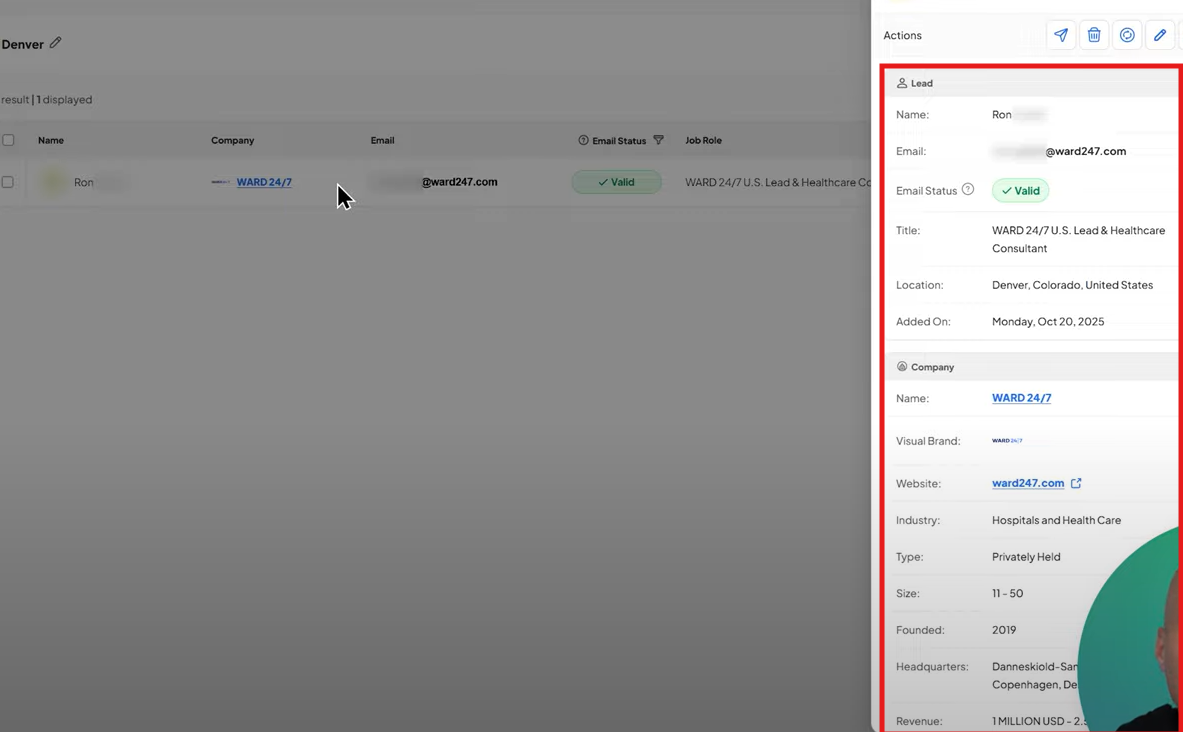
Enrich your leads with additional data such as revenue, industry, and company size.
This image shows the Enrich additional details in Skrapp
All email data is GDPR-compliant and verified in real time to maintain list quality and deliverability.
Pros of Skrapp.io
The Chrome Extension supports bulk extraction of up to 2,500 contacts, saving hours of manual work.
Its built-in Email Verifier ensures 97%+ accuracy, automatically removing invalid or risky emails.
The Lead Search feature gives you access to 200M+ professionals and 20M+ companies for B2B targeting.
Cons of Skrapp.io
The free plan includes only 100 monthly credits, which may limit heavy LinkedIn users.
Advanced features such as multi-page enrichment and API access are restricted to higher plans.
The tool only works as a Chrome desktop extension, with no mobile version.
Catch-all results still require manual verification for best deliverability.
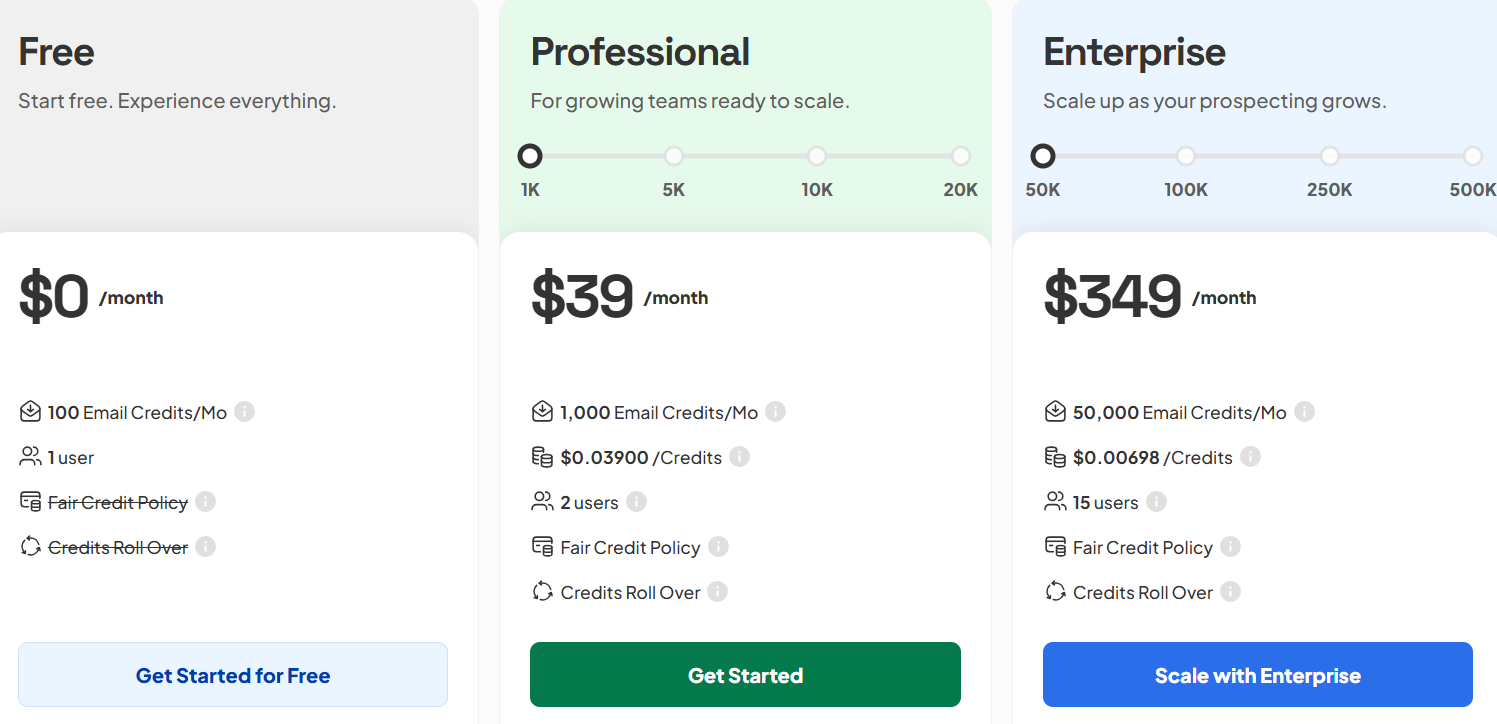
Skrapp.io Pricing
This image shows the Skrapp.io pricing
Skrapp.io offers credit-based pricing with rollover and flexible team options:
Free Plan – $0/month: Includes 100 monthly credits, 1 user, LinkedIn extraction, and verification.
Professional Plan – $39/month: Includes 1,000 monthly credits, 2 users, CRM sync, and unlimited LinkedIn searches.
Enterprise Plan – $349/month: Includes 50,000 monthly credits, 15 users, API access, SSO, and dedicated account manager.
All plans come with the LinkedIn Chrome Extension, credit rollover, and daily database refreshes.
Which LinkedIn Email Finder Tool Should You Choose?
Most LinkedIn email finder tools, like Apollo.io,Skrapp.io, Snov.io, or ContactOut, work well if you don’t mind using browser extensions, filters, and manual searches.
They let you find verified emails from LinkedIn, but they still need you to do the setup.
But if you want to skip that and simply describe who you’re looking for, Leadsforge makes the process effortless.
You just describe who you want to reach, and the tool automatically pulls verified LinkedIn emails, job titles, and company information within seconds.
It’s a simpler, faster way to get the same LinkedIn contact data.