

Personalized Outbound Strategy
Get The Right Outbound Strategy In Minutes
Enter your email to get a custom plan & stack recommendation for your business
It's being carefully crafted by AI
Please check your mailbox in 5 minutes
If you have looked into Lead Forensics before, you probably know what it does.
It helps you see which companies visit your website, even if they never fill out a form.
This gives sales and marketing teams a way to spot businesses that may be interested in their product or service.
For many B2B teams, that insight is useful.
But while researching tools in this space, I also noticed that many teams want more than just visitor identification.
For example:
Because of that, many companies start looking for other tools that help discover and qualify leads in different ways.
In this guide, I’ll walk through 7 Lead Forensics alternatives and competitors in 2026:
Each tool helps uncover potential B2B leads, but they do it in different ways.
In the next sections, I’ll break down what each platform offers and where it fits best.
Lead Forensics receives strong feedback from many users.
While researching the tool and reading user feedback, I noticed that most teams appreciate these strengths.
However, once teams start using the platform regularly, a few practical limitations appear.
These are some common reasons users begin exploring other tools.
Because of these factors, many teams begin exploring tools that combine visitor insights, contact data, and prospecting features in a single workflow.
To make this list fair, I reviewed several Lead Forensics alternatives used by B2B sales teams.
I looked at how these tools help teams identify companies, find contacts, and prepare leads for outreach.
The goal was to find tools that support real sales workflows.
Each tool went through the same checks.
Here is what I looked at while building this list:
These checks helped filter out tools that slow down prospecting.
Only the platforms that fit real lead generation workflows stayed on this list.
Now let’s take a look at the detailed review of each alternative:
Best For: Teams that want to generate targeted B2B prospect lists
G2 Rating: 4.6/5
My Experience Using Leadsforge: Building lead lists was quick.
I just described my ideal customer, and the tool created a list of matching prospects. This made lead research faster and easier.

Leadsforge is a B2B lead search engine that helps find emails, LinkedIn profiles, and phone numbers across 500M+ contacts.
When I compared it with Lead Forensics, the difference in approach was clear.
Lead Forensics focuses on identifying companies that already visited your website.
Leadsforge works earlier in the pipeline. It helps actively search for prospects that match your ideal customer profile.
Instead of waiting for website visitors, I could describe my ICP directly in the search box.
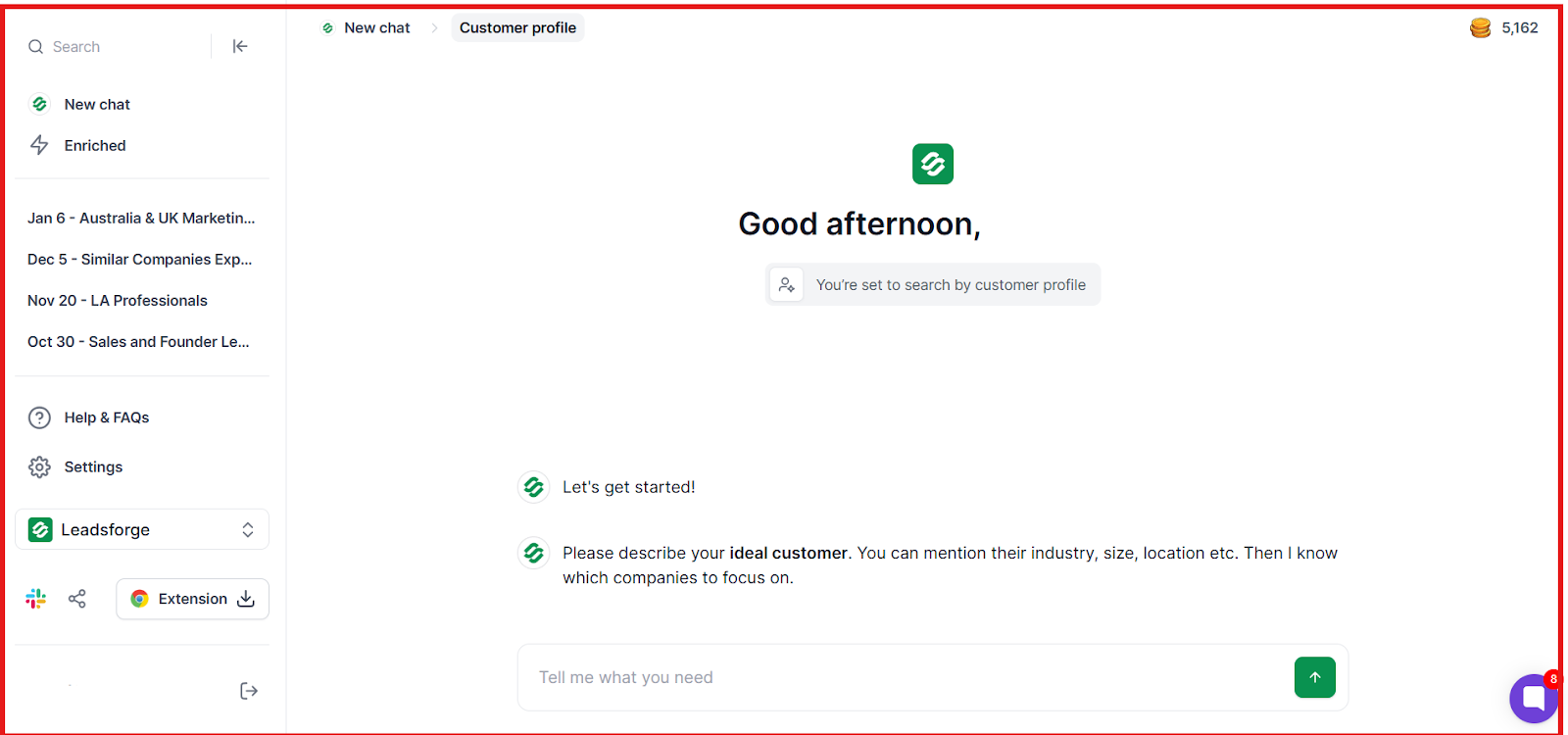
For example: “Marketing managers in SaaS companies with 50–200 employees in the US.”
Leadsforge then generated a list of contacts with verified data.
Another difference I noticed was waterfall enrichment.
If one source could not find a verified email or phone number, Leadsforge automatically checked additional sources until it found the best available match.
In my testing, this approach produced cleaner lead lists compared to single-source tools.
Another useful part was how easily it connects with the Forge stack.
After generating leads, I exported them directly into Salesforge and launched email and LinkedIn outreach sequences without extra imports.
I. ICP Search
Instead of setting dozens of filters, I described my ideal customer in natural language. Leadsforge then generated a lead list matching that ICP.
II. 500M+ Contact Database
Leadsforge provides access to 500M+ B2B contacts across multiple data sources.
This includes:
III. Waterfall Data Enrichment
When one data source fails to return verified data, Leadsforge automatically checks additional sources.
In practice, this increased the match rate for emails and phone numbers.
IV. Lookalike Company Search

I could input company domains and Leadsforge generated similar companies.
This helped expand account lists quickly.
V. Competitor Followers
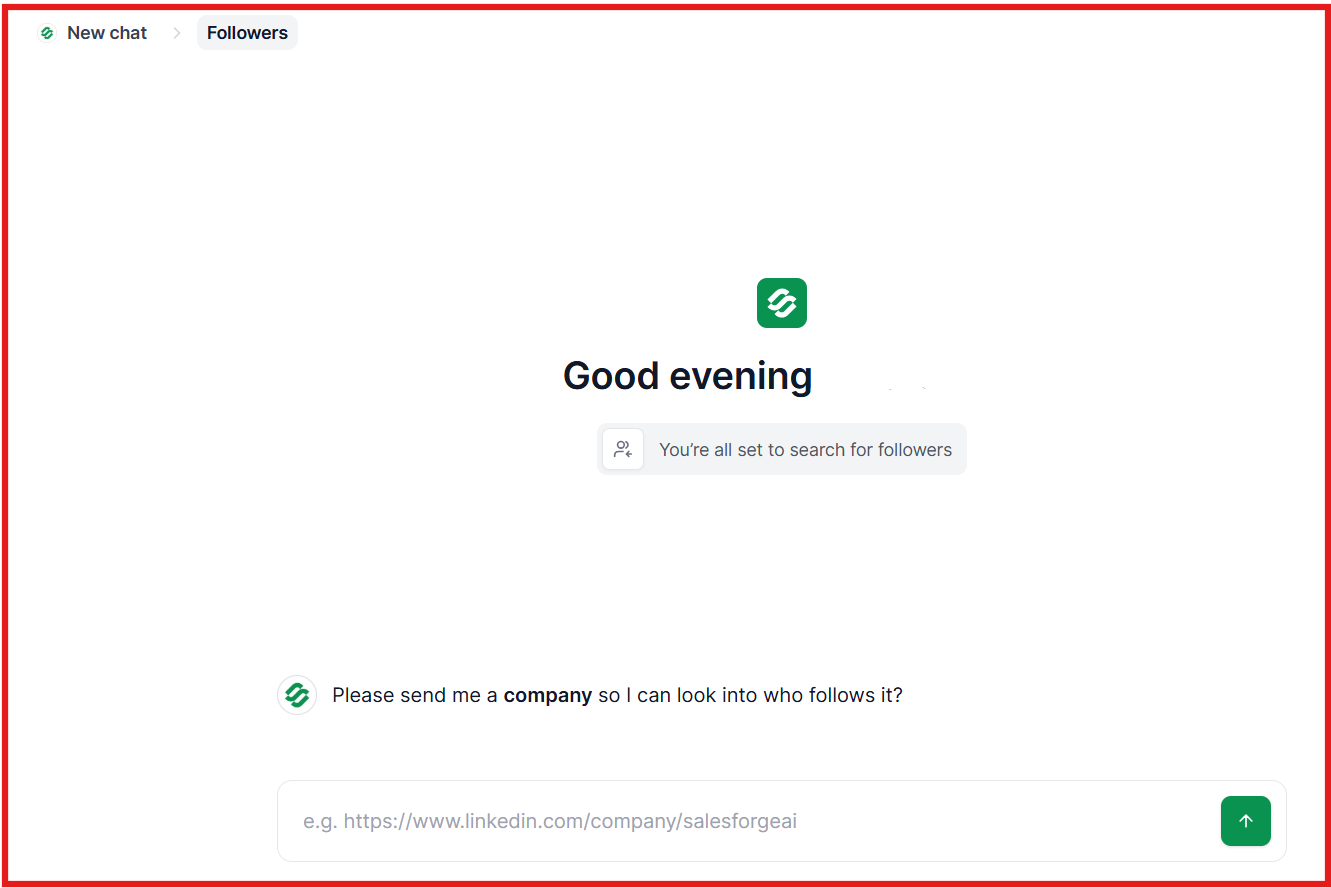
Leadsforge can identify people who follow competitor company pages.
That often reveals prospects already interested in similar products.
VI. Intent Signals
The tool detects signals such as:
These signals help prioritize prospects that may already be researching solutions.
VII. Direct Export to Salesforge
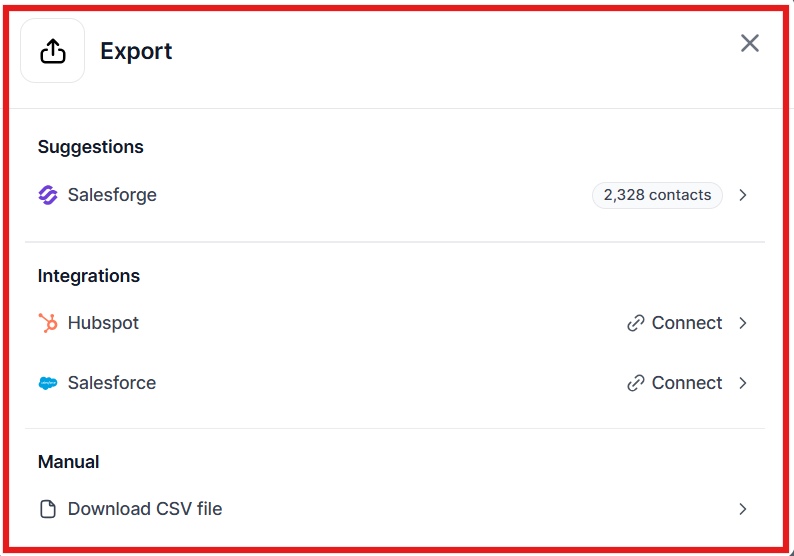
After building a list, I exported contacts directly into Salesforge.
From there, I launched outreach campaigns immediately.

Try Leadsforge now with 100 free credits!
Enter your email to get a custom plan & stack recommendation for your business
Please check your mailbox in 5 minutes

G2 Rating: 4.5/5
Best for: Large sales teams that need deep company data and buyer intent signals.
My Experience With ZoomInfo: Finding decision-makers was easy.
The company insights and intent signals also helped me focus on companies that may already be interested.
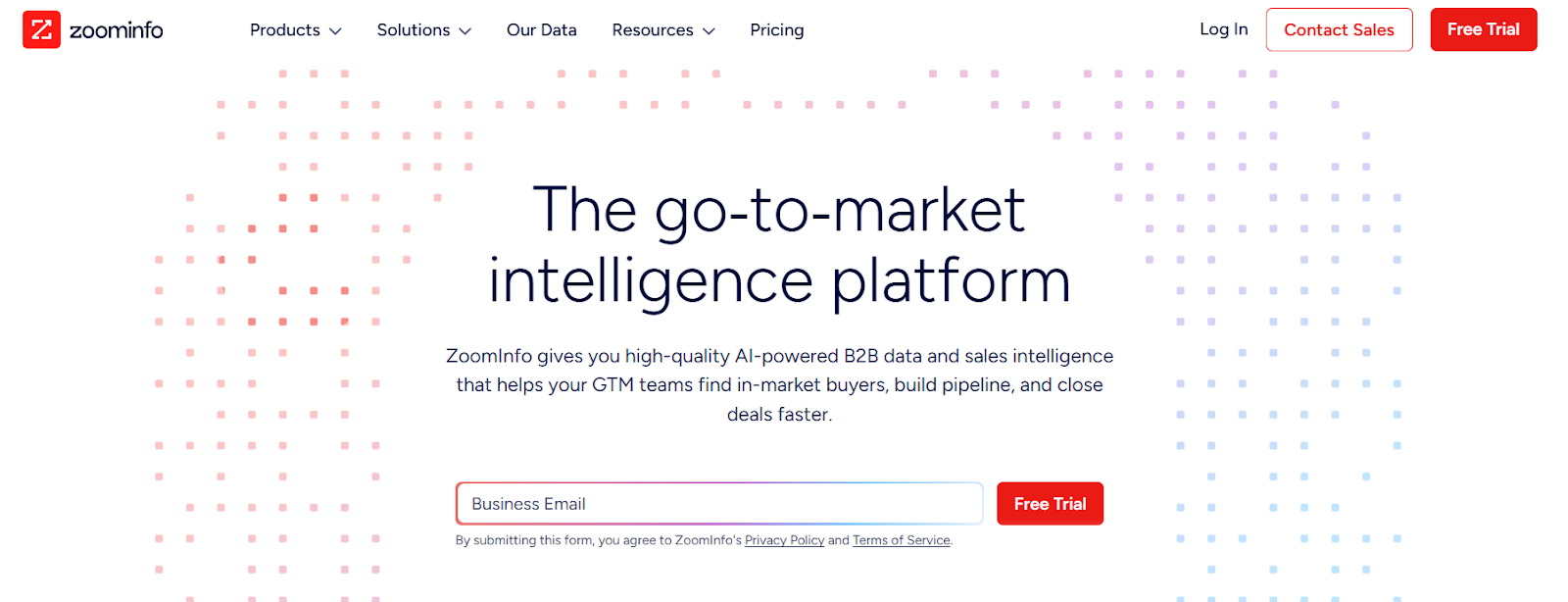
ZoomInfo is a B2B sales intelligence platform that helps teams find companies, decision-makers, and buying signals.
While testing Lead Forensics alternatives, I noticed that ZoomInfo takes a different approach to lead generation.
Lead Forensics helps you identify companies visiting your website, but ZoomInfo focuses on finding new prospects before they ever visit your site.
When I explored the platform, it felt more like a complete prospecting and research tool.
It gives you access to company data, contact details, and intent signals so you can build targeted lead lists and reach out to the right people.
I. Large B2B Contact Database
One thing I noticed quickly is how large the ZoomInfo database is.
The platform provides access to:
This helps sales teams find the right decision-makers inside target companies.
II. Advanced Contact and Company Search
ZoomInfo allows you to build prospect lists using detailed filters.
For example, you can filter by industry, Company size, Revenue, location, or Job title
It was easy to narrow down lists to companies that match an ideal customer profile.
III. Buyer Intent Signals
ZoomInfo also provides buyer intent data.
This shows when companies may be researching topics related to your product.
IV. CRM Data Enrichment
ZoomInfo can also enrich CRM data automatically.
For example it can:
This helps teams keep their CRM data accurate and up to date.
V. Chrome Extension
ZoomInfo also offers a Chrome extension that works while browsing LinkedIn or company websites.
This makes prospect research much faster.
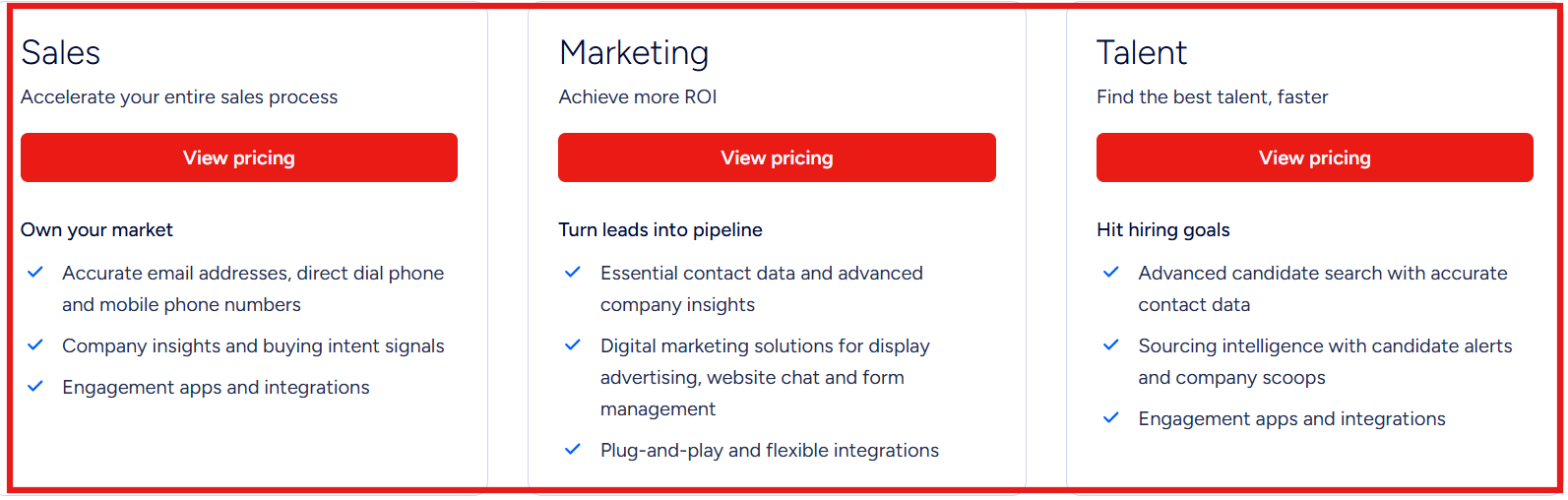
ZoomInfo does not publish exact pricing publicly.
Pricing usually depends on:
Most companies need to request a demo or quote to see pricing.
ZoomInfo also offers a limited free trial so teams can explore the platform before buying.
G2 Rating: 4.5/5
Best for: Teams that need a simple tool to find and verify business email addresses quickly.
My Experience With Prospeo: Finding emails was fast.
I entered a name and company domain, and Prospeo returned possible email addresses with verification status.
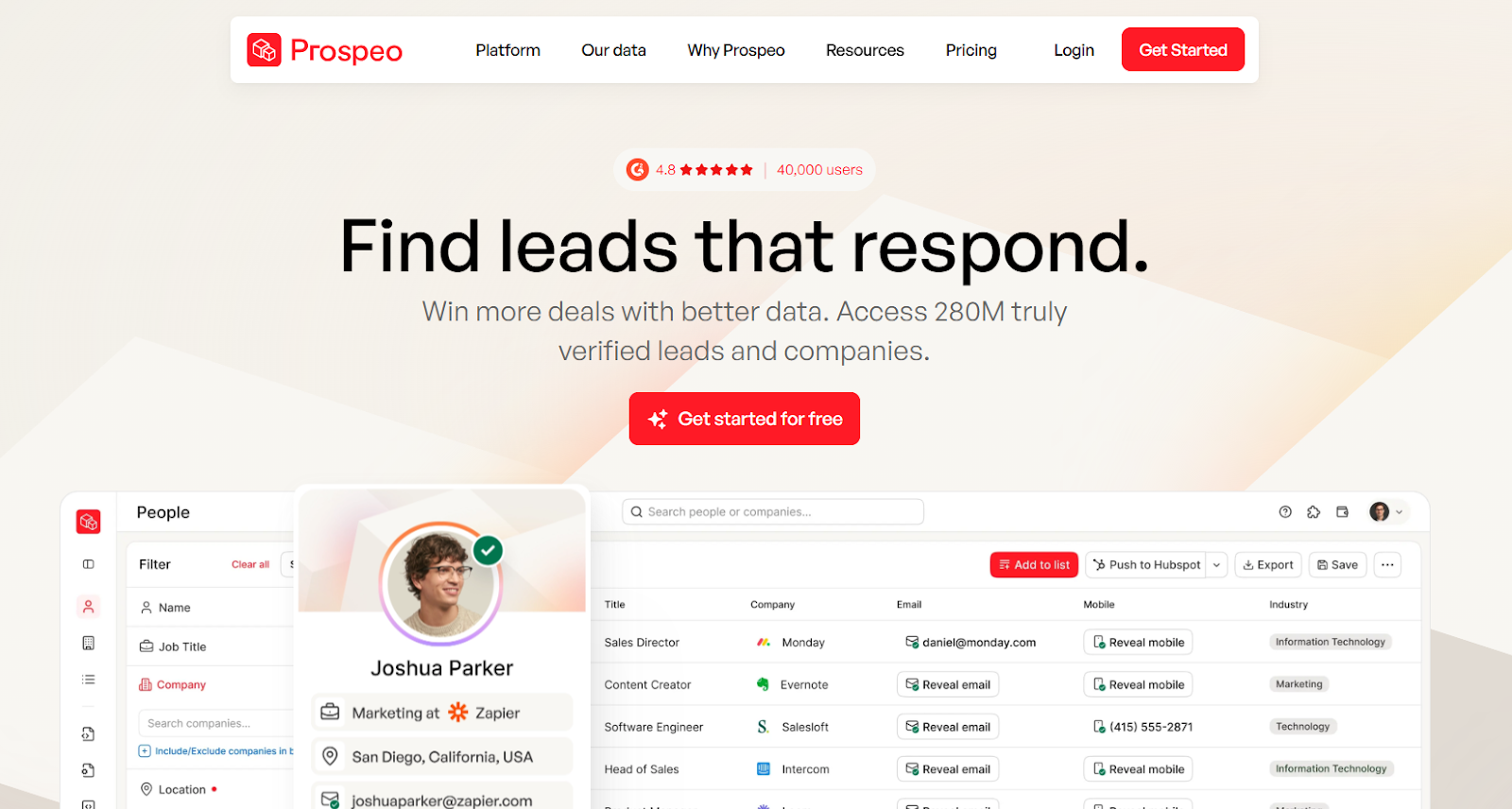
Prospeo is an email finding and verification platform used by sales and marketing teams for contact discovery.
While reviewing Lead Forensics alternatives, I noticed Prospeo focuses specifically on contact data.
I could search for a person or run a domain search to reveal email patterns used by a company.
Prospeo also verifies emails before exporting them. This helps reduce bounce risk when running outreach campaigns.
I. Email Finder
One thing I noticed while testing was how quickly the email search worked.
I entered a person’s name and company domain, and Prospeo generated several possible email formats.
The tool also labels which email addresses are likely valid, making it easier to choose the correct one before exporting.
II. Domain Search
Prospeo allows users to enter a company domain and discover email addresses associated with that organization.
In practice, this helped reveal common email patterns used by the company, such as [email protected] or [email protected].
III. Email Verification
Prospeo includes built-in email verification.
The system checks whether an email address is valid before exporting it.
I could quickly see which emails were safe to use for outreach and which ones were risky.
IV. Mobile Number Finder
Prospeo can also return professional mobile numbers for some contacts.
This is useful for teams that combine email outreach with cold calling.
V. Chrome Extension
Prospeo provides a Chrome extension that works while browsing LinkedIn or company websites.
While testing it, I could reveal contact information directly from the browser without switching tools.
VI. Bulk Processing
The platform supports bulk operations for larger prospect lists.
Users can upload spreadsheets and run email finding or verification for many contacts at once.
This is helpful when preparing lists before launching campaigns.
VII. API Access
Prospeo also provides an API that allows companies to integrate email finding and verification into their workflows.
Teams can automate contact discovery directly inside their sales or marketing systems.
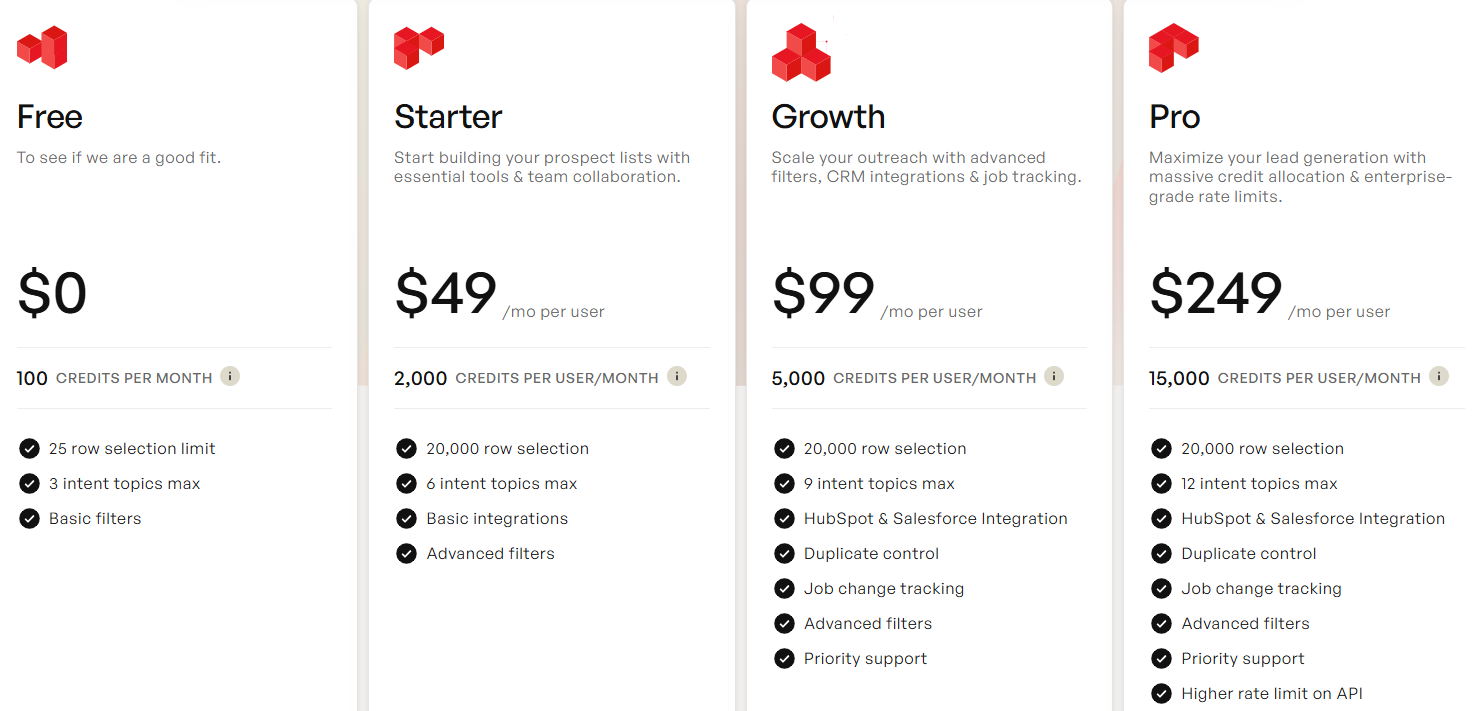
Credits are used for actions such as finding emails, mobile numbers, and verifying contacts.
G2 Rating: 4.7/5
Best for: Sales teams that want prospecting, outreach, and pipeline management in one platform.
My Experience With Apollo: Building lead lists and starting outreach was quick.
Having data, sequences, and CRM syncing in one place saved time during prospecting.

Apollo is an AI-powered sales platform that helps teams find prospects, run outreach campaigns, and manage deals from one system.
Apollo focuses more on outbound prospecting and engagement.
The platform combines a large B2B contact database with outreach tools like email sequences, dialer support, and meeting scheduling.
Because of this setup, many sales teams use Apollo as a single system for prospect research, outreach execution, and pipeline tracking.
I. Large B2B Contact Database
Apollo provides access to a large database of business contacts and companies.
The platform includes email addresses, phone numbers, LinkedIn profiles
This helps teams identify decision-makers across different industries and company sizes.
II. Advanced Prospect Search Filters
Apollo allows users to build targeted prospect lists using detailed filters.
These filters help narrow searches and find prospects that match a specific ICP.
III. Multichannel Outreach Sequences
Apollo includes built-in outreach features so teams can contact prospects directly.
Users can:
This makes it possible to run outbound campaigns without switching tools.
IV. CRM Data Enrichment
Apollo can automatically update and enrich CRM records.
This helps keep sales data accurate as teams build new lead lists.
V. Chrome Extension
Apollo also provides a Chrome extension for faster prospect research.
With the extension, users can:
This reduces the time needed to research prospects manually.
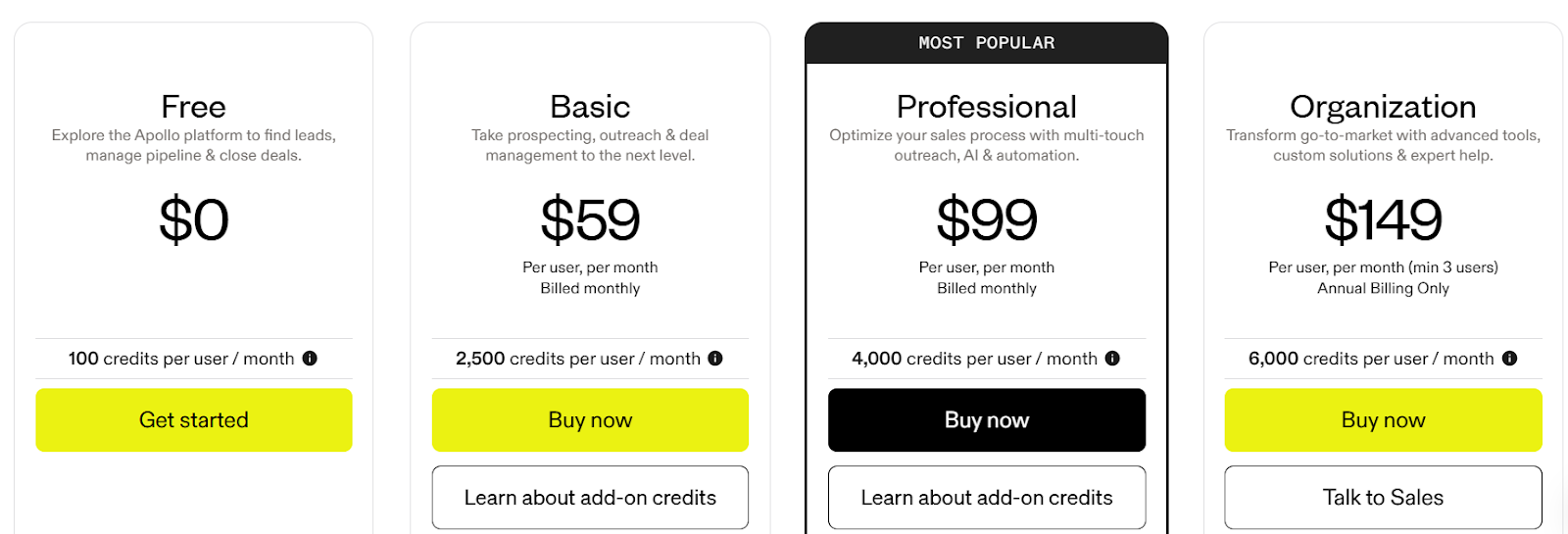
Credits are used when exporting contacts, revealing phone numbers, or running data enrichment.
G2 Rating: 4.7/5
Best for: Teams that want verified B2B contact data with real-time email verification.
My Experience With UpLead: The real-time email verification stood out immediately.
When I unlocked a contact, the email was verified instantly, which helped reduce bounce risk before sending campaigns.
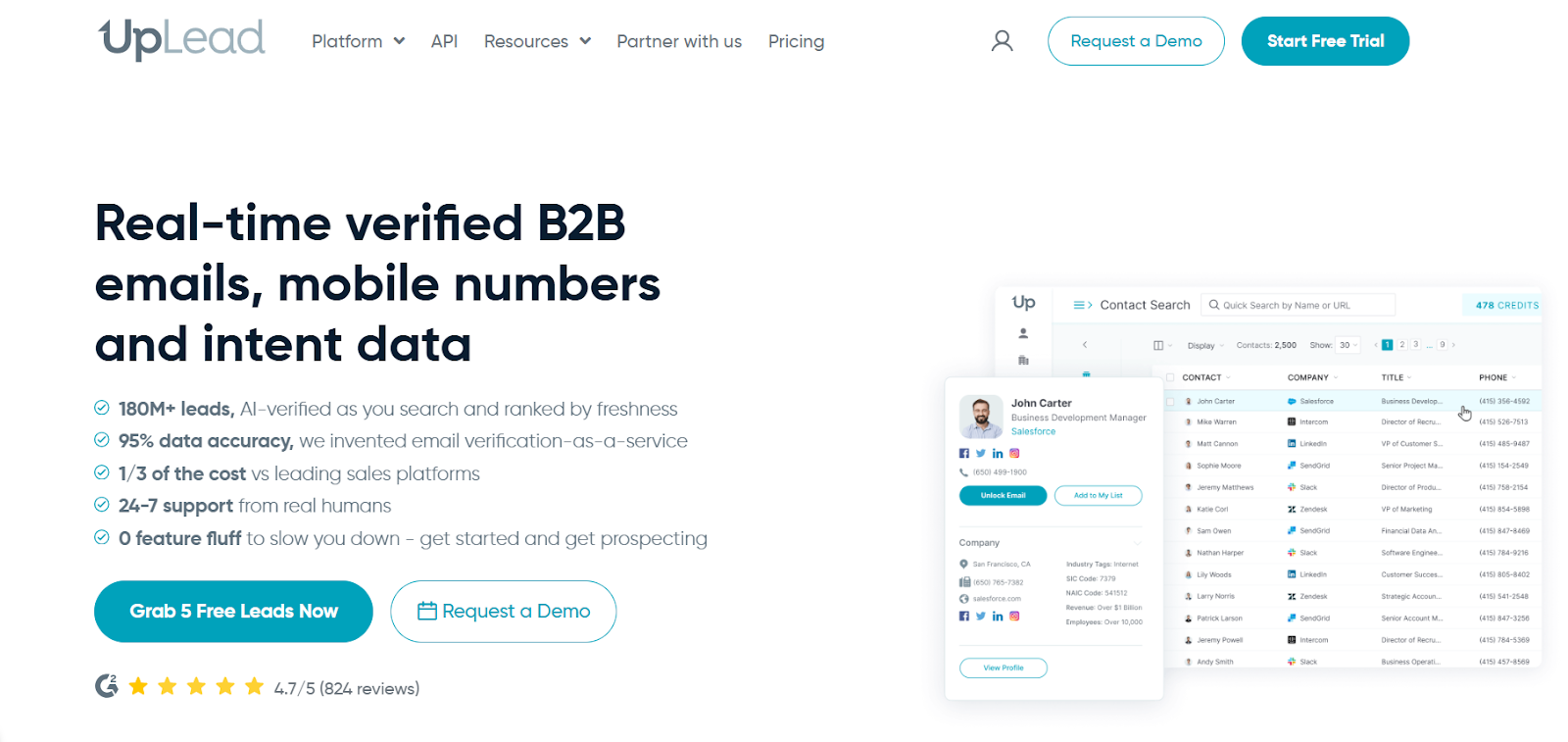
UpLead is a B2B prospecting platform that helps teams find verified emails, mobile numbers, and company data.
Instead of identifying website visitors, the platform helps teams search for companies and decision-makers directly.
The database includes 160M+ contacts across global companies.
While building lists, I could quickly filter prospects and export them once the emails were verified.
Another thing I noticed is how simple the interface is.
The platform focuses on core prospecting features without adding unnecessary tools that slow down the workflow.
I. Real-Time Email Verification
Every time you unlock a contact, UpLead verifies the email address instantly.
This helps reduce bounce risk before launching outreach campaigns.
II. 160M+ Global Contact Database
UpLead provides access to a large database of B2B contacts worldwide. This includes:
III. Advanced Search Filters
The platform includes 50+ filters to help find specific prospects.
These filters make it easier to build targeted prospect lists.
IV. Intent Data
UpLead also offers buyer intent signals.
This helps identify companies that may already be researching solutions related to your product.
V. Data Enrichment
The platform can enrich existing CRM records by adding missing contact or company information.
This helps teams keep their CRM data more complete and updated.
VI. Chrome Extension
UpLead offers a Chrome extension that works while browsing LinkedIn or company websites.
Sales teams can reveal contact data and export prospects directly into their workflow.
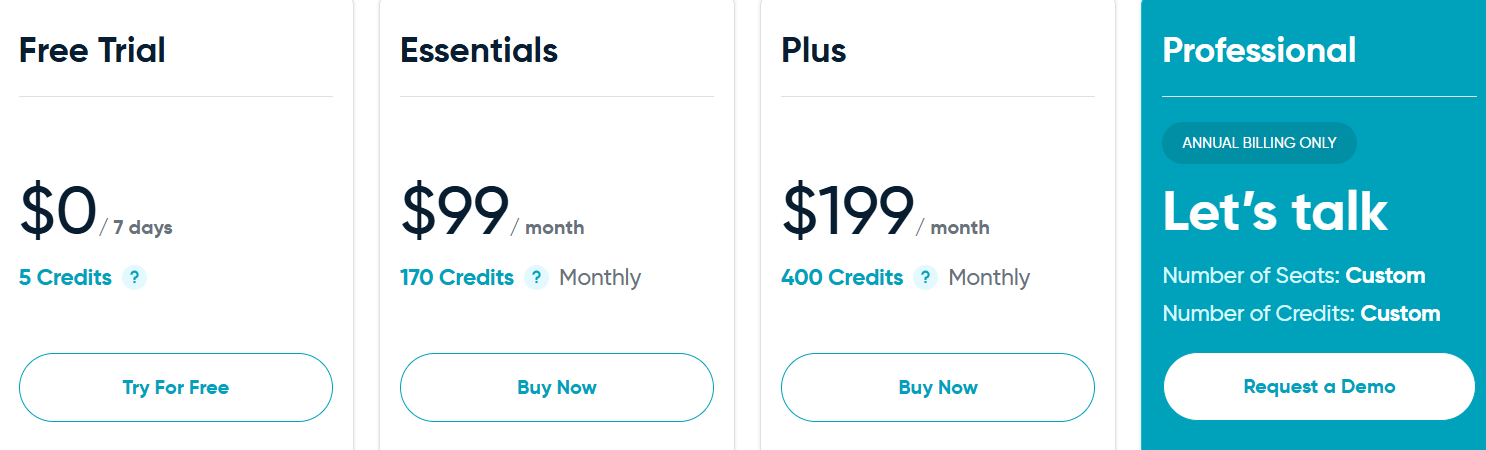
A credit unlocks one contact record including email and phone data.
G2 Rating: 4.3/5
Best for: Teams that want to see which companies visit their website and turn that traffic into sales leads.
My Experience With Leadfeeder: The most useful part was seeing which companies were visiting the website.
This made it easier to understand what those companies might be interested in before reaching out.
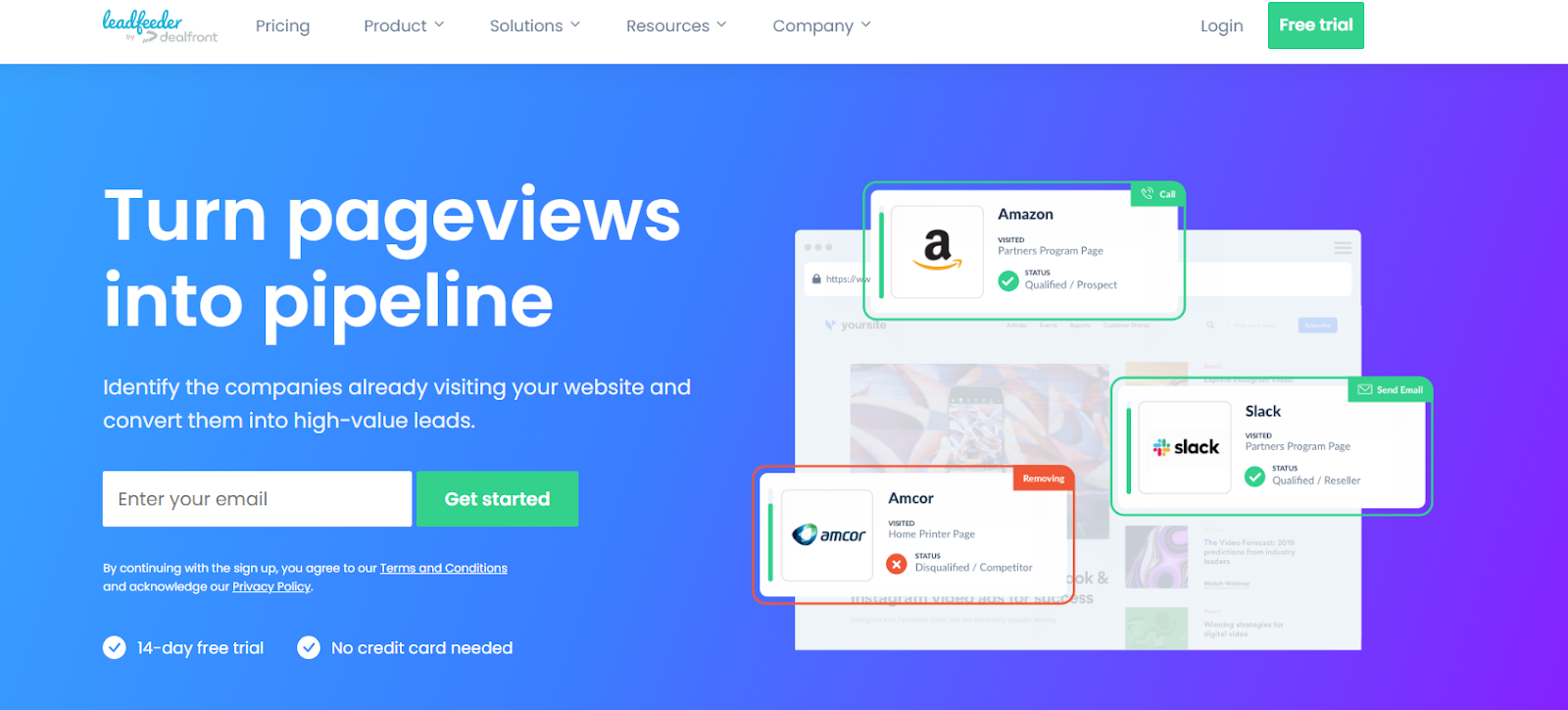
Leadfeeder is a website visitor identification tool.
It shows which companies are already browsing your website.
Many businesses get website traffic but do not know which companies are behind those visits.
Leadfeeder solves this by matching visitor IP addresses with company databases and showing the company names.
Once a company is identified, the tool shows what pages they visited and how often they return.
This helps sales teams spot companies that may already be researching their product.
I. Company Identification from Website Visits
Leadfeeder identifies the companies visiting your website by matching IP addresses with company databases.
This helps reveal businesses behind anonymous website traffic.
II. Website Activity Insights
The platform shows how each company interacts with your website.
This includes the pages they visited, how often they return, and how long they stay on pages
This helps teams understand visitor interest.
III. Lead Filtering
Leadfeeder lets users filter companies based on different criteria.
Examples include:
This helps focus on companies that show stronger interest.
IV. CRM Integrations
Leadfeeder connects with major CRM and sales platforms such as HubSpot, Salesforce, Pipedrive, and Microsoft Dynamics.
This allows companies to send leads directly to their sales pipeline.
V. Contact Data Access
After identifying a company visiting your website, Leadfeeder can show employee contacts linked to that company.
This helps sales teams find the right person to contact inside the visiting organization.
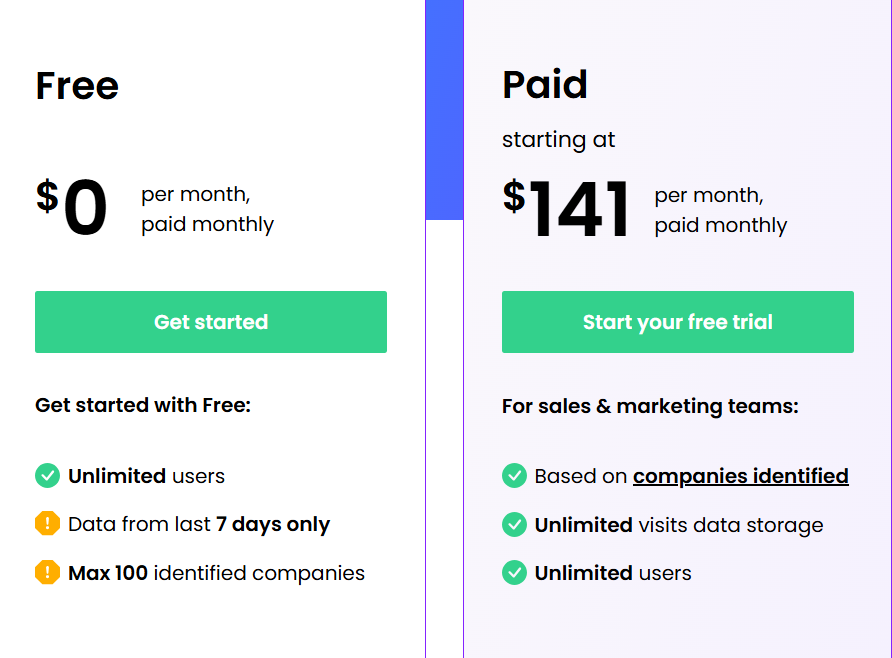
Pricing depends on the number of companies identified each month.
G2 Rating: 4.5/5
Best for: Sales teams that want reliable contact data and strong coverage in Europe and EMEA markets.
My Experience With Cognism: What stood out to me was the phone-verified mobile numbers.
Many sales tools provide contact data, but Cognism verifies numbers through its Diamond Data®, which helps reduce time spent dialing incorrect contacts.
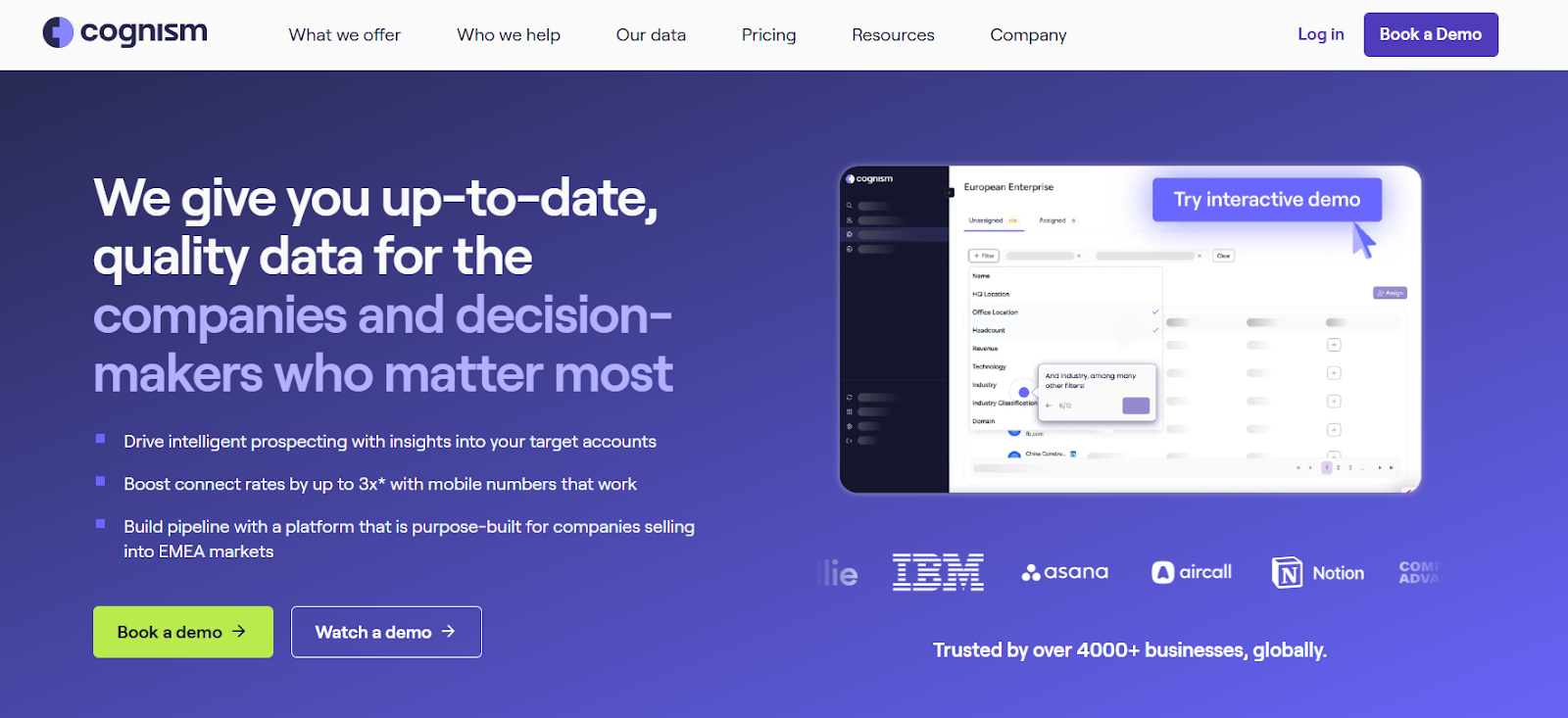
Cognism is a sales intelligence platform designed to help revenue teams find decision-makers.
It builds outbound prospect lists using accurate B2B data.
Cognism focuses heavily on data accuracy and compliance.
It checks multiple Do-Not-Call lists and follows GDPR and CCPA standards.
This makes prospecting safer for teams working in regulated regions.
The platform also provides signal data like hiring activity, funding events, and job changes, which can help sales teams identify companies that may be more likely to buy.
I. Diamond Data® (Phone-Verified Mobile Numbers)
One feature that stood out is Cognism’s Diamond Data®.
These are phone-verified mobile numbers tested by Cognism’s data team.
The goal is to reduce time spent calling incorrect numbers and improve connection rates with decision-makers.
II. Strong European and EMEA Coverage
Cognism is known for strong contact coverage in Europe and EMEA markets.
The platform provides access to millions of contacts across these regions. This makes it useful for companies selling into European markets.
III. Buying Signals and Market Insights
Cognism also provides signal data that helps sales teams identify potential opportunities.
These signals help teams reach prospects when they may be more likely to buy.
IV. Chrome Extension for Prospecting
Cognism offers a Chrome extension that works on LinkedIn and company websites.
This helps speed up prospect research and list building.
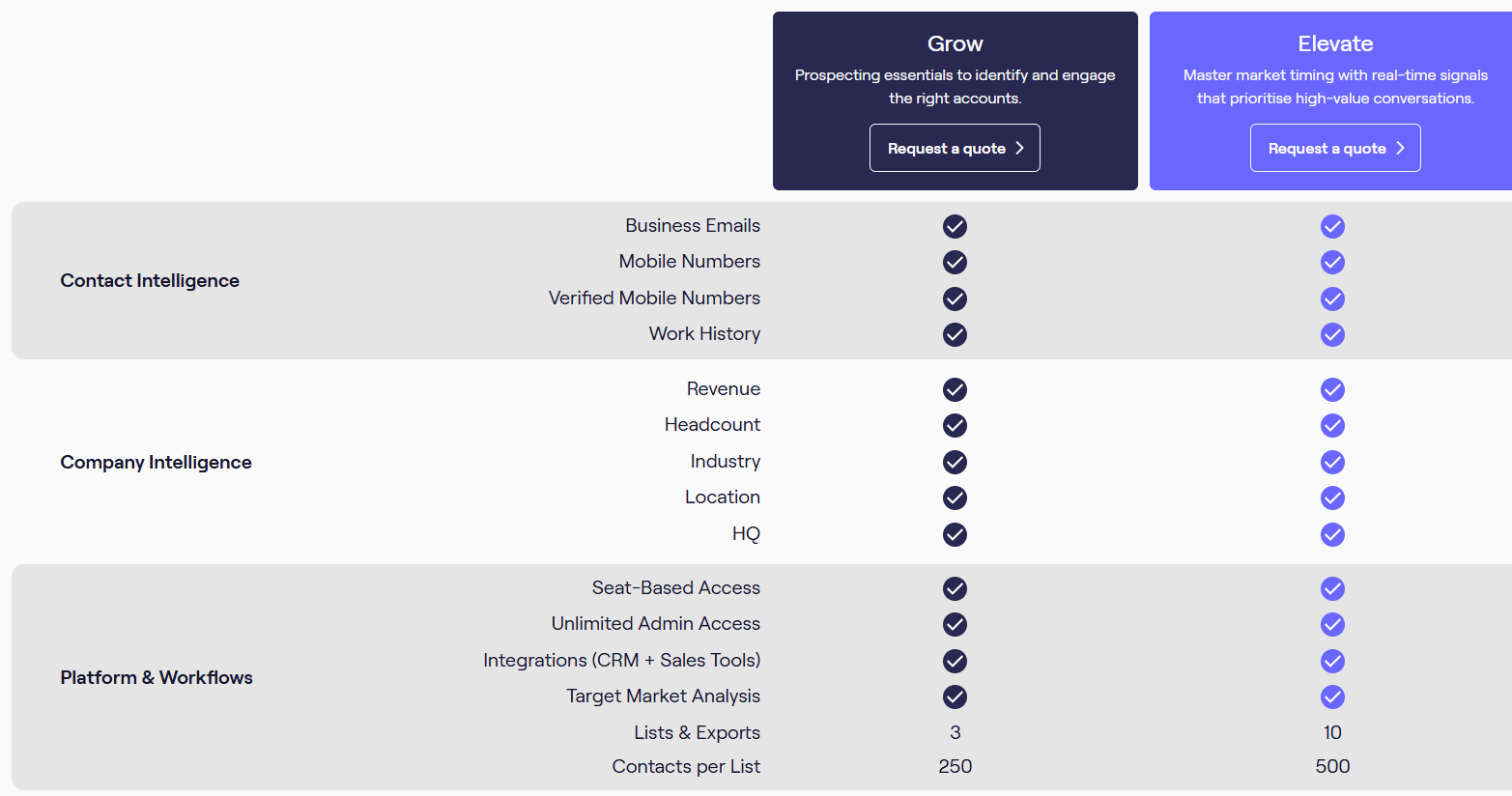
Cognism does not publish exact pricing publicly.
Pricing usually depends on:
Companies usually need to request a demo or contact the sales team to receive a pricing quote.
Enter your email to get a custom plan & stack recommendation for your business
Please check your mailbox in 5 minutes
Lead Forensics is useful for seeing which companies visit your website.
It helps uncover potential leads already showing interest.
However, many sales teams also need tools that help find prospects before they visit the site.
Tools like ZoomInfo, Cognism, and UpLead focus on large contact databases.
Apollo combines prospecting with outreach features. Leadfeeder focuses mainly on website visitor tracking.
If the goal is to build targeted prospect lists quickly, Leadsforge is a simpler option.
You can describe your ideal customer and generate a list of matching prospects.
After generating leads, many teams export them into Salesforge to start email and LinkedIn outreach.
If you want to generate targeted B2B leads quickly, you can try Leadsforge with 100 free credits.