CuFinder is a B2B lead and data tool for finding emails, phone numbers, and company details for outreach.
It is commonly used for contact search, data enrichment, and CRM updates.
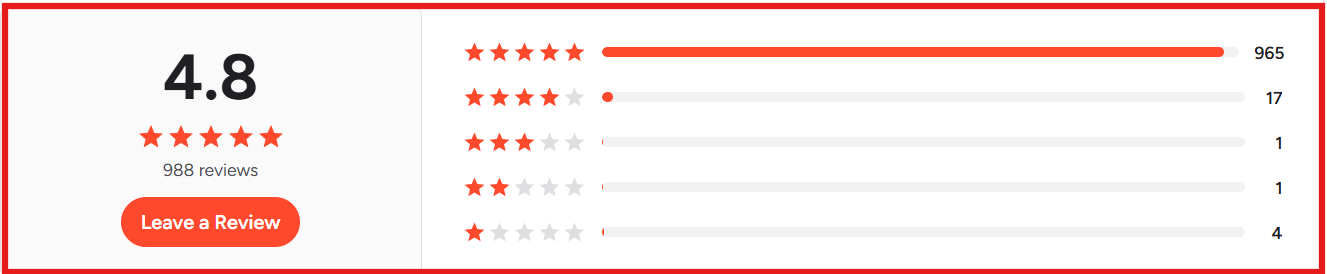
CuFinder has a 4.8 out of 5 rating on G2 from more than 1,000 reviews.
This image shows the CuFinder G2 review
Many users mention high data accuracy and easy-to-use filters.
This image shows the CuFinder G2 review about data accuracy
The platform covers a large dataset across emails, phone numbers, and company profiles.
CuFinder uses a credit model where each revealed email or phone number consumes one credit.
But some users say credits run out fast when exporting large lead lists in bulk.
CuFinder feels less suitable for heavy daily export volumes because credit usage grows quickly at scale.
There are other tools that focus more on fast lead discovery and large-scale list building for outbound teams.
I compared CuFinder and one such tool, Leadsforge, in the table below:
Comparison
CuFinder
Leadsforge
Entry Pricing
Paid plans start at $49/month.
Base plan starts at $49/month and includes 2,000 export credits.
Database Size
180M+ emails, 452M+ phone numbers, and 269M+ company profiles.
500M+ contacts across multiple data sources.
Number of filters
Uses filter-based contact and company search.
Uses chat-based ICP search, lookalikes, and follower search.
Speed of finding leads
Lead search depends on manual filter setup.
Lead lists are generated from ICP prompts.
Integrations
CRM and API access are available.
Export to CSV and direct push to Salesforge are available.
Built-in outreach
Does not include outreach features.
Pushes lists directly into Salesforge for outreach.
What is CuFinder?
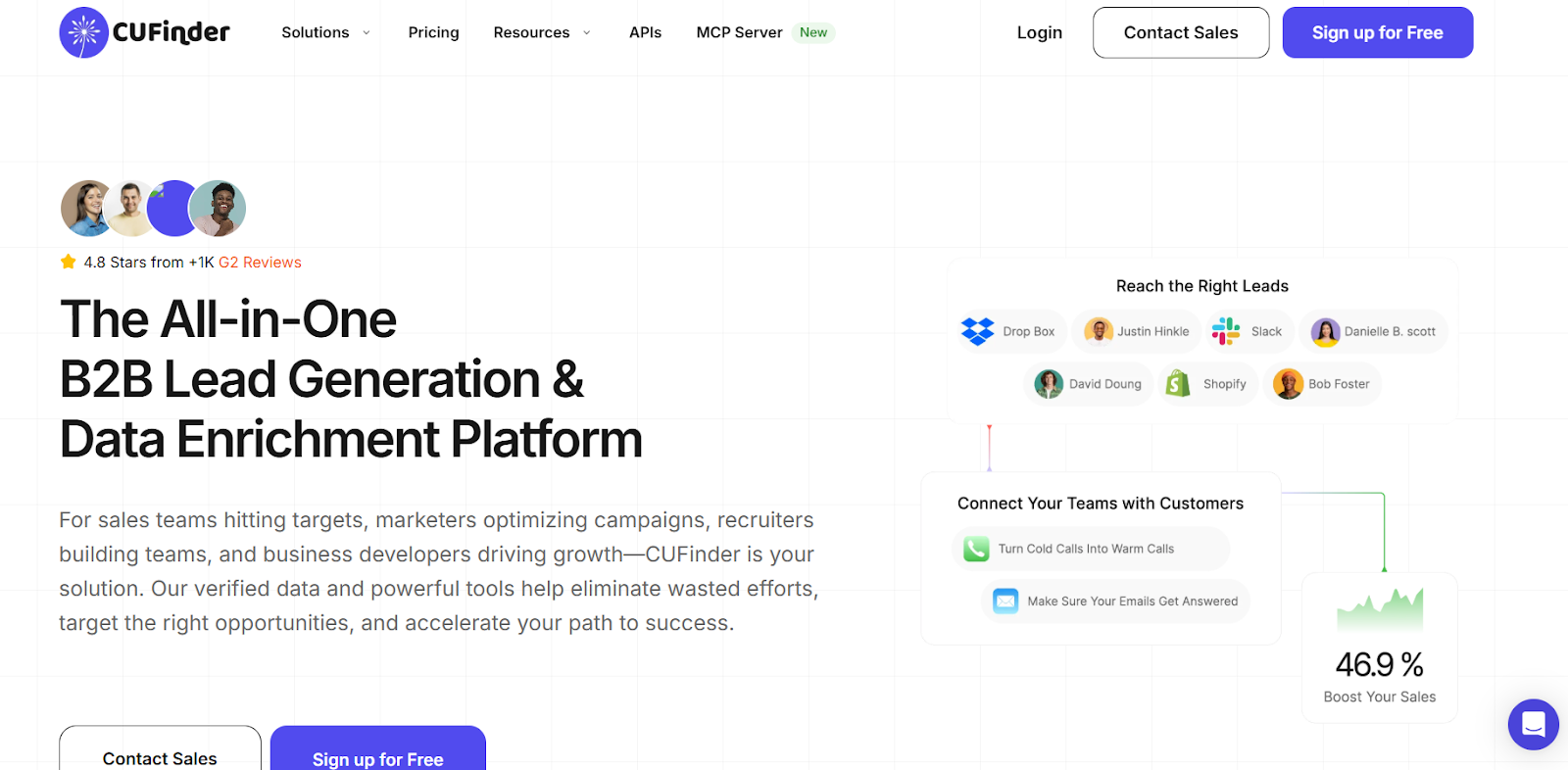
This image shows the CuFinder homepage
CuFinder is a B2B lead generation and data enrichment platform used by sales, marketing, recruiters, and business teams.
The platform helps teams find emails, phone numbers, company profiles, and LinkedIn data in one place.
CuFinder collects contact data, company data, and profile data from its global database and shows it through search and enrichment tools.
The platform brings contact search, company search, enrichment, APIs, and CRM integrations into one system.
This helps teams decide who to contact, what data to use, and when to reach out.
The platform is used for prospecting, list building, CRM cleaning, and account research.
CuFinder uses its data network to provide verified emails, phone numbers, company details, and social profile links at scale.
How CuFinder Works?
CuFinder is built to help teams find, enrich, and export B2B contact and company data from one place.
I used the platform to check how contact search and enrichment work in real use.
Here is how CuFinder works step by step:
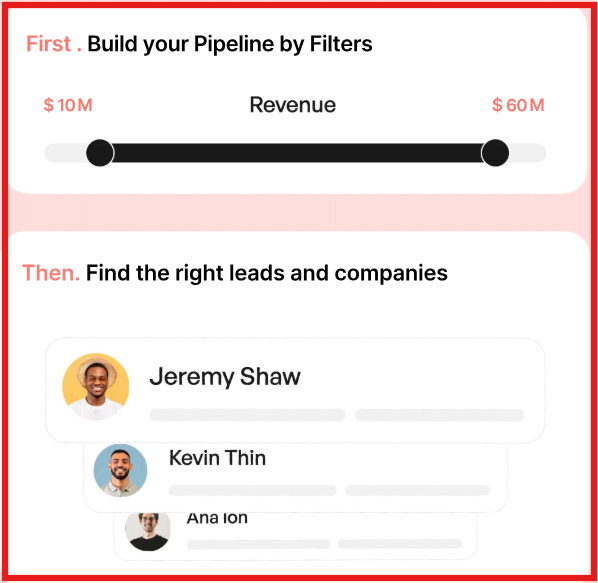
CuFinder lets users search for people and companies using filters like job title, industry, location, and company size.
This image shows the CuFinder contact search
The platform shows results from its database, which includes emails, phone numbers, company profiles, and social links.
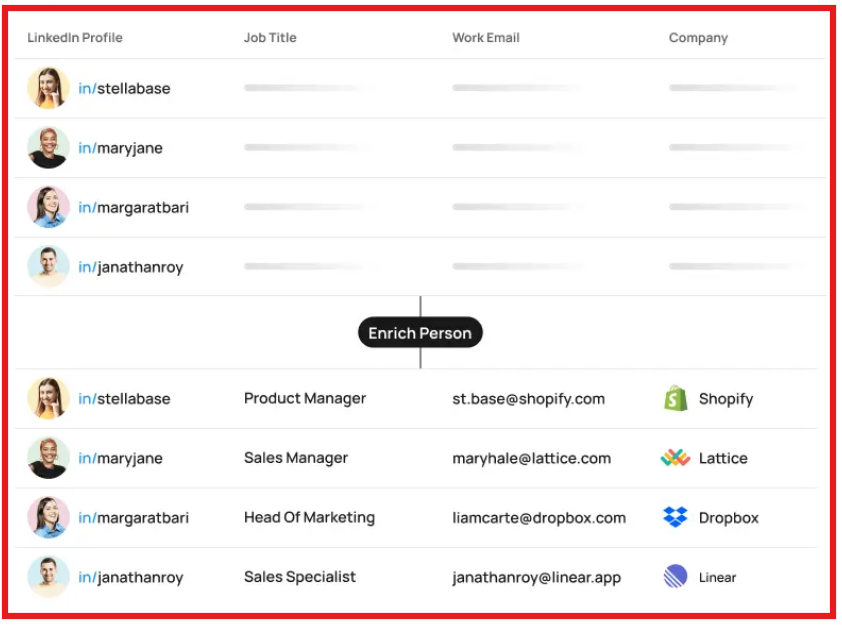
Users can enrich existing lists by uploading names, domains, or LinkedIn URLs to fill in missing fields.
This image shows the Enrich existinng list on CuFinder
CuFinder verifies data and updates records often to keep contact details fresh.
Each email address or phone number that is revealed uses one credit from the user’s plan.
Users can export the results to CSV files or push the data into CRMs and other tools.
CuFinder also provides APIs for teams that want to connect search and enrichment with their own systems.
The same flow supports prospecting, CRM cleaning, account research, and list building.
CuFinder Features That Are Actually Useful
CuFinder offers many tools on its site, but only a few matter for daily prospecting and CRM cleanup.
I focused on the features that I actually see teams use in real workflows.
Feature
Why It Is Useful
People & Company Search
Finds contacts and companies using filters like role, industry, location, and revenue.
Contact & Company Enrichment
Fills missing fields using names, domains, or LinkedIn URLs.
Email Finder
Returns verified work emails from names or LinkedIn profiles.
Phone Finder
Returns company and contact phone numbers for calling workflows.
Company Name ↔ Domain
Converts company names to domains and domains to company names.
LinkedIn Profile Enrichment
Pulls LinkedIn URLs and profile data from basic inputs.
Company Lookalikes
Finds similar companies based on size, industry, and location.
CRM Integrations
Pushes enriched data into CRMs and spreadsheets.
Google Sheets Add-on
Runs enrichment inside Google Sheets for list cleanup.
CuFinder Pricing
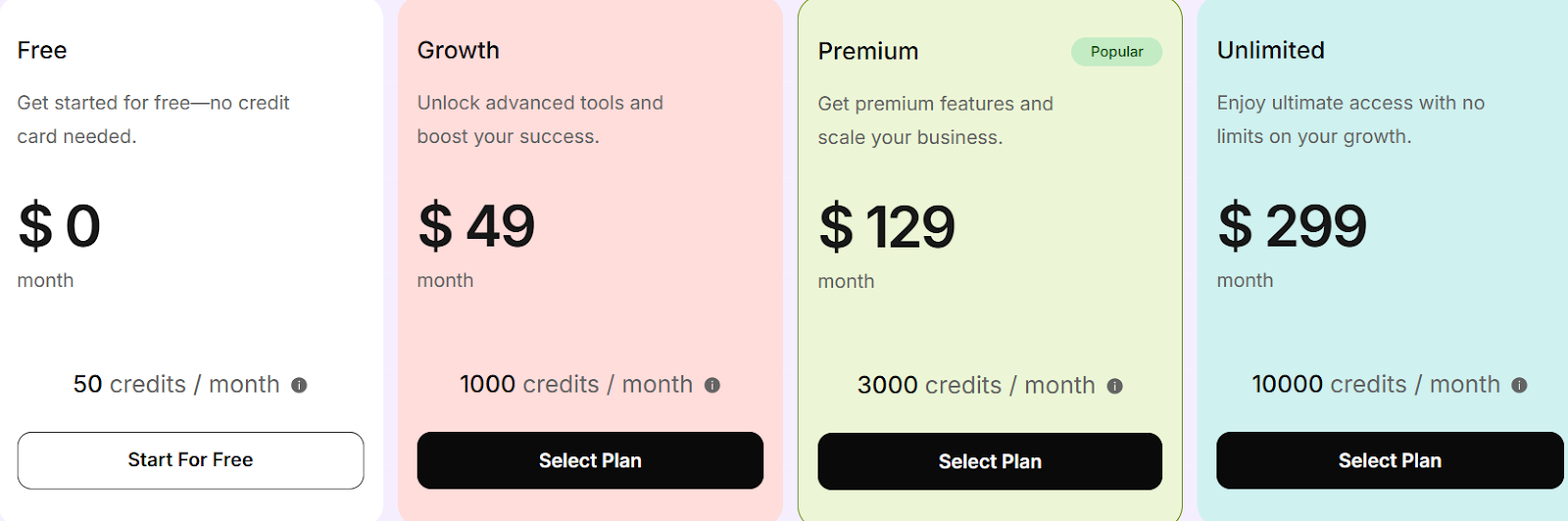
This image shows the CuFinder pricing
CuFinder uses a credit-based pricing model. Each revealed email address or phone number uses one credit.
The Free plan costs $0 per month and includes 50 credits with people search, company search, enrichment, exporting, and the Chrome extension.
The Growth plan costs $49 per month and includes 1,000 credits with access to Google Maps search and the API.
The Premium plan costs $129 per month and includes 3,000 credits with advanced search filters and CRM integrations.
The Unlimited plan costs $299 per month and includes 10,000 credits with unlimited rows, AI prompting support, credit reporting analytics, and priority support.
Annual billing is available and offers up to 30% savings.
User Reviews About CuFinder
CuFinder is mainly used for lead search, contact enrichment, and CRM data cleanup.
From what I saw in reviews, most users focus on data accuracy, simple filters, and fast lead extraction.
Here is what users like and dislike about using CuFinder.
I. What Users Like About CuFinder:
Users like that, filters make it easy to narrow results by role, industry, and location.
Several reviews mention that the dashboard is simple and easy to learn.
This image shows the CuFinder G2 review about simple dashboard
A lot of users say CuFinder helps clean wrong CRM data and replace it with valid contacts.
Reviews often mention that bulk search and list building save time in daily prospecting.
This image shows the CuFinder G2 review about bulk data search
Others say the enrichment feature helps complete missing company and contact fields.
II. What Users Dislike About CuFinder:
A few reviews mention that some contact records can be outdated and need manual checks.
There are comments about slow loading at times when working with large lists.
Several users say the free credits feel limited for proper testing.
Some people want more dashboard and list customization options.
This image shows the CuFinder G2 review about more customization options
A few reviewers want smaller plans with fewer credits for light usage.
Is CuFinder Right for You?
I used CuFinder mainly for contact search, enrichment, and CRM cleanup.
It fits best when the goal is to find verified emails and phone numbers fast and keep lead data clean.
It works best for teams that run steady prospecting and need simple filters, bulk export, and quick CRM updates.
I. Use CuFinder if:
You need verified emails and phone numbers for B2B outreach.
You run regular lead search and contact enrichment work.
You want to clean and update CRM records often.
You rely on filters like role, industry, location, and company size.
You export contact data to CRMs or spreadsheets.
II. Avoid CuFinder if:
You need unlimited exports without credit limits.
You plan to pull very large lists every day without managing credits.
You want deep intent data or buying stage signals.
You need every contact record to be fully up to date without manual checks.
Best CuFinder Alternative for Lead Generation: Leadsforge
CuFinder works well when the goal is to find or fix contact data inside an existing list.
I looked for a tool that could start from lead discovery and then carry those leads into outreach without extra steps.
That is where Leadsforge fits into the workflow.
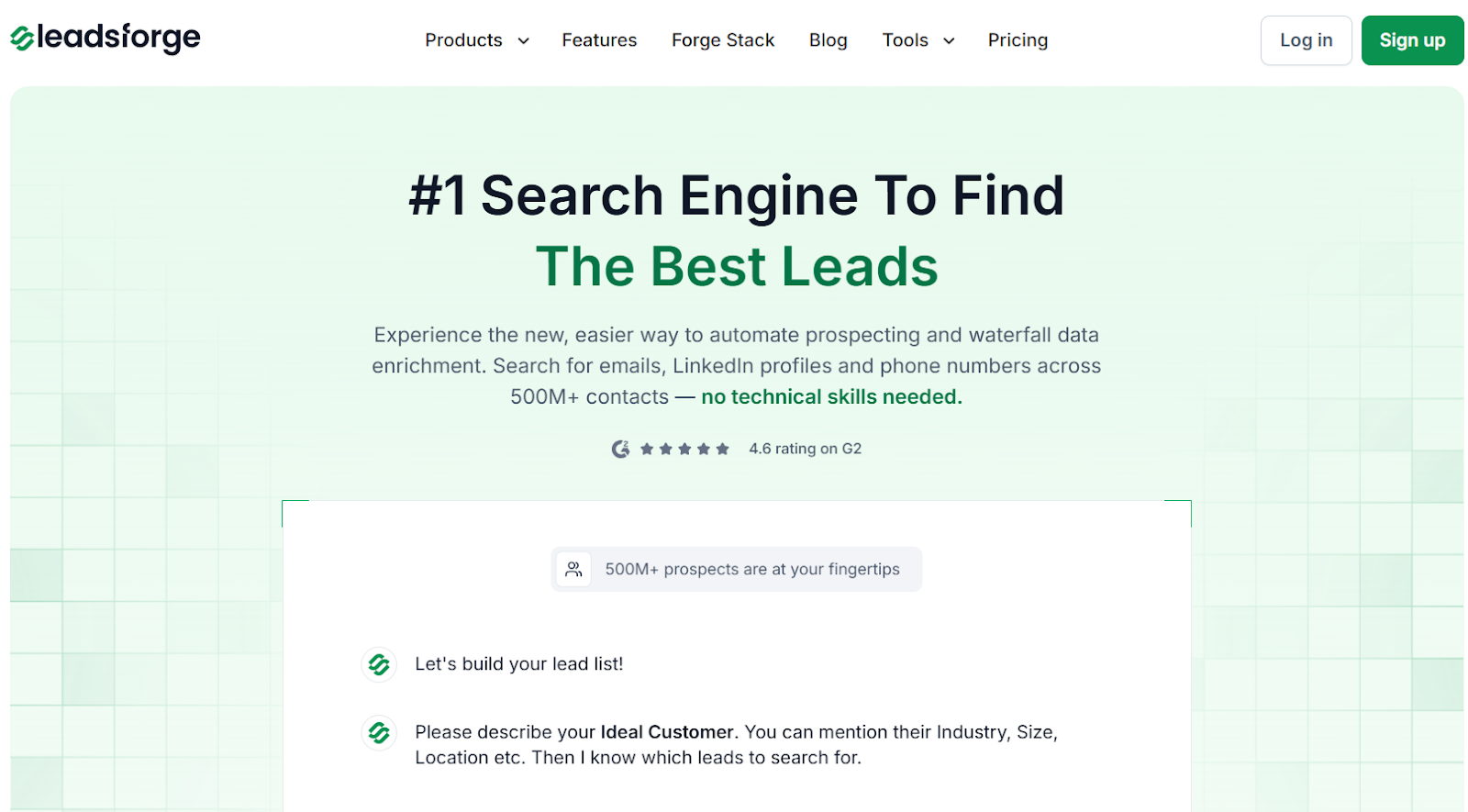
This image shows the Leadsforge homepage
I compared Leadsforge with CuFinder to see which one fits daily lead generation better.
The main difference I noticed is how it handles search and data matching.
Leadsforge works like a search engine for B2B leads.
Instead of clicking through filters, I describe my ideal customer in plain words and get a list back. This saves time when I already know who I want to reach.
This image shows the Leadsforge ICP based lead generation
The platform searches across 500M+ contacts and uses waterfall enrichment. If one source does not return an email, it checks another source. This improved match rates compared to single-source tools.
Leadsforge finds emails, LinkedIn profiles, and phone numbers in the same flow.
I can also build lists using ICP search, lookalikes, competitor followers, and signals. This covers most outbound list-building use cases.
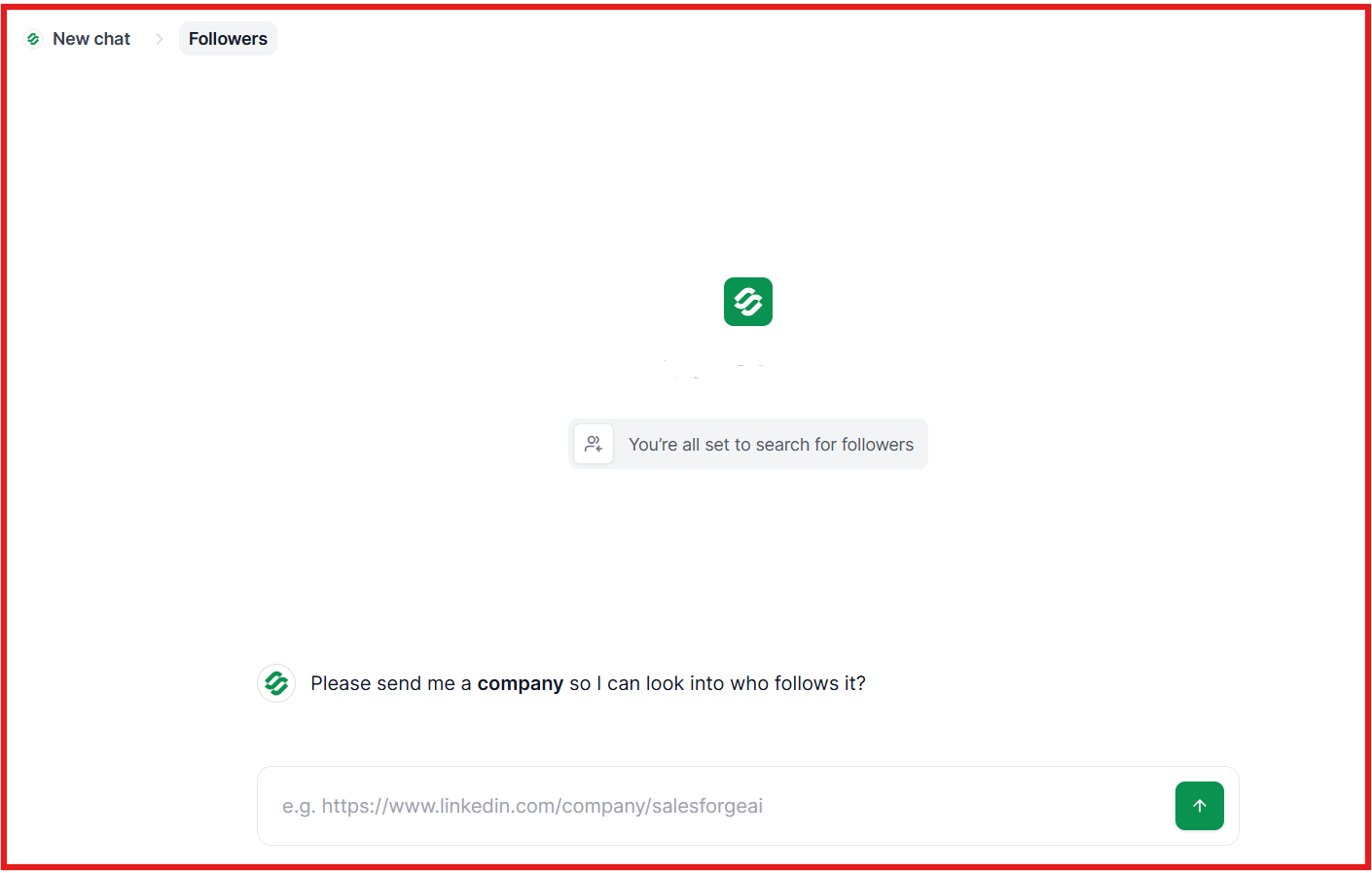
This image shows the Competitor follower feature by Leadsforge
Moving from leads to outreach feels simple. I can export lists to CSV or push them into Salesforge and start sequences without extra steps.
Pricing is credit-based, and credits do not expire. The base plan starts at $49 per month and includes 2,000 export credits. There is also a 100 free credits trial.
Compared to CuFinder, Leadsforge fits better when the goal is active lead generation at scale.
CuFinder works well for contact lookup and CRM cleanup.
Leadsforge fits better when I want to build new lists, enrich them, and send them to outreach in one flow.
Personalized Outbound Strategy
Get The Right Outbound Strategy In Minutes
Enter your email to get a custom plan & stack recommendation for your
business
It's being carefully crafted by AI
Please check your mailbox in 5 minutes
Is CuFinder Worth It?
I found CuFinder useful when the goal is to find emails, phone numbers, and company details, or to enrich existing lead lists.
It works well for contact search, company research, and CRM enrichment.
CuFinder gives access to a large database and many enrichment tools in one place.
But CuFinder is a data tool, not an outreach platform.
You still need a separate system to run email and LinkedIn campaigns, manage replies, and track conversations.
That is where Leadsforge and Salesforge fit better together.
I can find and enrich leads in Leadsforge, warm mailboxes with Warmforge, and send outreach through Salesforge.