Many people on LinkedIn only focus on getting more followers. But if you don’t look at the data behind your followers, those numbers don’t mean much.
LinkedIn followers data shows you:
Without this data, it’s hard to target the right people or create content that works.
In this blog, we’ll go through 5 simple ways to get and target LinkedIn followers data.
These steps will help you understand your audience better, reach the right followers, and grow with purpose.
The easiest way to start with LinkedIn followers data is by using LinkedIn’s own analytics.
Every Company Page has a section called Analytics → Followers. This is where you can see exactly who your followers are.
Inside this dashboard, LinkedIn shows you:
This data is powerful because it helps you understand whether you are attracting the right people.
For example, if your goal is to reach marketing managers but most of your followers are students, you’ll know your content strategy needs to change.
On the other hand, if you see that 40% of your followers are from your target industry, that’s a sign you’re on the right track.
How to access your analytics:
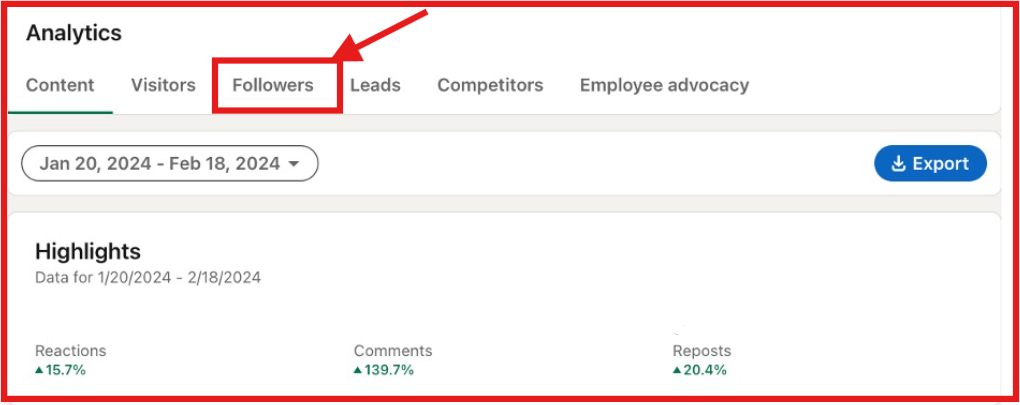
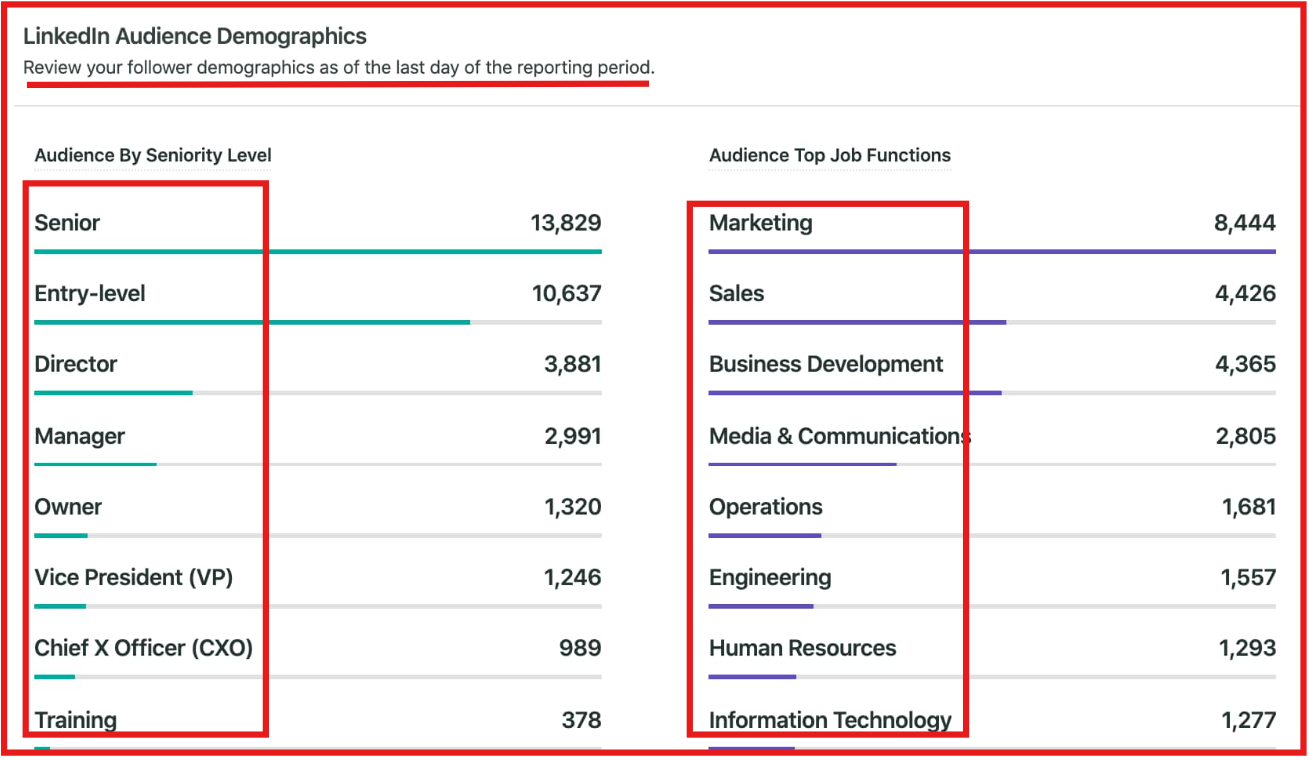
Note: You must be a page admin or have analyst permissions to view these reports.
By doing this regularly, you’re not just looking at follower numbers.
You’re learning who those followers are and whether they match the audience you want to build.
That’s the first step to targeting LinkedIn followers' data effectively.
LinkedIn’s analytics is useful, but it only gives you a snapshot inside the platform.
If you want more detailed insights, you need to export your data and then enrich it with extra information.
This helps turn basic follower info into actionable targeting lists.
Inside an export, you can get, names and job titles, current company, connection details (for personal profiles) or follower trends (aggregated data for company pages).
But this is just the starting point. On its own, the data is limited.
That’s why enrichment is important. With the help of external tools, you can add:
This extra context makes your LinkedIn followers data much more powerful.
For example, LinkedIn might tell you that 35% of your followers are in Marketing. After enrichment, you’ll know that 200 of them are Marketing Managers in SaaS companies with 50–200 employees.
That’s the kind of detail you can act on.

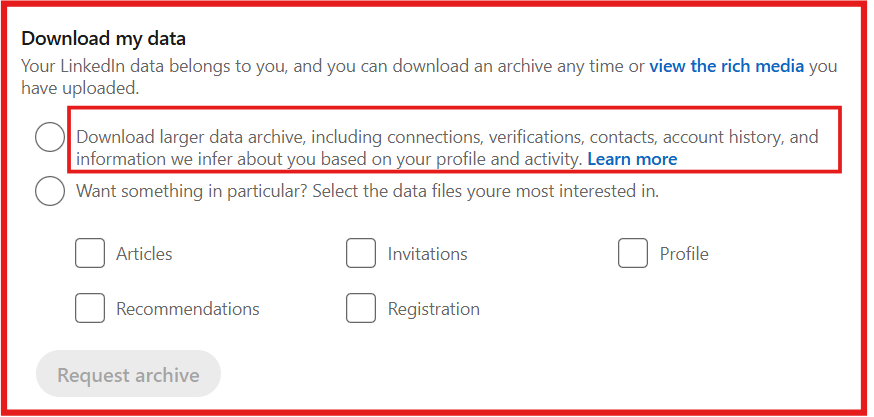
By exporting and enriching, you move beyond simple counts and demographics. You’re creating clear audience segments that you can target with ads, outreach, or tailored content.
Follower numbers can look impressive, but they don’t always show if people are really interested.
What matters is who engages with your posts.
Engagement data helps you see which followers are paying attention and gives you a clearer picture of your real audience.
Inside LinkedIn Content Analytics, you’ll find:
This is different from just looking at follower counts.
For example, you might have 5,000 followers, but if only 200 people regularly like, comment, or share, those 200 are the audience you should focus on.
They are the ones more likely to become leads, customers, or brand advocates.
Here’s how to access engagement data:

By tracking engagement data, you’re not just collecting numbers. You are learning which followers are active and interested.
That allows you to target them with:
This way, you use engagement data both to get valuable insights and to target the right followers for growth.
Looking only at your own followers gives you a limited view.
To find new opportunities, it helps to see what’s working for your competitors.
LinkedIn’s Competitor Analytics lets you compare your page with others in your industry and understand where you might be missing out.
Inside the Competitors tab, LinkedIn shows you:
This data is useful because it helps you spot audience gaps.
For example, if you see a competitor getting strong engagement from senior HR managers while your page has very few, that shows you a group of followers you can target.
You could then adjust your content or outreach to appeal to that audience.
How to access competitor analytics:

By analyzing competitor follower data, you’re not just looking at your own numbers.
You’re learning which audiences competitors are reaching and using that insight to target new followers you haven’t attracted yet.
LinkedIn shows you analytics, but it doesn’t give you direct access to follower lists.
On the other hand, Leadsforge lets you pull followers from your own company page or even from competitors, filter them, and turn that data into a targeted outreach list.
With Leadsforge, you can:
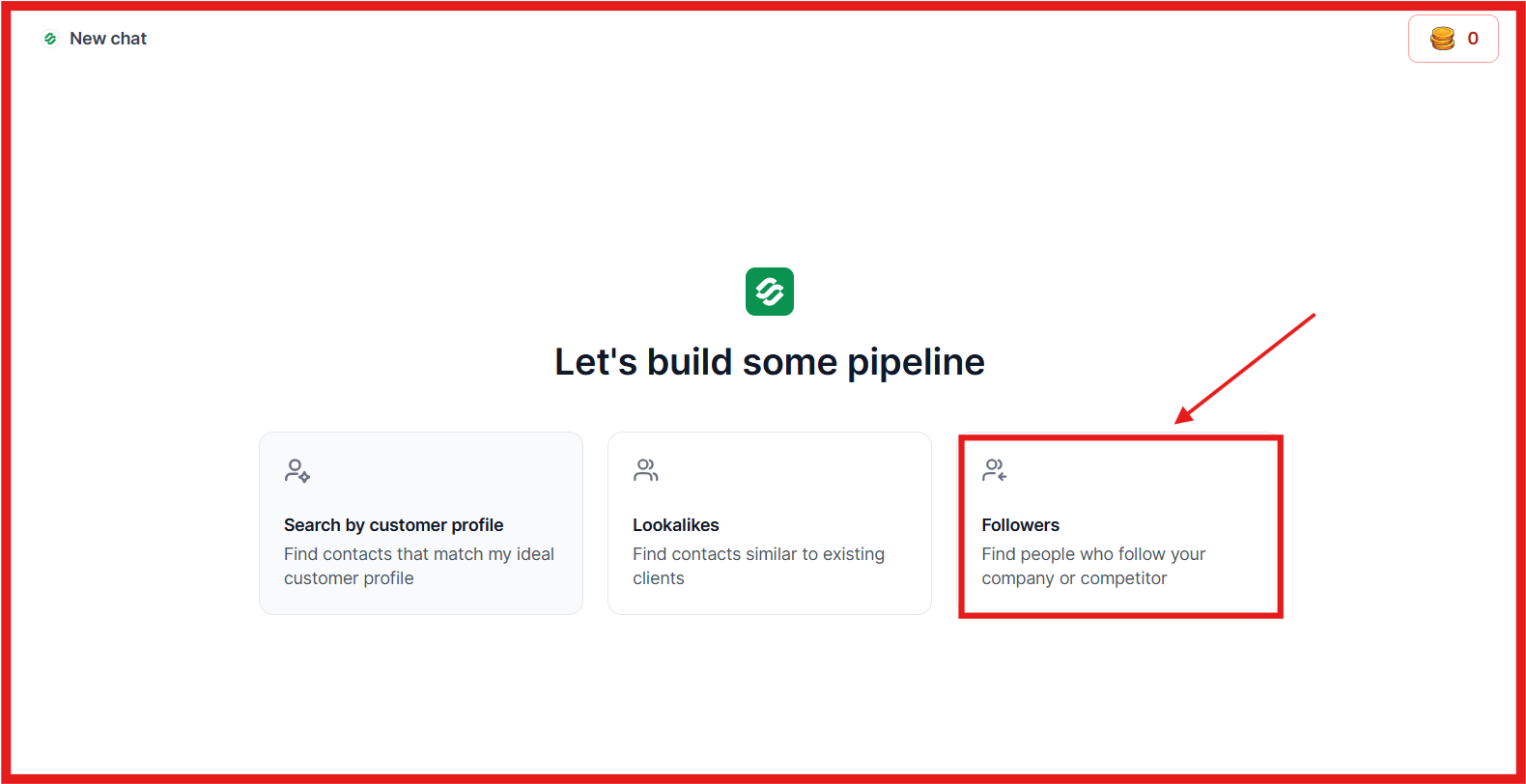
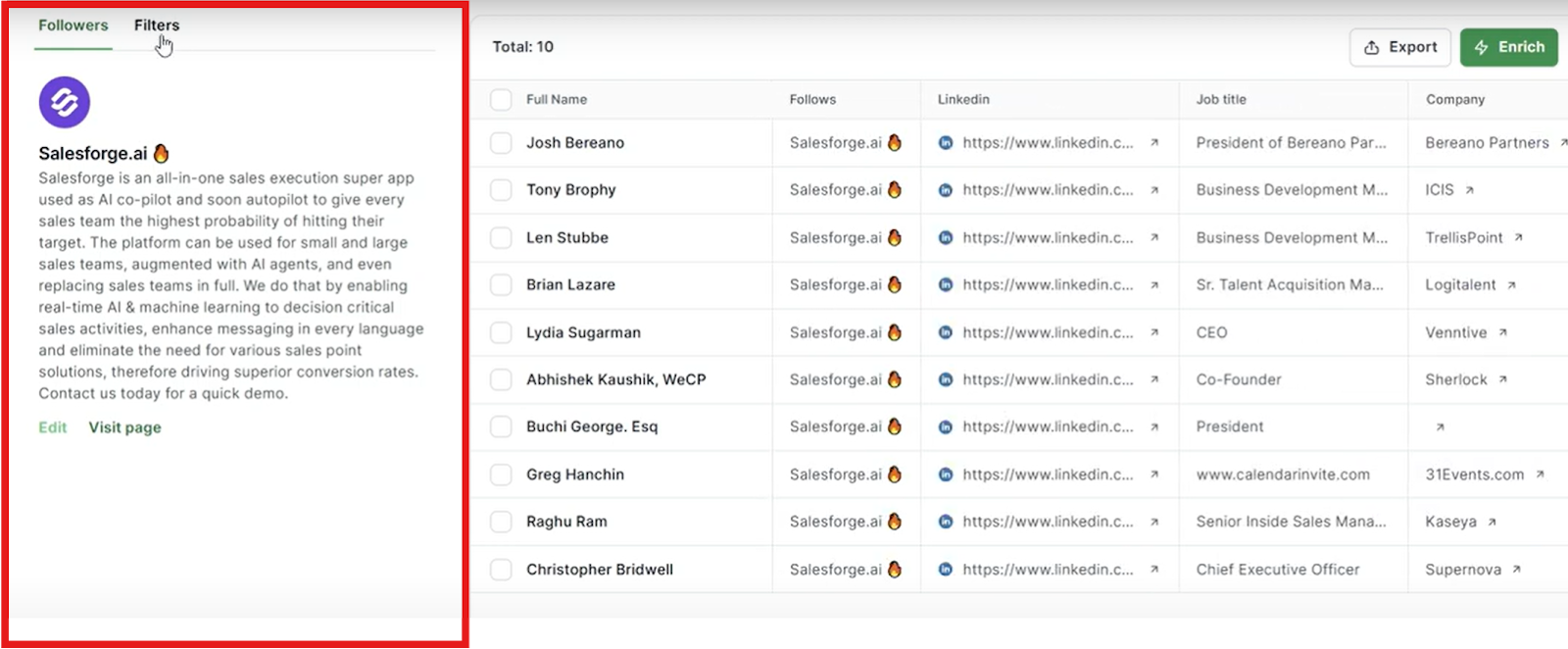
Leadsforge gives you the right LinkedIn follower data, and Salesforge turns that data into personalized conversations at scale.
Together, they give you a direct path to reaching the right people, building meaningful connections, and driving real business growth from LinkedIn.
Getting LinkedIn followers is easy. But growing with the right followers, and knowing who they are, is what really drives results.
We’ve covered 5 ways to get and target LinkedIn follower data. Each method adds more clarity about your audience.
But if you want to skip the chaos of manual tracking and limited analytics, Leadsforge is the fastest and most effective way to do it.
With Leadsforge, you can:
And it’s affordable. For just $49/ month, you get 2,000 credits. Even better, when you sign up you receive 100 free credits.
If you’re serious about LinkedIn growth, Leadsforge is your best choice to get and target follower data without confusion, limits, or wasted effort.
👉 Try Leadsforge today and get 100 free credits.