If you work in B2B sales, marketing, or recruiting, you need a fast way to get a prospect’s email from LinkedIn.
LinkedIn doesn’t show emails, and InMails are slow. That’s why LinkedIn email finders are useful.
These tools let you click on a LinkedIn profile and instantly get a verified email you can use for outreach.
In this blog, you’ll find the 11 best LinkedIn email finder tools and Chrome extensions.
Each tool on this list is chosen to help you get accurate emails from LinkedIn quickly and easily.
Let’s get started.
11 Best LinkedIn Email Finder & Chrome Extensions for B2Bs: Quick Look
Leadsforge – Best overall for fast, accurate LinkedIn email finding
Wiza – Great for pulling emails from LinkedIn Sales Navigator
Apollo.io – All-in-one database and LinkedIn email finder
ContactOut – Strong personal email finder for recruiters
Skrapp – Simple and reliable LinkedIn email extraction
GetProspect – Easy-to-use email finder with CRM options
Prospeo – Lightweight tool focused on clean, verified data
Snov – Email finder with built-in outreach automation
Lusha – Popular for B2B contact data and direct dials
Kaspr – Great for SDRs needing quick LinkedIn emails & numbers
AnyMail Finder – Accurate email verification for B2B outreach
How to Choose the Best LinkedIn Email Finder
When picking a LinkedIn email finder, focus on the things that matter most.
Here are the key points to look for:
A good LinkedIn email finder should deliver accurate and verified emails, which helps you avoid wrong contacts and bounced messages.
It should locate emails quickly, so your prospecting work becomes faster and more efficient.
Its Chrome extension should work smoothly across LinkedIn, including profiles, search results, and Sales Navigator.
The tool should offer a simple and easy-to-use interface, making it comfortable for anyone to use.
Its pricing should match your budget, especially if you need a large number of email credits.
It should support bulk email finding, which helps when building big prospect lists.
The tool should integrate well with CRMs, such as HubSpot, Salesforce, or other outreach platforms.
It should follow proper data privacy rules, ensuring safe and compliant outreach.
The customer support team should be reliable and responsive, so you get help whenever you need it.
11 Best LinkedIn Email Finder & Chrome Extensions For B2Bs: Detailed Review
1. Leadsforge
This image shows the Leadsforge homepage
Leadsforge is an AI-powered lead generation and enrichment tool that helps you find verified emails, LinkedIn profiles, and phone numbers in seconds.
It works like a search engine for B2B leads, you simply describe your ideal customer profile (ICP), and Leadsforge builds a clean, verified list from over 500M+ contacts.
What Leadsforge Provides & How It Works?
Leadsforge connects to several verified B2B data sources and uses a waterfall enrichment system. This means if the first source doesn’t return verified data, it automatically checks other sources until it finds accurate results.
For LinkedIn users, Leadsforge can:
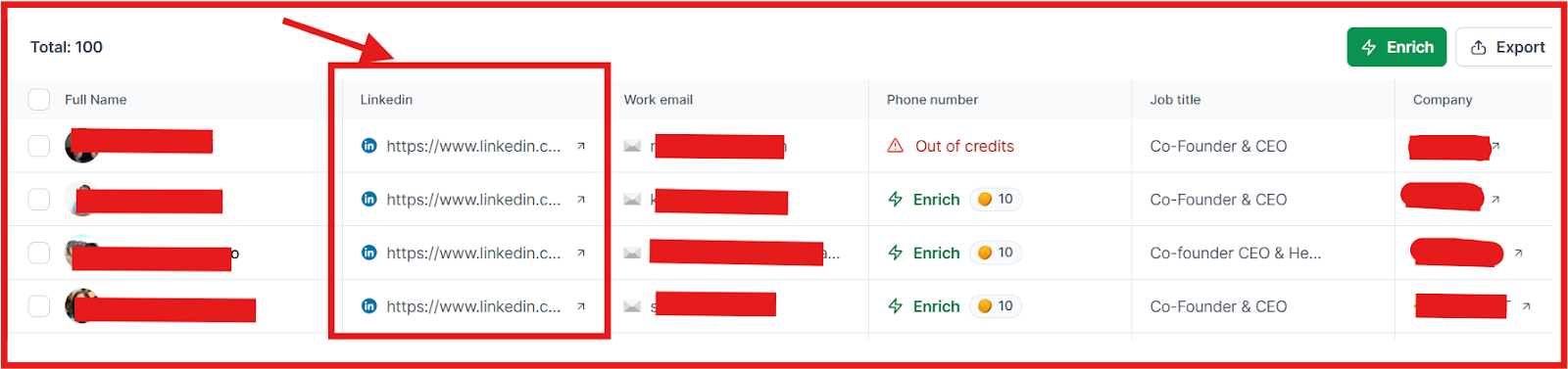
Pull verified work emails, LinkedIn URLs, and mobile numbers based on your target industry, role, size, or geography.
This image shows the Leadsforge provides data about LinkedIn profile, work email, and more
It enriches each profile with job title, company name, headquarters, industry, revenue, and employee count.
You can identify lookalike companies and competitor followers, helping you find prospects similar to your best customers.
This image shows the Find lookalike audience with Leadsforge
Salesforge Chrome Extension (Part of the Forge Stack)
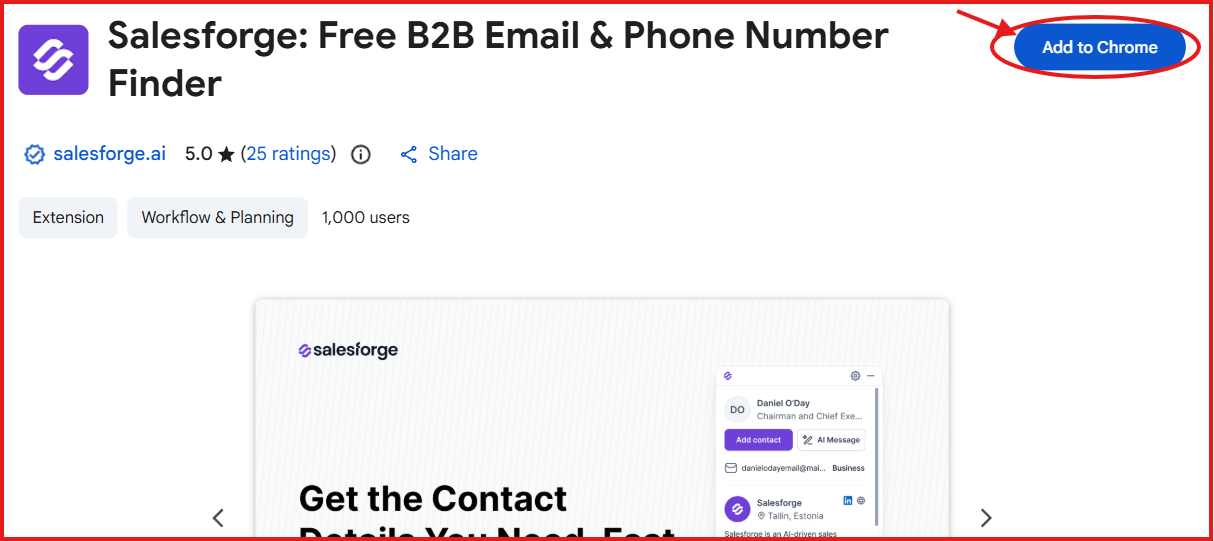
Leadsforge does not have its own Chrome extension yet, but the Salesforge Chrome Extension covers everything you need inside the browser.
Since Salesforge is the main platform in the Forge Stack, the extension works smoothly with Leadsforge data.
This image shows the Salesforge chrome extension
The Salesforge Chrome Extension lets you:
Find verified emails and phone numbers directly on LinkedIn, Sales Navigator, company websites, or even Gmail.
Capture a contact in one click and send it directly into your Salesforge pipeline.
Send personalized emails or LinkedIn messages instantly without switching tabs.
Add the new lead straight into your Salesforge sequences.
The extension is free, fast, simple, and built for SDRs, founders, and agencies who want verified data while browsing.
Pros and Cons of Leadsforge
Pros
Cons
Fast prospecting with a simple chat-style interface
No dedicated Leadsforge Chrome extension (relies on Salesforge extension)
Provides full company details like size, revenue, and location
Not ideal for users who prefer traditional dashboard filters
Waterfall enrichment checks multiple data sources for higher accuracy
Focused mainly on B2B data, not suitable for B2C leads
Leadsforge Pricing
This image shows the Leadsforge pricing
Leadsforge uses a simple credit-based pricing model:
$49/month (Essential Plan), includes 2,000 export credits, with rollover credits.
$588/year, includes 28,000 credits upfront at a 14% discount.
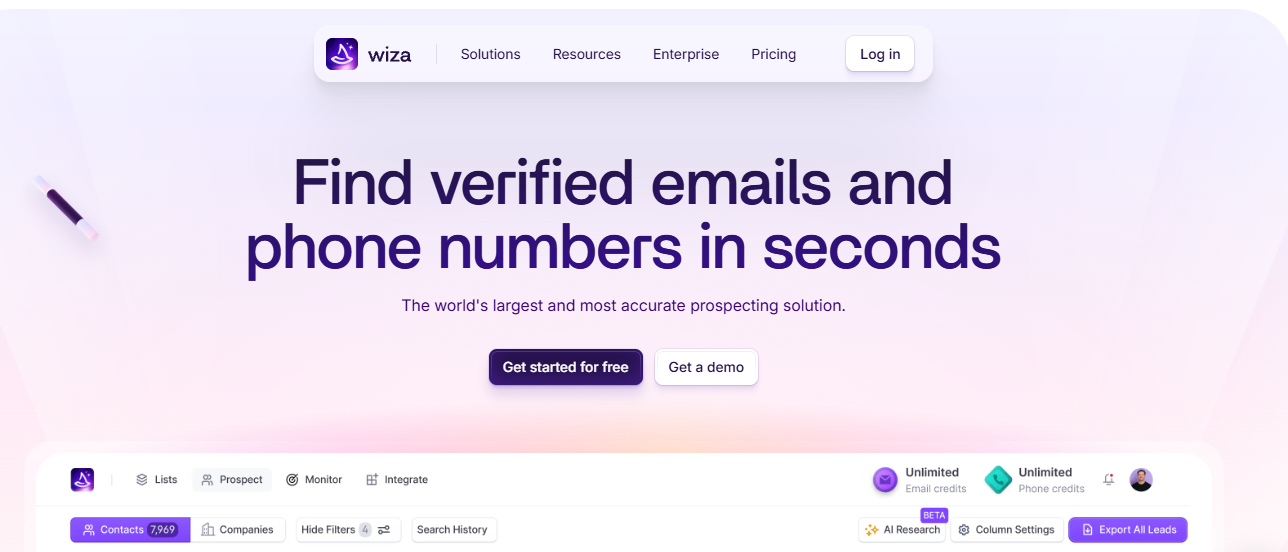
Wiza is a real-time LinkedIn email finder that helps you discover verified emails and phone numbers in seconds.
It checks live data sources every time you request a contact, giving you fresh and accurate information.
What Wiza Provides & How It Works?
Wiza verifies each email, phone number, and job title in real time, ensuring low bounce rates and high accuracy.
For LinkedIn users, Wiza can:
Pull verified emails, mobile numbers, and direct dials from LinkedIn and Sales Navigator.
Enrich each profile with job title, company name, location, industry, revenue, headcount, and more.
Build targeted lists using 30+ filters such as seniority, company size, and industry.
Wiza also offers an 850M+ contact database where you can search, filter, and save prospects.
Wiza Chrome Extension
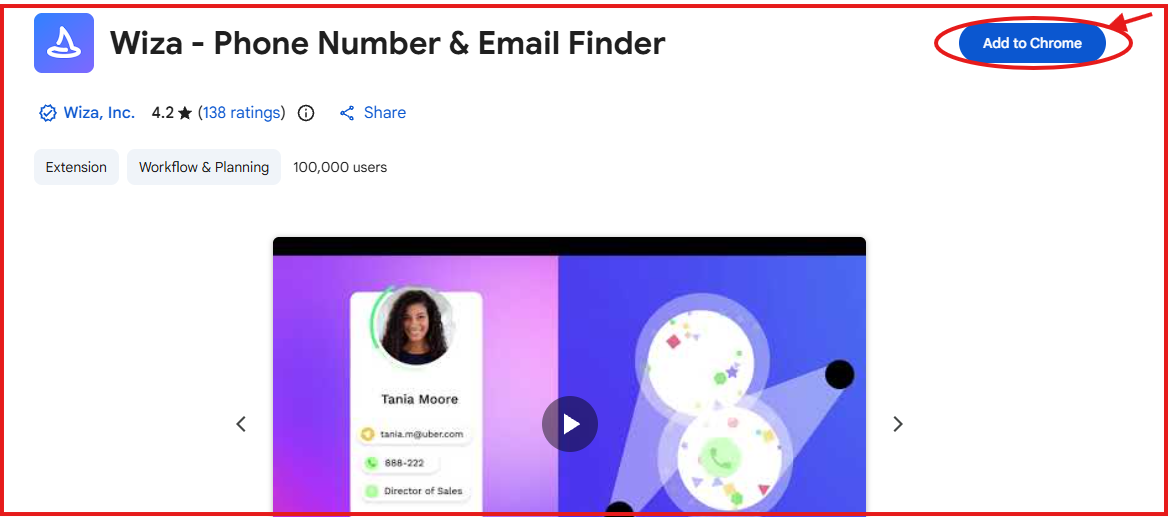
This image shows the Wiza chrome extension
The Wiza Chrome Extension makes LinkedIn prospecting much faster by showing contact info instantly while browsing.
With the extension, you can:
Reveal verified emails and phone numbers directly on LinkedIn and Sales Navigator.
Export entire lead lists from your LinkedIn searches with one click.
Sync captured contacts straight to your CRM.
Find contact info on any website, not just LinkedIn.
Bulk export searches and lists directly to the Wiza platform.
The extension is free, easy to use, and ideal for SDRs, recruiters, and marketers who want quick verified data while browsing.
Pros and Cons of Wiza
Pros
Cons
Real-time verified data with very high accuracy
Credits can get expensive for large teams or heavy usage
Chrome extension shows emails and phone numbers instantly on LinkedIn
Wiza Monitor (job change alerts) requires an additional paid plan
Large database of 850M+ contacts with 30+ advanced filters
Does not include built-in outreach tools (requires a separate email platform)
Wiza Pricing
This image shows the Wiza pricing
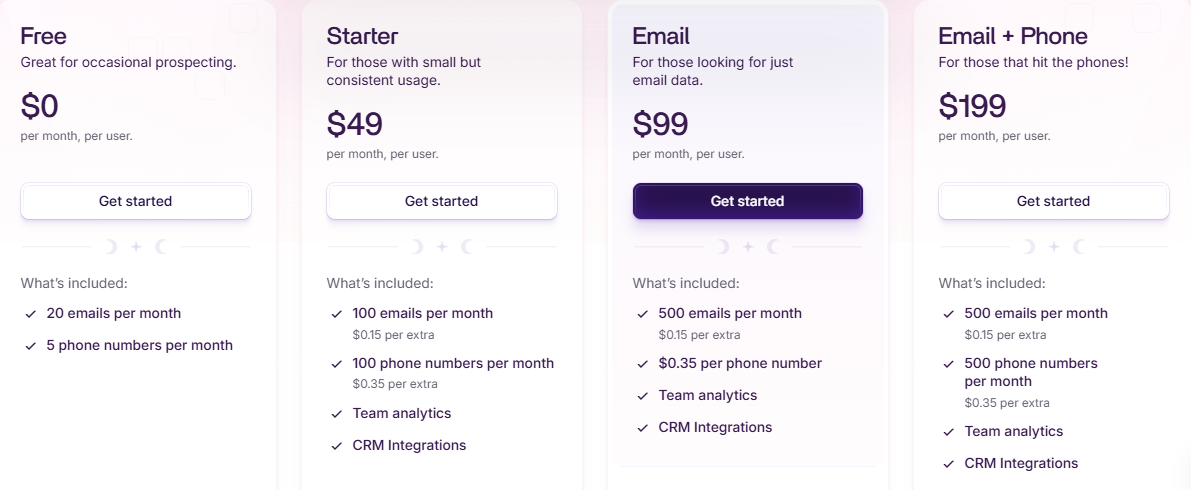
Wiza uses a usage-based pricing system:
Free Plan, 20 emails + 5 phone numbers per month.
Starter ($49/month), 100 emails and 20 phone numbers.
Email Only ($99/month), 500 emails.
Email + Phone ($199/month), 500 emails and 500 phone numbers.
Team Plan (from $399/month), unlimited emails and phones, CRM integrations, team analytics.
Wiza Monitor, $99/month for 1,000 monitored contacts (job change alerts).
All new users get 25 free credits.
3. Apollo.io
This image shows the Apollo.io homepage
Apollo.io is a B2B sales intelligence and outreach platform that helps you find verified emails, phone numbers, and company data.
It has a very large database with 210M+ contacts and 35M+ companies, making it one of the most popular tools for prospecting and outreach.
Apollo also gives you built-in email sequences, calling tools, AI writing, and deep enrichment data.
What Apollo Provides & How It Works?
Apollo connects to multiple data sources and updates contact information in real time. This helps you get fresh, accurate data instead of old or stale records.
For LinkedIn users, Apollo can:
Pull verified work emails and phone numbers directly when viewing a LinkedIn or Sales Navigator profile.
Show full profile details such as job title, seniority, company name, industry, revenue, and team size.
Help you find lookalike accounts so you can target companies similar to your best customers.
Enrich your CRM by updating job changes, company information, and contact details automatically.
All data can be exported to CSV or pushed into Apollo’s email sequences, call tasks, and CRM tools.
Apollo Chrome Extension
Apollo has a strong Chrome extension that works directly inside LinkedIn, Sales Navigator, Gmail, Salesforce, and HubSpot. This makes prospecting much faster.
The Apollo Chrome Extension lets you:
Find verified emails and phone numbers the moment you open a LinkedIn or Sales Navigator profile.
Add contacts, accounts, or lead lists directly into Apollo with one click.
Send follow-up emails directly from Gmail using Apollo templates.
Enroll contacts into email or LinkedIn sequences without leaving the page.
View full Apollo profile data (company info, roles, tech stack, phone numbers) without switching tabs.
Track opens, clicks, and replies directly from your inbox.
It is simple, quick, and very useful for SDRs, founders, and B2B teams.
Pros and Cons of Apollo
Pros
Cons
Large database with 210M+ contacts and deep enrichment
Can feel overwhelming because it has many features
Strong Chrome extension for LinkedIn and Gmail
Credits can run out fast with heavy usage
Built-in outreach (email, calls, tasks) in one place
Some phone numbers may not be available globally
Apollo Pricing
This image shows the Apollo.io pricing
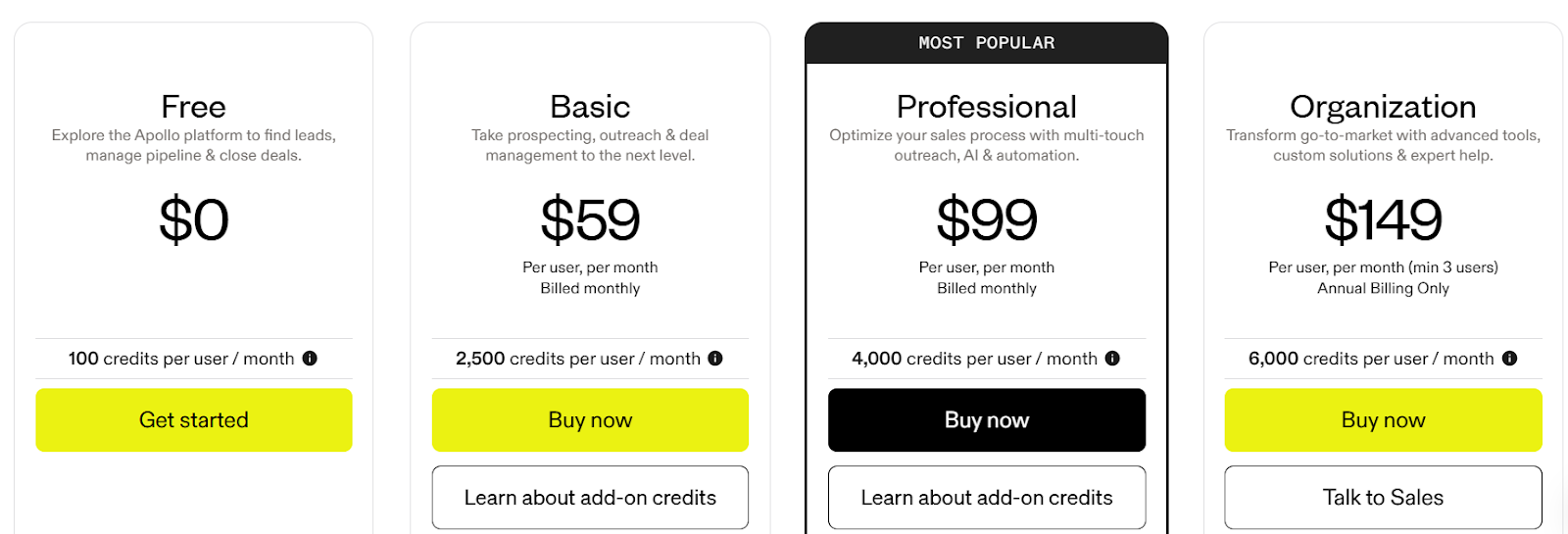
Apollo offers several pricing plans depending on your needs:
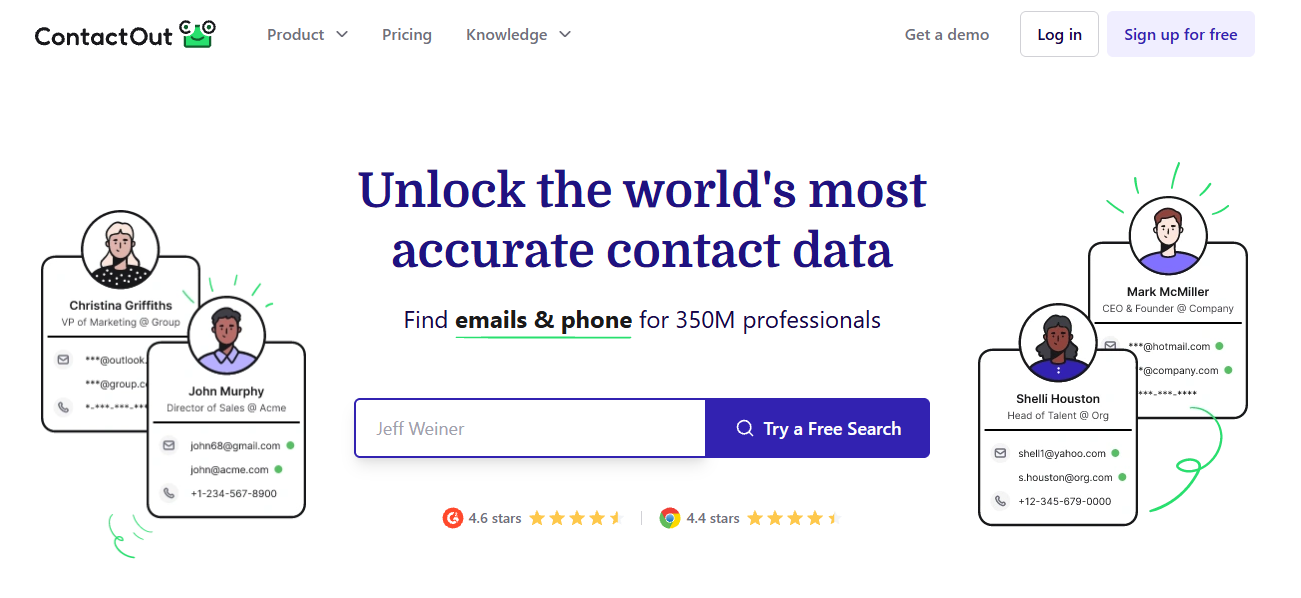
ContactOut is a simple email-finding tool used mainly by recruiters and B2B teams to extract personal and professional emails directly from LinkedIn profiles.
It works through a Chrome extension that reveals hidden contact information and allows you to save or export prospects for hiring or outreach.
What ContactOut Provides & How It Works?
ContactOut helps you uncover verified contact information directly from LinkedIn. ContactOut can:
Reveal personal and work emails from a LinkedIn profile
Show phone numbers when available
Save contacts into lists/folders inside the platform
Export contacts to CSV
Help with recruiting workflows by giving access to emails that aren’t visible on LinkedIn
ContactOut Chrome Extension
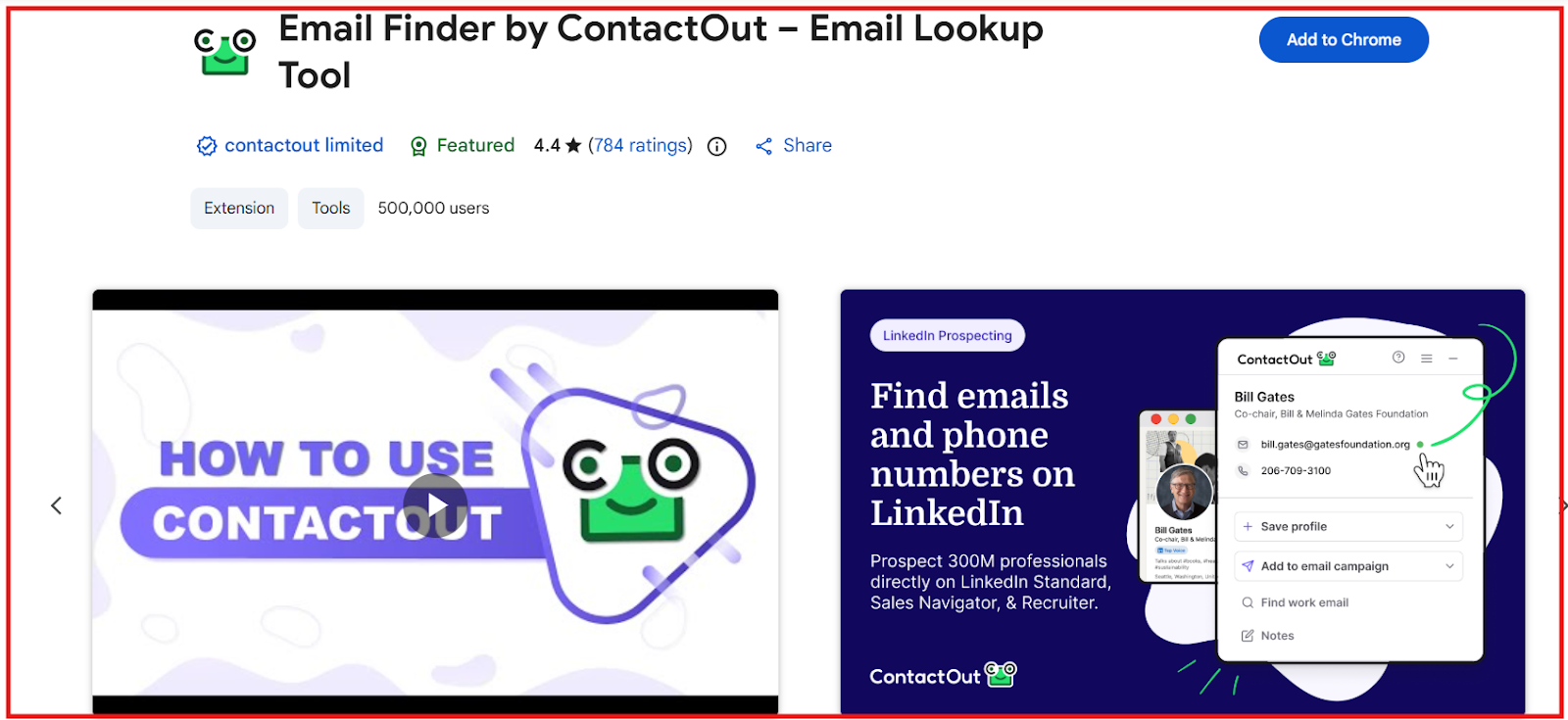
This image shows the ContactOut chrome extension
ContactOut’s Chrome extension is the main way users interact with the tool. It enables you to:
Reveal emails instantly on a LinkedIn profile
Capture and save contacts directly into your ContactOut list
Build candidate or prospect lists without leaving LinkedIn
Pros and Cons of ContactOut
Pros
Cons
Extracts personal and work emails directly from LinkedIn profiles
Limited feature set based on the data provided
Simple, easy-to-use Chrome extension
No built-in outreach, sequences, or automation tools mentioned
Helpful for recruiters who need contact details quickly
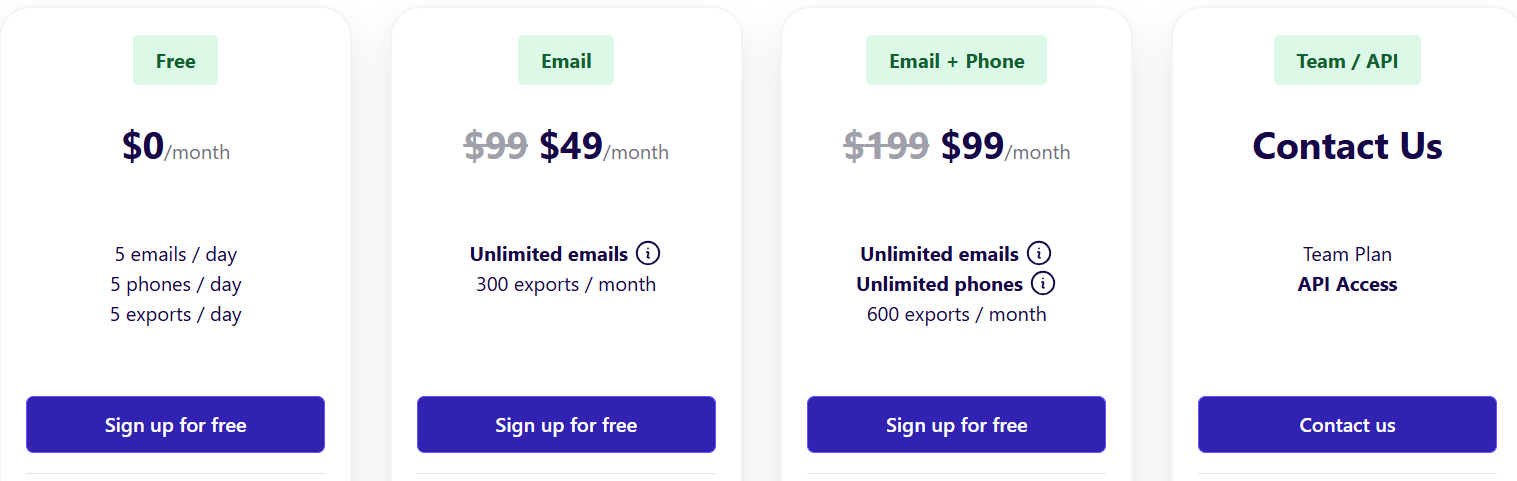
ContactOut Pricing
This image shows the ContactOut pricing
ContactOut uses a simple tier-based model:
Free Plan – $0/month, includes 5 emails/day, 5 phones/day, 5 exports/day.
Email Plan – $49/month, includes unlimited emails and up to 300 exports/month.
Email + Phone Plan – $99/month, includes unlimited emails, unlimited phones, and 600 exports/month.
Team/API Plan – Custom pricing, includes API access, bulk licenses, 700M+ profiles, CRM integrations, and team management.
All plans come with a free Chrome Extension and a trial of premium features.
5. Skrapp
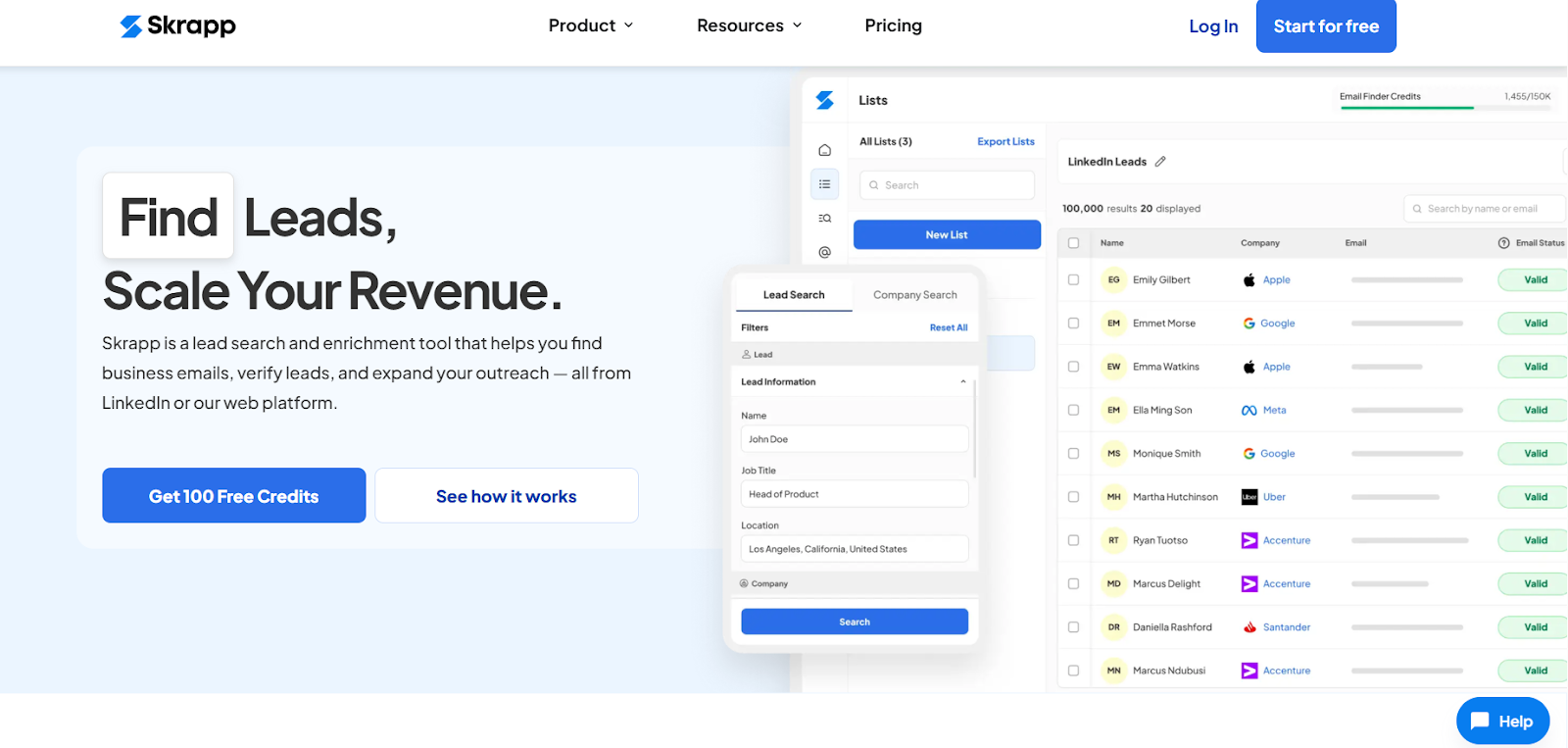
This image shows the Skrapp homepage
Skrapp is a B2B lead search, email finder, and enrichment tool that helps you find verified business emails from LinkedIn, Sales Navigator, company websites, or bulk lists.
It works as both a web platform and a Chrome extension, making it easy to collect, verify, and export B2B contacts.
What Skrapp Provides & How It Works?
Skrapp connects to a large and constantly refreshed B2B database and uses AI for email search, verification, and enrichment.
It gives you verified business emails, company data, and buying-role insights to help you build clean, targeted lead lists.
For LinkedIn users, Skrapp can:
Extract verified business emails from LinkedIn and Sales Navigator profiles with its Chrome extension.
Pull contact details in bulk from LinkedIn search results, Sales Navigator lists, and LinkedIn Groups.
Automatically connect or follow prospects using Auto-Connect and Auto-Follow to save manual work.
Enrich each LinkedIn profile with buying role, seniority, function, and gender using AI Fields.
Skrapp Chrome Extension
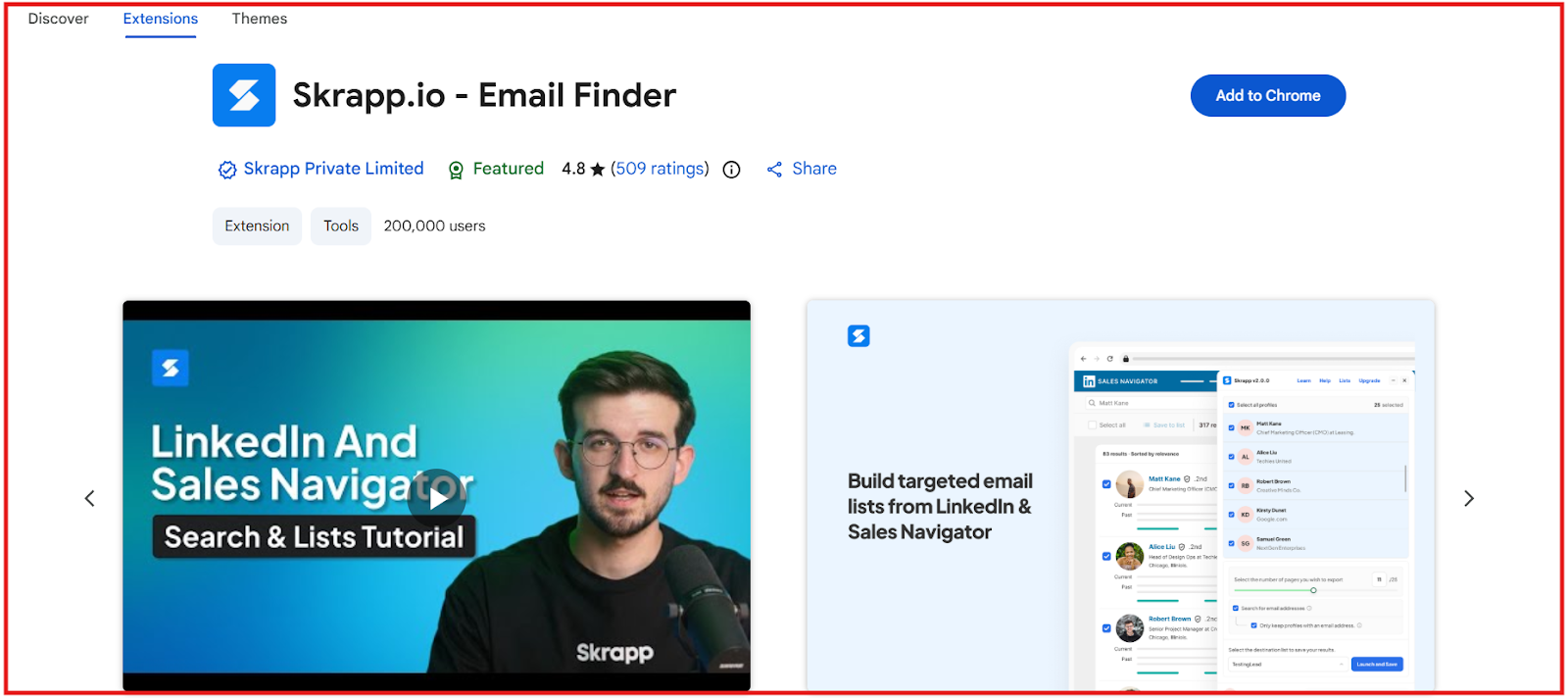
This image shows the Skrapp chrome extension
Skrapp has a powerful Chrome extension built for LinkedIn, Sales Navigator, Recruiter, and company websites.
The Skrapp Chrome Extension lets you:
Find verified business emails on LinkedIn profiles, search results, and company pages.
Extract up to 2,500 emails per bulk operation from LinkedIn & Sales Navigator lists.
Save leads into Skrapp lists directly from the browser.
Enrich companies and extract emails from any website in one click.
Auto-connect and auto-follow prospects on LinkedIn.
Export data or sync with your CRM easily.
Pros and Cons of Skrapp
Pros
Cons
Large database of 200M+ contacts and 20M+ companies
Credits may run out fast for heavy LinkedIn bulk extraction
Strong Chrome extension for LinkedIn, Sales Navigator, and company websites
AI enrichment fields may not be needed by all users
High accuracy with 92% email success rate and 97% verification accuracy
Some features (API, multi-page enrichment) require higher-tier plans
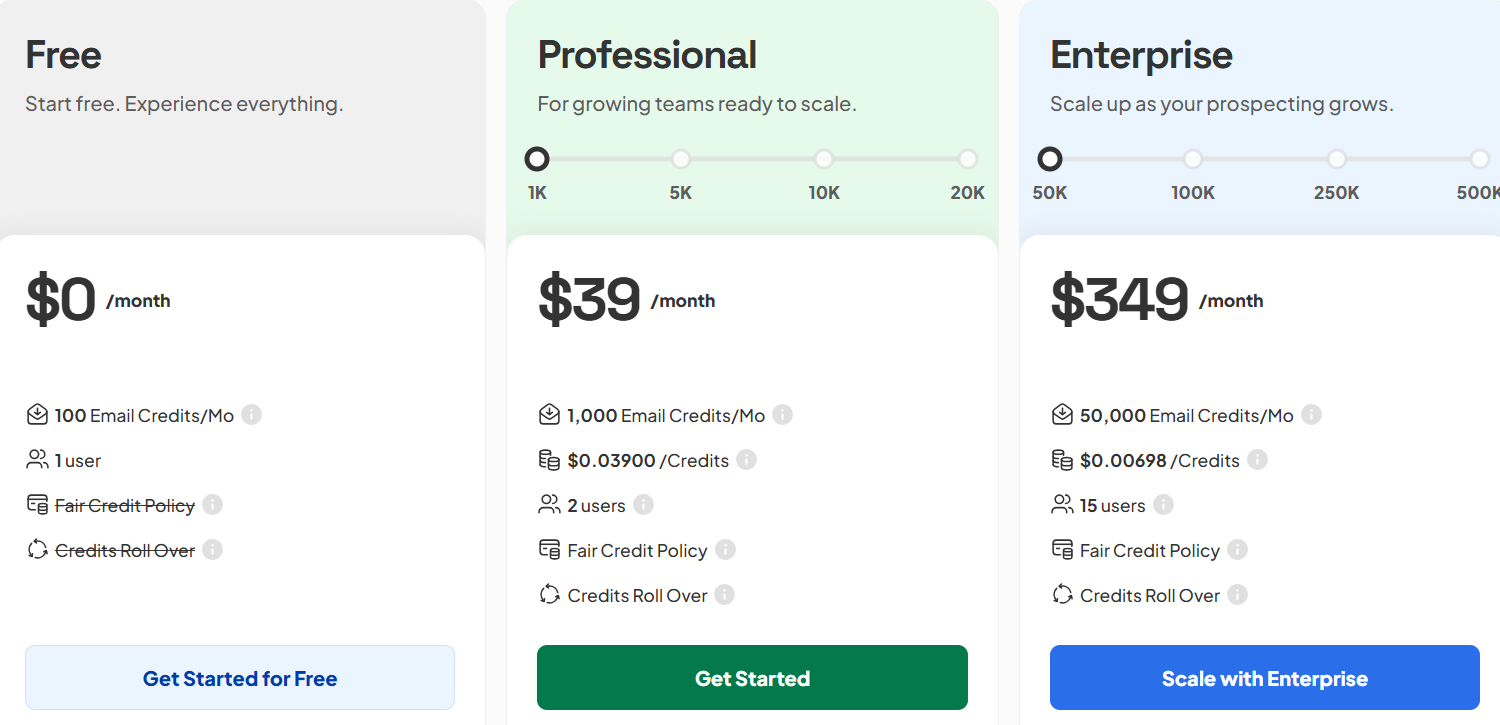
Skrapp Pricing
This image shows the Skrapp pricing
Skrapp offers three pricing plans:
I. Free Plan - $0/month
100 email credits per month
1 user
Includes basic email finder, email verifier, and LinkedIn/company website extension
II. Professional Plan - $39/month
1,000 email credits per month
2 users
Includes everything in Free + multi-page enrichment, auto-connect, list saver, unlimited searches, exports, CRM sync, and AI enrichment
III. Enterprise Plan - $349/month
50,000 email credits per month
15 users
Includes everything in Professional + API access, SSO, priority support, and account manager
Credits roll over, and you can upgrade for larger plans if needed.
6. GetProspect
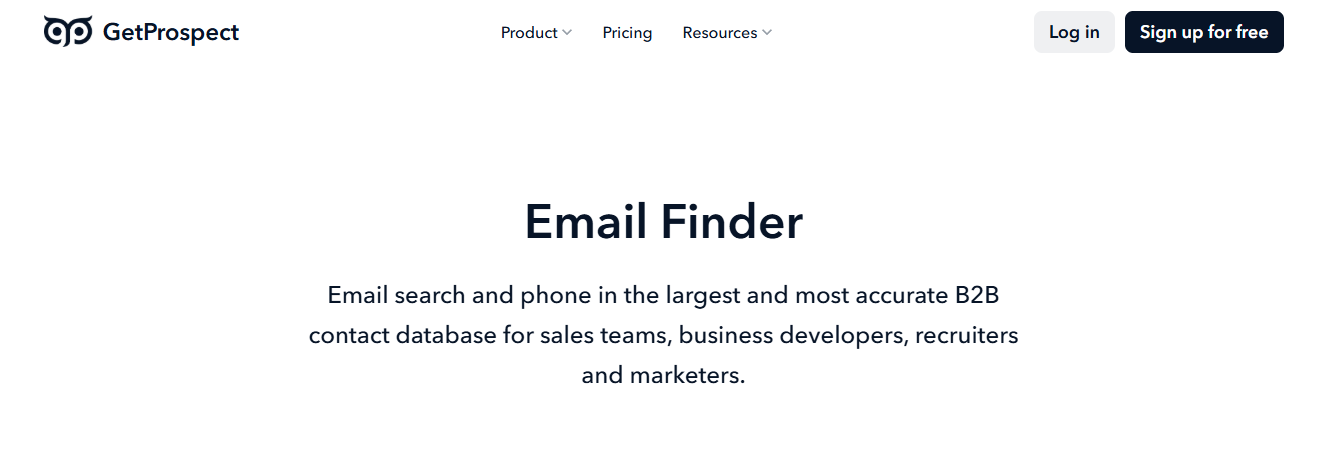
This image shows the GetProspect
GetProspect is a B2B email finder and contact database that helps you find verified emails, mobile numbers, and company details.
It offers one of the largest datasets in the market with 200M+ contacts, 230M corporate emails, 26M companies, and 130M mobile phone numbers, with a 95%+ accuracy guarantee.
What GetProspect Provides & How It Works?
GetProspect combines real-time email finding, a LinkedIn email extractor, and full contact/company enrichment.
It verifies data as you search to ensure accuracy and reduce bounce rates.
For LinkedIn users, GetProspect can:
Extract verified emails, mobile phone numbers, and company info from LinkedIn & Sales Navigator
Export up to 2,500 leads at once from searches, groups, or lists
Clean data automatically (removes emojis, extra characters, LLC/Inc)
Follow LinkedIn’s safety limits to protect your account
Scrape emails from LinkedIn groups and individual profile pages
GetProspect Chrome Extension
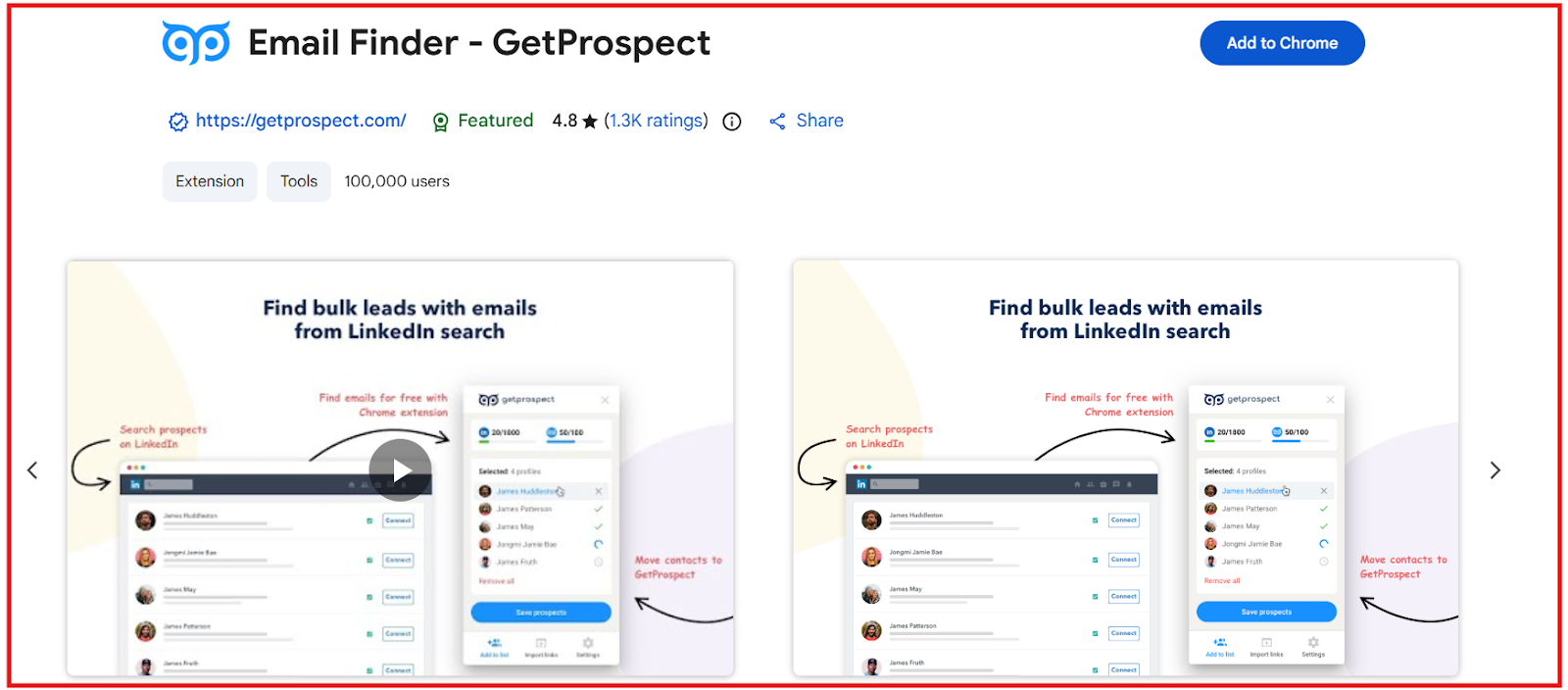
This image shows the GetProspect Chrome Extension
The GetProspect Chrome Extension makes LinkedIn prospecting fast and automated. With the extension, you can:
Extract thousands of emails and phone numbers directly from LinkedIn & Sales Navigator
Export entire lead pages or up to 2,500 leads at once
Run the extension on any website to detect associated emails
Scrape LinkedIn groups and save leads with one click
Extract company data (employees, titles, phone numbers, tech stack) from any business website
Stay safe by respecting LinkedIn extraction limits (800/day or 1,800/day on Sales Nav)
The extension is simple, powerful, and ideal for SDRs, recruiters, agencies, and growth teams.
Pros and Cons of GetProspect
Pros
Cons
Very large B2B database (200M+ contacts, 230M corporate emails, 26M companies)
Email finding can be slow because verification is real-time
95%+ accuracy guarantee on all found emails
Phone numbers are limited in lower plans
40+ data enrichment attributes
Some AI-personalization features marked as “coming soon”
Native integrations with HubSpot, Salesforce, Pipedrive, Zoho
LinkedIn limits restrict how much you can extract per day
GetProspect Pricing
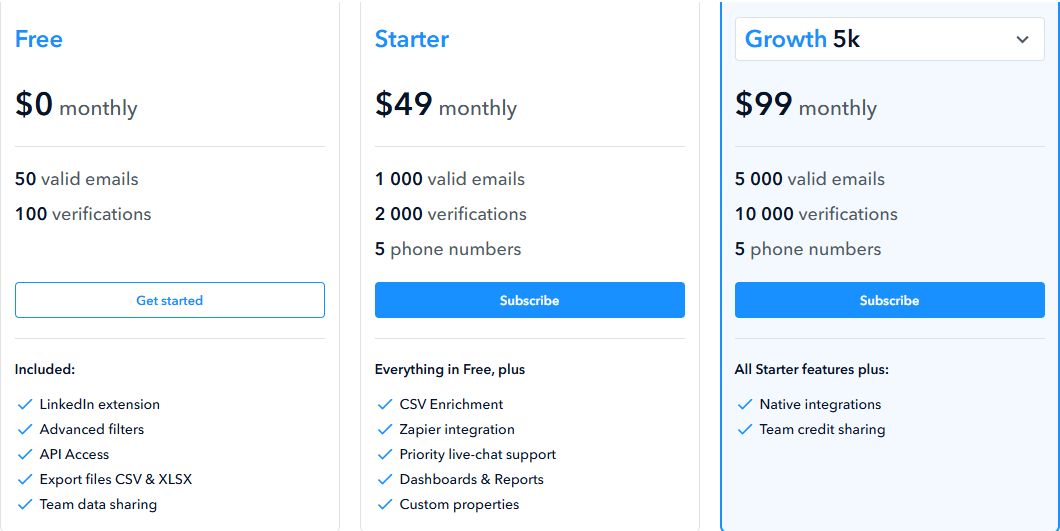
This image show GetProspect pricing
Free Plan ($0/month): 50 valid emails + 100 verifications.
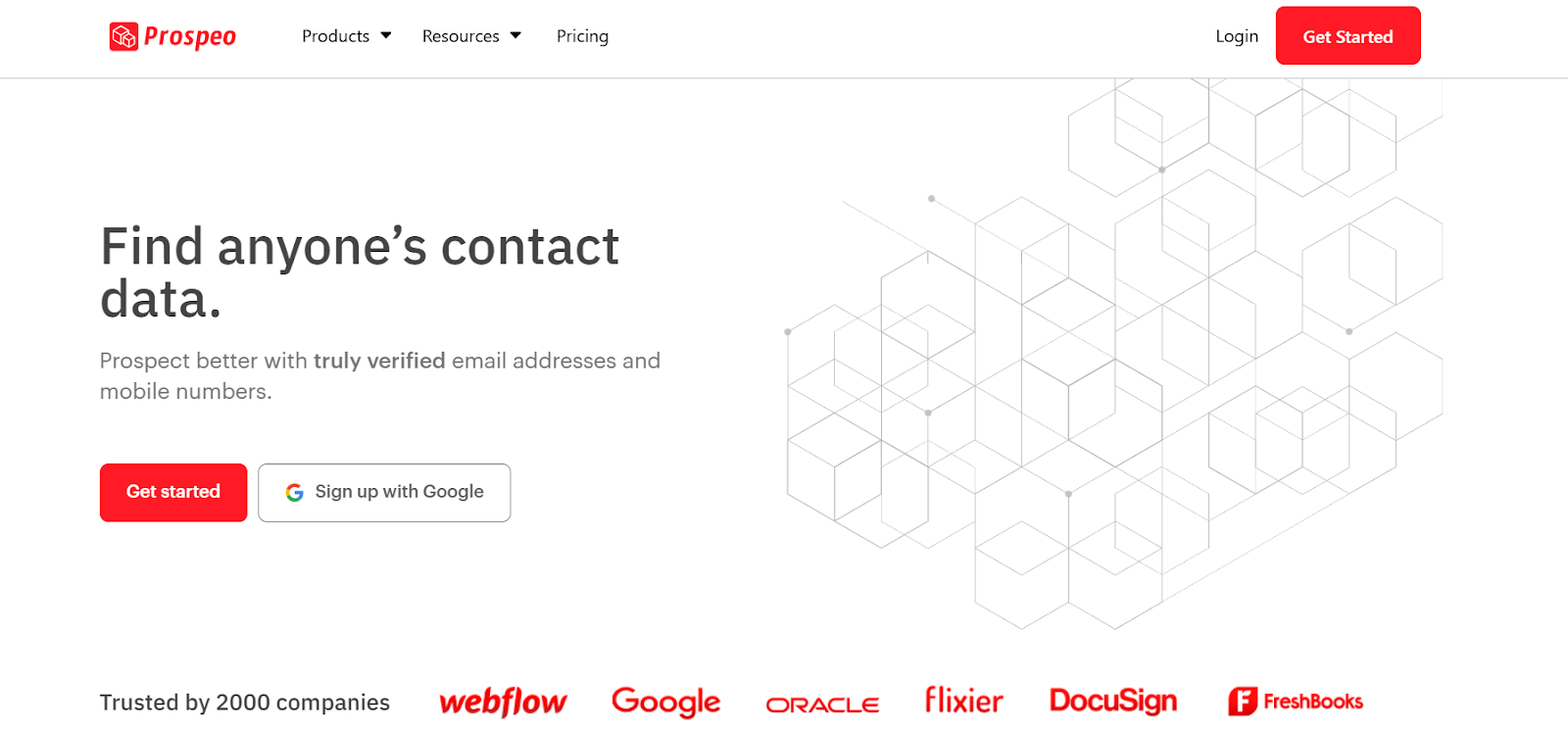
Prospeo is an email finder and mobile number finder built for B2B teams who need verified, high-quality contact data.
It helps you find verified email addresses, mobile numbers, and company emails in seconds with a guarantee of 98% deliverability.
What Prospeo Provides & How It Works?
Prospeo gives you four main tools: Email Finder, Domain Search, Mobile Finder, and Email Verifier.
All tools are built for accuracy, speed, and ease of use. For B2B users, Prospeo can:
Find any person’s verified email address using name + company/domain
Find mobile numbers with high accuracy
Find emails behind any company domain
Verify emails with 98% accuracy and remove duplicates
Extract emails and mobiles directly from any website
Build targeted lists using bulk CSV uploads
Search anywhere using the Chrome extension
Prospeo Chrome Extension
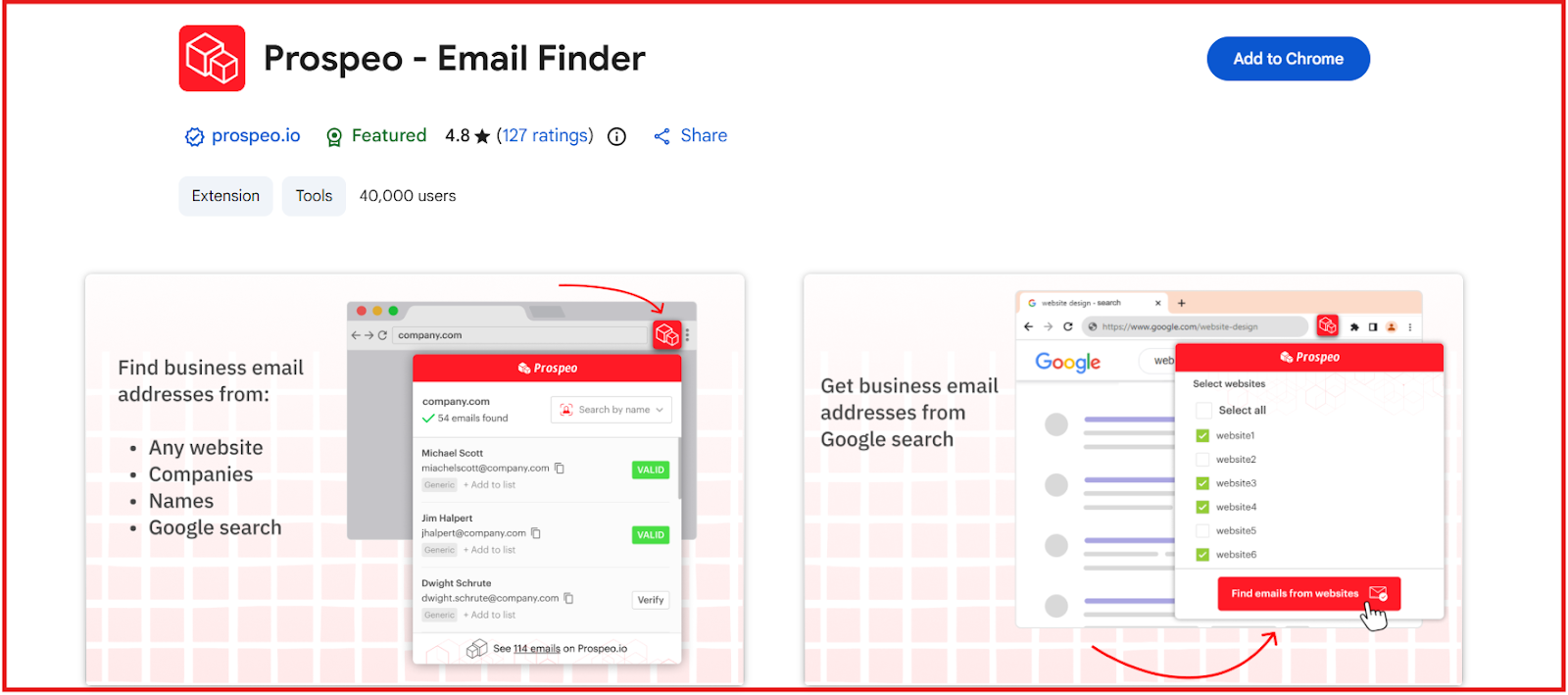
This images shows the Prospeo chrome extension
The Prospeo Chrome Extension makes email and mobile search easy directly in the browser. With the extension, you can:
Find verified emails from any website with one click
Discover email addresses in Google Search results
Extract emails from LinkedIn or social profiles
Find mobile numbers directly from a profile URL
Enrich any page with B2B email + mobile data
Add contacts to lists instantly
Pros and Cons of Prospeo
Pros
Cons
98% deliverability guarantee for verified emails
Mobile Finder costs more credits (10 per mobile)
Very simple and fast to use, even for beginners
Credits do not roll over each month
Provides verified mobile numbers
No built-in outreach or sequencing tools
Chrome extension works on any website and Google Search
Bulk exports may take time for very large lists
Prospeo Pricing
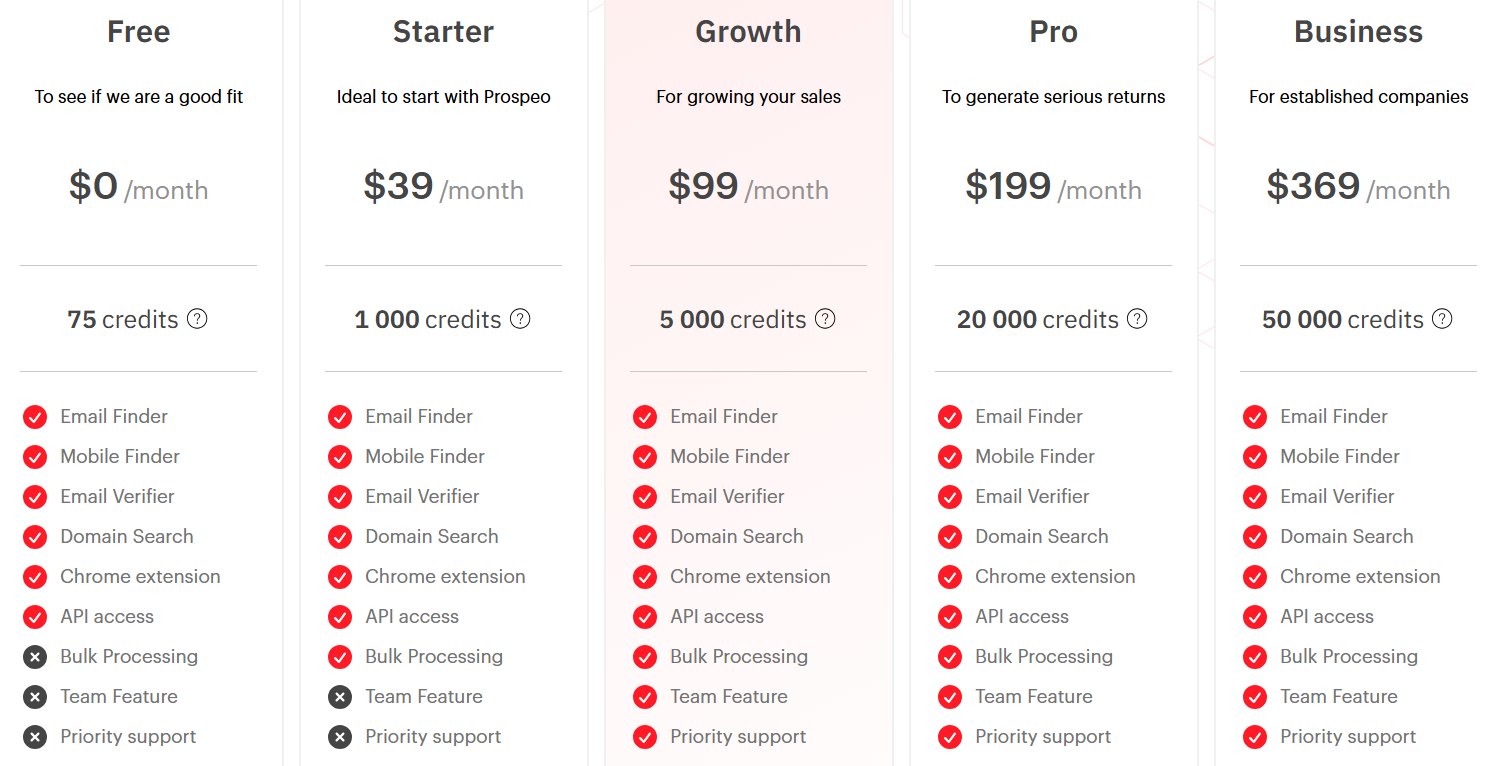
This image shows the Prospeo pricing
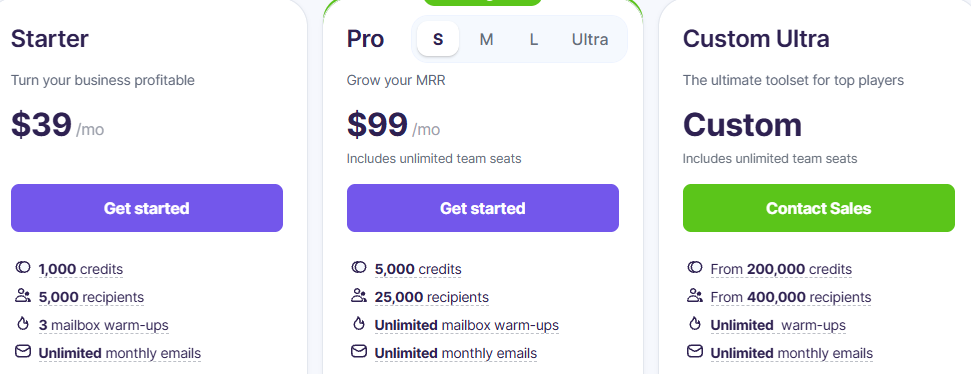
Free Plan ($0/month): 75 monthly credits
Starter ($39/month): 1,000 credits
Growth ($99/month): 5,000 credits
Pro ($199/month): 20,000 credits
Business ($369/month): 50,000 credits
8. Snov.io
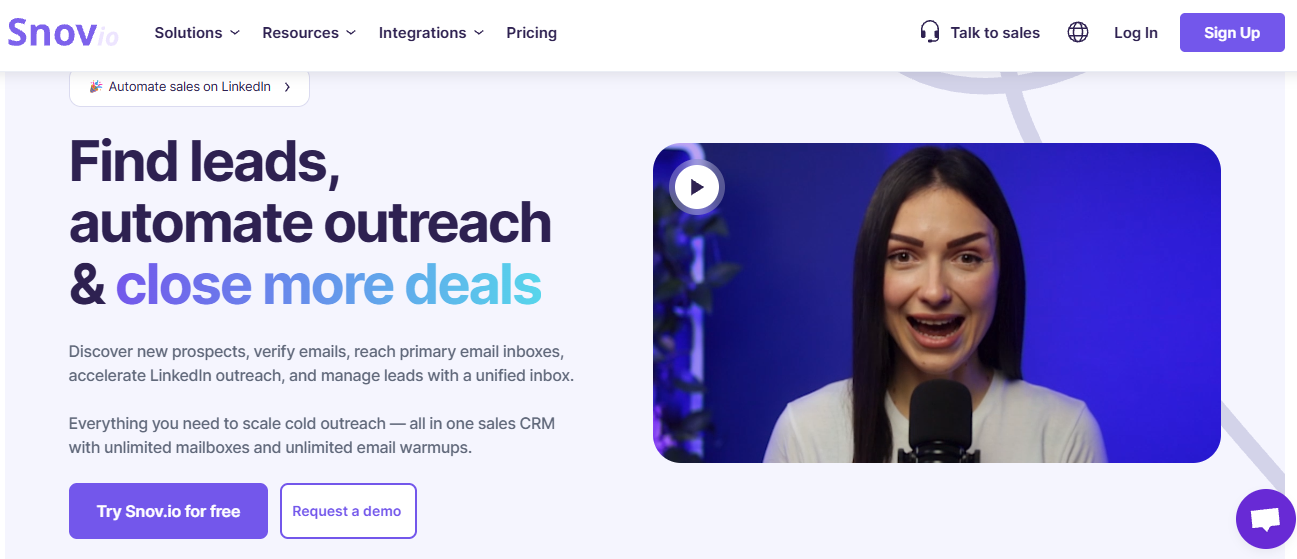
This image shows the Snov.io homepage
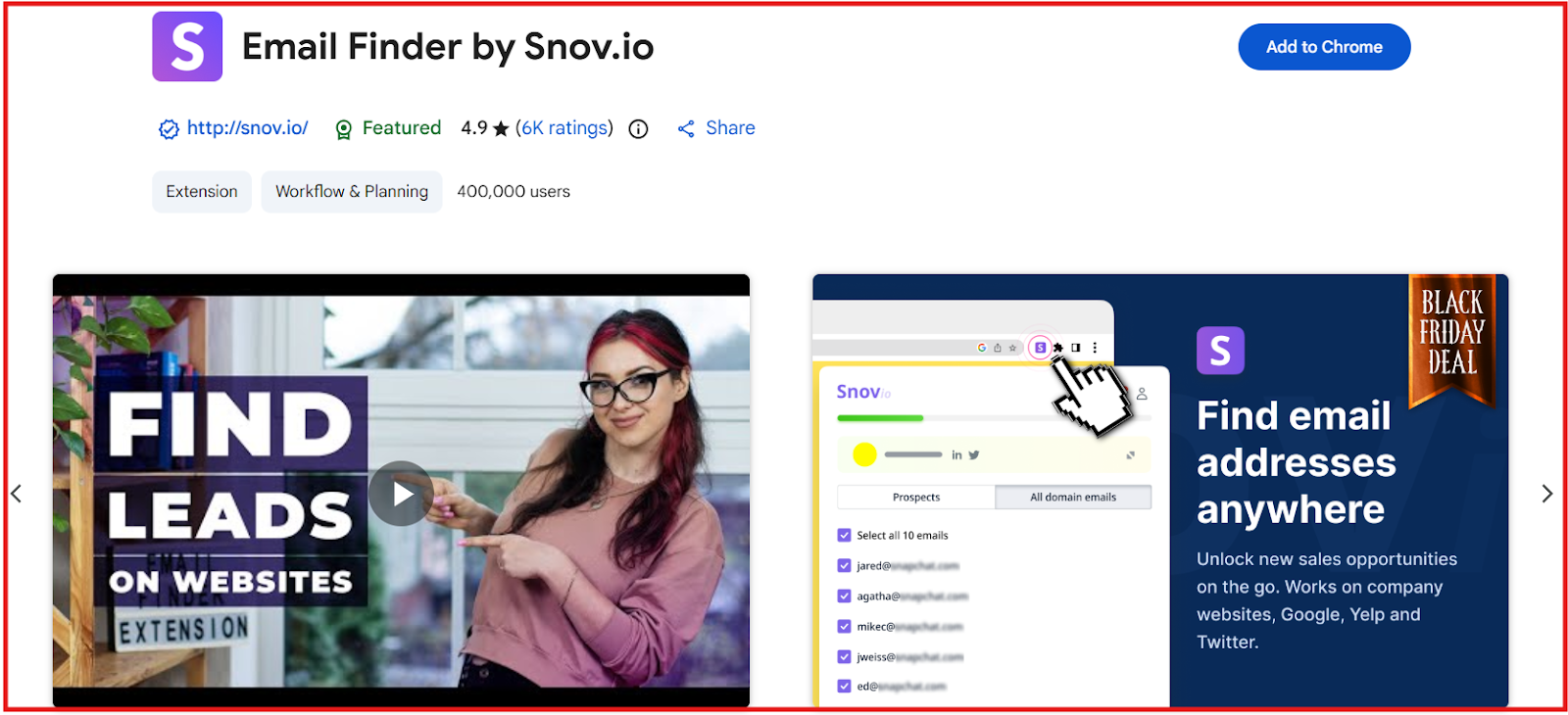
Snov.io is a B2B lead generation and email finding platform used by 185,000+ companies and over 400,000 Chrome extension users.
It helps you find verified emails, extract leads from LinkedIn, verify contacts, and build targeted prospect lists using multiple search and enrichment tools.
What Snov Provides & How It Works?
Snov.io combines LinkedIn lead extraction, website email finding, bulk search, and a large B2B database into one platform.
It verifies emails using a 7-tier verification system to ensure high accuracy and reduce bounce rates.
Lusha is a B2B sales intelligence and data platform that helps you find verified emails, direct dials, and enriched company information.
It provides access to 280M+ verified contacts, strong accuracy (85% phone accuracy, 98% email deliverability), and full compliance (GDPR, CCPA, ISO).
What Lusha Provides & How It Works?
Lusha helps sales teams, marketers, and recruiters find and contact decision-makers faster using verified data, buying signals, and AI recommendations.
For LinkedIn users and prospecting, Lusha can:
Reveal verified emails and phone numbers directly on LinkedIn, Sales Navigator, CRMs, or any B2B website.
Show full profile details including job title, seniority, department, location, and company information.
Enrich companies with revenue, employee count, technologies used, funding data, and industry.
Identify buying intent using Bombora-powered intent signals showing which companies are actively researching your topics.
Recommend new high-fit prospects daily using AI.
Auto-enrich your CRM and keep all records updated with job changes and new data.
All data can be exported to CSV or synced to your CRM.
Lusha Chrome Extension
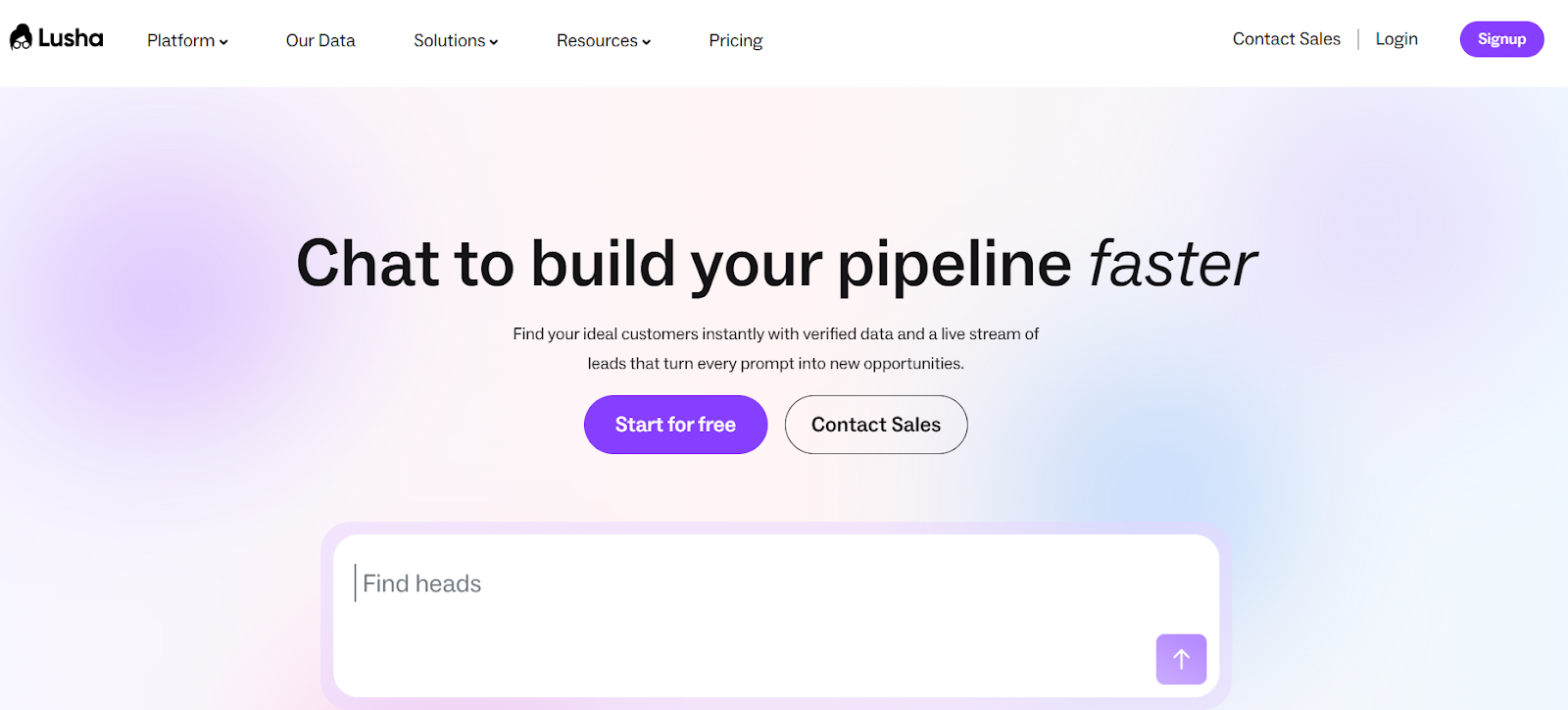
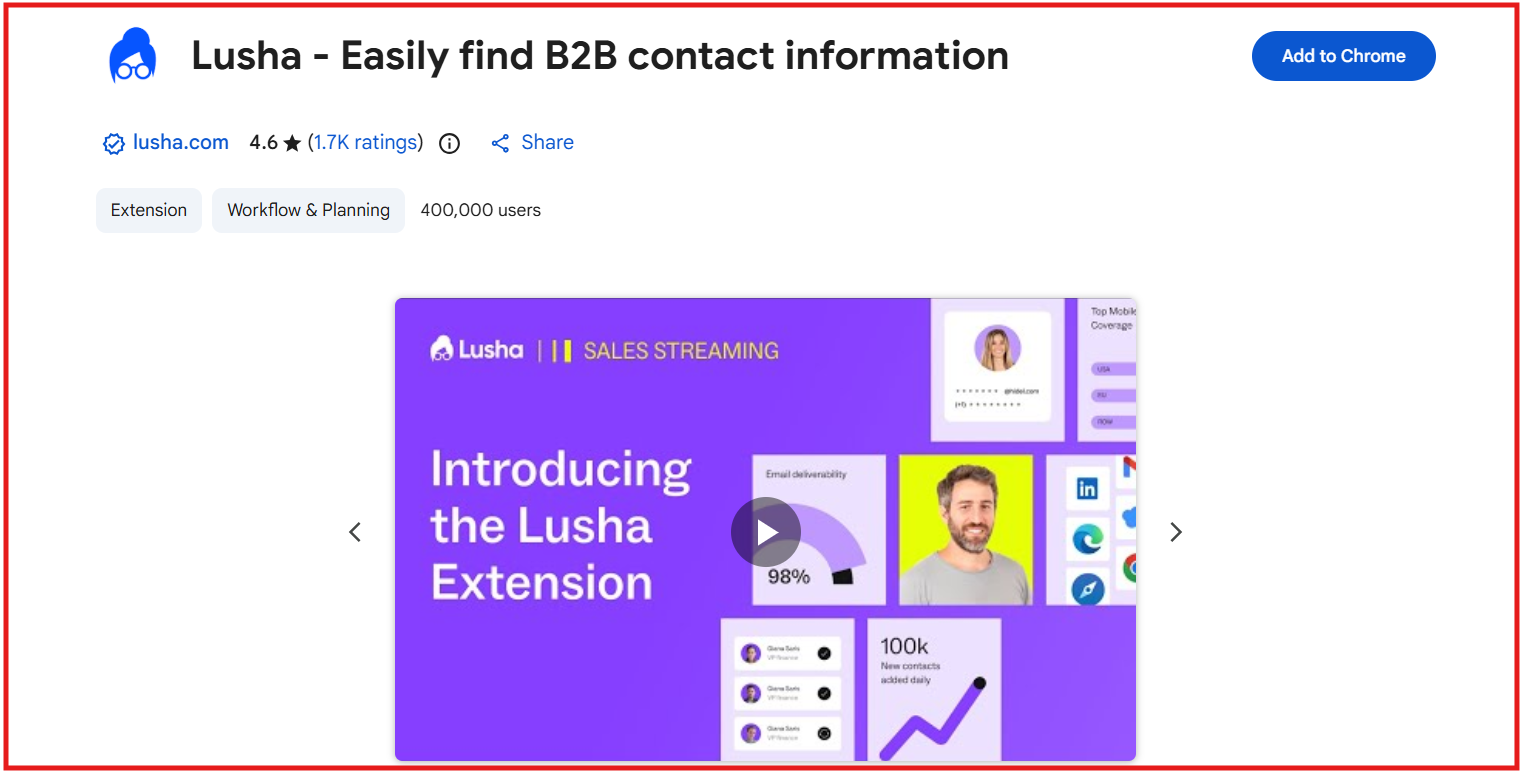
This image shows the Lusha chrome extension
The Lusha Chrome Extension gives you instant verified contact data anywhere you work.
With the extension, you can:
Reveal verified emails and phone numbers on LinkedIn and Sales Navigator.
Reveal contact details inside Salesforce, HubSpot, or any website.
Save contacts into lists or push them directly into email sequences.
Enrich CRM records automatically.
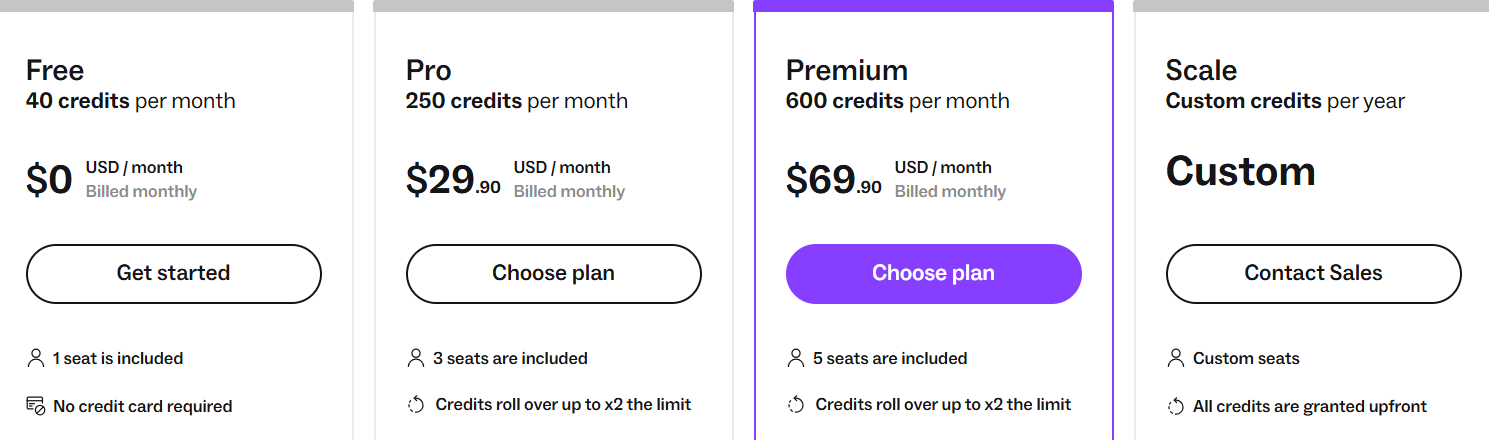
Bulk-show contacts depending on your plan (25 to 5,000).
The extension is fast, accurate, and ideal for SDRs, recruiters, and marketers.
Pros and Cons of Lusha
Pros
Cons
Large verified database (280M+ contacts) with strong global accuracy
Phone reveals cost more credits (5 credits per phone)
98% email deliverability and 85–90% phone accuracy
Advanced intent and bulk features are limited to higher plans
Chrome extension works on LinkedIn, CRM, and any B2B site
Credits can run out quickly for heavy calling teams
Fully GDPR, CCPA, SOC2, ISO certified
Scale plan needed for 10K CSV export and 5,000 bulk reveals
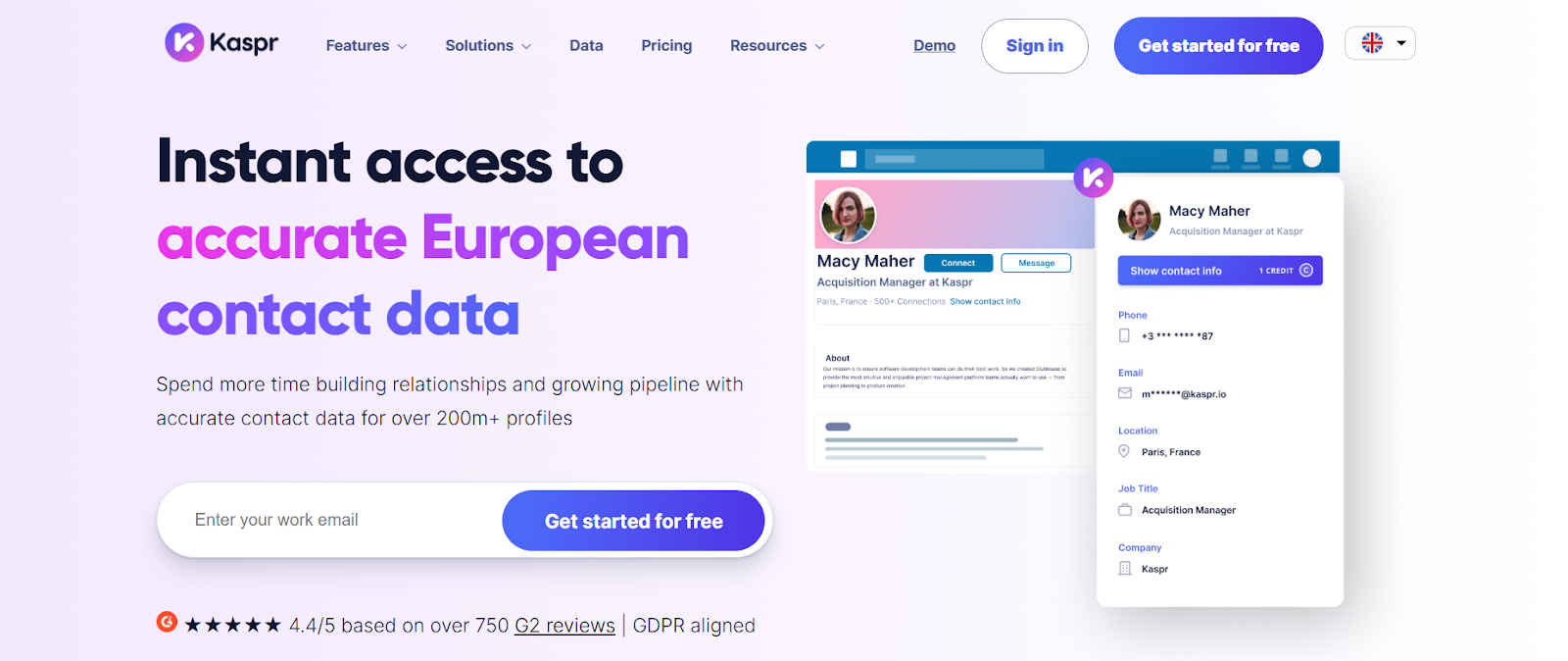
Kaspr is a LinkedIn-focused email and phone number finder built for European data accuracy.
It provides instant access to over 200M+ European profiles and 500M+ verified phone numbers and emails, helping SDRs, recruiters, and founders reach hard-to-contact prospects in seconds.
What Kaspr Provides & How It Works?
Kaspr delivers real-time verified contact data from 150+ sources and enriches prospects directly while you browse LinkedIn.
It is designed to help users extract accurate phone numbers, emails, and company data instantly with full GDPR/CCPA alignment.
For LinkedIn users, Kaspr can:
Reveal verified phone numbers, B2B emails, and direct emails on LinkedIn, Sales Navigator, and Recruiter Lite.
Extract leads from LinkedIn lists, events, posts, groups, and filtered searches.
Build and save lead lists directly in the Kaspr dashboard.
Launch enrichment workflows to bulk reveal thousands of contacts.
Sync enriched contacts to CRMs like HubSpot, Salesforce, Zoho, Pipedrive, Brevo, Aircall, Ringover, and more.
Kaspr Chrome Extension
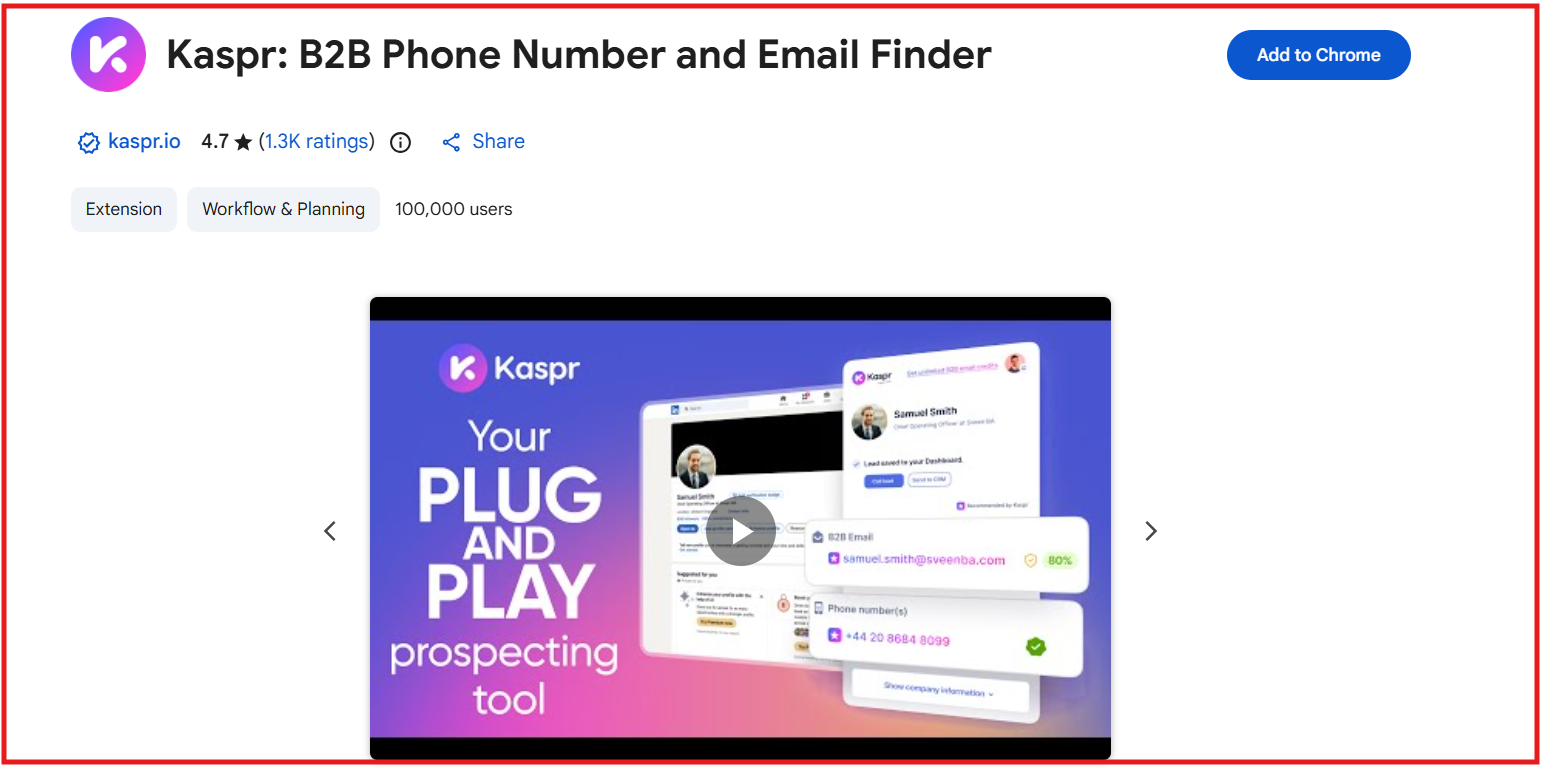
This image shows the Kaspr Chrome extension
The Kaspr Chrome Extension gives instant access to contact data directly on LinkedIn.
With the extension, you can:
Reveal emails and phone numbers in one click on any profile or LinkedIn search list.
Bulk enrich up to 1,000 leads on LinkedIn or 2,500 on Sales Navigator/Recruiter Lite.
Export enriched leads to CSV or send them instantly to your CRM.
Run enrichment automations, save leads to lists, and preview exactly which data will be revealed.
Use dialers like Aircall and Ringover directly from the Kaspr dashboard.
The extension is simple, fast to set up, and requires no onboarding.
Pros and Cons of Kaspr
Pros
Cons
Extremely strong European data accuracy (200M+ EU contacts)
Most advanced features (workflows, bulk enrichment) require paid plans
500M+ verified emails and phone numbers from 150+ sources
Phone credits are limited on mid-tier plans
Chrome extension works on LinkedIn, Sales Navigator, Recruiter Lite
Primarily focused on Europe (less global coverage)
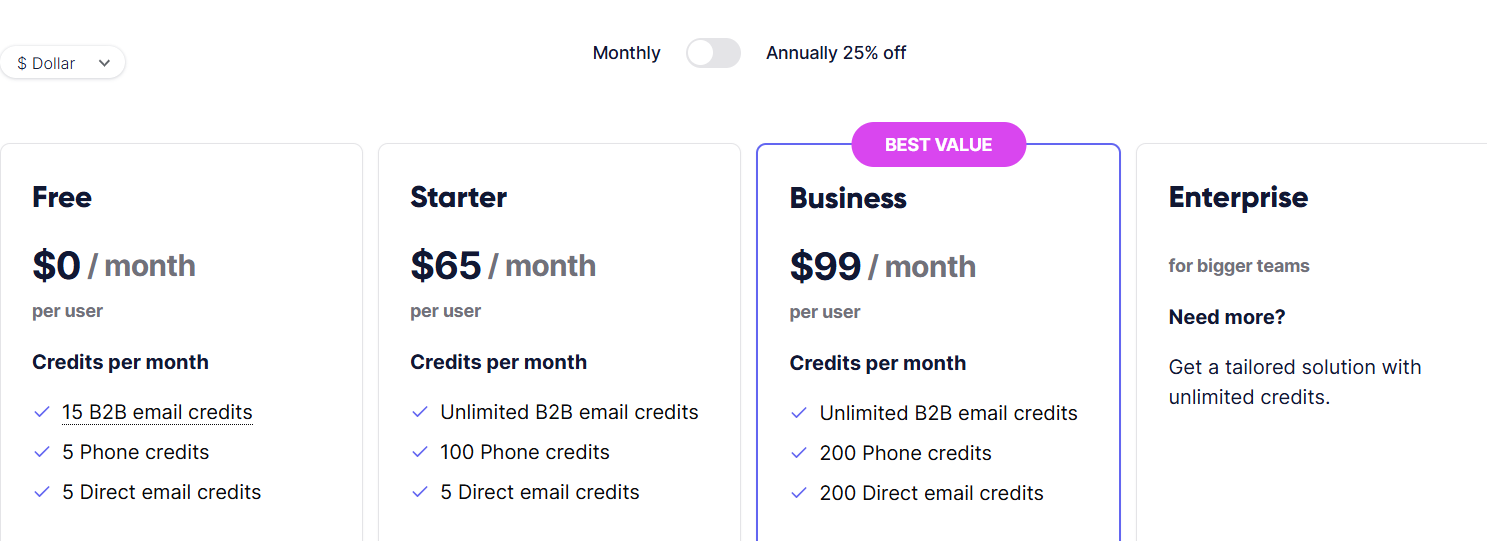
Starter (€59/user/month): Unlimited email credits, 100 phone credits, 5 direct email credits, Sales Navigator support, shared credits, up to 12,000 exports/year.
Business (€99/user/month): Unlimited email credits, 200 phone credits, 200 direct email credits, Recruiter Lite support, 30,000 exports/year, full API access.
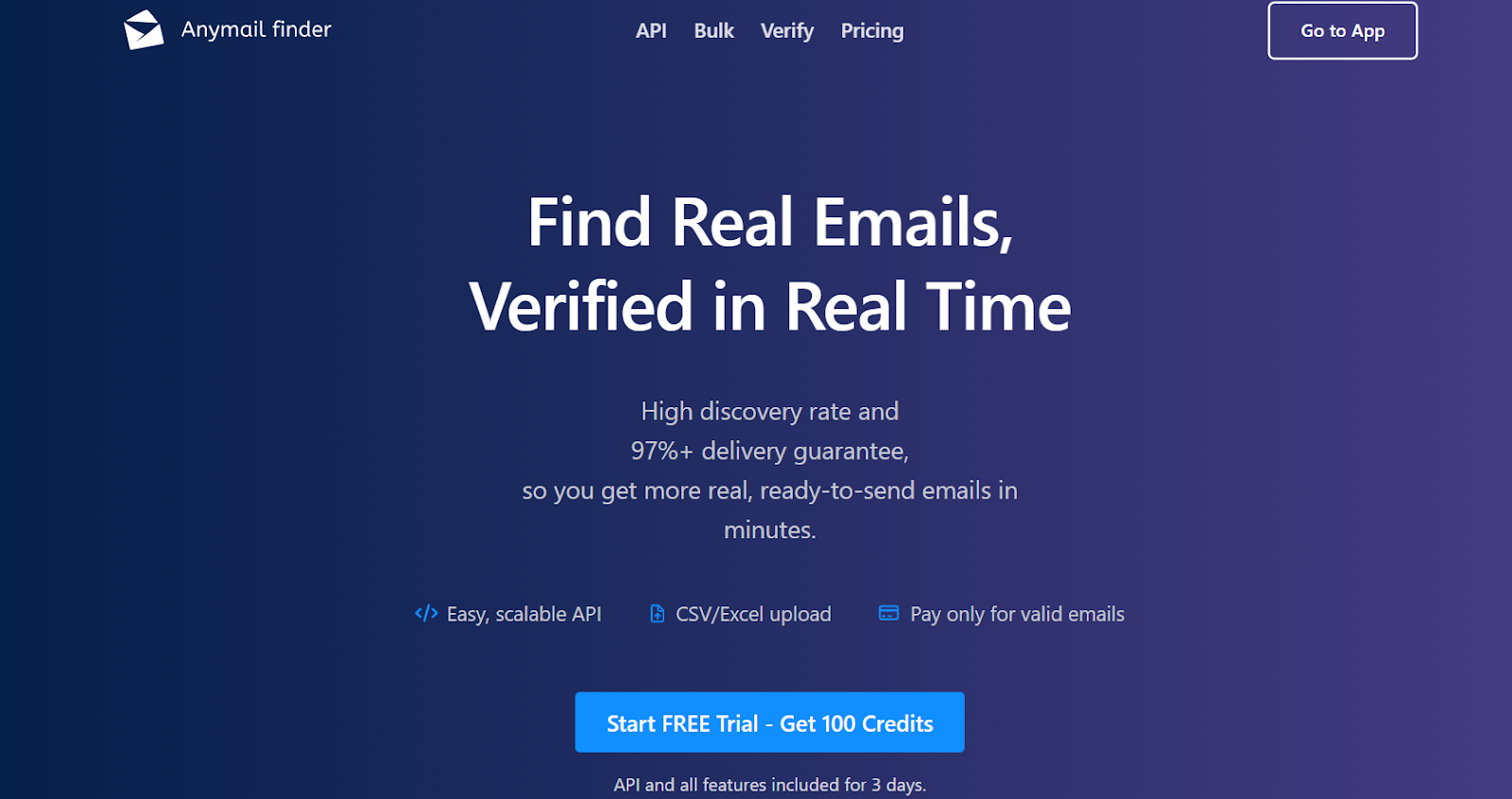
AnyMail Finder is a real-time email finder that helps you get verified B2B emails with a 97%+ delivery guarantee.
It only charges you for valid emails, while risky and not-found results are completely free.
What Anymail Finder Provides & How It Works?
AnyMail Finder focuses on delivering clean, verified contact data so you can reduce bounces and improve deliverability.
It checks each email in real time before returning it to you.
For LinkedIn and Web Users, AnyMail Finder can:
Find verified B2B emails directly from your browser.
Pull emails from LinkedIn profiles, groups, and search pages.
Build lead lists by scraping multiple LinkedIn pages at once.
Capture emails from any website you browse.
Anymail Finder Chrome Extension
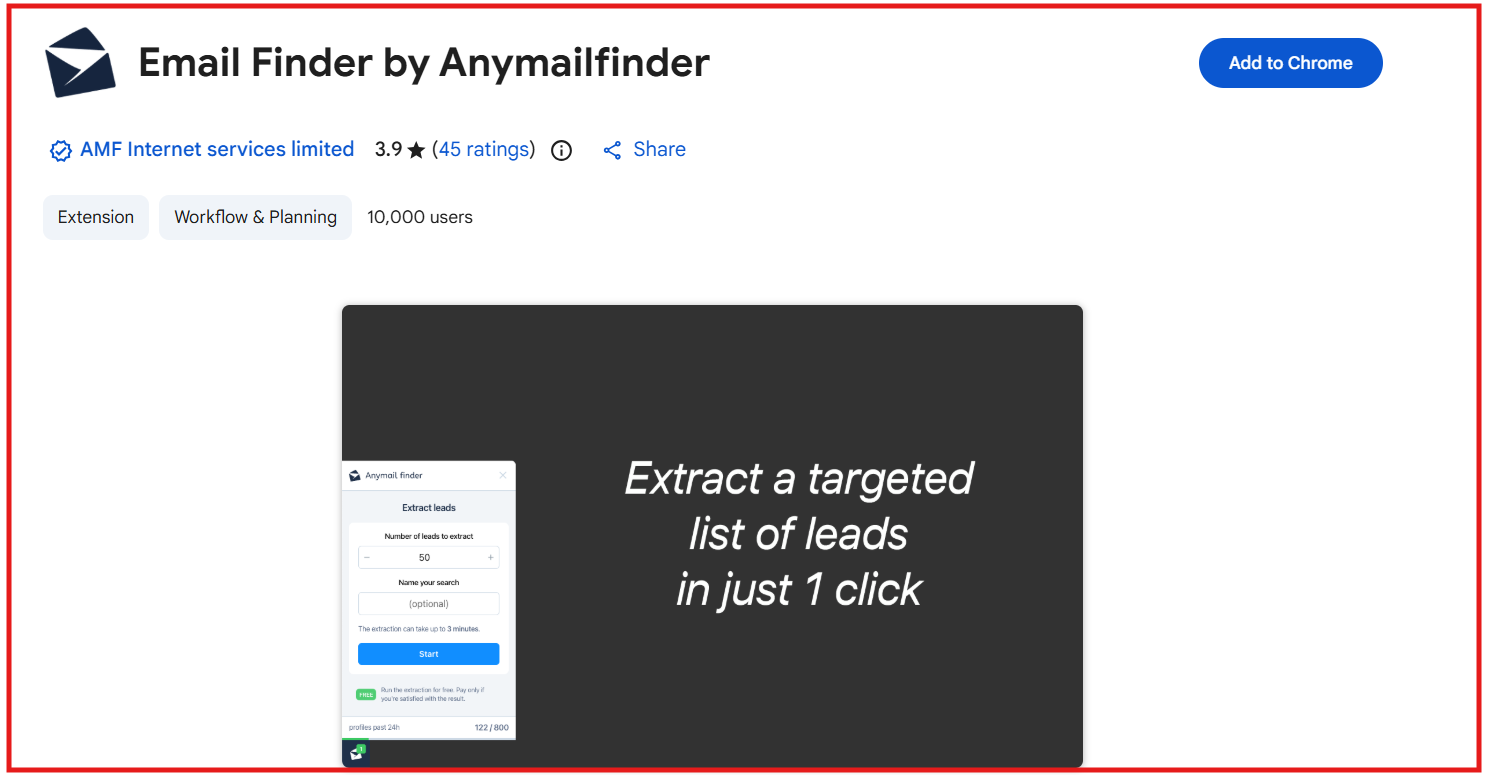
This image shows the AnyMail Finder chrome extension
The AnyMail Finder Chrome Extension makes email capture fast and simple inside LinkedIn and across the web. With the extension, you can:
Find verified emails on LinkedIn profiles, search pages, and groups.
Scrape multiple pages of people results with one click.
Capture emails from any company website automatically.
Build and export lead lists instantly.
Use the tool without switching tabs or dashboards.
The extension is easy to use and ideal for SDRs, recruiters, founders, and marketers.
Pros and Cons of Anymail Finder
Pros
Cons
Pay only for valid emails (97%+ delivery rate)
No phone number data
Risky and not-found results are free
No built-in outreach tools
Can process up to 100k rows in bulk with fast results
Limited CRM integrations (Zapier/Make only)
Anymail Finder Pricing
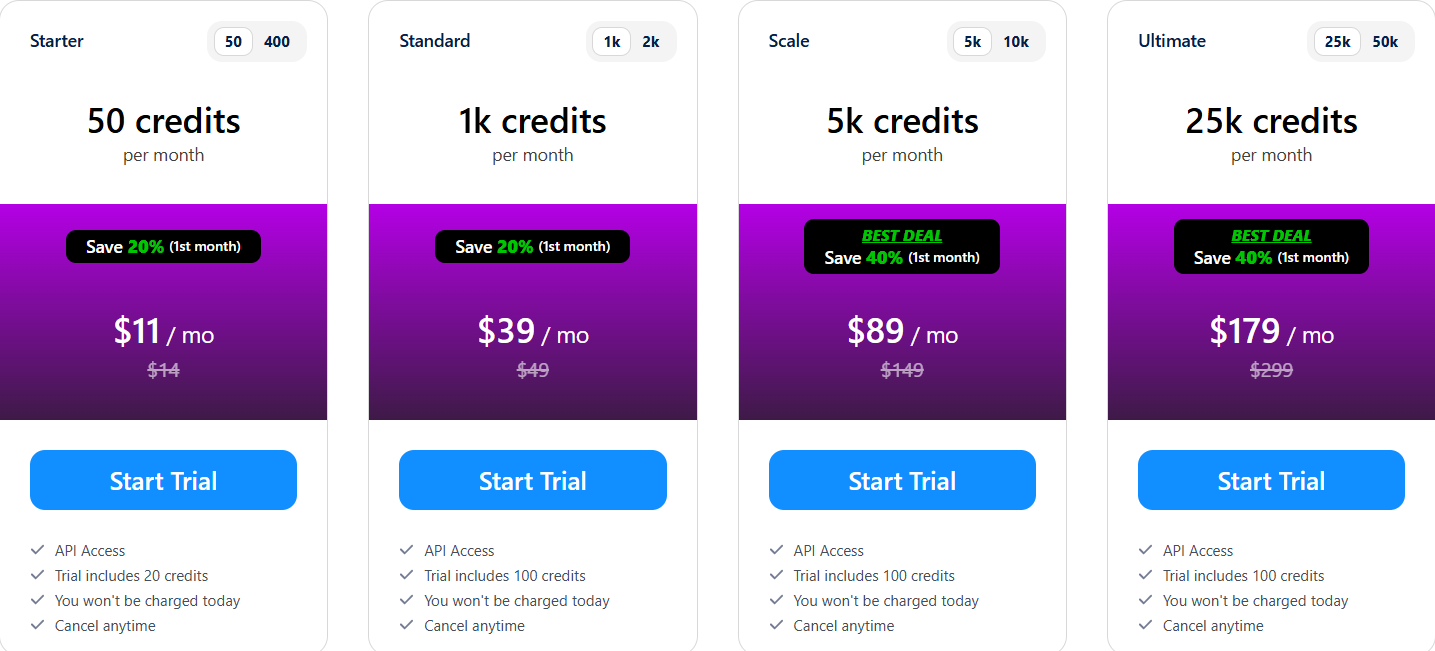
This image shows the AnyMail Finder pricing
AnyMail Finder offers yearly plans with credits included:
Starter – $89/year: 600 credits.
Standard – $339/year: 12,000 credits.
Scale – $849/year: 60,000 credits.
Ultimate – $1,719/year: 300,000 credits.
Pricing rules:
You pay only for valid emails.
Risky and not-found emails are free.
Duplicate searches within 1 month are free.
Credits roll over up to 2× your plan limit.
All plans include a 3-day trial with up to 100 free credits.
Which LinkedIn Email Finder & Chrome Extensions For B2Bs Should You Choose?
Choosing the right LinkedIn email finder depends on what your team needs most.
Some tools focus on large databases, some on real-time verification, and others on simple workflows or low-cost pricing.
Every tool on this list can help you find emails faster, but the best one is the one that gives you accurate data, saves you time, and fits into your daily workflow without extra effort.
If you want a tool that is easy to use, accurate, and built for modern B2B teams, Leadsforge is the strongest choice.
You can describe your ideal customer in simple words, get verified emails, LinkedIn profiles, mobile numbers, and enrich your list instantly.
It’s fast, clean, and gives you higher-quality leads with less work.