In Nimble CRM, accurate phone numbers are essential for effective communication with leads and customers. This article breaks down how to find, manage, and use phone data in Nimble while ensuring compliance with U.S. communication laws. Key takeaways:
Nimble CRM uses phone numbers as unique identifiers to automatically merge duplicate records during mobile imports. The way phone data is processed depends on the import method. For instance, when importing contacts via the mobile app, Nimble uses both phone numbers and names to merge records. On the other hand, CSV imports primarily rely on email addresses for this purpose. However, despite these processes, inconsistencies in phone number formatting can still cause problems with maintaining clean and accurate data.
Inconsistent formatting is a frequent issue when managing phone data. Phone numbers can be recorded in various styles - using dashes, periods, parentheses, spaces, country codes, or extensions. This variation makes it harder to detect duplicates and maintain a consistent database. For example, the same phone number might appear as "(555) 123-4567", "555.123.4567", or "+1 555 123 4567", potentially creating duplicate entries.
Additionally, phone numbers imported via API are not automatically formatted, which adds to the challenge of managing duplicate records and maintaining consistency. While Nimble’s user interface automatically formats phone numbers entered manually, this feature doesn’t extend to API imports. As a result, discrepancies in formatting can lead to duplicate entries and inconsistencies within your contact database.
Tracking down accurate phone numbers for your Nimble contacts requires a thoughtful approach that balances efficiency with the quality of your data. The method you choose will depend on factors like your budget, the time you have, and the number of contacts you need to update.
Manual research is a dependable way to find verified phone numbers, especially for high-priority prospects. LinkedIn is often a great starting point. Many professionals, particularly those in sales or business development, list their direct contact information in their profiles. You can also explore company pages for additional details.
Company websites are another useful resource. Check sections like "About Us", "Contact", or "Team" pages, where phone numbers are often listed. Don’t overlook the footer of the website - this is where general contact numbers, which can sometimes lead to specific departments, are frequently found.
Industry directories like ZoomInfo, Apollo, and Crunchbase can also be helpful. These platforms provide extensive databases of business contacts, including phone numbers. While some require paid subscriptions, many offer free trials or limited searches at no cost. To ensure accuracy, cross-reference numbers from multiple sources and, when possible, call during business hours to confirm the contact details are correct. These manual methods are time-intensive but help establish a strong foundation of reliable data.
If manual research feels too time-consuming, automated tools can streamline the process. These tools leverage algorithms and large databases to match your existing contact details with verified phone numbers, saving you time without sacrificing accuracy.
Platforms like ZoomInfo provide access to a vast database of business profiles and allow seamless integration with your CRM. Apollo.io offers similar services with a freemium model, making it accessible for smaller budgets. Hunter.io, known for email discovery, also supports phone number enrichment through a Chrome extension that simplifies data collection as you browse company websites.
These tools typically work by matching data points - like name, company, and email address - with their proprietary databases. They often provide a confidence score to indicate how reliable the phone number is. For large contact lists, batch processing features can significantly speed up the enrichment process. Many of these tools integrate smoothly with Nimble, ensuring your CRM stays updated without manual effort.
While gathering phone numbers, staying compliant with U.S. data privacy laws is critical. The Telephone Consumer Protection Act (TCPA) sets strict rules for business phone communications. For example, you must have explicit consent before making automated calls or sending text messages to mobile numbers. Using purchased phone lists without proper consent can lead to hefty fines for each violation.
You also need to comply with the Do Not Call Registry. Managed by the Federal Trade Commission, this registry includes phone numbers that have opted out of telemarketing calls. Scrubbing your call lists against this registry regularly is essential. When sourcing phone numbers, prioritize opt-in data - contacts who have explicitly agreed to receive communications, such as by filling out a form on your website, attending a webinar, or downloading content. Always document the source and date of consent in your Nimble records.
State-specific laws, like California's Consumer Privacy Act (CCPA), add another layer of responsibility. These laws require businesses to provide clear ways for individuals to opt out of communications and to honor deletion requests. Include unsubscribe options in your messages and maintain records of consents and opt-outs. A double opt-in process - where contacts confirm both their phone number and their agreement to receive calls - can help reduce compliance risks and improve the quality of your leads. Following these guidelines not only keeps you compliant but also ensures your outreach efforts are more effective and trustworthy.
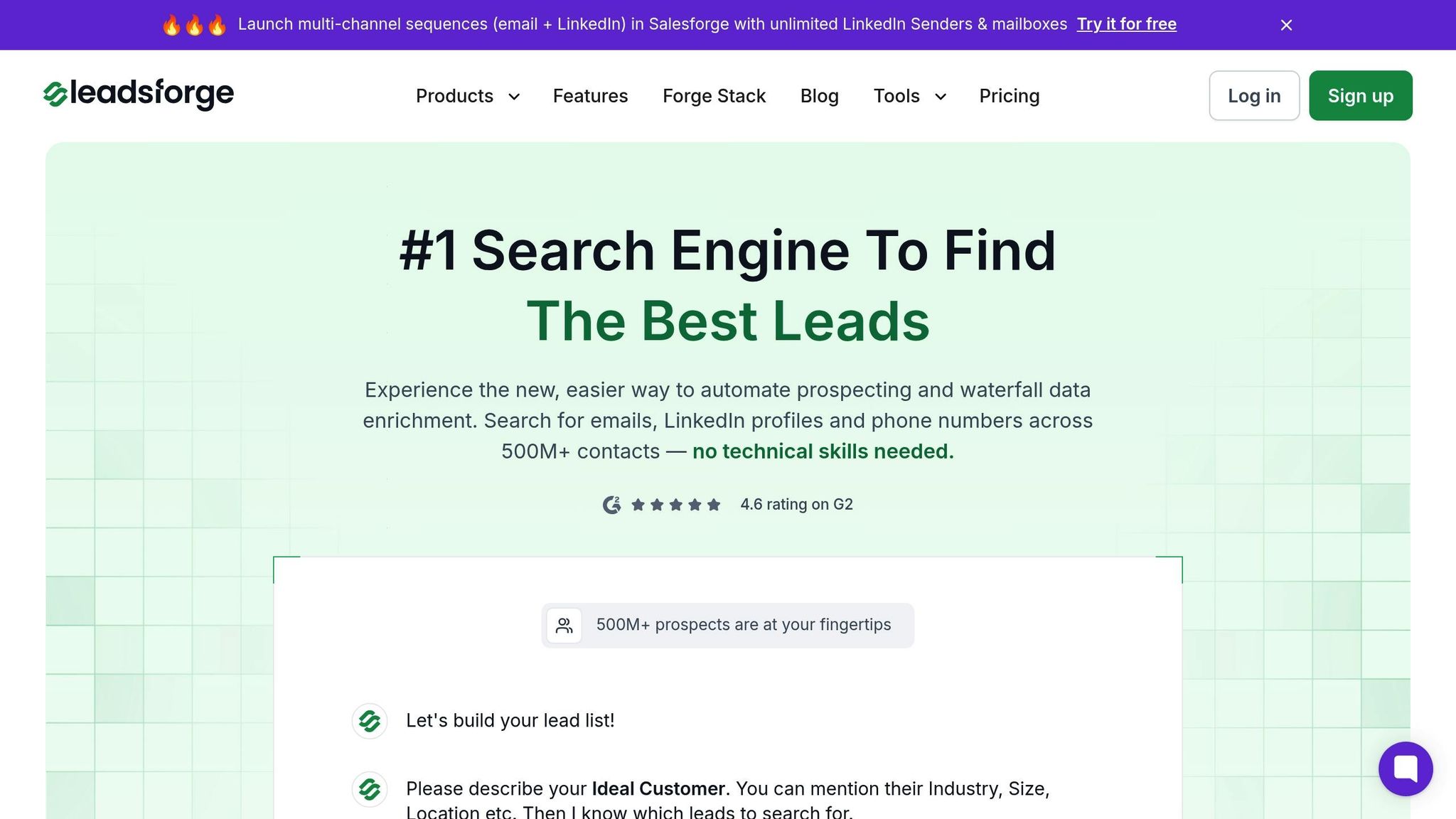
Leadsforge makes it easier than ever to expand your phone number collection with its AI-powered lead generation and enrichment tools. Designed to simplify prospect sourcing and contact enrichment, this platform is particularly useful for businesses using Nimble CRM.
Leadsforge allows you to describe your ideal customer through a chat-based interface, generating targeted lead lists that include verified phone numbers.
One standout feature is waterfall enrichment, which searches across multiple data sources to find the most accurate and up-to-date phone numbers for your leads. This multi-source strategy significantly increases the likelihood of obtaining valid contact information compared to tools that rely on just one database.
Additionally, real-time data verification ensures that the phone numbers provided are both current and functional. This feature helps improve connection rates by validating numbers as they are processed.
Leadsforge also offers company followers search and lookalike search options. These tools help you locate phone numbers for prospects who resemble your existing customers, allowing you to enhance your Nimble database with high-quality leads. For example, if decision-makers in your industry typically respond well to phone outreach, these features can identify similar prospects and enrich their contact information.
These capabilities distinguish Leadsforge from other tools in the market, offering a robust solution for phone number enrichment.
When comparing Leadsforge to other phone number enrichment platforms, several key differences stand out:
| Feature | Leadsforge | ZoomInfo | Apollo.io | Hunter.io |
|---|---|---|---|---|
| Pricing | $49/month (2,000 credits) | $14,995+/year | $49/month (basic) | $49/month |
| AI-Powered Search | Yes | No | Limited | No |
| Phone Enrichment | Waterfall approach | Single database | Single database | Limited |
| Real-time Verification | Yes | No | Limited | No |
| Credit-based Model | Yes (never expire) | Seat-based | Mixed | Credit-based |
| Integration Ease | Native CRM sync | API required | Direct integration | Chrome extension |
While ZoomInfo requires costly annual contracts starting at $14,995, Leadsforge offers flexible pricing at just $49 per month. Unlike Apollo.io, which focuses heavily on database searches, Leadsforge combines AI-driven prospecting with advanced phone enrichment in one streamlined process.
Hunter.io is a strong email discovery tool but falls short when it comes to phone number capabilities. Leadsforge, with its waterfall enrichment approach, searches multiple data sources instead of relying on one, ensuring a higher success rate in finding accurate phone numbers.
Integrating Leadsforge with Nimble is simple and efficient. The platform generates downloadable lead lists with enriched phone numbers, which you can import into Nimble via CSV or API.
Start by defining your ideal customer profile in Leadsforge. Specify criteria like industry, company size, job titles, and location using the chat interface. Once Leadsforge processes your request and enriches the contact data, download the results in CSV format.
In Nimble, use the import function to upload your enriched contact list. Make sure to correctly map the phone number fields during the import process so the data appears in the right sections of your contact records. Nimble’s flexible contact structure allows you to store multiple phone numbers per contact, including both direct lines and main company numbers.
For ongoing updates, establish a workflow where you export incomplete contacts from Nimble, process them through Leadsforge for enrichment, and re-import the updated information. This ensures your Nimble database remains accurate and up-to-date without the need for manual research.
Leadsforge offers 100 free credits to new users, allowing you to test the integration and evaluate the quality of the enriched phone numbers before committing to a paid plan. This trial lets you see how well the data performs in your outreach campaigns.
As part of The Forge Stack, Leadsforge also integrates with Salesforge for multi-channel outreach. By combining phone numbers from Leadsforge with email and LinkedIn messaging, you can create a seamless workflow that takes you from lead generation and enrichment to full-scale outreach campaigns.
Keep refining your outreach efforts by managing and updating your data effectively in Nimble.
Keeping your phone data accurate and up-to-date in Nimble is key to improving connection rates and ensuring the success of your campaigns. Once you've enriched your database with phone numbers through Leadsforge, it's essential to adopt effective management practices to make the most of this information.
Phone numbers can quickly become outdated as professionals change jobs or update their contact details. Regularly auditing your database helps you avoid wasting time on disconnected numbers and improves outreach efficiency.
Make it a habit to review your phone data monthly. Nimble's activity tracking can help you identify stale numbers by flagging contacts with outdated activity or repeated connection issues. To stay organized, use custom fields like Last Verified Date and Phone Status to mark contacts that need updating. This way, your team can avoid repeatedly calling invalid numbers.
For larger-scale updates, consider using bulk update tools. A quarterly batch process can refresh stale contact information without overwhelming your team. Nimble's duplicate detection feature is also handy for merging records when enrichment tools add new phone numbers, preventing clutter in your database.
Maintaining accurate data not only improves outreach efficiency but also streamlines your overall calling operations.
Nimble simplifies phone outreach by enabling one-click dialing directly from any contact record. Plus, it automatically logs key details like call duration, outcomes, and notes, making it easier to track relationship progress and keep your contact history organized.
To structure your outreach, take advantage of Nimble's task management features. You can create follow-up reminders based on call outcomes, whether it's scheduling a callback, sending more information, or moving a lead to the next stage of your sales process.
Time zone awareness is another critical factor for successful phone outreach. Nimble displays contact time zones when available, helping you schedule calls during optimal business hours. You can even group your calls by geographic region to maximize efficiency.
To ensure consistent messaging, store call scripts and templates in Nimble. Create tailored scripts for different scenarios, such as cold calls, warm follow-ups, or industry-specific conversations. Having these resources on hand saves preparation time and helps your team deliver clear, effective messages.
A well-maintained phone database directly supports your outreach efforts, improving both the quality of your conversations and your overall performance metrics.
Nimble's reporting dashboard offers valuable insights into how well your phone outreach is working. You can track call volumes, connection rates, and outcomes to identify trends and refine your strategy.
Monitor how phone outreach moves leads through your sales pipeline. By analyzing which campaigns generate the most qualified leads, you can focus your efforts on the approaches that deliver the best results. Custom reports allow you to track metrics like call-to-meeting conversion rates, average calls per closed deal, or the ROI of specific phone campaigns. These insights not only justify your phone outreach investments but also guide where to allocate resources.
Team performance analysis is another useful tool. Compare individual calling statistics, connection rates, and conversion metrics to pinpoint top performers and identify areas for improvement. Sharing best practices across your team can elevate everyone's results.
Nimble's pipeline reporting helps you understand how phone-generated leads progress through your sales process. For example, you can track the time it takes to move from the first call to a closed deal and compare the effectiveness of phone outreach against other lead sources.
For deeper analysis, integrate Nimble with other tools like business intelligence platforms or export your phone campaign data to Excel or Google Sheets. These additional insights can reveal patterns that might not be immediately visible in Nimble's default reports, helping you fine-tune your strategy even further.
Having accurate phone numbers in Nimble turns cold calls into meaningful, productive conversations. When you combine dependable data with smart management practices, you create a solid foundation for building connections that deliver real results.
Leadsforge takes this a step further with its AI-driven phone number enrichment, filling the gaps that manual efforts and basic tools often leave behind. By using a waterfall data enrichment process paired with real-time verification, Leadsforge ensures you’re equipped with verified contact details that link you directly to key decision-makers. Its credit-based pricing structure keeps it budget-friendly for small businesses while still meeting the high standards of larger enterprise teams.
The integration between Leadsforge and Nimble eliminates the hassle of manual data transfers. Enriched phone numbers flow directly into Nimble, enabling you to make calls, set follow-ups, and track outcomes effortlessly - all from one platform.
Keep in mind that the value of phone data depends on how well you maintain it. Regular updates and proper management ensure your investment in quality data translates into higher connection rates and better conversations. By combining Leadsforge’s enrichment tools with Nimble’s CRM capabilities, you’ll strengthen relationships and close deals faster.
To stay compliant with U.S. communication laws while collecting phone numbers in Nimble, it’s crucial to adhere to regulations like the Telephone Consumer Protection Act (TCPA) and the CAN-SPAM Act. These laws regulate how businesses can contact individuals and mandate explicit consent for specific communications, such as telemarketing calls or SMS.
When gathering phone numbers, ensure you obtain clear, documented consent from your contacts. This can be accomplished through opt-in forms, email confirmations, or written agreements. Keep accurate records detailing when and how this consent was given, as you may need to verify it later.
To enhance security and compliance, explore tools or integrations in Nimble that can validate phone numbers and manage consent efficiently. Also, make it a habit to review and update your practices regularly to align with any changes in U.S. communication laws.
To keep phone numbers in Nimble CRM accurate and easy to manage, it's essential to standardize how they're entered. Stick to a consistent format, like including country codes or using a specific style (e.g., (123) 456-7890). Make it a habit to regularly check and validate your contact data to ensure all numbers are current and correct. Also, take time to clean up your CRM by removing outdated or duplicate entries. These simple steps can help you maintain an organized contact list and improve your B2B outreach efforts.
Leadsforge sets itself apart with an AI-driven platform that collects information from a network of verified B2B sources. Its standout feature is the waterfall data enrichment process, which boosts match rates and ensures phone number lists are cleaner and more precise. Instead of relying on just one data source, Leadsforge integrates multiple inputs to offer reliable and current data, making it a savvy option for successful B2B outreach.