If you're using CallFire for marketing or outreach, having reliable phone numbers is essential for success. Poor-quality or unverified numbers can lead to wasted resources, higher costs, and even legal issues. This guide explains three ways to secure CallFire-compatible phone numbers:
Each method helps you maintain high-quality campaigns while adhering to CallFire's guidelines, including compliance with Do Not Call rules and proper business verification. Keep your campaigns organized by managing your phone number inventory through CallFire's tools, such as auto-renewal and call tracking analytics.
Before diving into your CallFire campaigns, it's crucial to understand the platform's specific guidelines for phone numbers. CallFire has clear technical and compliance rules that determine which numbers you can use and how they can be deployed. Taking the time to verify compatibility upfront can save you both time and money.
The platform supports both calling and texting, but different types of numbers come with their own limitations. Understanding these restrictions and meeting CallFire's verification and payment requirements is essential for activating and maintaining your numbers. These steps lay the groundwork for selecting the right number for your campaigns.
CallFire supports two primary types of phone numbers, each designed to meet different campaign needs:
CallFire makes it easy to search for available numbers by area code or ZIP code, allowing you to target specific geographic regions. This is especially helpful for localized B2B outreach, ensuring your caller ID aligns with the recipient's location.
Keep in mind, not all number types support both voice and SMS. Local numbers typically allow both calling and texting, but some toll-free numbers may have restrictions on SMS capabilities due to carrier regulations. Before purchasing numbers in bulk, confirm that the number aligns with your intended use - whether it's for calling, texting, or both.
To activate numbers on CallFire, you'll need to complete business verification and agree to the platform's terms, including compliance with Do Not Call (DNC) rules and immediate opt-out protocols.
Payments for numbers are handled exclusively through credit cards. You must have a valid card on file to acquire numbers via the dashboard or API. This card will also cover any recurring charges if you opt for auto-renewal on your numbers.
CallFire operates on a monthly billing cycle for phone numbers. Numbers are billed upfront each month, and failing to renew them results in their release - potentially leading to outdated contact information.
It’s mandatory to have prior express written consent before calling or texting mobile numbers for marketing purposes. Failing to comply with these rules can lead to account suspension and hefty legal penalties. Violations of the Telephone Consumer Protection Act (TCPA) can result in fines ranging from $500 to $1,500 per call or text.
Additionally, CallFire actively monitors usage for suspicious behavior. High complaint rates, frequent attempts to call disconnected numbers, or spam-like activity can trigger account reviews or restrictions. Using verified, accurate phone numbers - rather than outdated or scraped lists - is key to maintaining a good standing with the platform and ensuring your campaigns run smoothly.
CallFire makes it simple to purchase phone numbers directly through its dashboard. This method gives you full control to browse and select numbers that meet your needs, all without requiring technical know-how or API experience. The process is straightforward and requires a credit card, as CallFire credits cannot be used for phone number purchases.
To get started, log into your CallFire account. From the top menu, click on "Numbers" and then select "Buy Numbers". Alternatively, you can navigate through "Billing" > "Add Phone Numbers".
Once on the Purchase Numbers screen, you'll see the default search set to local numbers. Use filters like area code, three-digit prefix, ZIP code, or city to narrow down your options. If you're looking for toll-free numbers, switch to the toll-free tab at the top of the interface.
The search results will display numbers matching your criteria. To select a number, click the green '+' icon, and if you change your mind, remove it with the red '–' icon. For larger purchases, you can use CallFire's bulk order option for a more efficient process.
Once you've chosen your numbers, click "Purchase" to proceed. The checkout process is simple and includes three steps: reviewing your selections, confirming your order, and viewing your receipt. You can complete the purchase using a saved credit card or by entering new card details.
If you're buying in bulk, the streamlined API process follows a similar flow, making it easy to handle larger acquisitions.
CallFire's filters help you zero in on the numbers that best suit your goals. You can search by toll-free status, area code, ZIP code, city, or local rate center.
With these tools and options, CallFire ensures you can find numbers tailored to your campaign's needs.
If you're managing large-scale campaigns, CallFire's API can simplify the process of acquiring phone numbers in bulk. Instead of manually navigating the dashboard, you can automate the search, filtering, and purchase of numbers, integrating this directly into your existing systems. This method streamlines your campaign management workflow and saves time.
CallFire API (V2) allows you to programmatically search for and purchase phone numbers. This is particularly useful when scaling up campaigns that require dozens or even hundreds of numbers. It also enables automation of number provisioning, fitting seamlessly into your campaign processes.
You can search for numbers tailored to your campaign's specific needs or purchase random numbers from selected geographic areas. Filters such as state, city, or ZIP code help refine your search.
The API supports pagination, making it easy to handle large datasets. By using the limit and offset parameters, you can efficiently retrieve results in chunks, with a default limit of 100 records per page.
To enhance performance, you can use the fields parameter to request only the data you need. This minimizes the amount of information processed, which is especially helpful when dealing with thousands of numbers.
The API provides a variety of filtering options, depending on whether you're looking for local or toll-free numbers. For local numbers, filters include state, city, ZIP code, prefix, LATA, and rate center. For example, filtering by rate center ensures that the numbers you acquire incur local call charges instead of long-distance fees.
For toll-free numbers, the API uses a pattern filter, which must be exactly three characters long and end with an asterisk. You can search for patterns like 8**, 85*, or 87* to find toll-free numbers with specific prefixes.
Once you've applied the filters that match your requirements, you can proceed to purchase numbers. You have the option to specify exact numbers using the numbers parameter (e.g., ["12131234567", "12131234568"]). Alternatively, you can acquire random numbers by setting the localCount or tollFreeCount parameters. For instance, setting localCount to 2 will purchase two random local numbers.
Here’s a breakdown of the key parameters:
| Parameter | Type | Purpose | Example |
|---|---|---|---|
State |
Local | Two-character state code | CA |
City |
Local | Full US city name | Los Angeles |
Zipcode |
Local | 5-digit ZIP code | 90940 |
Prefix |
Local | 3-digit number prefix | 14245 |
LATA |
Local | 3-digit US LATA code | - |
Rate Center |
Local | Local rate center filter | - |
Pattern |
Toll-Free | Toll-free prefix filter (3 chars, *) |
87* |
numbers |
Both | Specific numbers to purchase | ["12131234567"] |
localCount |
Local | Number of random local numbers | 50 |
tollFreeCount |
Toll-Free | Number of random toll-free numbers | 10 |
For example, if you need 50 random numbers from a specific area, you can set localCount to 50 and apply filters like state: CA, city: Los Angeles, and zipcode: 90401. This approach is ideal for regional campaigns where the exact digits aren't critical.
The flexibility of the API allows you to create workflows tailored to your needs. Whether you're launching a new campaign, replacing old numbers, or scaling up operations, automating the process reduces manual effort and keeps your campaigns running efficiently.
CallFire makes it easy to purchase phone numbers, but to run successful campaigns, you’ll need reliable contact data for the people or businesses you want to reach. That’s where third-party lead generation platforms come in. These platforms provide verified contact lists that you can seamlessly import into CallFire, ensuring your campaigns hit the mark.
These services specialize in verifying and enriching data, so the phone numbers you use are accurate, up-to-date, and meet compliance standards. Let’s take a closer look at how Leadsforge simplifies this process with its AI-powered tools.
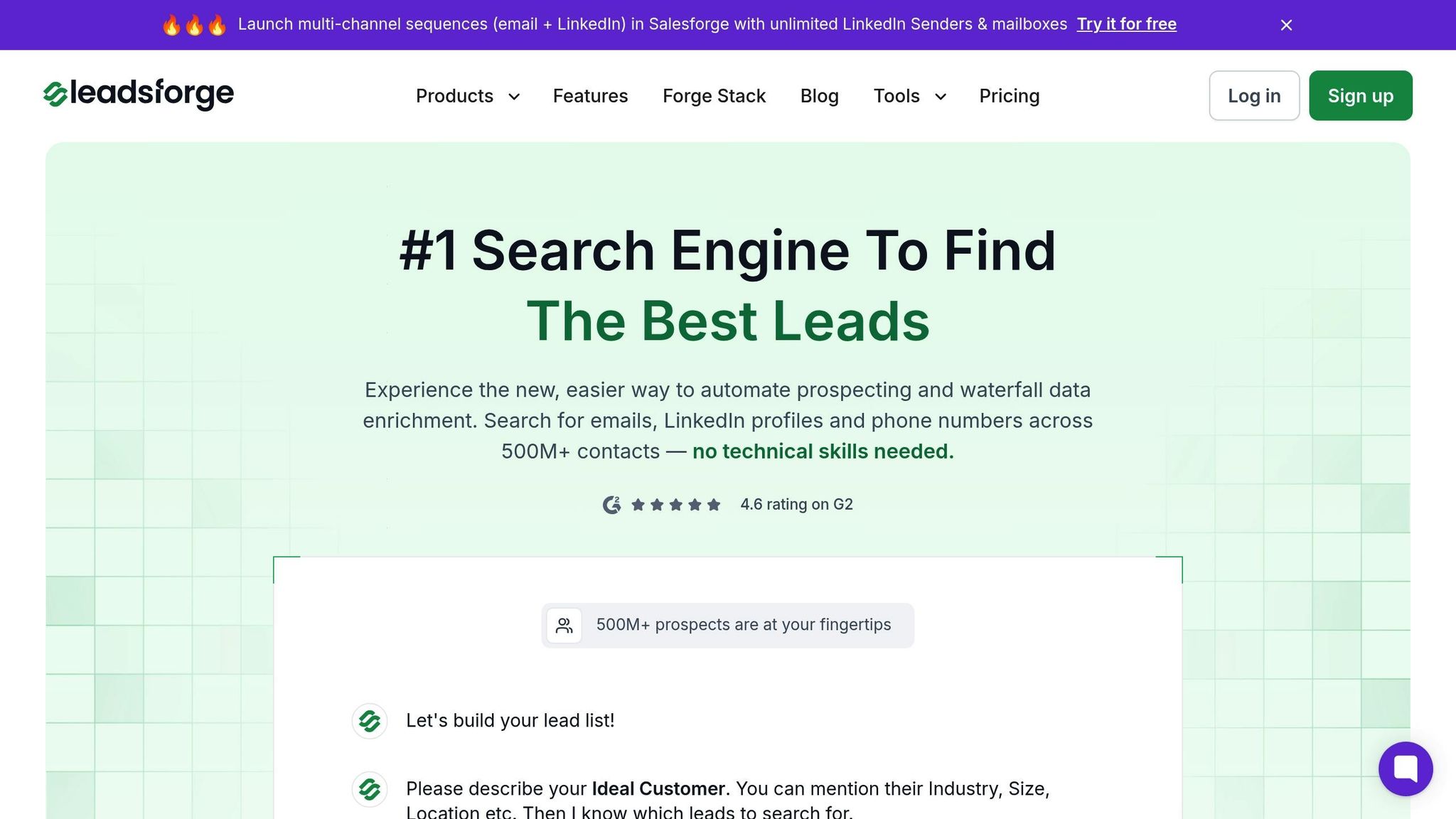
Leadsforge takes an AI-driven approach to help you build targeted lead lists with verified phone numbers. It’s as simple as describing your ideal customer profile through a chat-style interface, and the platform does the rest.
You can define your audience by specifying key details like industry, company size, job titles, and location. For instance, if you’re aiming to connect with marketing directors at SaaS companies with 50–200 employees in California, you just input those parameters. Leadsforge’s AI then searches for matching profiles and enriches the data with verified contact details, including phone numbers.
What sets Leadsforge apart is its waterfall enrichment process. It pulls data from multiple sources to ensure maximum coverage and accuracy. If one source doesn’t have a phone number for a contact, the system automatically checks others until it finds verified information. Plus, it uses real-time verification to confirm that numbers are active and functional, helping you avoid outdated or incorrect data - a common issue with frequent job changes.
Leadsforge operates on a credit-based pricing model, giving you flexibility to scale based on your campaign needs. New users even get 100 free credits upon signing up, and the best part? Those credits never expire. Once your list is ready, you can download it in CSV format and upload it directly to CallFire. Just ensure the numbers are formatted correctly (E.164 format, which is +1 followed by the 10-digit number). While CallFire’s internal validation will flag duplicates or invalid numbers, starting with verified data from Leadsforge minimizes any issues.
For those running multi-channel campaigns, Leadsforge also integrates with Salesforge, a platform designed for managing both email and call outreach. However, it’s just as effective on its own, offering standard exports that work with CallFire or any other system.
When it comes to CallFire campaigns, your choice of data partner is just as important as the phone numbers themselves. Various platforms offer phone number enrichment, but their methods, pricing, and data quality vary widely.
Leadsforge stands out with a 4.6 G2 rating, thanks to its AI-driven tools and user-friendly interface. Unlike traditional search-based platforms, its chat-like setup makes prospecting straightforward, even for those without a background in data management.
Here’s how Leadsforge compares to other popular platforms:
Leadsforge differentiates itself by automating the entire process. Instead of manually searching for contacts or navigating complex filters, you simply describe your ideal audience, and the platform handles the rest. Its waterfall enrichment ensures higher match rates by tapping into multiple data sources automatically.
The credit-based pricing model is another advantage. Unlike subscription plans where unused credits expire at the end of the billing cycle, Leadsforge allows you to use credits as needed. This is particularly useful for seasonal campaigns or businesses with fluctuating lead generation needs.
When it comes to compliance, all reputable platforms should provide tools to help you adhere to regulations like the Telephone Consumer Protection Act (TCPA) and state-specific laws. CallFire already checks numbers against Do Not Contact lists, but it’s crucial to ensure your third-party provider also sources numbers ethically and offers opt-out mechanisms. Non-compliance can lead to hefty fines, so prioritizing data quality and legal adherence is non-negotiable.
Ultimately, the right platform depends on your specific needs. If you’re running enterprise-level campaigns with complex targeting, ZoomInfo’s extensive database might justify the cost. For individual outreach, Lusha’s LinkedIn integration is a convenient option. But if you’re looking for an efficient, AI-powered solution to generate targeted, verified phone numbers for CallFire campaigns, Leadsforge strikes a balance between automation, accuracy, and affordability.
Once you’ve chosen your platform and built your list, the next step is to import the data into CallFire and manage your phone number inventory to keep your campaigns running smoothly.
To keep your campaigns running smoothly, managing your phone number inventory is essential. Once you've obtained numbers through CallFire or imported them from Leadsforge, keeping everything organized ensures consistent performance. CallFire offers built-in tools to automate renewals and monitor usage, helping you maintain seamless campaign operations.
CallFire simplifies the process of keeping your campaigns active by enabling auto-renewal for all purchased phone numbers by default. This feature ensures your numbers are renewed automatically without the need for manual intervention. Each month, the system charges the credit card saved in your account, so you don’t have to worry about missing renewals.
To manage auto-renewal settings, head to the Numbers section on your dashboard. From there, you can:
You can also modify settings for specific numbers by navigating to the My Numbers (or Inbound Numbers) page. Simply click on the desired phone number and toggle the auto-renew option as needed.
For clarity, CallFire uses color-coded indicators to show the auto-renewal status: green means enabled, and red means disabled. Pricing for numbers is straightforward - local numbers cost $1 per month, while toll-free numbers are $2 per month, with a three-month minimum purchase.
CallFire's call tracking software provides detailed analytics to help you stay on top of your phone number performance. By accessing Call Tracking Statistics and Call Summary under the Numbers section, you can review performance metrics for each number.
The Call Summary graph consolidates inbound call activity and allows you to filter data by custom date ranges. Additionally, performance graphs show calls broken down by date and time, making it easier to identify peak activity periods. This insight lets you fine-tune your outreach strategies and maximize your campaign's effectiveness.
Getting CallFire phone numbers is straightforward. You can purchase them directly through the CallFire dashboard for a quick and easy setup, use CallFire's API to acquire large quantities of numbers efficiently, or turn to third-party platforms like Leadsforge for verified contact lists tailored to your outreach campaigns. Each approach is designed to ensure accuracy, which directly impacts the success of your campaigns.
The best method depends on your specific goals. For establishing a local presence or using toll-free numbers for customer service, buying through CallFire's interface is a great option. If you're managing large-scale campaigns with hundreds of numbers across various area codes, the API offers a streamlined solution. For targeting specific audiences with verified contact details, platforms like Leadsforge are invaluable.
CallFire's system automatically checks for formatting errors, duplicate entries, and invalid numbers. This not only improves campaign accuracy but also saves time and money by avoiding dead or inactive numbers. With validated numbers, you'll enjoy better reporting accuracy, higher customer satisfaction, and increased revenue opportunities because you're connecting with real, active contacts.
Leadsforge simplifies lead generation and data enrichment using AI. Instead of manually compiling lists or relying on outdated contacts, you can describe your ideal audience and receive targeted, verified leads with pre-validated phone numbers. Plus, their flexible pricing integrates seamlessly with CallFire campaigns, making it a scalable solution.
When deciding between local and toll-free numbers for your CallFire campaigns, it’s all about understanding your audience and the goals of your outreach.
Local numbers, with their familiar area codes, can help establish a sense of connection and trust, especially when you're focusing on a specific city or neighborhood. They make your business feel approachable and rooted in the community, which is great for region-focused campaigns.
Meanwhile, toll-free numbers are better suited for campaigns that reach across the country. They project a polished, professional image and make it easy for customers to call you without worrying about charges, which can lead to more inbound inquiries.
Think about who you’re trying to reach and the scale of your campaign to determine which type of number will work best for your strategy.
CallFire prioritizes compliance with the Telephone Consumer Protection Act (TCPA) to promote lawful and ethical communication. The platform equips users with tools to manage consent-based outreach, including opt-in and opt-out options, ensuring recipients have explicitly agreed to receive calls or messages.
To further support compliance, CallFire includes features like do-not-call list management and time-zone restrictions, helping users avoid contacting individuals at inappropriate hours. These measures aim to reduce legal risks while improving the efficiency of your communication campaigns.
Yes, you can leverage third-party platforms like Leadsforge to improve your phone number sourcing for CallFire campaigns. Tools like Leadsforge provide access to verified and enriched contact lists tailored to your specific outreach goals, which can help ensure greater accuracy and reliability in your campaigns.
Although CallFire doesn’t officially list specific integrations, many users have successfully paired it with external data enrichment tools. Just make sure to check that the platforms are compatible and follow best practices to maintain data quality while staying compliant with regulations such as the TCPA.