If you’re searching for an honest GetProspect review, you’re probably wondering, is it good for finding accurate emails and building B2B lists?
GetProspect promises verified emails, real-time data enrichment, LinkedIn scraping, and even cold email sending.
But how accurate is the data?
Does it really help you create usable lead lists without missing information?
And is it worth the price compared to other email-finding tools?
In this GetProspect review, I’ll walk you through how GetProspect works, what kind of data you actually get, and whether it’s a tool you can rely on for your outreach.
GetProspect Review: Key Takeaways
GetProspect helps you find verified B2B emails from LinkedIn, websites, or company domains, with real-time validation for up to 97% deliverability.
Its LinkedIn Email Finder Chrome Extension lets you export up to 2,500 leads at once, with email, phone, job title, and company data.
The platform includes a massive 230M+ corporate emails, 130M mobile numbers, and 26M companies, covering global industries.
You can use 17+ filters to find decision-makers by job title, seniority, location, industry, revenue, and even tech stack.
GetProspect also offers bulk email finding, contact enrichment, and a built-in CRM to organize leads, properties, and email quality scores.
It includes a Cold Email Tool to send campaigns with auto follow-ups, A/B testing, and high deliverability rates (SPF, DKIM, throttling).
Free plan includes 50 valid emails & 100 verifications, while paid plans start at $49/month with 1,000 emails and CRM integrations.
What Is GetProspect?
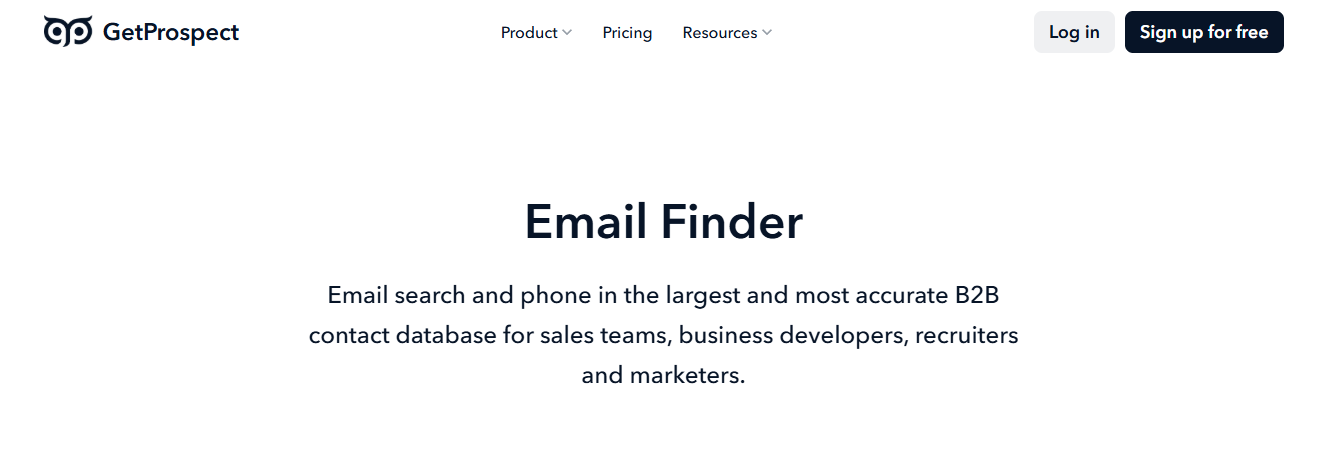
This image shows the GetProspect homepage
GetProspect is a tool that helps you find verified business emails, phone numbers, and company details for potential customers.
You can use it to pull emails from LinkedIn with a Chrome extension, search through its large B2B database of over 200 million contacts, or upload your own list and enrich it with missing data.
The tool gives you job titles, locations, LinkedIn URLs, company info, and more than 40 extra data points.
All emails found in GetProspect are checked in real time, giving you a 95%+ accuracy guarantee and up to 97% deliverability.
In short, GetProspect helps you find the right people, get their verified contact details, and reach out to them.
How GetProspect Works
GetProspect helps you find emails, phone numbers, and full prospect details using its database, Chrome extension, and bulk enrichment tools.
You can search for leads, scrape LinkedIn, or upload your own list to fill missing data.
Step 1 – Search for Contacts in the Database: Use GetProspect’s search portal to find leads from 200M+ contacts and 26M+ companies.
You can filter by name, job title, location, industry, company size, or technologies.
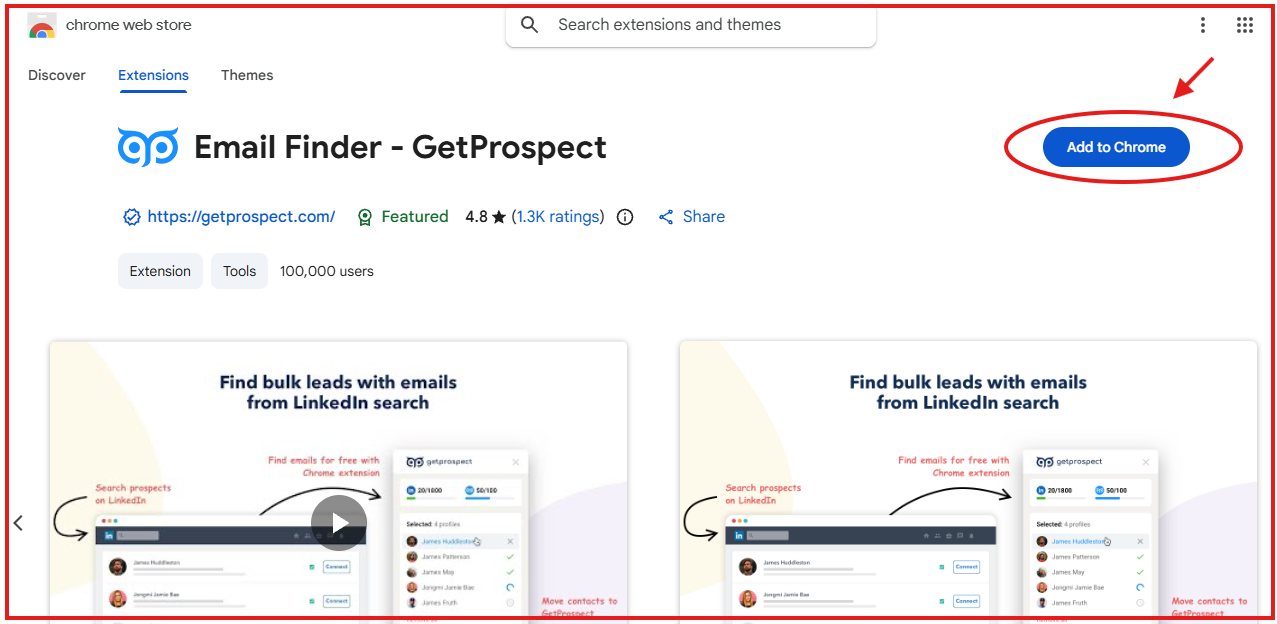
Step 2 – Collect Emails With the Chrome Extension: Run the Chrome extension on LinkedIn or Sales Navigator to pull emails, phone numbers, and profile data without opening each profile.
You can save hundreds of leads in a single click.
This image shows Email Finder chrome extension by GetProspect
Step 3 – Enrich Your Own Lists: Upload a CSV with names, domains, or LinkedIn URLs.
GetProspect fills in missing data like verified emails, phone numbers, company info, and up to 40+ attributes.
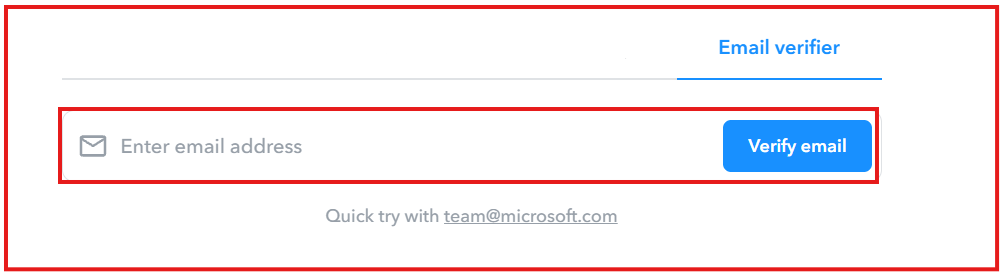
Step 4 – Verify Email Addresses: Every email found is checked in real time. You also get a bulk email verifier to clean old lists and reduce bounce rates.
This image shows the Email Verifier by GetProspect
Step 5 – Send Cold Emails (Optional): Create simple cold email sequences, personalize them, and send automated follow-ups. The tool handles tracking, scheduling, and deliverability.
Step 6 – Export or Sync Your Leads: Export your data as CSV/XLSX or sync it directly with HubSpot, Salesforce, Zoho, Pipedrive, Outreach, or Google Sheets.
You can also connect thousands of tools using Zapier.
GetProspect Features That Are Actually Useful
GetProspect has many tools, but only a few truly help you find leads faster and keep your data clean.
Here are the useful core features:
Feature Overview Table 2
Feature
What It Does
LinkedIn Email Finder (Chrome Extension)
Pull emails and phone numbers from LinkedIn and Sales Navigator in one click. Export up to 2,500 leads at once safely within LinkedIn limits.
B2B Contact Database (200M+ contacts)
Search by job title, company, industry, location, revenue, tech used, and more. Get 95 percent verified emails and real-time fresh data.
Contact & Company Enrichment
Upload a CSV or paste a domain or LinkedIn URL to add missing info such as emails, phone numbers, job titles, industry, and over 40 data fields.
Bulk Email Finder (50K domains)
Find emails for thousands of domains or contacts at once. Ideal for building large lead lists quickly.
Cold Email Sender
Send personalized email sequences with auto follow-ups, A/B testing, tracking, and strong deliverability protection.
Built-in CRM
Save, sort, tag, filter, and manage your contacts in one place. No extra CRM required for simple workflows.
Email Verification (97 percent deliverability)
Check email status such as valid, invalid, accept-all, or unknown in bulk or individually to protect domain reputation.
Google Sheets Add-on
Find and enrich emails directly inside Google Sheets without switching tabs.
CRM & App Integrations
Send data directly to HubSpot, Salesforce, Pipedrive, Zoho, Outreach, Salesloft, Google Sheets, Zapier, and over 5,000 apps.
API Access
Add email search, domain search, verification, and enrichment features into your own product using simple JSON API calls.
GetProspect Pricing
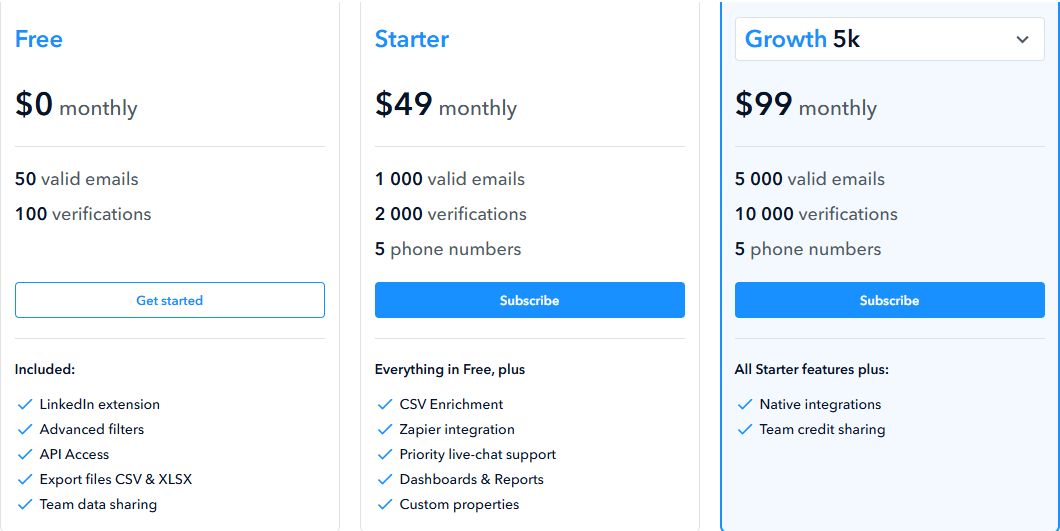
This image shows the GetProspect pricing
Free Plan – $0/month, includes 50 valid emails, 100 verifications, the Chrome extension, exports, and basic features.
Starter – $49/month, includes 1,000 valid emails, 2,000 verifications, basic phone credits, CSV enrichment, and priority support.
Pro – $99/month, includes 5,000 valid emails, 10,000 verifications, CRM integrations (HubSpot, Salesforce, Zoho, Pipedrive), team sharing, and extra phone credits.
Verification Credits (One-Time Purchase), used for cleaning old lists. They never expire.
Top Pros & Cons of GetProspect
Pros and Cons Table 2
Pros
Cons
Large B2B database (200M+ contacts, 230M emails, 26M companies)
LinkedIn export limits (800 to 1,800 leads per day)
High accuracy guarantee (95 percent or credits back)
Email finding can be slow when servers respond slowly
Strong LinkedIn extension with bulk export (up to 2,500 leads at once)
Many emails return “Accept-All,” which cannot be fully validated
Real-time verification and over 40 data enrichment attributes
Free plan is very limited (50 emails and 100 verifications)
GetProspect is a good fit if you want a tool that can find emails, enrich data, and scrape leads from LinkedIn without much setup. But it’s not perfect for everyone.
Here’s who will benefit most from it:
I. GetProspect is right for you if:
You rely heavily on LinkedIn or Sales Navigator to find leads.
You need bulk exports (up to 2,500 leads at once).
You prefer an all-in-one tool (finder + enrichment + cold email).
You work with CSV files and want fast enrichment inside Google Sheets.
GetProspect is not right for you if:
You need very fast email discovery for large lists.
You depend on scraping more than 1,800 LinkedIn contacts per day.
You want deep AI personalization for cold email (still “coming soon”).
You want long-term access to verified files (they expire after 14 days).
Best GetProspect Alternative for Intent-Based Lead Generation → Leadsforge
If you like how GetProspect finds emails and enriches contact data, but you want faster results, higher accuracy, and an easier workflow, then Leadsforge is the best GetProspect alternative.
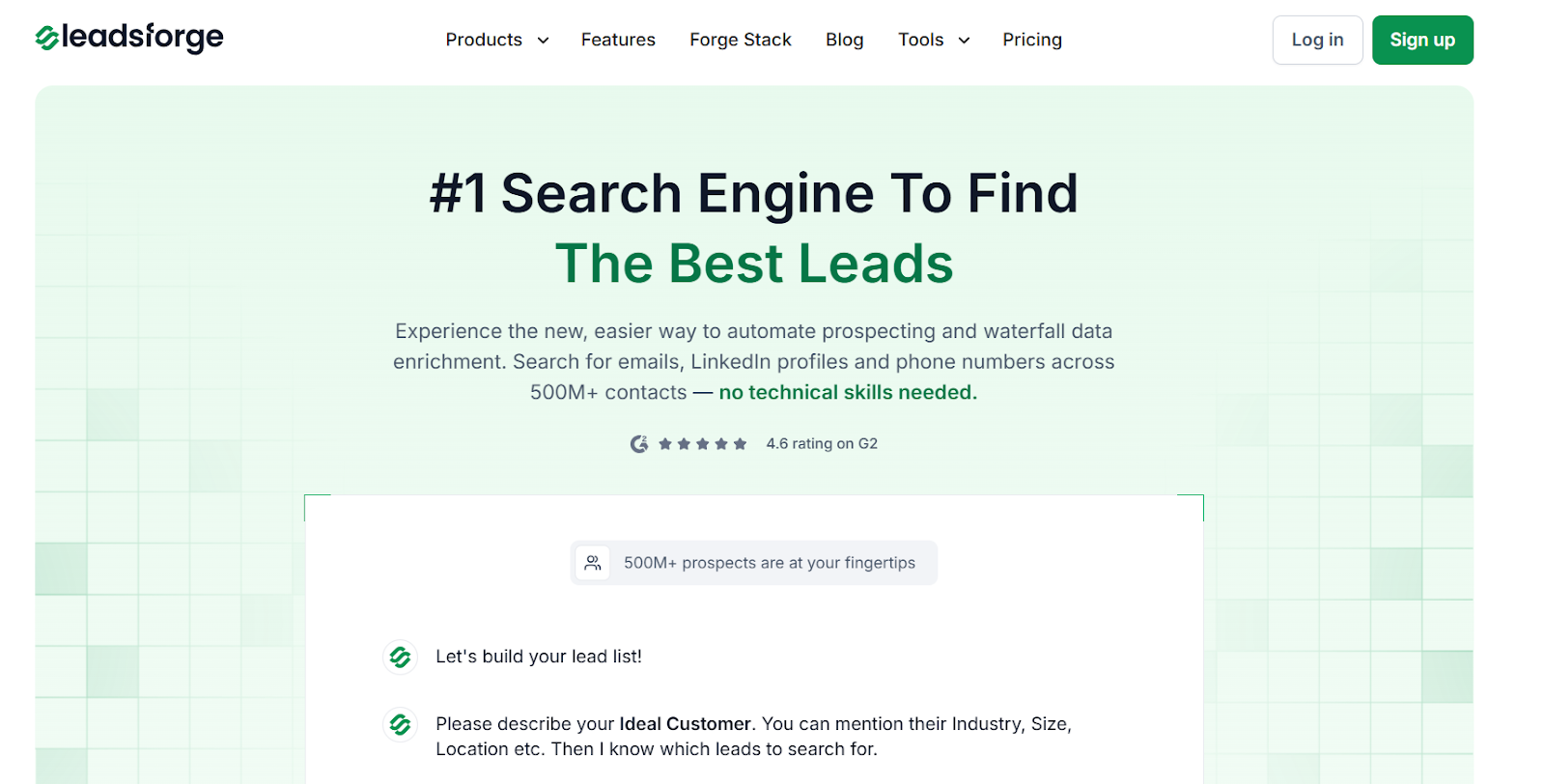
This image shows the Leadsforge homepage
Leadsforge is a chat-based B2B lead search engine that helps you find verified emails, LinkedIn profiles, and phone numbers from over 500 million contacts.
Instead of using filters or scraping limits, you simply describe your ideal customer in plain language, and Leadsforge builds the entire lead list for you.
It connects multiple live data providers and uses waterfall enrichment, pulling verified results from different sources until it finds the most accurate email, LinkedIn URL, or mobile number.
Where GetProspect relies heavily on LinkedIn scraping and CSV uploads, Leadsforge gives you a broader, faster workflow, you can find new leads, enrich data, get intent signals, discover lookalikes, and pull competitor followers from one simple chat-style interface.
This image shows the Find lookalike audience with Leadsforge
Leadsforge offers 2,000 export credits for $49/month, and the credits never expire, so you can use them whenever you need.
GetProspect’s Pro plan costs $49/month for 1,000 emails and 2,000 verifications but phone numbers cost extra and unused credits do not roll over.
That means Leadsforge is more flexible for teams that don’t scrape LinkedIn every day and want cleaner, more verified data without hitting daily limits.
GetProspect vs Leadsforge: Feature Comparison
GetProspect vs Leadsforge Comparison Table
Feature
GetProspect
Leadsforge
Platform focus
Email finder and LinkedIn scraping
Chat-based search engine across multiple data sources
$99/month for 5,000 emails (credits do not roll over)
$49/month for 2,000 credits (credits never expire)
If your daily workflow revolves around LinkedIn scraping and you only need basic email finding, GetProspect handles that well. If you need faster enrichment, intent-based leads, larger datasets and better value for the same budget, Leadsforge is the smarter choice.
Is GetProspect Worth It?
If your prospecting depends mostly on LinkedIn, GetProspect does a solid job. It’s simple to use, finds verified emails quickly, and gives you the basics you need to build lead lists.
But once you start thinking about scale, flexibility, and long-term value, Leadsforge becomes the smarter choice.
You get verified emails, phone numbers, and LinkedIn URLs, plus intent signals, lookalike audiences, and competitor followers, all from one chat-style search.
If you want deeper data, faster enrichment, and more value without dealing with scraping limits, Leadsforge is the better move.
Does GetProspect work well for LinkedIn prospecting?
Yes, GetProspect works well if you mainly use LinkedIn or Sales Navigator to find leads and want verified emails quickly.
Is GetProspect accurate?
GetProspect provides solid email accuracy for most industries, and its verification system helps reduce bounces, but phone numbers are limited and may require extra credits.
Does GetProspect offer phone numbers?
Yes, but only 5 phone numbers are included on paid plans, and additional phone numbers require extra credits.
Do GetProspect credits roll over?
No, unused monthly credits do not roll over, so you must use them before your billing cycle resets.
Is GetProspect good for large-scale enrichment?
It can handle moderate enrichment, but it becomes slower and more limited at scale because it relies heavily on LinkedIn scraping and CSV uploads.