If you use LinkedIn or Sales Navigator to find leads, you must have heard of Evaboot. It’s a tool that helps you export your searches, clean the data, and find verified emails.
But does Evaboot work the way it claims?
To find out, we analyzed 100+ real Evaboot reviews, evaluated its data cleaning, and checked how well it enriches emails.
In this Evaboot review, you’ll learn:
What Evaboot does
How it finds and cleans your leads
What users like
What users dislike
Whether it’s worth your money
This quick review will help you decide if Evaboot is the right tool for your LinkedIn lead generation.
Evaboot Review: Key Takeaways
Evaboot helps you find leads, export them from LinkedIn Sales Navigator, and turn them into clean, verified contact lists.
It exports full Sales Navigator data in 1 click, including job titles, company info, profile URLs, industries, employee counts, years in role, and more.
The Lead Filter checks if each lead truly matches your Sales Navigator search filters, so you only keep qualified leads.
You can find verified emails using scraping + web search + pattern guessing, with 60–80% email discovery and 97% deliverability on safe emails.
Evaboot includes an Email Verifier to validate emails with SMTP checks, MX checks, spam-trap detection, and disposable email detection.
You can enrich LinkedIn URLs, convert messy Sales Navigator URLs, and use the API to automate exports, email finding, and profile enrichment.
It is safe for LinkedIn, with automatic rate limits to protect your account from scraping restrictions.
Paid plans start at $9/month, with credits that roll over and can be used for exports, email finding, and verification.
What Is Evaboot?
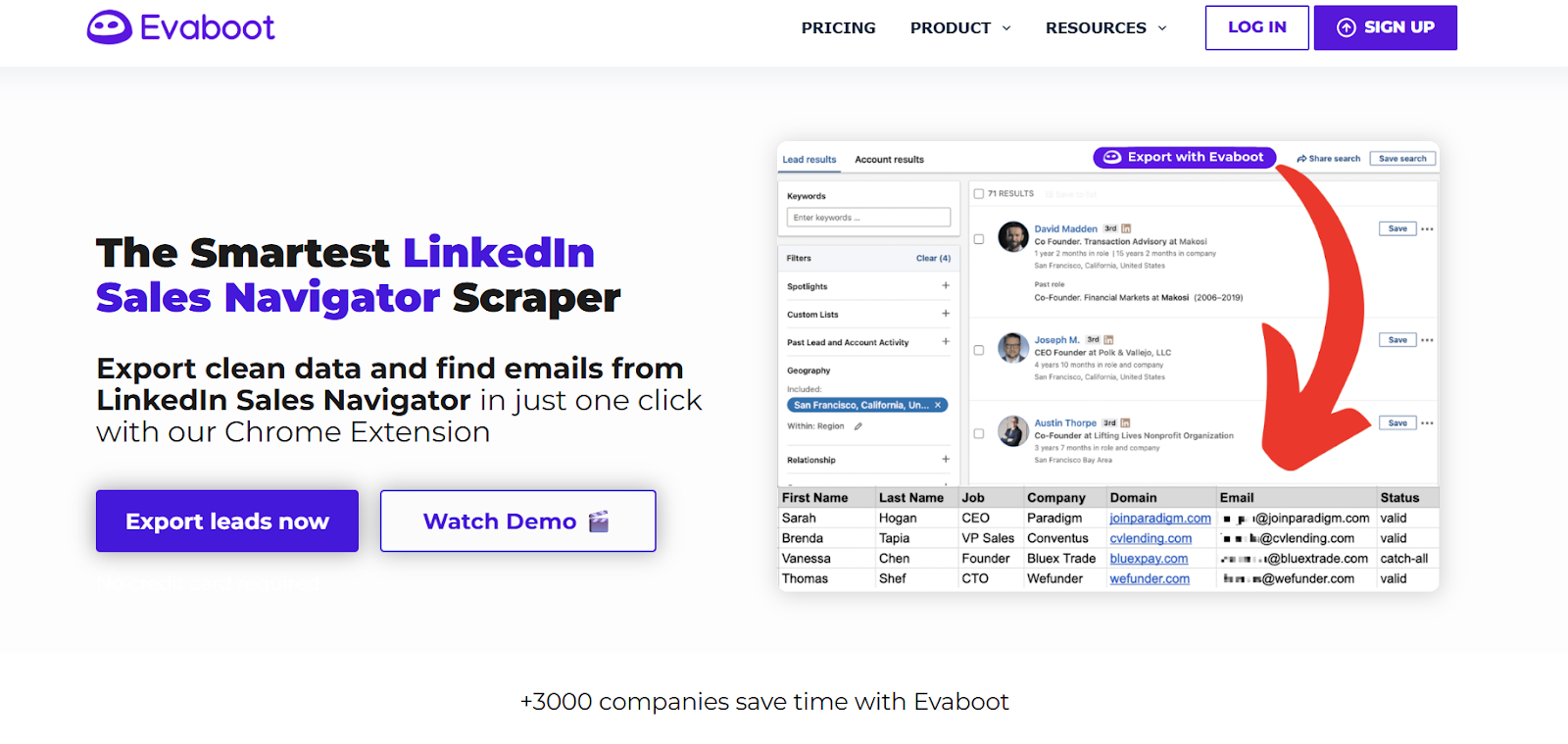
This image shows the Evaboot homepage
Evaboot is a LinkedIn Sales Navigator export tool that helps you find leads, clean your data, and get verified emails from your Sales Navigator searches.
It gives you clean and accurate lead data, removes fake or irrelevant profiles, fixes job titles, corrects company names, and helps you get reliable emails for outreach.
You can use the Evaboot Chrome Extension to export your Sales Navigator searches in one click and download a clean CSV file. You can also enrich leads, verify emails, and send your data straight to your CRM or outreach tools.
It is easy to use, safe for LinkedIn, GDPR-friendly, and fits smoothly into your daily Sales Navigator workflow.
How Evaboot Works
Evaboot helps you turn your Sales Navigator searches into clean and accurate lead lists. It does this through simple steps that improve your data and make your outreach easier.
1.You start by running a search on Sales Navigator.
This image shows the Chrome extension by Evaboot
With the Evaboot Chrome Extension, you export all the leads in one click. The tool captures job titles, companies, industries, URLs, and other details.
2. Evaboot cleans your file automatically. It fixes names, job titles, company names, and removes emojis or messy text. This gives you a clean and readable CSV.
3. It checks if each lead truly matches your Sales Navigator filters. It highlights wrong matches and shows you the reasons, so you only keep the right people.
4. Evaboot finds emails using LinkedIn data, web search, and pattern matching. This helps you turn your lead list into a contact list you can use right away.
5. Every email is verified with SMTP and domain checks. This reduces bounces and keeps your sender reputation safe.
6. If you already have LinkedIn profile URLs, you can upload them. Evaboot will enrich them with fresh data, clean the text, and find emails.
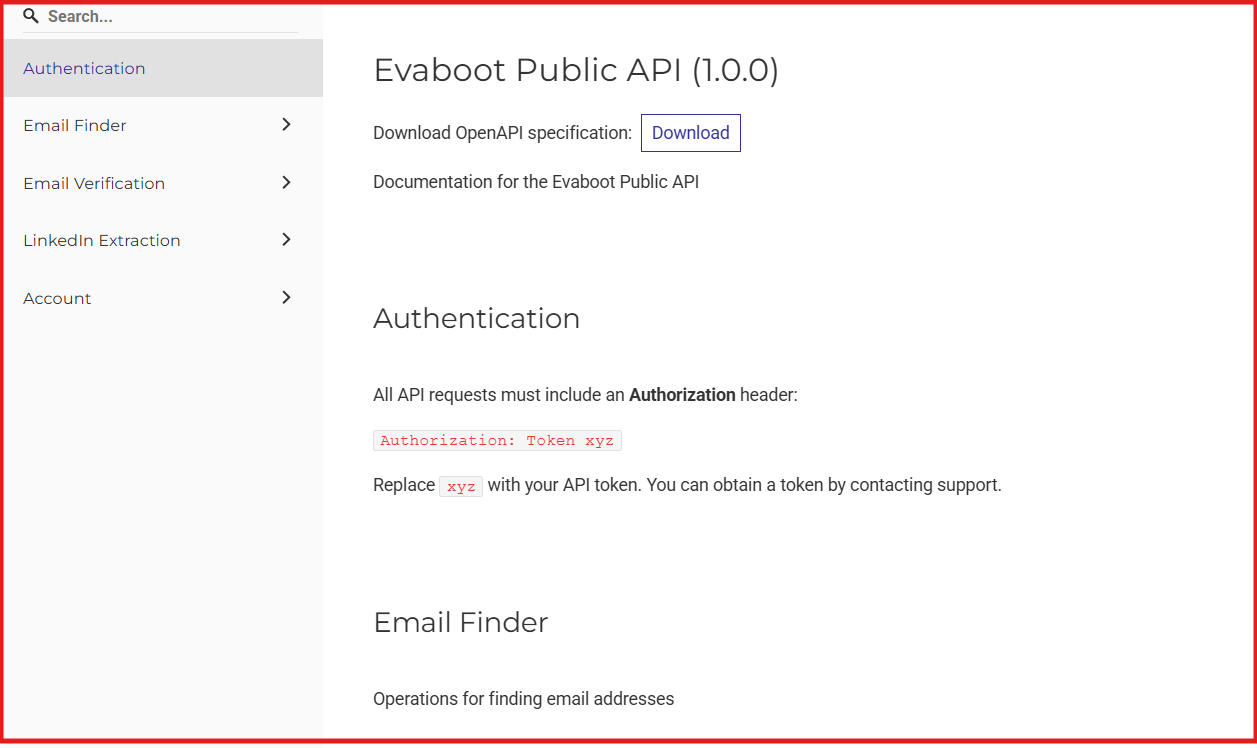
7. You can use the Evaboot API to automate exports, enrichment, email finding, and verification at scale.
This image shows the Evaboot Public API
Evaboot Features That Are Actually Useful
Evaboot helps you export clean lead lists and find verified emails from Sales Navigator.
Here are the features that are actually useful:
Feature
What It Does
1-Click Sales Navigator Export
Exports any Sales Navigator search or list into a clean CSV in one click.
Data Cleaning
Fixes names, job titles, company names, removes emojis, and cleans messy text automatically.
Lead Filtering
Checks if each lead matches your Sales Navigator filters and flags wrong matches.
Email Finder
Finds professional emails using LinkedIn data, web scraping, and pattern matching.
Email Verifier
Confirms email validity using SMTP, domain checks, and anti-bounce tests.
LinkedIn URL Enrichment
Enriches uploaded LinkedIn URLs with fresh profile and company data.
Bulk Enrichment
Uploads large CSV files to fill missing data and find emails at scale.
API Access
Provides endpoints to export lists, enrich data, find emails, and verify contacts.
Safe Scraping
Keeps your LinkedIn account safe by staying within scraping limits.
Team Workspace
Allows teams to share credits, manage permissions, and use multiple Sales Navigator accounts.
GDPR & CCPA Compliance
Ensures all data is compliant and restricted to professional, legal-to-use emails.
Evaboot Pricing
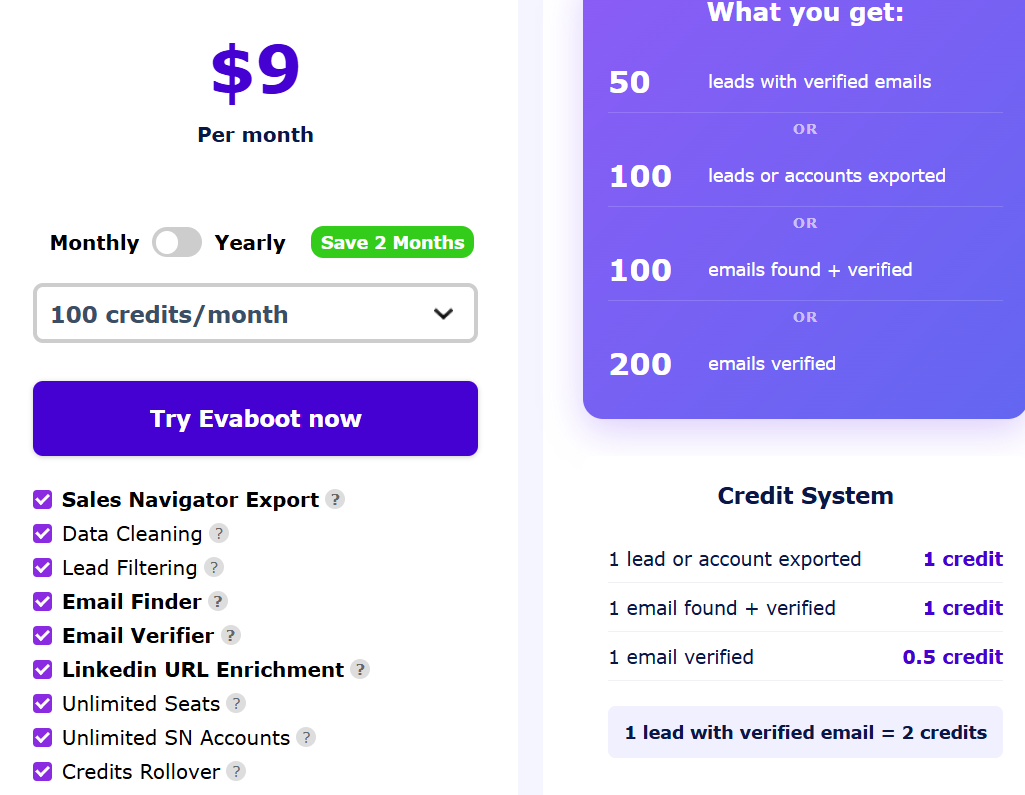
This image shows the Evaboot pricing
Evaboot uses credit-based pricing. You choose how many credits you want each month, and all features are included in every plan.
Price / Month
Credits / Month
What You Get
$9
100
50 verified leads or 100 exports or 100 emails found or 200 emails verified
$29
500
250 verified leads or 500 exports or 500 emails found or 1,000 emails verified
$49
1,500
750 verified leads or 1.5k exports or 1.5k emails found or 3k emails verified
$99
4,000
2k verified leads or 4k exports or 4k emails found or 8k emails verified
$149
8,000
4k verified leads or 8k exports or 8k emails found or 16k emails verified
$299
20,000
10k verified leads or 20k exports or 20k emails found or 40k emails verified
$499
50,000
25k verified leads or 50k exports or 50k emails found or 100k emails verified
$899
100,000
50k verified leads or 100k exports or 100k emails found or 200k emails verified
$1,699
200,000
100k verified leads or 200k exports or 200k emails found or 400k emails verified
Custom
200k+
Depends on custom credit amount
Here’s what you should know about Evaboot pricing:
You must have LinkedIn Sales Navigator to use Evaboot.
All plans include every feature (export, cleaning, filtering, email finding, email verifying).
Credits roll over each month as long as your subscription stays active.
Evaboot stays within LinkedIn limits to keep your account safe.
Evaboot is GDPR and CCPA compliant.
Simple credit system:
1 export = 1 credit
1 email found = 1 credit
1 email verified = 0.5 credit
1 verified lead = 2 credits
What Users Like About Evaboot
After going through 100+ real user reviews on G2, here’s what people like and dislike most about Evaboot.
Many users say it saves hours because they can export all Sales Navigator leads and verified emails in one click.
This image shows the Evaboot G2 review about sales navigator
Users like that Evaboot is simple, fast, and easy to use, the UI is clean and the workflow is simple.
This image shows the Evaboot G2 review about its ease of use
Several reviewers mention the deep LinkedIn Sales Navigator integration and how natural it feels inside the UI.
Many people say Evaboot cleans Sales Navigator results better than other scrapers, catching errors LinkedIn misses.
What Users Dislike About Evaboot
Some users say the tool is a bit expensive compared to competitors.
This image shows the Evaboot G2 review about its pricing
A few reviewers mention they want a native Salesforce integration so leads go directly into their CRM.
This image shows the Evaboot G2 review about its Salesforce integration
A few reviewers mention that email finding could be better or that some emails are hard to find.
A few people say they want more metadata, like previous job roles or job descriptions.
Is Evaboot the Right Fit for You?
Evaboot works great for some users, but not for everyone. Here’s how to know if Evaboot matches the way you prospect and manage data.
I. Evaboot is right for you if:
You use LinkedIn Sales Navigator and want an easier way to export leads.
You want cleaner, more accurate lead lists without doing manual cleanup.
You need verified emails directly from your Sales Navigator searches.
You want a tool that is simple, fast, and fits naturally into your existing workflow.
You prefer a tool that focuses on lead extraction and data cleaning, not outreach.
II. Evaboot might not be ideal if:
You don’t use LinkedIn Sales Navigator (Evaboot requires it).
You want a tool that also does email outreach, sequences, or follow-ups.
You need deep CRM integrations like Salesforce auto-sync.
You want very advanced enrichment (extra metadata, job history, etc.).
Best Evaboot Alternative for Lead Generation - Leadsforge
If you like Evaboot for exporting and cleaning Sales Navigator searches but want a tool that finds leads for you (instead of relying on LinkedIn filters), Leadsforge is the better choice.
This image shows the Leadsforge homepage
Leadsforge is a chat-based B2B lead search engine.
You simply type what you’re looking for, for example, “Find marketing managers in UK SaaS companies,” and instantly get verified emails, phone numbers, and LinkedIn profiles from a global database of 500M+ contacts.
Unlike Evaboot, which depends entirely on Sales Navigator searches, Leadsforge connects multiple live data sources, performs waterfall enrichment, and verifies every email and phone number in real time.
Leadsforge starts at $49/month for 2,000 verified export credits.
Evaboot’s equivalent workflow requires exporting a Sales Navigator list first. Plans now start at $9/month for 100 credits and go up to $1,699/month for 200,000 credits, with verified leads costing 2 credits per lead.
This means Evaboot still depends on your Sales Navigator filters and credit usage, while Leadsforge handles the full lead generation pipeline without LinkedIn limits or manual steps.
Evaboot vs Leadsforge: Feature Comparison
Feature
Evaboot
Leadsforge
Platform Type
Sales Navigator extraction tool + web app
Chat-based lead search engine (no LinkedIn needed)
Main Function
Export, clean, and verify Sales Navigator search results
Starts at $99/month (4k credits), up to $1,699/month for 200k credits
$49/month for 2,000 export credits (credits never expire)
Best For
Users who rely heavily on Sales Navigator for prospecting
Teams wanting scalable, verified global data without LinkedIn limits
If your workflow is built entirely around LinkedIn Sales Navigator, Evaboot is a strong companion tool.
But if you want more verified data, faster enrichment, and no LinkedIn limitations, Leadsforge is the stronger choice, with more accuracy, more flexibility, and better value for the price.
Is Evaboot Worth It?
Evaboot is useful if you already rely on Sales Navigator and just want a quick way to export and clean your lead lists. It saves time, keeps your files organized, and makes email finding easier.
But since it depends fully on Sales Navigator, it can feel limited if you need more data, more flexibility, or larger lead volumes.
If you want a tool that works outside LinkedIn, finds leads globally, and enriches them instantly, Leadsforge is a better choice.
It gives you verified emails, phone numbers, and LinkedIn profiles from one simple chat.
Yes. Evaboot only works with LinkedIn Sales Navigator. It does not work with the free version of LinkedIn or LinkedIn Recruiter.
Does Evaboot find emails?
Yes. Evaboot can find professional emails and also verify them to make sure they are valid.
Are the emails verified?
Yes. Evaboot checks each email with SMTP and domain validation to reduce bounces.
Can I use Evaboot without Sales Navigator exports?
No. You must run a search in Sales Navigator first and then export it with Evaboot. You can also upload LinkedIn profile URLs if you already have them.
Is Evaboot safe for my LinkedIn account?
Yes. Evaboot has built-in limits to keep you within LinkedIn’s safe usage limits.
Does Evaboot credits roll over?
Yes. Unused credits roll over if your subscription stays active.