Table of contents
Get insights delivered straight into your inbox every week!

Ultimate Surfe Review: Is It Worth a Data Enrichment Tool?

If you’re searching for an honest Surfe review, you’re probably wondering, is it really worth using for data enrichment?

Surfe promises clean, verified contact data and one-click CRM syncing straight from LinkedIn.

But how accurate is the data? Does it actually help you find and reach more decision-makers? 

And is it worth the price compared to other enrichment tools?

In this review, I’ll walk you through exactly how Surfe’s enrichment works, how reliable the data is, and whether it’s truly worth using as your main enrichment tool in 2025.

Surfe Review: Key Takeaways

  • Surfe lets you enrich and sync LinkedIn contacts directly to CRMs like HubSpot, Salesforce, Pipedrive, and Copper in one click.

  • Its Waterfall Enrichment combines 15+ data providers and uses triple verification to reach up to 93% accuracy on emails and phone numbers.

  • The platform covers 500M+ professional profiles and 350M+ company records with global data coverage.

  • Features include Job Change Alerts, Verified Mobile Finder, Company Lookalike Search, and API enrichment for bulk workflows.

  • Surfe is fully GDPR compliant and ISO 27001 certified, ensuring data safety for every CRM sync.

  • Plans start free (20 email finder credits) and go up to $79/month per user for large-scale enrichment and prospecting.
Try Leadsforge now and get 100 free credits!
What Is Surfe?

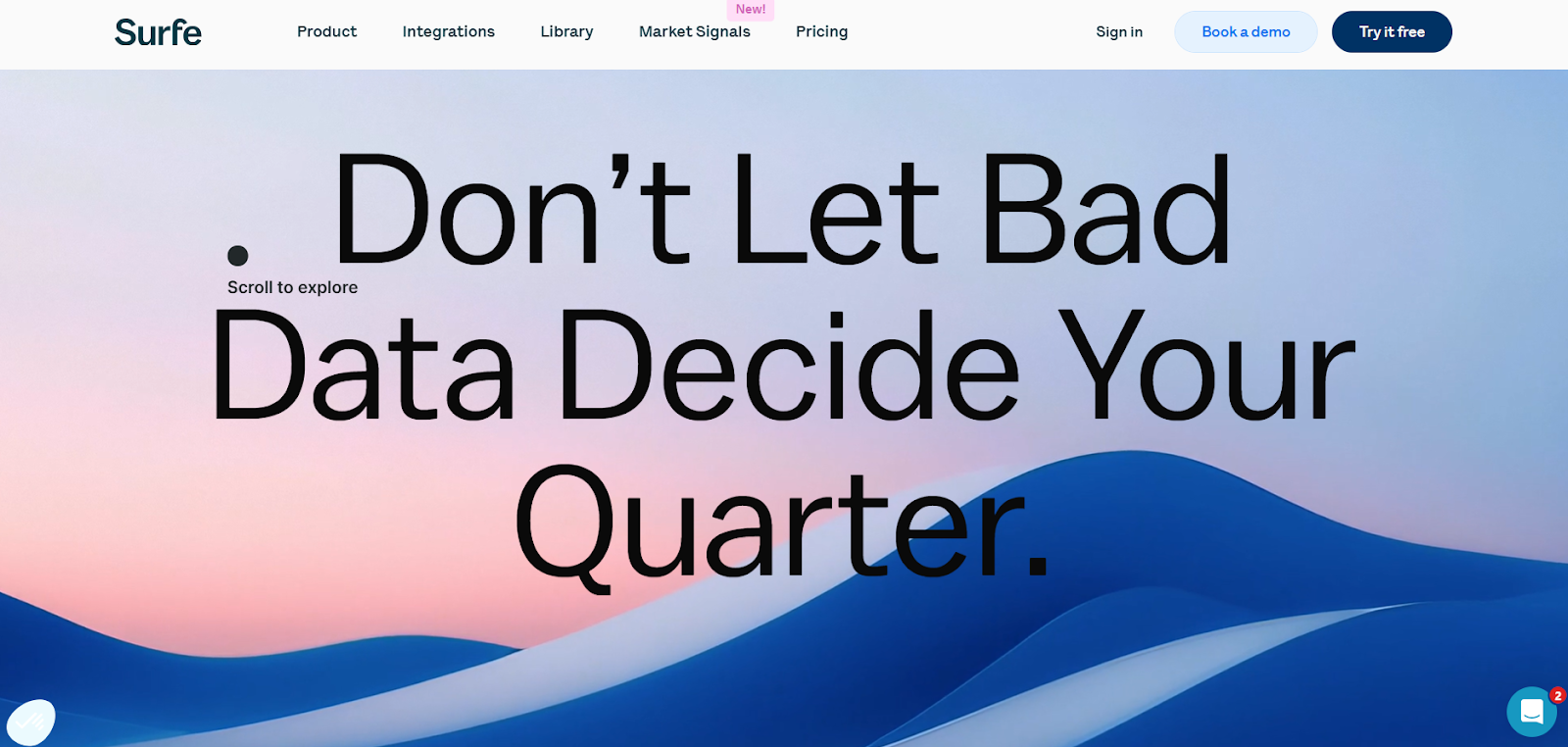
Surfe homepage
This image shows the Surfe homepage

Surfe is a data enrichment and CRM integration tool built for sales teams who prospect on LinkedIn.

It lets you find verified emails and mobile numbers, add leads to your CRM in one click, and keep contact data updated automatically.

Powered by its Waterfall Enrichment Technology, Surfe combines over 15 data providers to deliver up to 93% accurate, triple-verified contact details.

You can enrich data directly from LinkedIn, upload a CSV, or use Surfe’s API for large-scale enrichment.

Surfe works natively with HubSpot, Salesforce, Pipedrive, and Copper, and is trusted by 40,000+ users from companies like Google, AWS, and Bolt

It’s also GDPR-compliant and ISO 27001 certified, ensuring every enrichment is safe and reliable.

How Surfe Works

Surfe connects your CRM with LinkedIn and other supported business social platforms so you can enrich and sync contacts without switching tabs.

Step 1 – Open a Profile on LinkedIn or a Business Social: Go to a contact’s profile on LinkedIn or Sales Navigator. The Surfe Chrome extension will appear on the page, letting you capture that contact’s information instantly.

Step 2 – Add the Contact to Your CRM: Click once to add the profile directly to your CRM. Surfe fills in key details like name, job title, and company automatically.

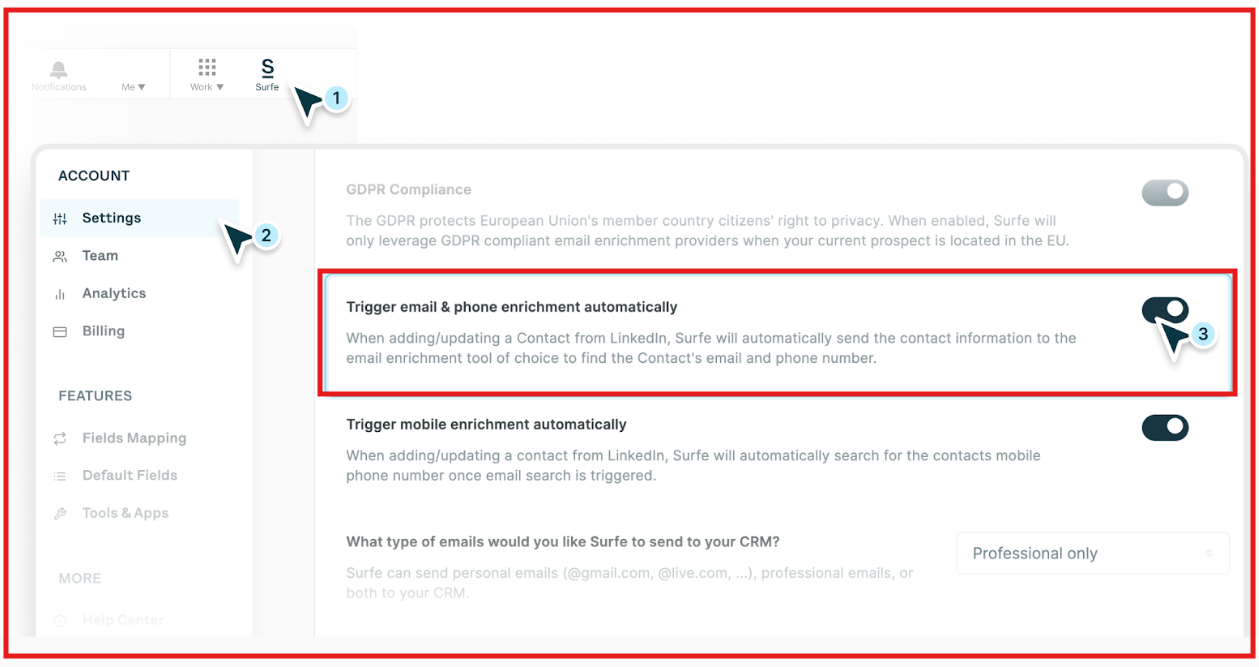
Step 3 – Enrich the Contact’s Data: Once added, Surfe can automatically trigger email and phone enrichment (if enabled in Settings). Here’s what happens:
  • Surfe uses enrichment credits (included in Essential and Pro plans) to find verified professional emails, mobile, and landline numbers.

  • You can enrich contacts one by one, from lists, or in bulk (via CSV import).

  • Enrichment can also be done automatically when contacts are added from LinkedIn, if the “Trigger email & phone enrichment automatically” option is enabled.
Surfe enrichment settings
This image shows the Surfe enrichment settings

Step 4 – Stay Updated When Prospects Change Jobs: When a prospect changes their job, title, or company, Surfe automatically updates the contact in your CRM and notifies your team.

Step 5 –  Enrich at Scale or Through API

For large lists, Surfe supports bulk enrichment through the app or API.

  • Upload a CSV of names and companies to find verified contact details in bulk.

  • The Company Enrichment API works in two steps — it first starts the enrichment, then retrieves the completed results using an enrichmentID.

Step 6 – Sync and Communicate Seamlessly: Surfe works natively with HubSpot, Salesforce, Pipedrive, and Copper, and connects with Salesloft, Lemlist, Outreach, Gmail, and Aircall for outreach and communication.

Surfe Features That Are Actually Useful

Here’s a quick look at the Surfe features and how it helps in day-to-day prospecting and data enrichment:
Feature What It Does
Waterfall Enrichment Technology Combines 15+ leading data providers (Findymail, LeadMagic, Hunter, RocketReach, etc.) and validates every email with ZeroBounce + Surfe’s own database for up to a 93% find rate.
1-Click Add to CRM Add any LinkedIn or business-social contact directly to HubSpot, Salesforce, Pipedrive, or Copper without copy-paste or switching tabs.
Verified Mobile Numbers Goes beyond email—finds and verifies mobile numbers for decision-makers, giving teams a direct outreach channel.
Job Change Alerts Tracks title or company changes in real time and automatically updates CRM records to keep data fresh.
Bulk & API Enrichment Enrich entire lead lists via CSV upload or automate enrichment through the Surfe API.
Company & People Search Search a database of 350M companies and 500M professionals using filters like title, location, revenue, industry, or tech stack.
Account Lookalikes Uses AI to find companies similar to your best customers—ideal for expanding account-based sales pipelines.
Message Sync & Templates Sync your LinkedIn conversations into your CRM automatically and reuse messaging templates directly from social feeds.
Native CRM Integrations Works natively with HubSpot, Salesforce, Pipedrive, and Copper, plus integrations with Salesloft, Lemlist, Outreach, Gmail, and Aircall.
GDPR & ISO 27001 Certified Surfe is fully compliant and secure, performing 1M+ enrichments monthly for 40K+ users across 5K+ companies.

Surfe Pricing

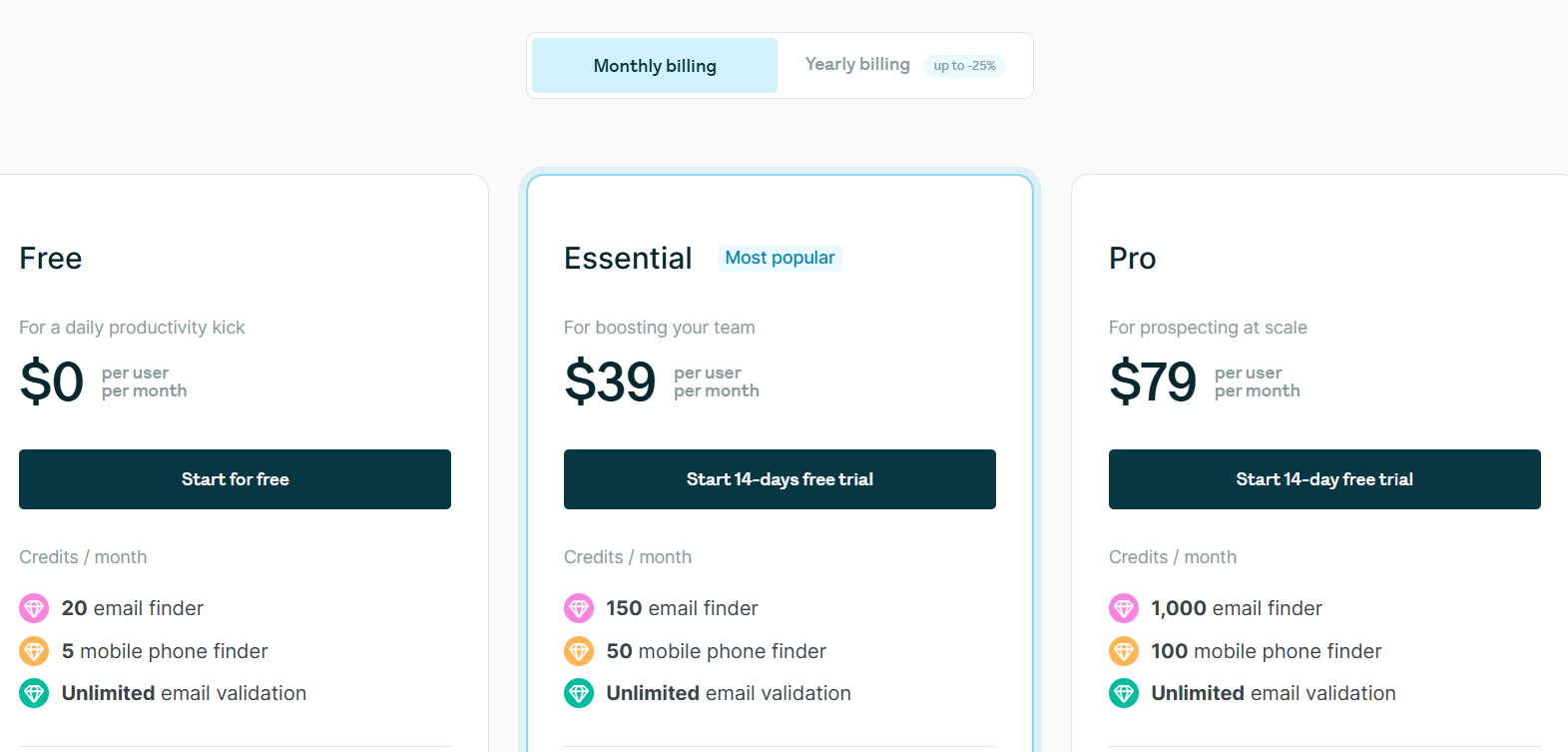
Surfe pricing
This image shows the Surfe pricing

Surfe offers three plans, Free, Essential, and Pro, designed for teams of every size. 

All plans include Waterfall Enrichment, CRM and Google Sheets integration, and unlimited email validation.

I. Free – $0 per user/month, includes 20 email credits, 5 mobile credits, 100 search results per week, limited CRM access (1 contact/day), 1 message template, and 10 message syncs/month.

II. Essential – $39 per user/month, includes 150 email credits, 50 mobile credits, full CRM and GSheets integration, message templates, reply-rate tracking, social message sync to CRM, and export of 100 contacts per day.

III. Pro – $79 per user/month, includes 1,000 email credits, 100 mobile credits, 10,000 search results per day, bulk enrichment (1,000 contacts/day), Lookalike search, prospect list builder, and advanced integrations (Gmail, Aircall, Salesloft, Outreach, Lemlist).

All plans come with:

  • 14-day free trial

  • Monthly credit refills

  • Up to 25% off on yearly billing

Pros of Surfe

  • The Waterfall Enrichment engine combines over 15 data providers and validates each contact through ZeroBounce to achieve up to 93% accurate emails and mobile numbers.

  • All contact data goes through triple verification, including ZeroBounce, to prevent invalid emails and bounces.

  • Job Change Alerts automatically detect when a saved prospect switches roles or companies and update that record in your CRM in real time.

  • The Company and People Search dashboard provides over 350 million company and 500 million contact profiles with filters for industry, tech stack, and revenue.

  • The Account Lookalike search finds companies that resemble your best customers, making it easier to expand ICP-based prospect lists.

Cons of Surfe

  • The free plan offers limited access and allows only one CRM contact addition per day.

  • Bulk enrichment and large-scale exports are available only in higher plans.

  • The tool depends on its Chrome extension, so it is not ideal for users who prefer other browsers.

  • Surfe’s core functionality works mainly on LinkedIn and similar business social sites, not on general websites.

What Users Like About Surfe

  • Many users say Surfe’s LinkedIn-to-CRM automation saves hours every week by letting them add and enrich contacts in one click.
Surfe G2 review about its automation
This image shows the Surfe G2 review about its automation
  • Several reviewers mention the Waterfall Enrichment system as a standout feature because it pulls verified emails and phone numbers from 15+ providers.

  • A few users highlight the Account Lookalike and advanced filters that help them discover high-fit prospects faster, targeting by company size, industry, and tech stack without leaving LinkedIn.
Surfe G2 review about its lookalike feature and advanced filters
This image shows the Surfe G2 review about its lookalike feature and advanced filters
  • Many sales teams appreciate how messages, notes, and tasks automatically sync back to their CRM.

  • A few tech users mention that Surfe’s API is fast and simple to use, making it easy to connect with other tools or custom systems.
Surfe G2 review about its API 
This image shows the Surfe G2 review about its API 

What Users Dislike About Surfe

  • Many reviewers say the email and phone credits run out fast, so they often have to upgrade to a higher plan.
Surfe G2 review about its credit restrictions
This image shows the Surfe G2 review about its credit restrictions
  • Some users notice that LinkedIn layout changes can cause the Chrome extension to stop working for a short time until it’s updated.
Surfe G2 review about its chrome extension
This image shows the Surfe G2 review about its chrome extension
  • A few users have faced duplicate records in their CRM when syncing similar contacts or exporting large lists.

  • Some reviewers point out that Surfe works only on Chrome desktop, which makes it hard to use on mobile or other browsers.

A Quick Look at Surfe’s Chrome Extension

Surfe chrome extension
This image shows the Surfe chrome extension

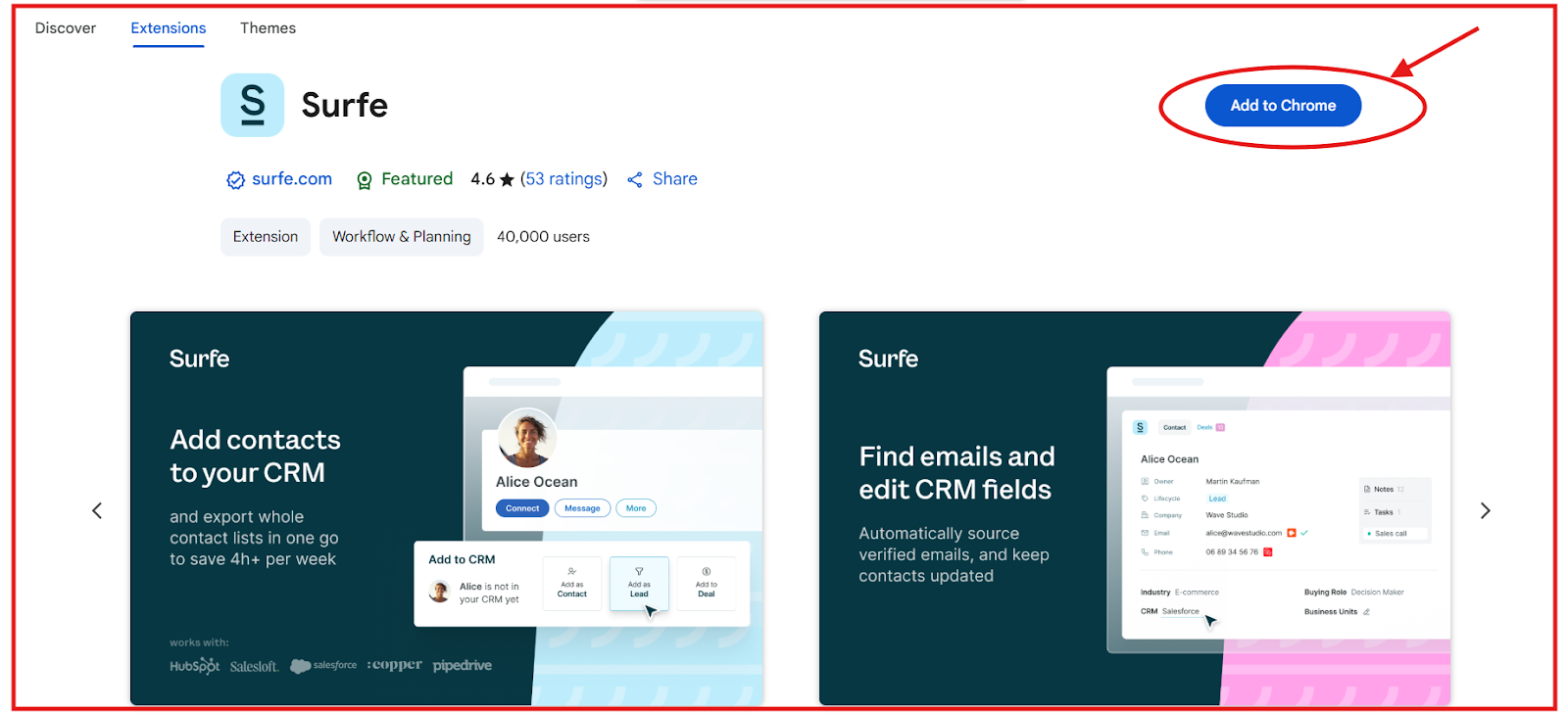
Surfe’s Chrome extension brings your CRM and prospecting tools directly into your browser, so you can find, enrich, and sync leads without switching tabs. 

It’s built for sales teams who prospect on LinkedIn and want to save hours each week doing manual updates.

  • You can add contacts or entire lists to HubSpot, Salesforce, Pipedrive, or Copper in one click, cutting down 4+ hours of admin work per week.

  • The extension finds verified emails and phone numbers using Waterfall Enrichment from 15+ data providers.

  • It auto-updates CRM records when a lead changes jobs, ensuring your database stays accurate.

  • You can sync and reuse message templates from LinkedIn chats directly in your CRM for faster, personalized follow-ups.

  • It even lets you create and manage deals inside your CRM from the same browser panel.

Set up takes less than 30 seconds, and once installed, you can manage leads, outreach, and data enrichment in a single place.

Best Surfe Alternative for Data Enrichment → Leadsforge

If you like how Surfe enriches leads from LinkedIn and syncs them with your CRM, but you need more data volume and faster enrichment, Leadsforge is a stronger option.
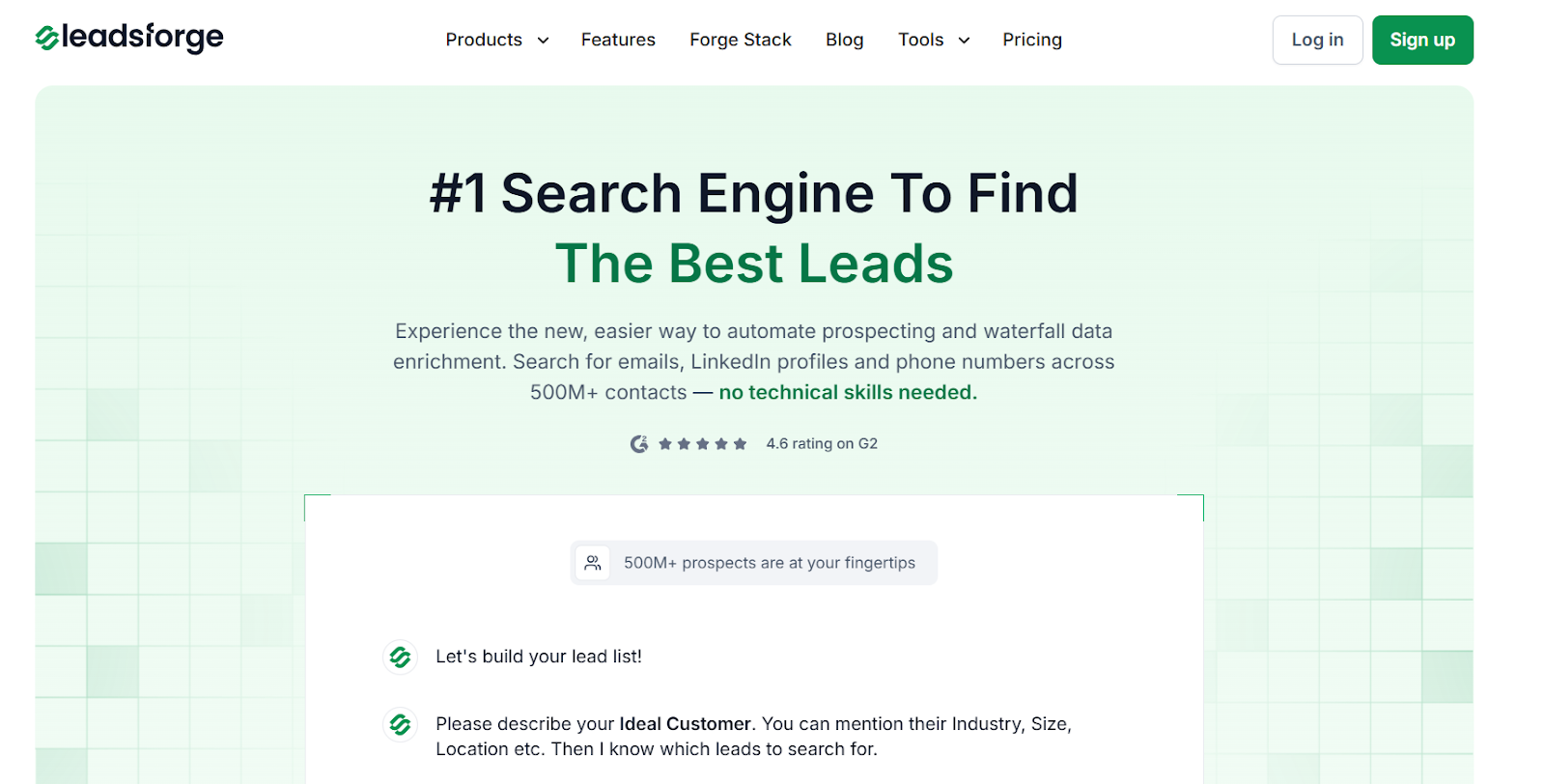
Leadsforge homepage
This image shows the Leadsforge homepage

Leadsforge is a chat-based B2B lead search engine that helps you find verified emails, LinkedIn profiles, and phone numbers from over 500 million contacts. 

It connects multiple live data sources and automates waterfall enrichment, pulling verified results from different providers until it finds the most accurate data.

While Surfe focuses mainly on LinkedIn, Leadsforge gives you a broader enrichment workflow, where you can find verified leads, enrich company data, and get real-time emails and phone numbers, all from one simple chat-style interface.

Leadsforge offers 2,000 verified export credits for $49/month, compared to Surfe’s Essential plan at $39/month, which gives you just 150 email finder credits and 50 phone finder credits.

That means you get more data for nearly the same cost, and Leadsforge’s credits never expire, making it more flexible for teams that don’t send every day.

Surfe vs Leadsforge: Feature Comparison

Feature Surfe Leadsforge
Platform Focus Works inside LinkedIn via Chrome extension. Works across multiple data sources without requiring a browser extension.
Data Coverage 350M+ companies and 500M+ professionals. 500M+ verified global B2B contacts.
Enrichment Waterfall enrichment using 15+ providers like Hunter, Apollo, and RocketReach. Multi-source waterfall enrichment with live verification for accuracy.
Verification Triple verified using ZeroBounce plus internal checks. Real-time email and phone verification across multiple providers.
Contact Data Emails, verified mobile numbers, job titles, and company details. Emails, phone numbers, LinkedIn URLs, job titles, and company data.
Pricing $39/month per user — includes 150 email credits and 50 mobile credits. $49/month for 2,000 verified export credits — unused credits roll over.
Best For SDRs and sales teams focusing on LinkedIn prospecting. Teams needing scalable enrichment and verified data at lower cost.

If your daily workflow depends on LinkedIn prospecting, Surfe gets the job done with its smooth CRM sync and simple interface.

But if you need larger, verified datasets, faster enrichment, and better value for the same budget, Leadsforge is the smarter long-term choice.

Is Surfe Worth a Data Enrichment Tool?

Surfe works well for sales teams that mostly use LinkedIn and want quick, verified contact data inside their CRM. 

It’s accurate and easy to use, but the limited credits and higher cost can make it hard to scale for big teams.

If you need more verified contacts every month at a lower price, Leadsforge is a better choice.

It gives you AI-powered enrichment, larger data limits, and verified results in seconds.

Try Leadsforge today and get 100 free credits!