Copying emails from LinkedIn and websites by hand wastes hours.
Email scraping tools promise to fix this.
They pull work emails from LinkedIn profiles and company sites so you can launch campaigns faster.
But many tools fail in real use. Some give old emails.
Some break when LinkedIn changes. Some block exports or limit volume.
In this guide, I’ve listed the 13 best email scraping tools for sales outreach in 2026.
You’ll see which tools actually find usable emails, which are good for LinkedIn scraping, and which ones are safer to use long-term.
TL;DR – Top 13 Email Scraping Tools for Sales Outreach
Leadsforge – Best for finding clean business emails without scraping LinkedIn or websites.
Saleshandy – Good for teams that want to find emails and send cold emails from one place.
Lusha – Best for quick email and phone lookups from LinkedIn profiles.
Clay – Good for teams that want to clean and enrich lead data using simple workflows.
Hunter.io – Best for finding work emails by searching company domains.
Skrapp – Good for pulling business emails from LinkedIn in bulk.
GetProspect – Best for simple LinkedIn email scraping with easy exports.
AeroLeads – Good for collecting business emails and phone numbers from LinkedIn and websites.
Anymail Finder – Best for finding correct work emails using name and company domain.
Prospeo – Good for scraping and checking emails from LinkedIn profiles.
Voila Norbert – Best for finding work emails using a person’s name and company name.
ZoomInfo – Good for big teams that need deep B2B data and buyer intent.
ContactOut – Best for finding emails and phone numbers from LinkedIn profiles.
How We Evaluated the 13 Best Email Scraping Tools
To find the most useful email scraping tools, we focused on the things that matter most when you are choosing a tool for sales outreach.
Here’s how we evaluated the 13 best email scraping tools:
Email accuracy and verification, to make sure the emails you collect are real and safe to use for cold outreach.
Ease of email scraping, including how fast you can pull emails from LinkedIn profiles and company websites.
LinkedIn and website support, such as the ability to scrape emails from LinkedIn, Sales Navigator, and public web pages.
Export and tool integrations, to check how easily you can send scraped leads to cold email tools or CRM systems.
Workflow simplicity, to see if the tool saves time instead of making your process slow or complex.
Pricing and scalability, including how plans are set up and whether the tool makes sense for solo founders, small teams, or large sales teams.
Each tool was reviewed based on how well it helps you collect usable emails, clean your data, and support your sales outreach workflow.
13 Best Email Scraping Tools For Sales Outreach in 2026: Detailed Review
Here is a detailed review of the 13 best email scraping tools for sales outreach:
1. Leadsforge – Safer Alternative to Email Scraping for Sales Outreach
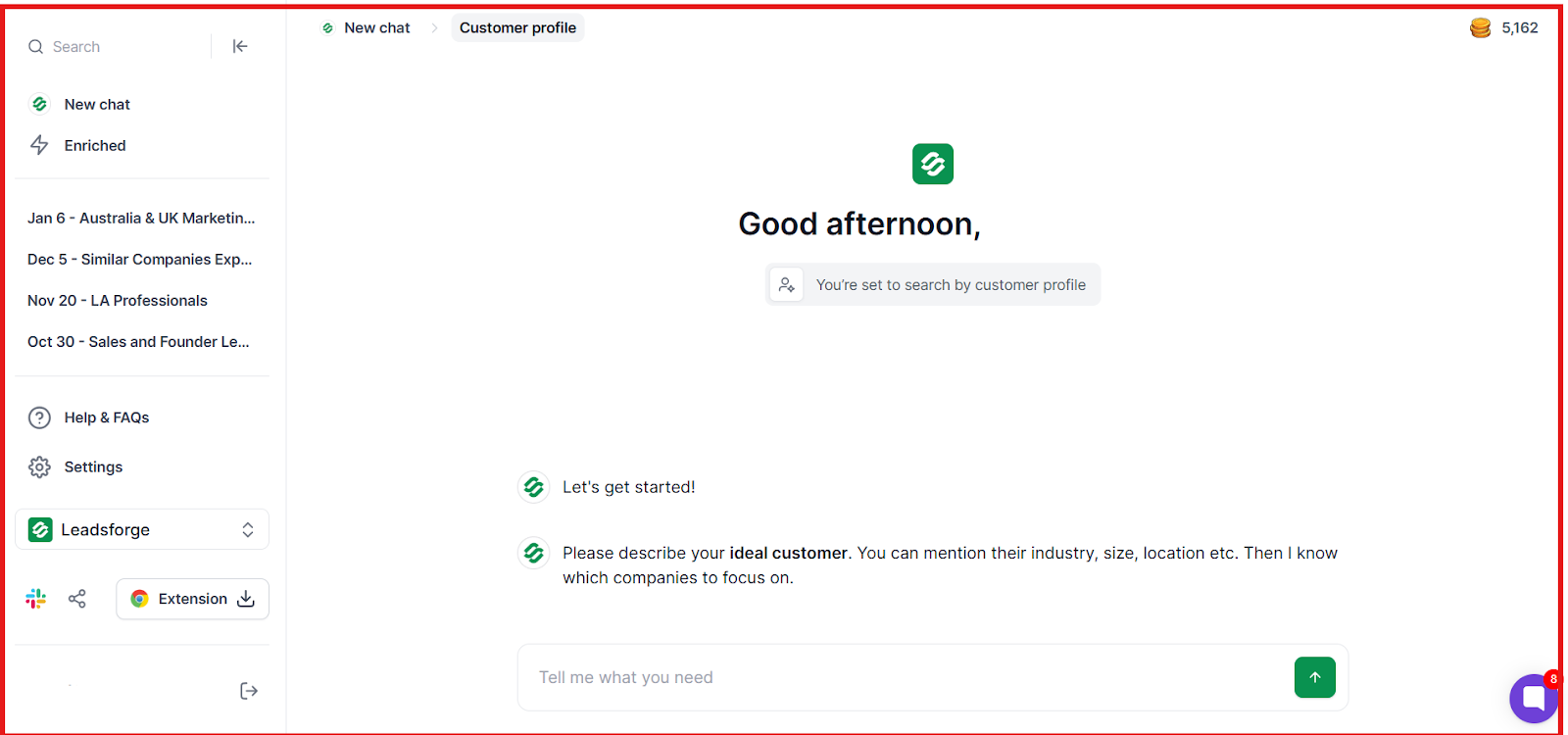
This image shows the Leadsforge homepage
Leadsforge is a B2B lead search engine. Instead of scraping LinkedIn or websites, you describe your ideal customer in plain words, and Leadsforge finds matching contacts for you.
It searches across 500M+ business contacts and returns work emails, LinkedIn profiles, and phone numbers using waterfall data enrichment.
This means if one data source does not find the email, Leadsforge checks other sources until it finds verified data.
Leadsforge is built for sales teams that want clean leads fast, without dealing with broken scrapers or platform blocks.
Key Features of Leadsforge
Chat-based ICP search lets you describe your ideal customer in simple words and instantly get a matching lead list.
This image shows the Describe your ideal customer on Leadsforge
Emails, LinkedIn profiles, and phone numbers can be enriched for each contact based on what data you need.
Waterfall data enrichment checks multiple data sources until verified contact details are found.
Lookalike company search finds similar companies based on domains or company names you provide.
This image shows the Find lookalike audience with Leadsforge
Competitor followers search turns LinkedIn company followers into ready-to-enrich lead lists.
Built-in intent signals help you spot contacts showing buying interest, such as hiring, launches, or recent activity.
Instant data enrichment and verification lets you enrich emails and LinkedIn profiles before exporting.
Pros & Cons of Leadsforge
Pros of Leadsforge
Cons of Leadsforge
Does not rely on scraping, so it is more stable for long-term use
Returns verified emails, LinkedIn profiles, and phone numbers
Uses waterfall enrichment to improve match rates
Exports directly to Salesforge or CSV for outreach
Not made for scraping URLs or pages directly
Pricing is credit-based, so high volume users need more credits
Focuses on B2B contacts, not personal email lists
Does not include native cold email sending
Leadsforge Pricing
This image shows the Leadsforge pricing
Leadsforge uses credit-based pricing, so you only pay for the leads you export.
Essential Plan (Monthly) – $49 per month and includes 2,000 export credits.
Essential Plan (Yearly) – $588 per year and includes 28,000 credits upfront with 20% extra credits compared to monthly.
Add-on Credits – You can buy extra credits monthly or yearly if you need more volume.
Free Credits – New users get 100 free credits to test data quality.
Enter your email to get a custom plan & stack recommendation for your
business
It's being carefully crafted by AI
Please check your mailbox in 5 minutes
2. Saleshandy – Best All-in-One Tool for Finding Leads and Sending Cold Emails
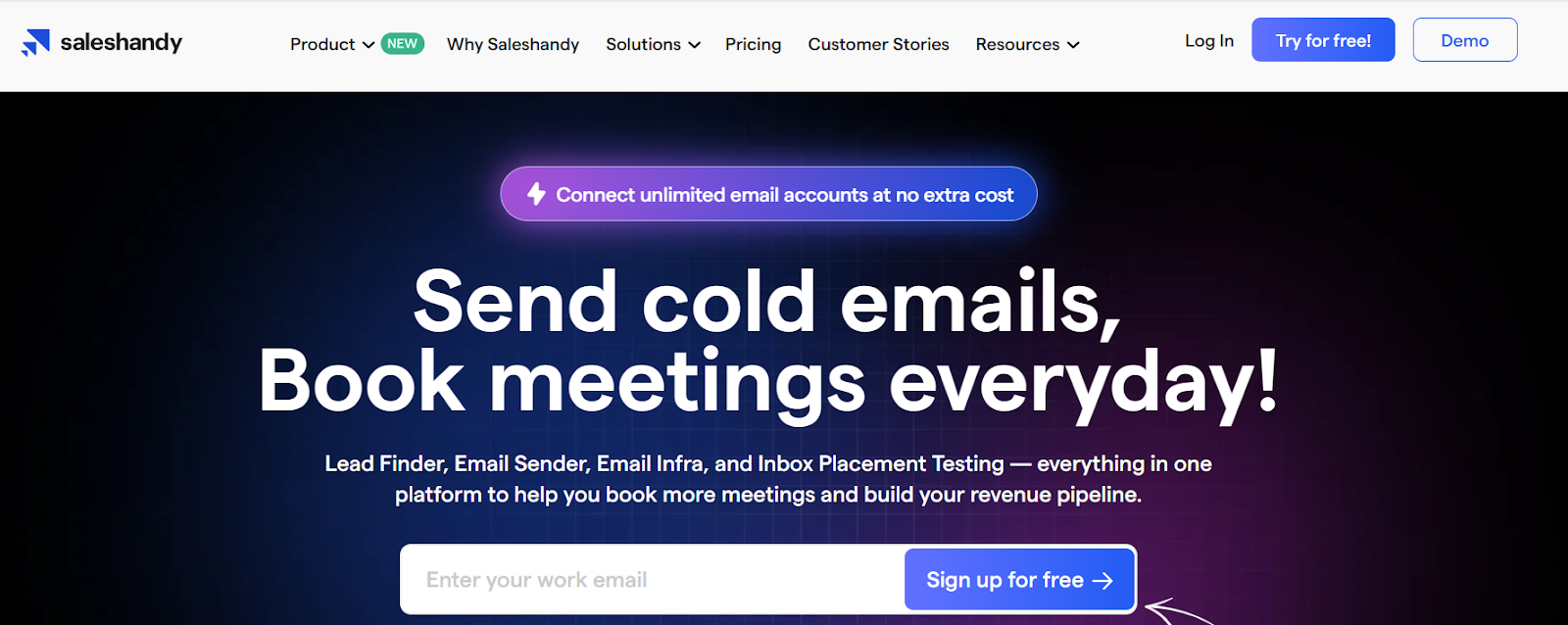
This image shows the Saleshandy homepage
Saleshandy is an all-in-one cold email platform.
It helps you find leads, verify emails, set up email sending, warm up inboxes, and send cold email campaigns from one place.
You can connect unlimited email accounts at no extra cost and run outreach at scale.
Saleshandy also provides a B2B lead finder with 700M+ profiles and 60M+ companies, so you can build lead lists and launch campaigns without switching tools.
Key Features of Saleshandy
LinkedIn email finder Chrome extension lets you find verified emails and phone numbers from LinkedIn profiles.
Email verification checks emails in real time to reduce bounces and protect deliverability.
AI Sequence Copilot helps you create cold email sequences using AI based on your website and goals.
Unified inbox lets you manage replies from all connected email accounts in one place.
Email warm-up helps build sender reputation by warming inboxes with human-like interactions.
Inbox placement testing (Inbox Radar) shows whether your emails land in Inbox, Promotions, or Spam.
Pros & Cons of Saleshandy
Pros of Saleshandy
Cons of Saleshandy
Combines lead finding, email sending, warm-up, and deliverability in one tool
Allows unlimited email accounts without extra cost
Includes built-in email warm-up and inbox placement testing
Offers AI help for writing and improving sequences
Focuses mainly on email outreach and not deep account research
High-volume lead reveal uses credits that can add up in cost
Some advanced features may need setup time to use well
Platform can feel feature-heavy for very small teams
Saleshandy Pricing
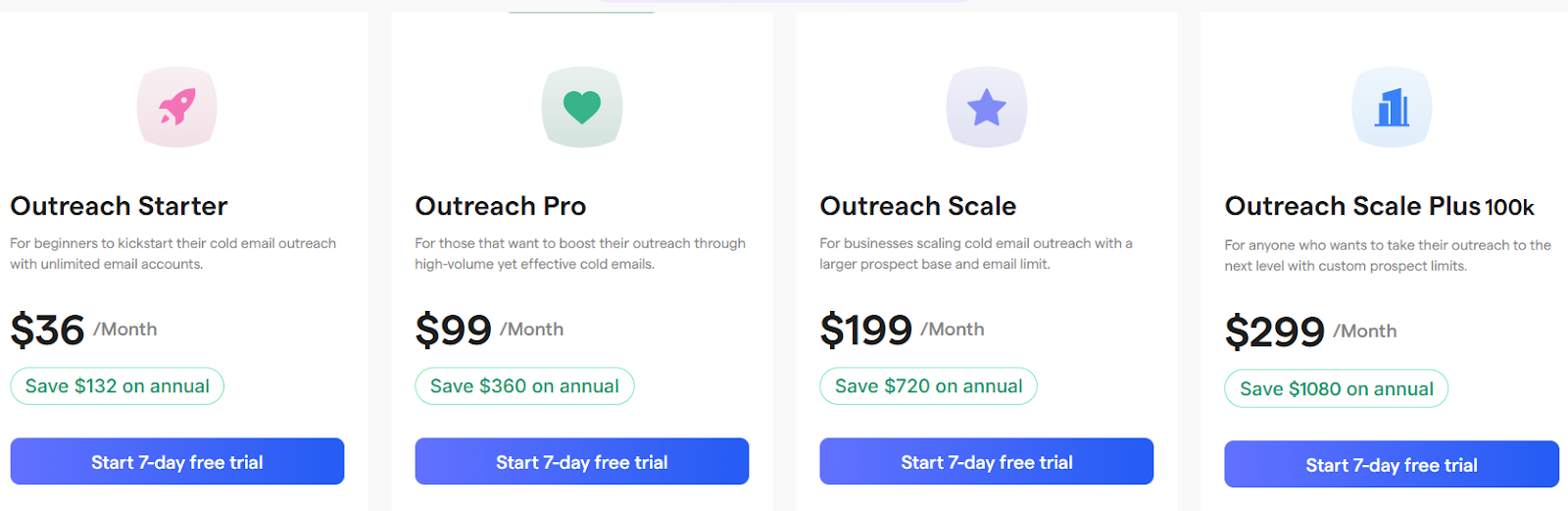
This image shows the Saleshandy pricing
Saleshandy uses credit-based plans for lead finding and plan tiers for outreach features.
You can start with a 7-day free trial and a free plan for inbox placement tests.
I. Lead Finder & Outreach Plans (Monthly):
Outreach Starter / Lead Starter – $36/month, includes 500 credits per month, unused credits roll over, and real-time verified leads.
Outreach Pro / Lead Pro – $99/month, includes 1,000 credits per month with the same features.
Outreach Scale / Lead Scale – $199/month, includes 2,500 credits per month.
Outreach Scale Plus / Lead Scale Plus – $299/month, includes 5,000 credits per month.
One-time credit add-ons are available, and credits stay even after cancellation.
II. Email Infrastructure Add-On:
Google Workspace or Microsoft 365 inboxes – $4 per email account per month.
Domain price – $14 per year per domain.
III. Inbox Placement Testing Plans:
Free plan with limited tests.
Paid plans start at $49/month and scale with more tests and sending accounts.
3. Lusha – Best for Fast B2B Contact Data with Intent Signals
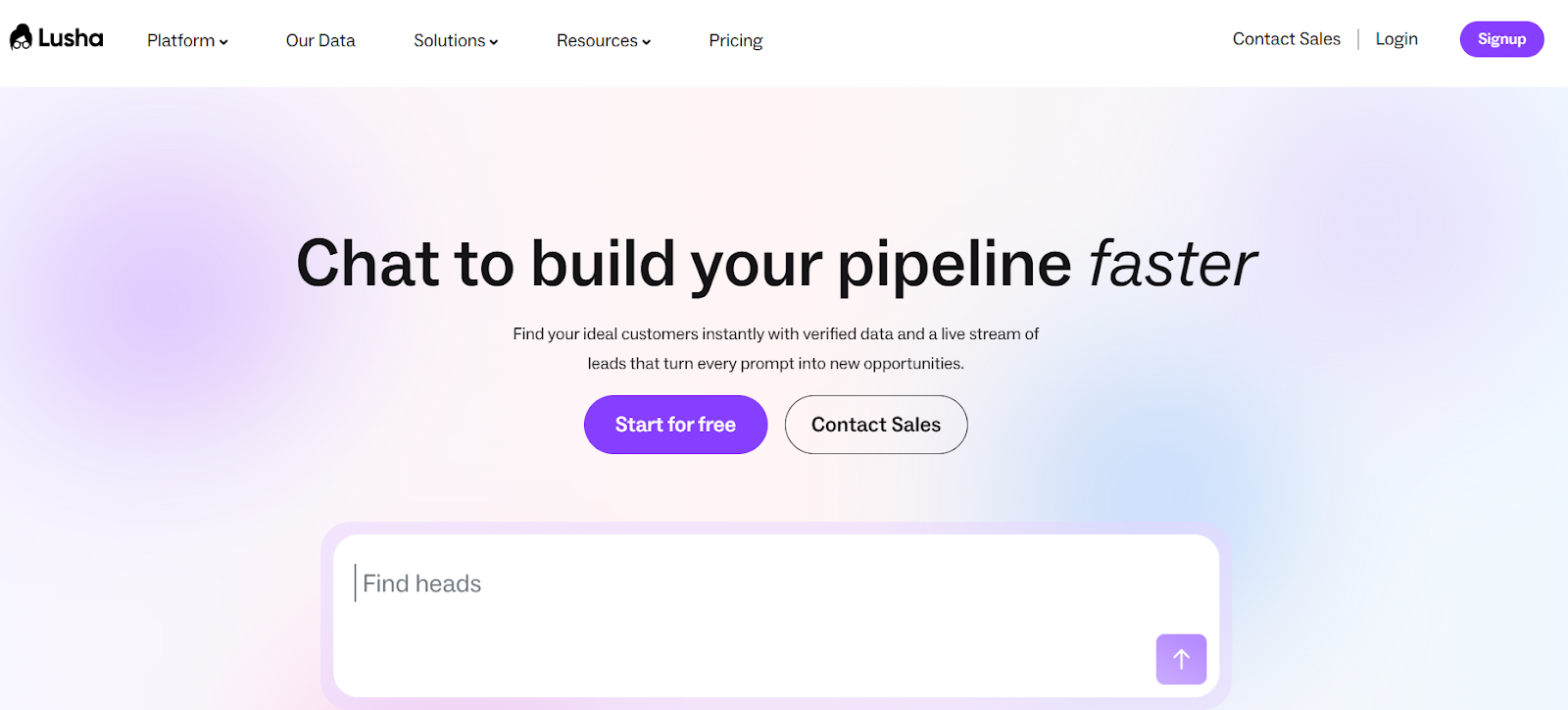
This image shows the Lusha homepage
Lusha is a B2B sales intelligence platform.
It helps sales teams find verified work emails, direct phone numbers, and company data in one place.
You can use Lusha to build prospect lists, enrich your CRM, sync data to sales tools, and run email outreach.
Lusha also shows buyer intent signals, so you can reach companies that are more likely to buy.
Key Features of Lusha
You get access to 280M+ verified contacts helps you reach decision-makers with emails and direct dials.
High data quality is shown with verified emails and phone numbers, so your outreach gets fewer bounces.
LinkedIn Chrome extension helps you reveal contact details on LinkedIn, Sales Navigator, CRMs, and websites.
Pros & Cons of Lusha
Pros of Lusha
Cons of Lusha
Provides verified emails and direct phone numbers in one tool
Includes buyer intent signals to time outreach better
Works inside LinkedIn, CRMs, and websites using the extension
Syncs and enriches CRMs to keep data fresh
Phone numbers cost more credits than emails
Lower plans have tight credit limits
Full intent export is limited to higher plans
Large exports are only on higher plans
Lusha Pricing
This image shows the Lusha pricing
Lusha uses credit-based pricing. You spend credits when you reveal emails or phone numbers.
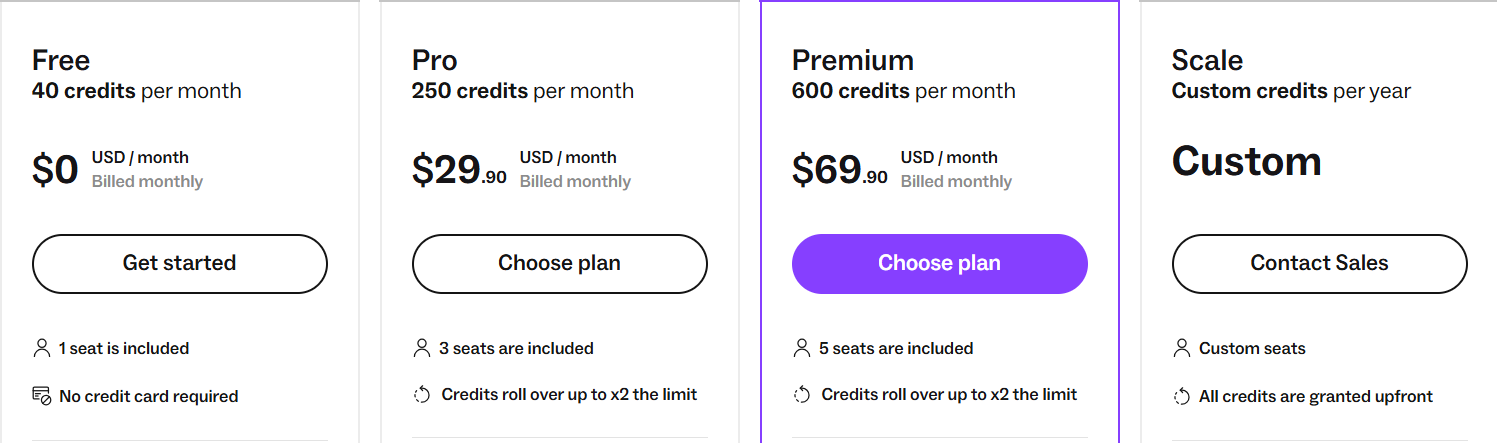
Free Plan – 40 credits per month, 1 seat, no credit card needed. Emails cost 1 credit. Phone numbers cost 5 credits.
Pro Plan – 250 credits per month at $29.90/month, 3 seats included. Credits roll over up to 2× the monthly limit.
Premium Plan – 600 credits per month at $69.90/month, 5 seats included. Credits roll over up to 2× the monthly limit.
Scale Plan – Custom credits per year with custom seats and full export, intent filters, SSO, and account support.
4. Clay – Best for Advanced Email Scraping with AI Enrichment & GTM Workflows
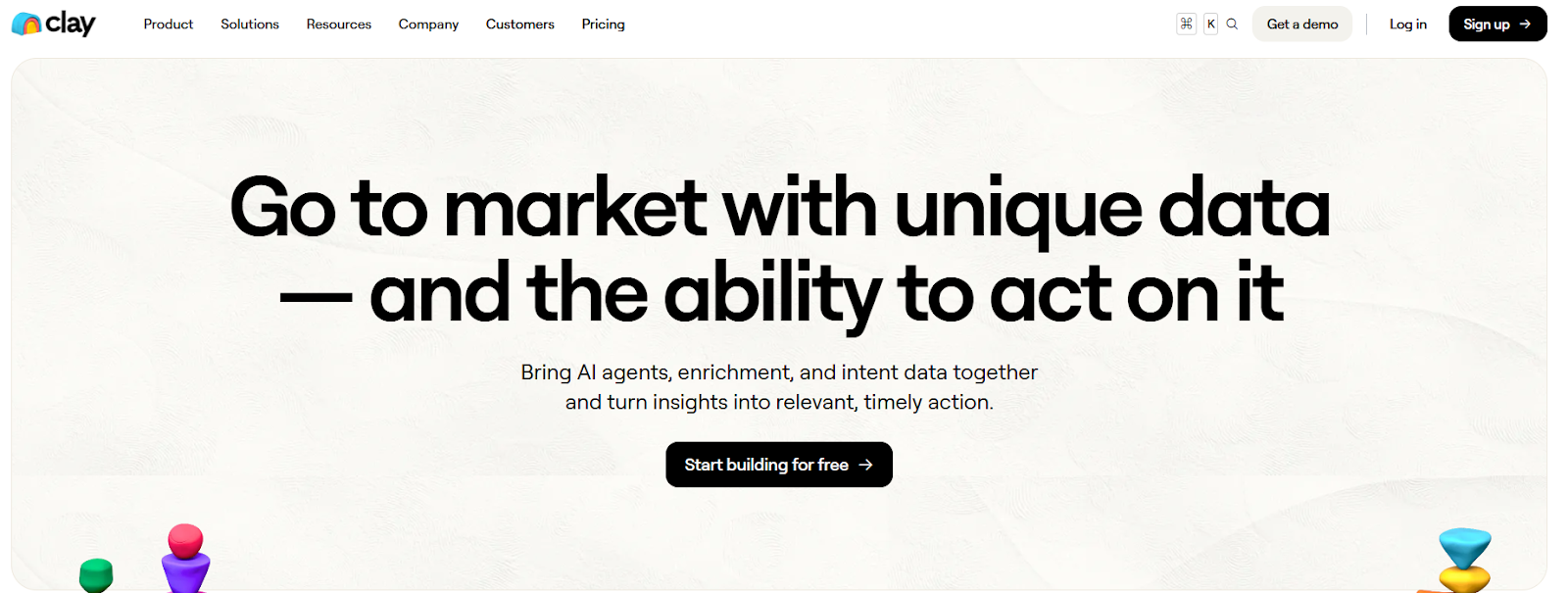
This image shows the Clay homepage
Clay is a GTM data and automation platform.
It helps teams find leads, enrich contact data, track intent, and run outbound workflows from one place.
Instead of only scraping emails from one source, Clay connects 150+ data providers and uses waterfall enrichment to find emails, phone numbers, and company data.
You can also use AI agents (Claygent) to research websites and public pages to find extra details for email outreach.
Key Features of Clay
Waterfall enrichment improves email coverage by trying multiple providers until a valid email is found.
Claygent (AI research agent) can visit websites and public pages to extract useful data for personalization and lead research.
Intent signals and tracking help you act when people change jobs, visit your website, get funded, or show buying signals.
Native email sequencer lets you launch personalized outbound campaigns from inside Clay.
Custom AI agents and prompts help you research leads and write personalized outreach messages at scale.
Website visitor tracking helps identify companies visiting your site and trigger outreach based on intent.
Pros & Cons of Clay
Pros of Clay
Cons of Clay
Connects 150+ data providers in one tool
Improves email coverage using waterfall enrichment
Supports email scraping with AI-led research
Combines intent signals with email outreach
Automates CRM enrichment and GTM workflows
More complex than simple email finders
Expensive for small teams
Takes time to learn and set up workflows
Credits can be used quickly at scale
Overkill for users who only need basic email finding
Clay Pricing
This image shows the Clay pricing
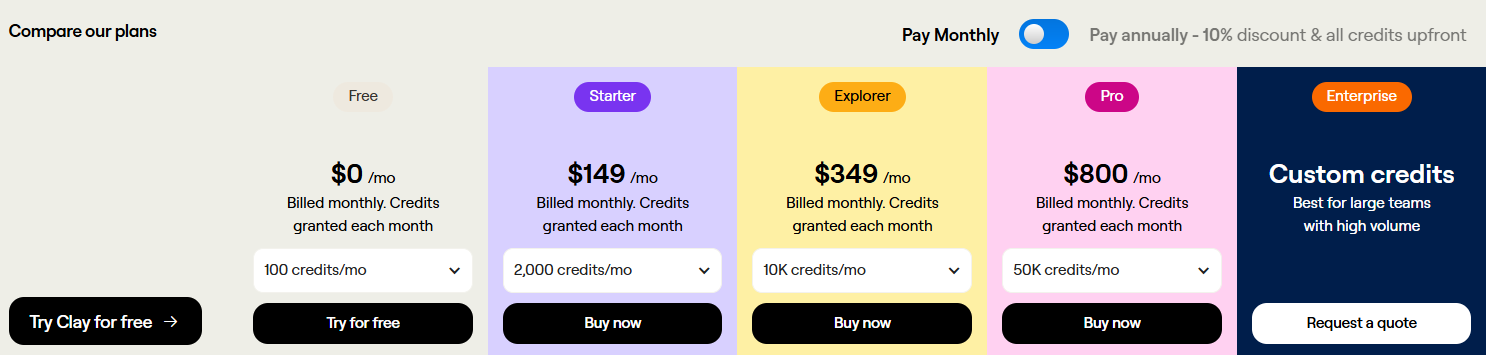
Clay uses credit-based plans. You pay for data enrichment, AI actions, and workflows using credits.
Free Plan – $0/month. Includes free credits to test Clay.
Starter Plan – $149/month (billed yearly). Includes credits, exporting, AI (Claygent), and integrations.
Explorer Plan – $349/month (billed yearly). Includes higher search limits, workflows, sequencing, and integrations.
Pro Plan – $800/month (billed yearly). Includes large search limits, advanced workflows, and higher credit limits.
Enterprise Plan – Custom pricing and custom credits for large teams.
Credits are granted upfront on yearly plans. Higher plans lower the cost per credit as you scale.
5. Hunter.io – Best for Simple Email Scraping from Websites & Domains
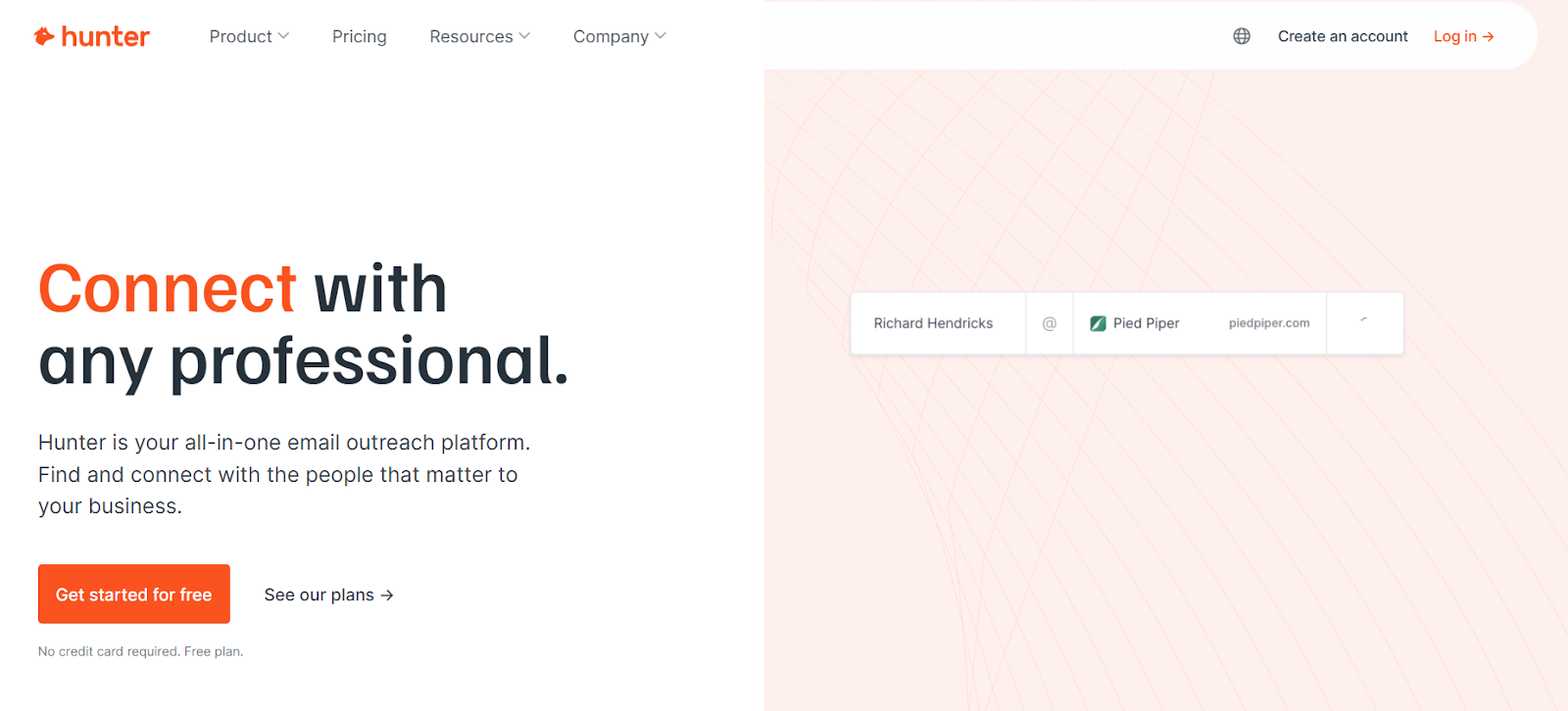
This image shows the Hunter.io homepage
Hunter is an all-in-one cold outreach platform.
It helps you find professional email addresses, verify them, and send cold email sequences from one place.
It also lets you run outreach using email sequences, track replies, and connect your own Gmail or Outlook account.
If you want a simple tool to scrape emails from company websites and domains, Hunter is one of the easiest options to use.
Key Features of Hunter.io
Domain Search lets you find email addresses from any company website or domain name.
Email Finder lets you enter a person’s name and company to get a verified work email address.
Bulk Email Finder lets you upload a list of names or companies and find emails in bulk.
Email Verifier checks if an email is valid before you send, which helps reduce bounces and spam risk.
Pros & Cons of Hunter.io
Pros of Hunter.io
Cons of Hunter.io
Very easy to use for finding emails from websites
Verifies emails before showing them, which reduces bounces
Includes cold email sending and follow-ups in the same tool
Supports bulk email finding and verification
Offers a free plan with monthly credits
Mostly relies on public web data, not private databases
May not find emails for very new or private domains
High-volume scraping can get costly because of credit limits
More basic than advanced GTM tools like Clay
Not built for heavy LinkedIn scraping
Hunter.io Pricing
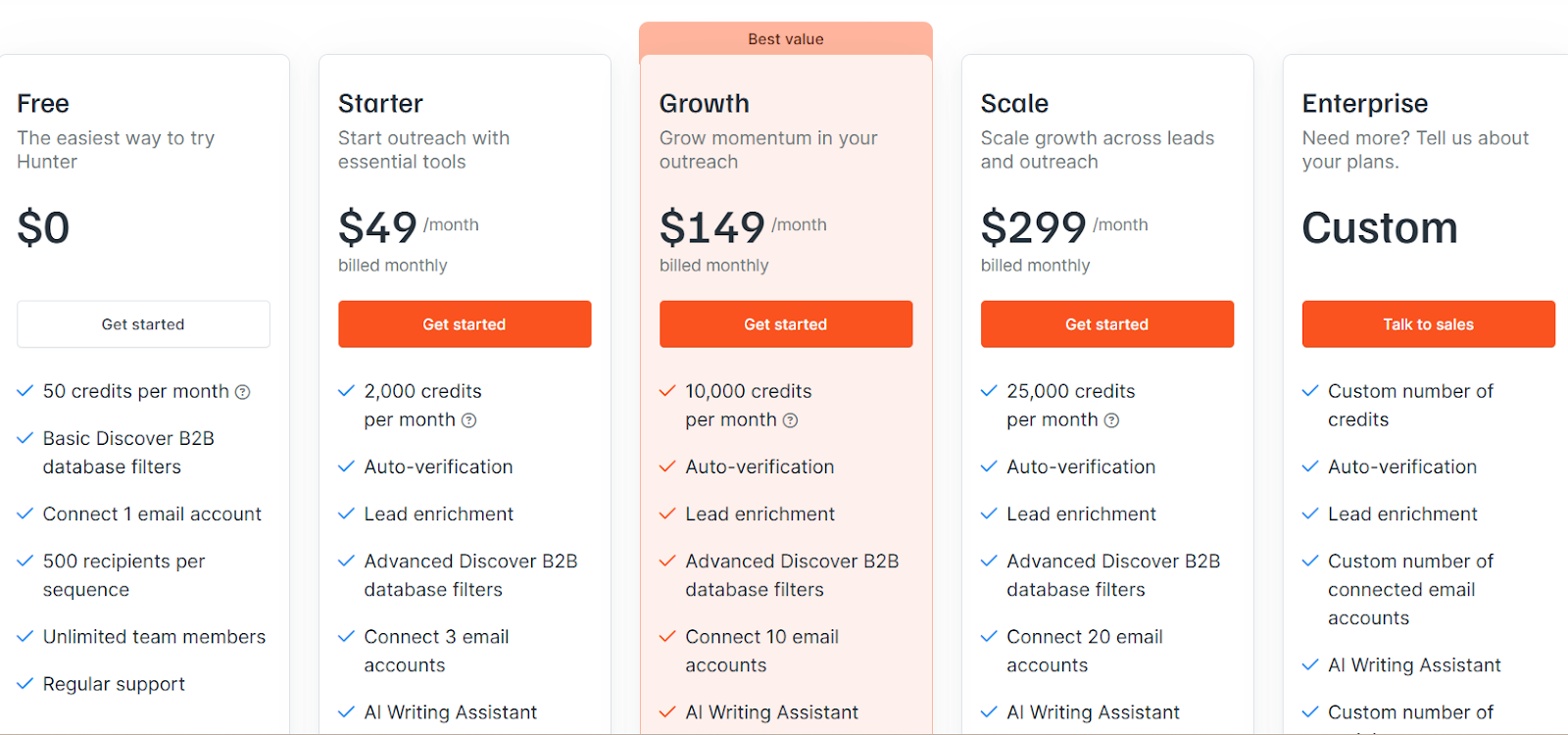
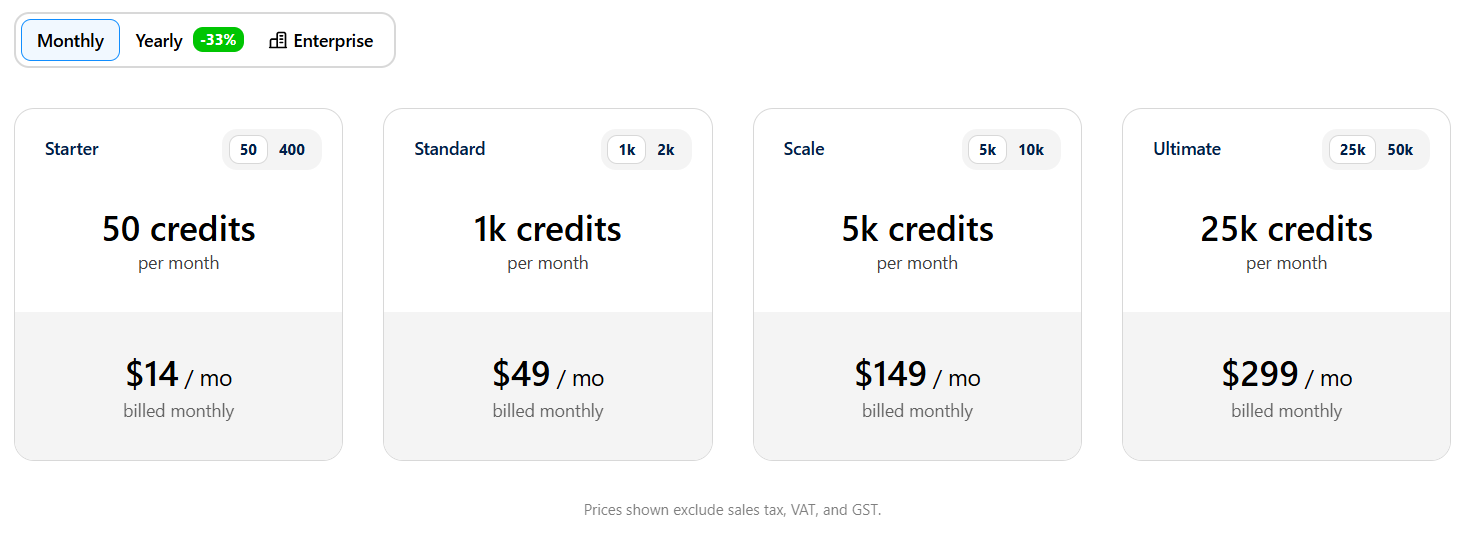
This image shoes the Hunter.io pricing
Hunter uses a credit-based pricing model. Credits are used for Email Finder, Domain Search, and Email Verifier.
Free Plan – $0/month, Includes 50 credits per month and 1 connected email account.
Starter – $49/month (billed yearly), Includes 24,000 credits per year, 3 email accounts, email enrichment, and AI writing.
Growth – $149/month (billed yearly), Includes 120,000 credits per year and up to 10 email accounts.
Scale – $299/month (billed yearly), Includes 300,000 credits per year and up to 20 email accounts.
Enterprise – Custom pricing, Includes custom credits, custom sending limits, and account manager.
Credits reset monthly on monthly plans. Yearly plans give you all credits upfront for 12 months.
6. Skrapp – Best for Finding Verified Business Emails from LinkedIn and Websites
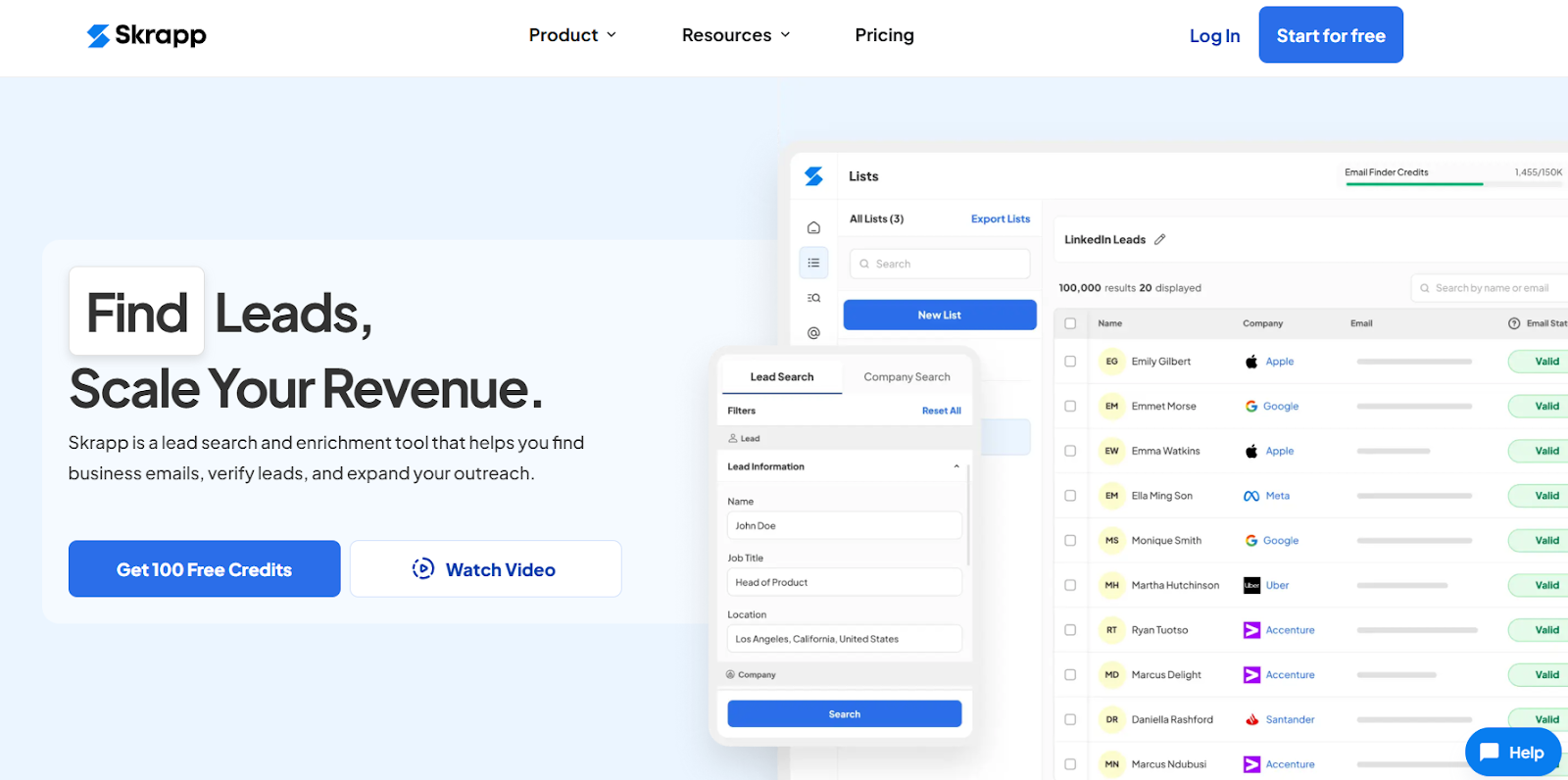
This image shows the Skrapp homepage
Skrapp is a B2B lead search and email scraping tool.
It helps you find business emails, verify leads, and build lead lists from LinkedIn and company websites.
You can use Skrapp from a Chrome extension and web platform to collect emails while browsing LinkedIn or searching companies.
Skrapp also provides access to a large B2B lead database with 200M+ professionals and 20M+ companies, so you can build lead lists without switching tools.
Key Features of Skrapp
LinkedIn email finder Chrome extension lets you find verified business emails from LinkedIn profiles, Sales Navigator searches, groups, and saved lists.
Company website email finder lets you extract business emails directly from company websites.
Email Finder (name + company or domain) lets you find a person’s work email using their name and company name or domain.
B2B lead search lets you search a database of 200M+ profiles and 20M+ companies using filters like job title, industry, location, and company size.
Email verification checks emails and flags valid, invalid, catch-all, disposable, and free email types.
Pros & Cons of Skrapp
Pros of Skrapp
Cons of Skrapp
Finds emails from LinkedIn and company websites
Works with Sales Navigator and LinkedIn Recruiter
Supports bulk email finding and verification
Chrome extension is fast and easy to use
Focused mainly on email scraping, not outreach
No built-in cold email sending
Credits are needed for exports
Phone numbers are limited
Skrapp Pricing
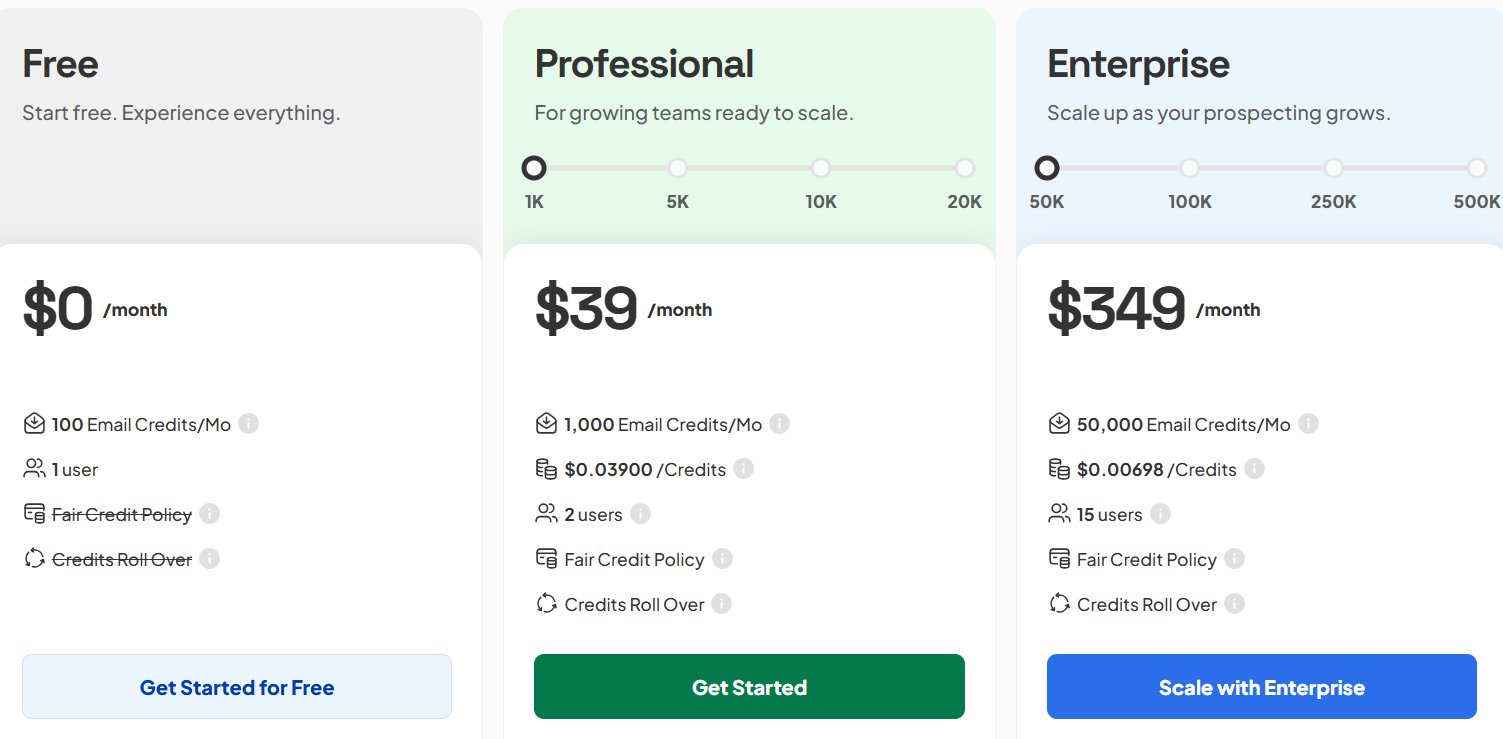
This image shows the Skrapp pricing
Free – $0/month, Includes 100 email credits per month, 1 user, email finder, email verifier, and Chrome extension. Credits roll over.
Professional – starts at $39/month, includes 1,000+ email credits per month (scales up), 2 users, LinkedIn multi-page enrichment, list exports, CRM sync, and AI enrichment.
Enterprise – starts at $349/month, includes 50,000+ email credits per month (scales up), 15 users, API access, SSO, and a dedicated account manager.
7. GetProspect – Best Email Scraping Tool for Finding Work Emails
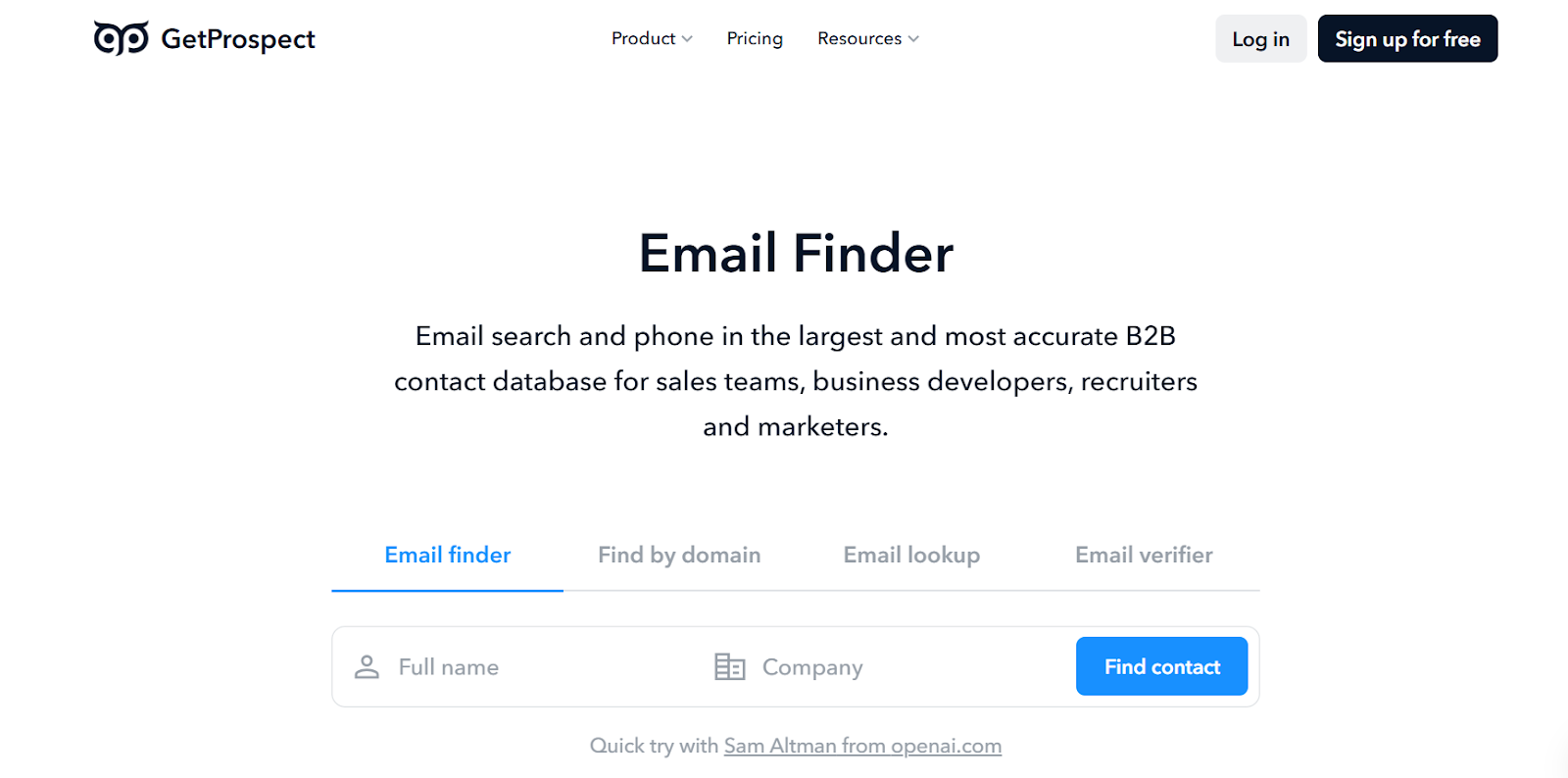
This image shows the GetProspect homepage
GetProspect is an email scraping and lead-finding tool.
It helps you find work emails, verify emails, enrich contacts, and export lead lists from one place.
You can scrape emails from LinkedIn profiles and Sales Navigator, LinkedIn groups, company websites and GetProspect’s B2B database
GetProspect also provides access to a B2B contact database with 200M+ contacts, 230M+ corporate emails, 26M+ companies, and 130M+ phone numbers, so you can build lead lists without switching tools.
Key Features of GetProspect
LinkedIn email finder Chrome extension lets you find verified emails and phone numbers from LinkedIn profiles, Sales Navigator, and LinkedIn groups.
B2B contact database lets you find leads using 17+ filters like job title, company size, industry, location, and technologies.
Bulk email finder & contact enrichment lets you upload CSV files or use names, domains, or LinkedIn URLs to find emails and enrich leads with 40+ data fields.
Email verification checks emails in real time and provides a 97%+ deliverability guarantee to reduce bounces.
Pros & Cons of GetProspect
Pros of GetProspect
Cons of GetProspect
Scrapes emails from LinkedIn, groups, and websites
Large B2B database with global coverage
Real-time email verification with accuracy guarantee
Supports bulk scraping and enrichment
Uses credits for email finds and verification
Cold email sending is a separate feature
Not built for full multi-channel outreach
Can feel heavy for very small teams
GetProspect Pricing
This image shows the GetProspect pricing
GetProspect uses credit-based plans for email finding and verification.
You can start with a free plan and upgrade as your needs grow.
I. Email Finder & Enrichment Plans (Monthly):
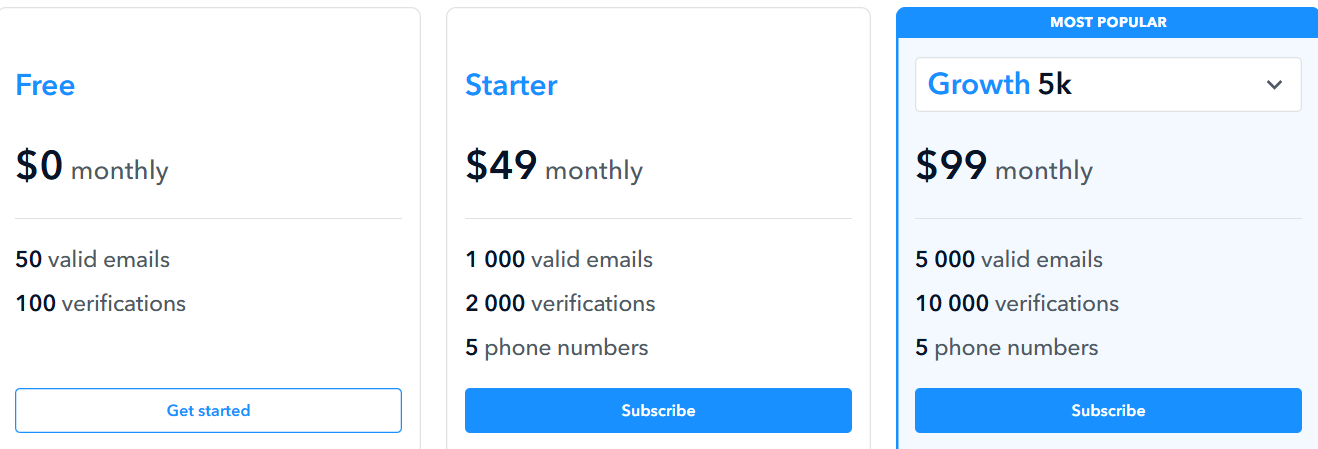
Free – $0/month, includes 50 valid emails and 100 verifications per month.
Starter – $49/month, includes 1,000 valid emails, 2,000 verifications, and 5 phone numbers.
Higher plans include more email credits, more verifications, phone number credits, team features, and native CRM sync.
Email verification credits (one-time purchase). You can buy extra verification credits separately, and credits do not expire.
8. AeroLeads – Best Tool for AI-Based Email Scraping and B2B Contact Data
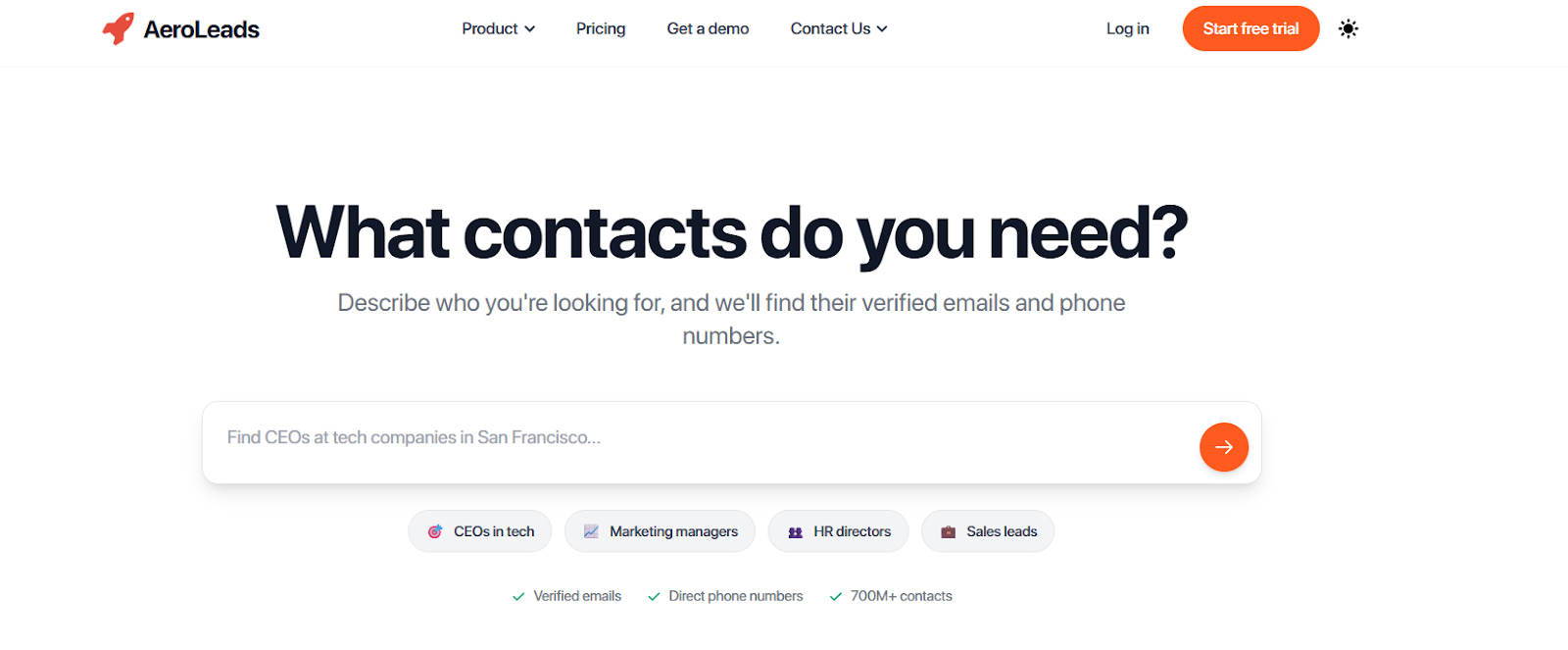
This image shows the AeroLeads homepage
AeroLeads is an AI-powered email scraping and B2B contact finder tool.
It helps you find verified work emails, personal emails, and direct phone numbers for sales outreach.
You can search for prospects in plain English using the AI assistant or use filters to find leads by job title, company, industry, and location.
AeroLeads gives access to a large B2B database with 750M+ profiles and real-time email validation, so you can build lead lists and export them for cold outreach.
Key Features of AeroLeads
AI-assisted prospect search lets you find leads by typing simple queries like “Find CEOs at tech companies in the US.”
Chrome extension for LinkedIn and websites lets you scrape emails and phone numbers from LinkedIn profiles and company sites.
Bulk email finder helps you upload lists or domains to find emails for many people at once.
Email verification checks emails in real time to reduce bounces and protect deliverability.
B2B contact database search gives access to 750M+ profiles with filters for role, industry, company size, and location.
Pros & Cons of AeroLeads
Pros of AeroLeads
Cons of AeroLeads
Easy email scraping from LinkedIn and websites
AI search makes lead finding simple
Real-time email verification reduces bounces
Works for emails and direct phone numbers
High-volume scraping uses credits
Database accuracy can vary by region
Some advanced features need setup
UI can feel busy for new users
AeroLeads Pricing
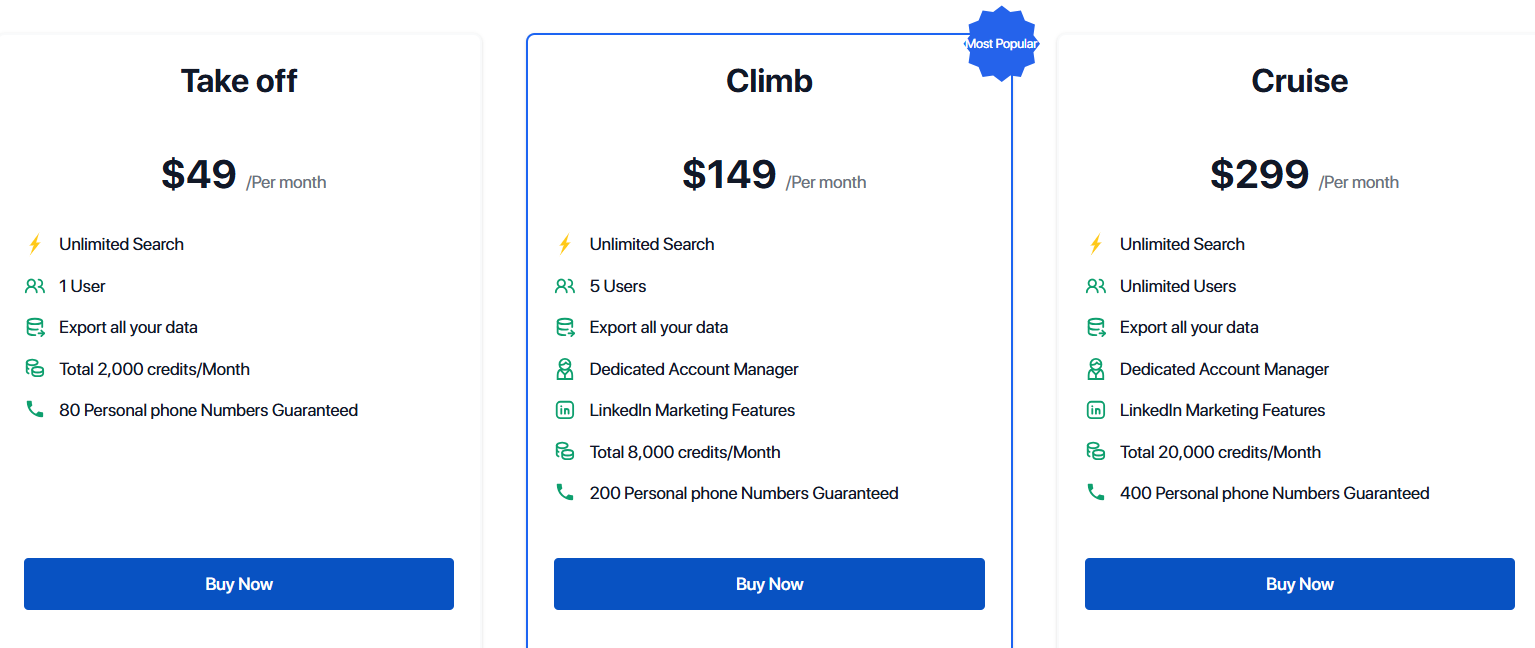
This image shows the AeroLeads pricing
AeroLeads uses credit-based plans with unlimited search and limits on exports.
You can start with a free trial with credits.
I. Email Finder Plans (Monthly):
Take Off – $49/month, includes 2,000 credits/month, 1 user, unlimited search, exports, and 80 phone numbers.
Climb – $149/month, includes 8,000 credits/month, 5 users, unlimited search, exports, and 200 phone numbers.
Cruise – $299/month, includes 20,000 credits/month, unlimited users, unlimited search, exports, and 400 phone numbers.
Enterprise / Custom Plans, custom pricing for very large data needs and teams.
9. Anymail Finder – Best Email Scraping Tool for Finding Verified Work Emails
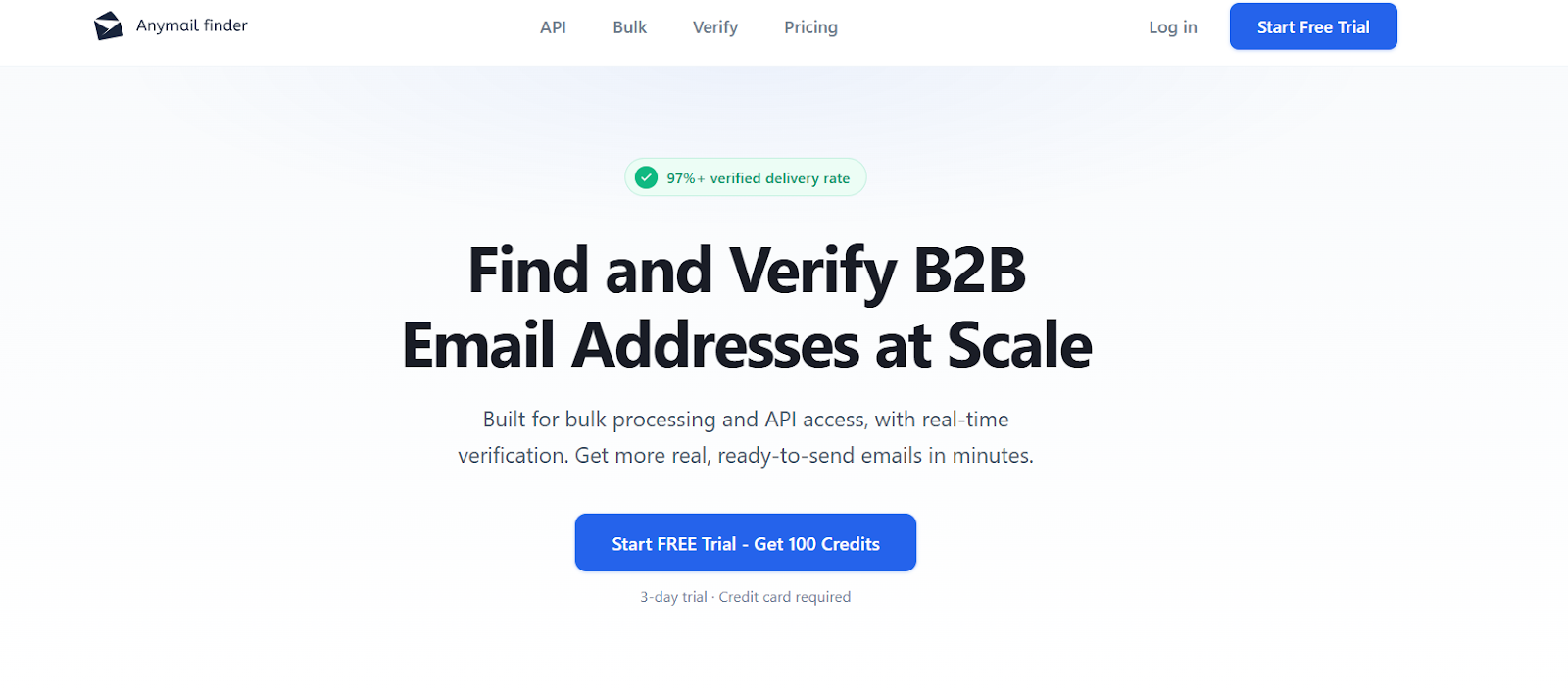
This image shows the Anymail Finder homepage
Anymail Finder is an email scraping and verification tool.
It helps you find real work emails and verify them in real time so you can send cold emails with high deliverability.
You can find emails using person name and company, company name, Domain or website, Decision-maker role (job title + company), and Browser extension to scrape emails from LinkedIn and websites
Anymail Finder charges you only for valid emails and gives a 97%+ delivery guarantee, so you do not waste credits on bad data.
Key Features of Anymail Finder
Email Finder by Name lets you find verified emails using a person’s name and company.
Email Finder by Domain lets you find emails by entering a website or domain.
Email Finder by Company Name lets you discover employee emails using only the company name.
Email Finder by Decision Maker lets you find the best email for a job role by entering the company and department.
Browser extension lets you find verified emails directly while browsing LinkedIn and websites.
Email verification in real time checks emails before returning results to reduce bounces.
Pros & Cons of Anymail Finder
Pros
Cons
You pay only for verified emails
Risky and not found emails are free
High deliverability with 97%+ accuracy
Strong API and bulk upload support
It does not include built-in cold email sending
Phone numbers are not included
Credits are needed for large volumes
UI is focused on email finding only
Anymail Finder Pricing
This image shows the Anymail Finder pricing
Anymail Finder uses credit-based pricing.
You can start with a 3-day free trial with up to 100 credits.
I. Email Finder Plans (Yearly Billing):
Starter – $89/year, Includes 600 credits per year and API access.
Standard – $339/year, Includes 12,000 credits per year and API access.
Scale – $849/year, Includes 60,000 credits per year and API access.
Ultimate – $1,719/year, Includes 300,000 credits per year and API access.
Credit rules:
You pay only for valid emails.
Risky emails and not found results are free.
Duplicate searches within one month are free.
Unused credits roll over (up to plan limits).
10. Prospeo – Best Email Scraping Tool for Verified Emails and Mobile Numbers
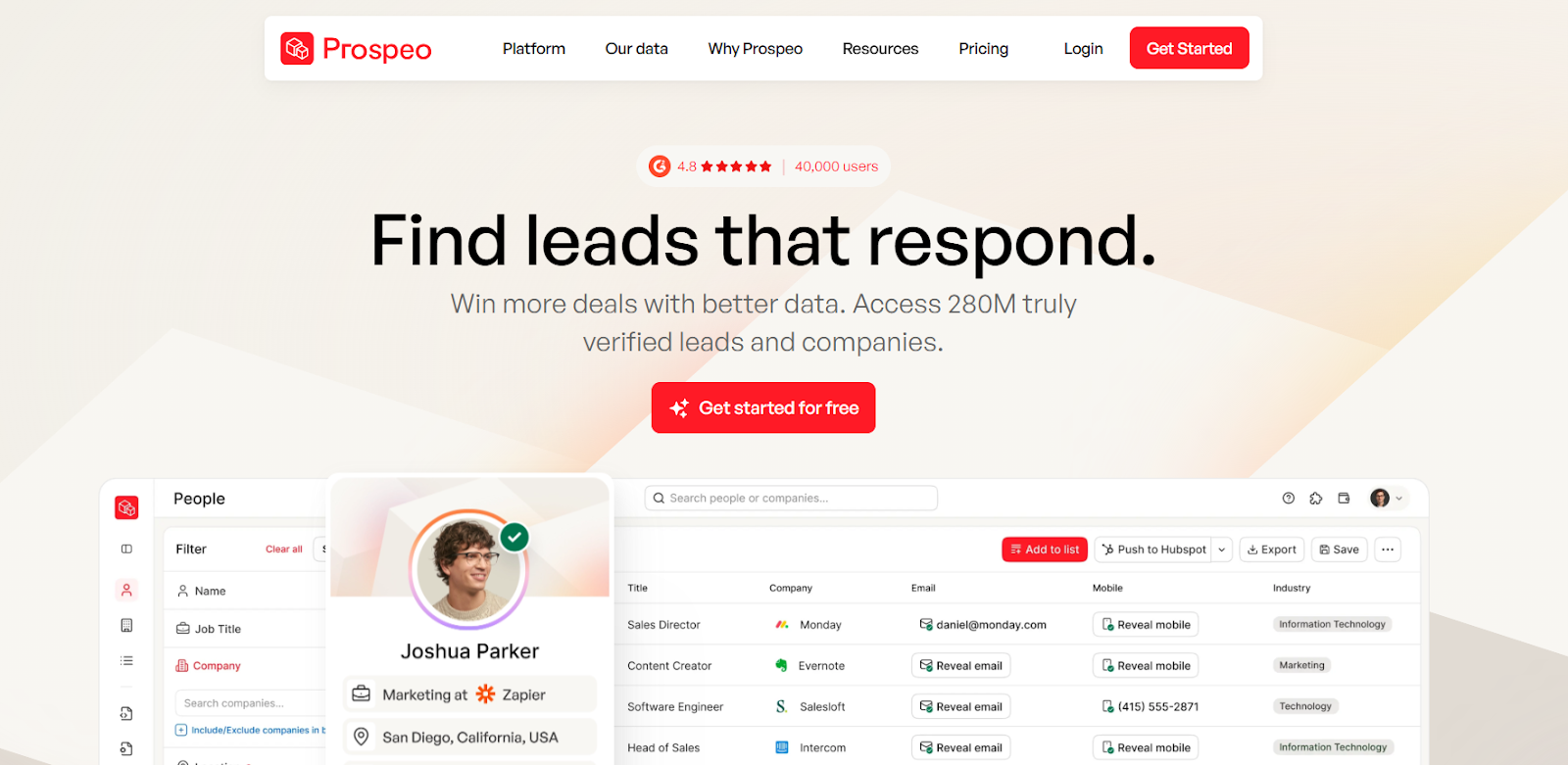
This image shows the Prospeo homepage
Prospeo is an email scraping and contact finder tool.
It helps you find verified work emails and B2B mobile numbers for sales outreach.
Prospeo offers 98% guaranteed deliverability for verified emails and lets you pay only for valid emails.
It also supports bulk list uploads and has an API for automation.
Key Features of Prospeo
Email Finder lets you find professional email addresses using a name and company or domain.
Domain Search lets you find multiple emails behind any company name or website.
Mobile Finder lets you find verified B2B mobile numbers for cold calling.
Email Verifier checks email deliverability with 98% accuracy.
Chrome extension lets you find emails and mobile numbers from any website and Google search results.
Bulk processing lets you upload CSV or Excel files to find and verify emails or mobiles at scale.
Pros & Cons of Prospeo
Pros
Cons
Finds both emails and B2B mobile numbers
High email accuracy with 98% deliverability
Chrome extension works across websites and Google
Bulk upload and API are available
Mobile numbers cost more credits per result
No built-in cold email sending tool
Credits reset monthly and do not roll over
Large teams need higher plans for more credits
Prospeo Pricing
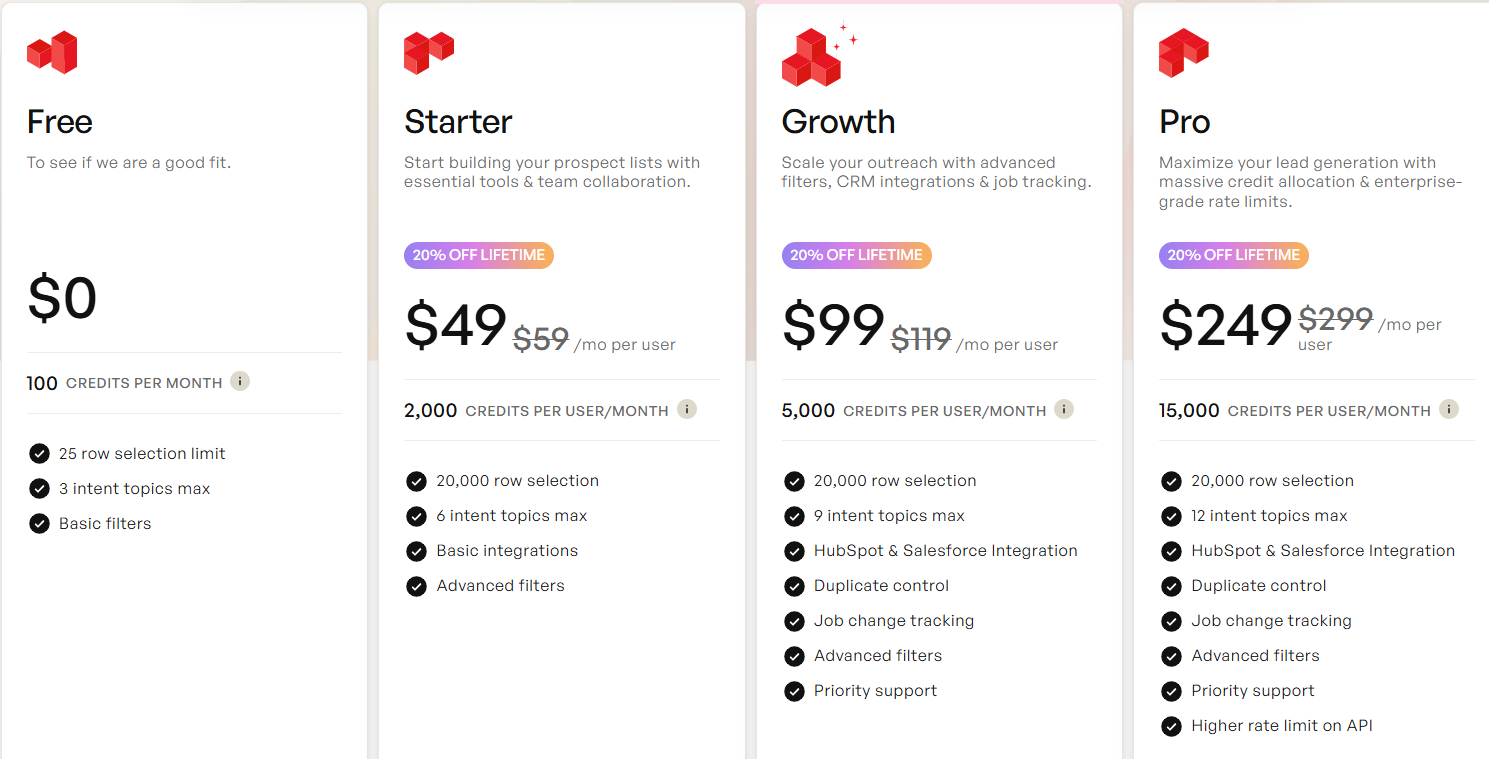
This image image shows the Prospeo pricing
Prospeo uses credit-based monthly plans.
You get 75 free credits per month on the free plan.
Free – $0/month, Includes 75 credits/month and access to Email Finder, Mobile Finder, Domain Search, Email Verifier, Chrome extension, API, and bulk processing.
Starter – $39/month, Includes 1,000 credits/month and all features.
Growth – $99/month, Includes 5,000 credits/month and all features.
Pro – $199/month, Includes 20,000 credits/month and all features.
Business – $369/month Includes 50,000 credits/month and all features.
Credit rules:
1 credit per valid email found with Email Finder.
10 credits per valid mobile number found.
1 credit per Domain Search (up to 50 emails per search).
0.5 credit per email verification.
You are not charged for duplicates within the same month.
Credits reset monthly and do not roll over.
11. Voila Norbert – Best for Finding Accurate Work Emails Fast
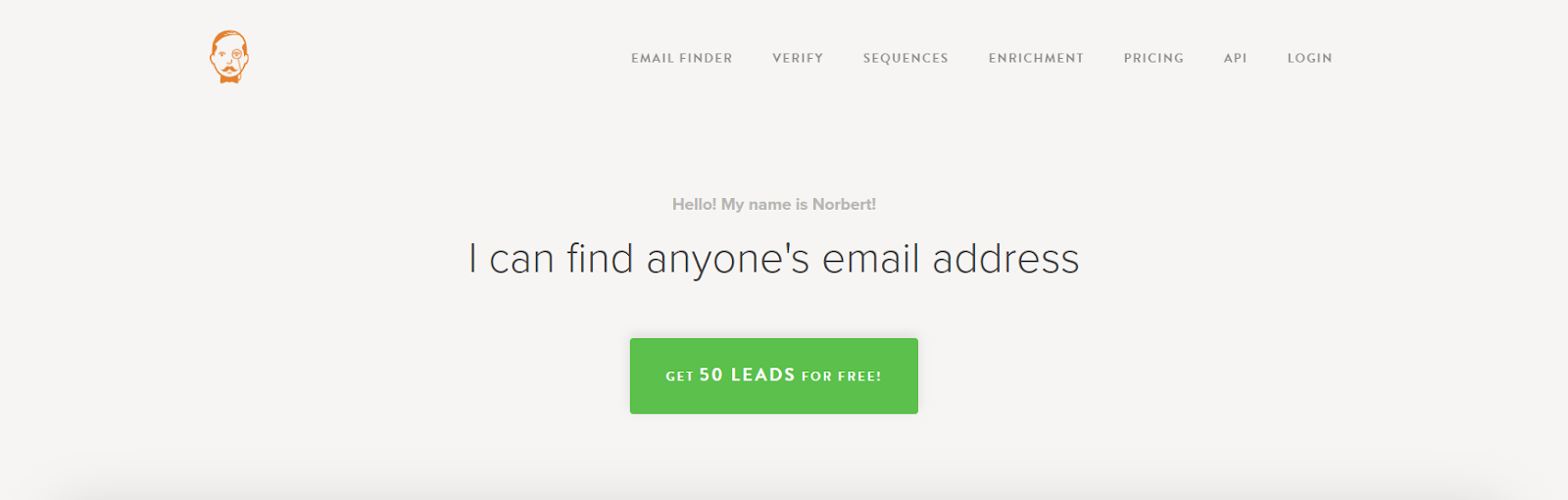
This image shows the Voila Norbert homepage
Voila Norbert is an email finder and verification tool.
It helps you find verified work emails using a person’s full name and company domain.
You can use Voila Norbert to find emails, verify them, enrich contacts, and run cold email sequences from one place.
Every email is checked with multi-step verification and comes with a certainty score to show how confident Norbert is about the result.
Key Features of Voila Norbert
LinkedIn support works on profiles, search, and Sales Navigator.
Email verification tool checks lists and refunds credits for bounced emails.
Email enrichment adds job title, company, location, and social profiles.
Bulk search & CSV upload for finding emails at scale.
Email Sequences for sending cold emails, follow-ups, warm-up, and inbox rotation.
Pros and Cons of Voila Norbert
Pros
Cons
High email accuracy (up to 98%)
Shows certainty score for each email
Refunds credits for bounced emails
Chrome extension works on LinkedIn and websites
Needs full name + company domain to work best
Credits are used per successful email found
Phone numbers are not the main focus
Enrichment and verification cost extra
Voila Norbert Pricing
This image shows the Voila Norbert pricing
Voila Norbert uses credit-based pricing. You only pay when a correct email is found.
Free Plan – 50 free email credits to try.
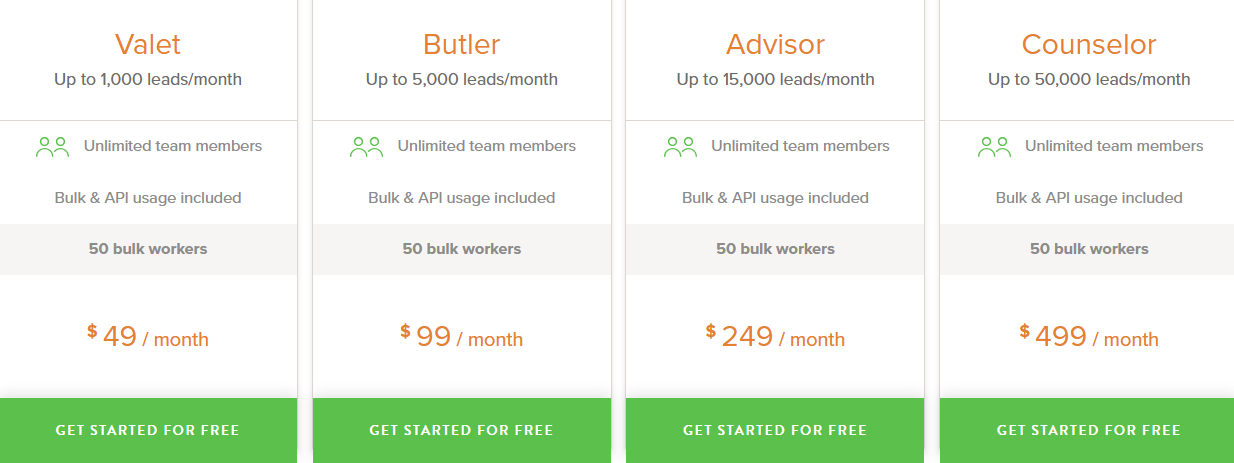
Valet – 1,000 leads/month at $49/month (or $39/month billed yearly)
Butler – 5,000 leads/month at $99/month (or $79/month billed yearly)
Advisor – 15,000 leads/month at $249/month (or $199/month billed yearly)
Counselor – 50,000 leads/month at $499/month (or $399/month billed yearly)
Extra tools pricing:
Email Verification: from $0.003/email (down to $0.001 for large lists)
Enrichment: from $0.04/email (down to $0.015 for large lists)
Credits roll over on yearly plans
No charge for duplicates or failed finds
12. ZoomInfo – Best for B2B Data, Buyer Intent, and GTM Intelligence
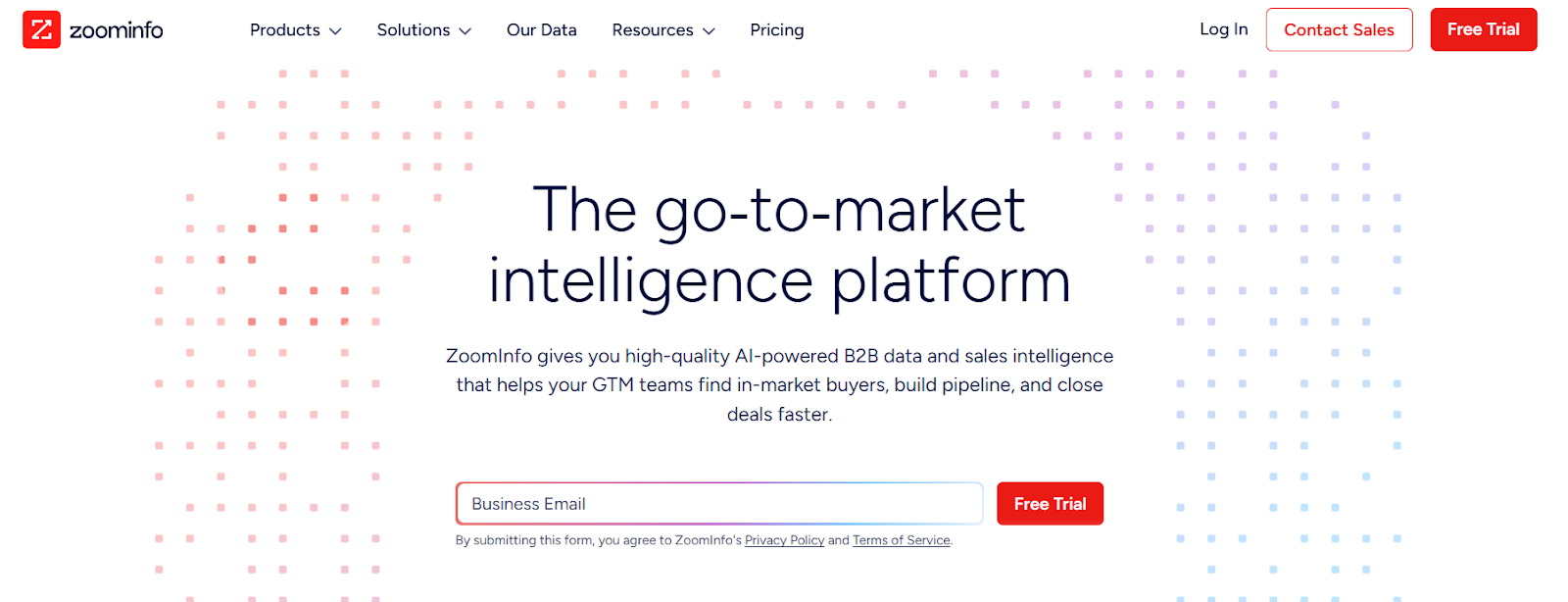
This image shows the ZoomInfo homepage
ZoomInfo is a go-to-market (GTM) intelligence platform.
It helps teams find verified work emails, direct phone numbers, company data, and buyer intent signals in one place.
You can use ZoomInfo to build prospect lists, enrich your CRM, sync data to sales tools, and run outreach using clean B2B data.
ZoomInfo also shows real-time buyer intent, so you can reach companies that are actively looking for solutions like yours.
Key Features of ZoomInfo
Large B2B database with millions of company and contact profiles across industries and regions.
Verified business emails and direct phone numbers to help reach decision-makers.
Buyer intent data to find companies that are actively researching topics related to your product.
Firmographic and technographic filters to find the right accounts by size, industry, and tech stack.
Chrome extension to reveal contact and company data on LinkedIn and websites.
AI tools (Copilot) to help teams prioritize accounts and plan outreach faster.
Pros & Cons of ZoomInfo
Pros
Cons
Very large B2B contact and company database
Shows buyer intent to time outreach better
Strong CRM enrichment and data syncing
Works with many sales and marketing tools
Pricing is custom and can be costly for small teams
Uses credits for exporting contacts and companies
Full access needs higher plans and more credits
Can feel heavy if you only need email finding
ZoomInfo Pricing
This image shows the ZoomInfo pricing
ZoomInfo uses custom pricing based on:
Features you choose
Number of user licenses
Credit usage (each export uses credits)
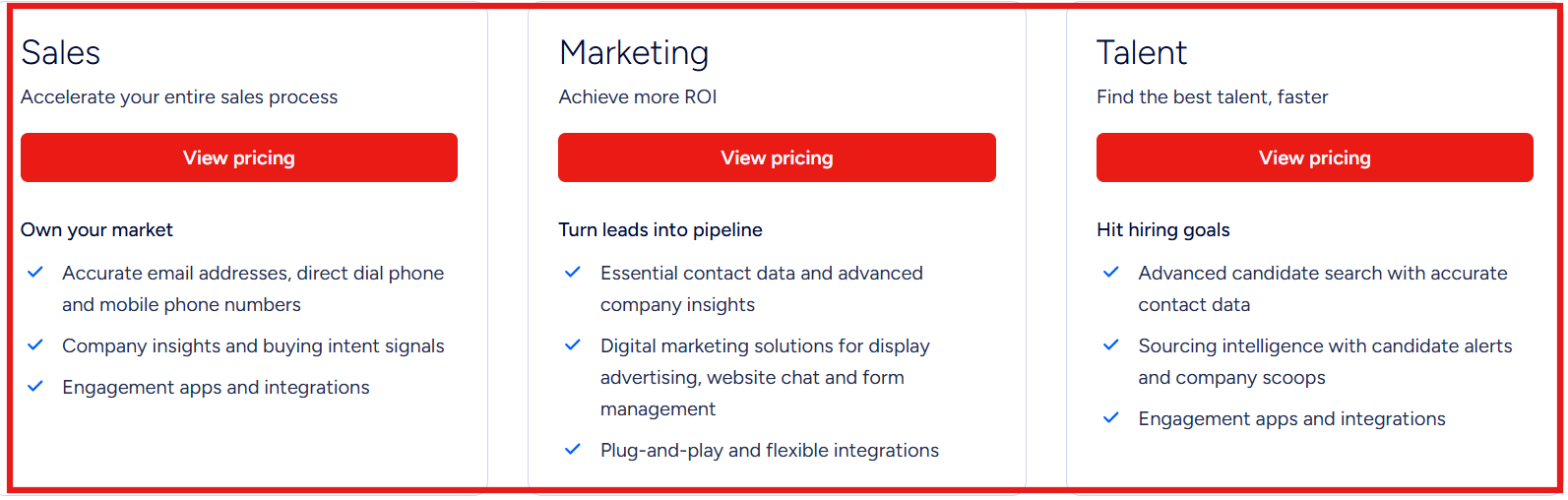
There is no public flat price on the website. You need to contact sales to get a quote.
Free Trial: Available for new users (trial length and limits can vary).
Credits: Used when you export contact or company data.
Plans: Separate packages for Sales, Marketing, and Talent teams.
13. ContactOut – Best Tool for Finding Emails & Phone Numbers from LinkedIn
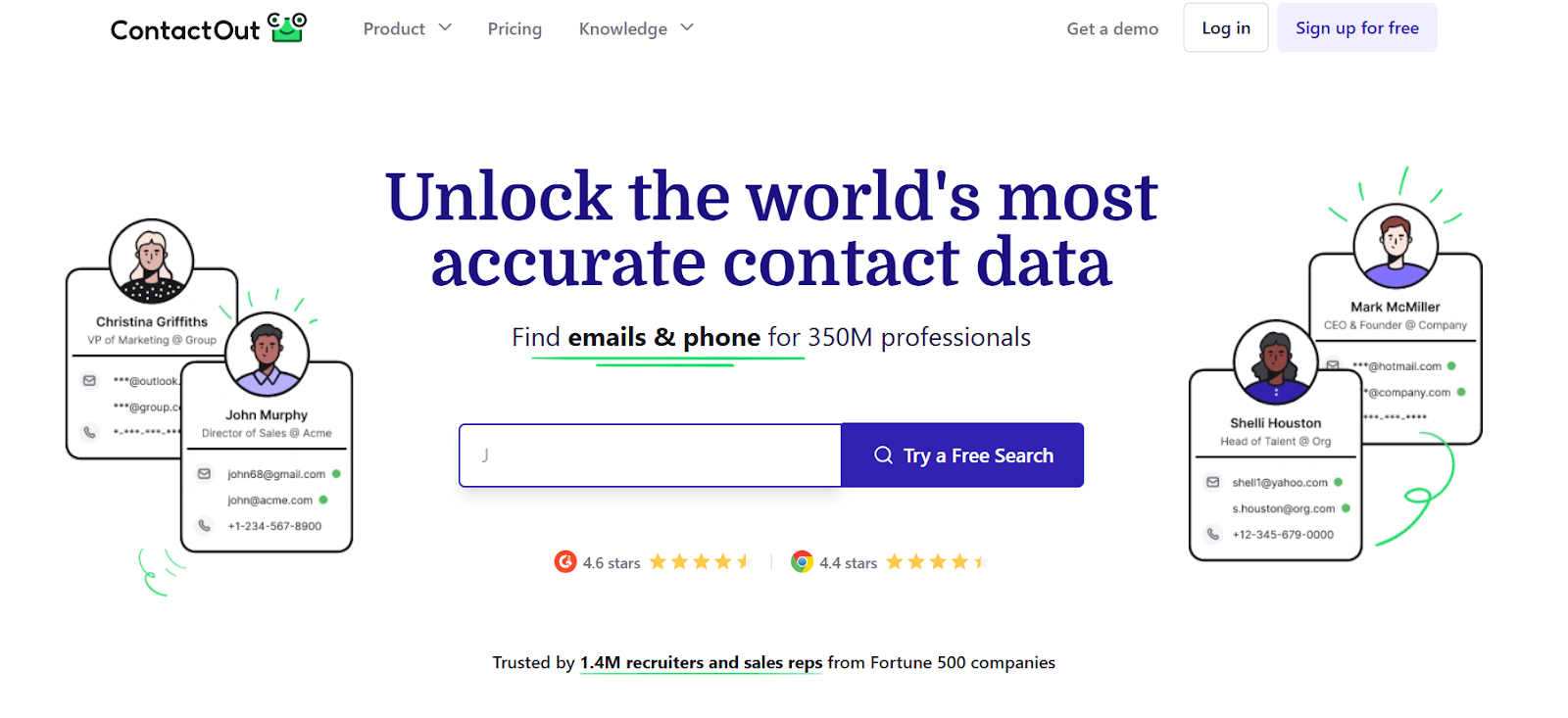
This image shows the ContactOut homepage
ContactOut is a B2B contact data tool.
It helps you find work emails, personal emails, and direct phone numbers for professionals.
You can use ContactOut on LinkedIn and company websites using its Chrome extension.
It also offers a search portal, API, data enrichment, and email campaigns.
ContactOut claims access to 350M+ professionals from 40M+ companies.
It is used by recruiters and sales teams to find contact details faster.
Key Features of ContactOut
LinkedIn Chrome extension lets you find emails and phone numbers from LinkedIn profiles and Sales Navigator.
Personal and work email finder helps you reach prospects on both work and personal emails.
Search portal lets you find leads using filters like job title, company, location, skills, and tech used.
AI Personalizer helps you write personalized emails using LinkedIn data.
Email campaigns let you send multi-step email sequences to your leads.
Pros & Cons of ContactOut
Pros
Cons
Finds both emails and phone numbers in one tool
Works directly on LinkedIn with Chrome extension
Good for recruiters and sales teams
Offers API and data enrichment
Phone numbers are limited on lower plans
Works best on Chrome and Chromium browsers
Advanced features need paid plans
High usage can increase cost
ContactOut Pricing
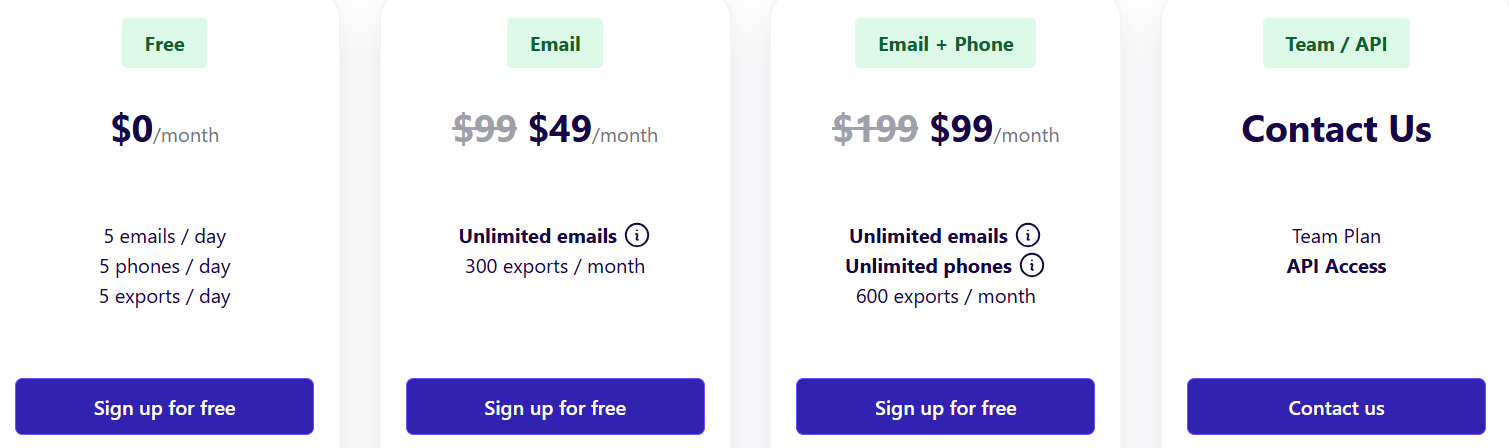
This image shows the ContactOut pricing
ContactOut offers free and paid plans.
Pricing depends on whether you include US/UK data and what features you need.
I. Free Plan: $0/month, 5 emails per day, 5 phones per day, 5 exports per day, Chrome extension, Search portal, 1 user per company
II. Email Plan: $49/month, unlimited email reveals, 300 exports per month, email campaigns, list builder,1 user per company
III. Email + Phone Plan: $99/month, unlimited emails, unlimited phone numbers, 600 exports per month, Data enrichment, AI email writer, 1 user per company
Personalized Outbound Strategy
Get The Right Outbound Strategy In Minutes
Enter your email to get a custom plan & stack recommendation for your
business
It's being carefully crafted by AI
Please check your mailbox in 5 minutes
Which Email Scraping Tool Should You Choose?
Choosing the right email scraping tool depends on how you plan to use it.
If you only want basic email finding from LinkedIn, tools like Hunter or Voila Norbert are good for simple lookups.
If you need large databases and firmographic filters, tools like ZoomInfo or Apollo are better for building big B2B lists.
If you want enrichment and CRM sync, tools like Lusha or LeadIQ help keep your contact data updated.
But if you want to find new leads, enrich data, and verify emails in one place, Leadsforge is built for this.
You just describe your ideal customer in simple words, and it returns verified emails, LinkedIn profiles, and phone numbers ready to use.