You found the perfect prospect. The job title matches. The company fits your ICP.
You write a killer cold email, hit send… and it bounces.
Now multiply that by hundreds of emails. That’s what happens when you rely on the wrong email finder tool.
Bounced emails don’t just waste your time. They hurt your sender reputation, tank your deliverability, and get your domain flagged. One bad list can set your outreach back by weeks.
Here’s the thing: not all email finder tools are created equal. Some boast massive databases but serve you outdated, unverified emails. Others look great in a demo but fall apart when you run a real campaign.
That’s why we didn’t just compare feature lists. We tested 28 tools against real contacts, ran actual outreach campaigns, and measured what matters most: accuracy, verification quality, and deliverability.
This guide ranks the 10 best email finder tools in 2026 based on how they actually perform.
No fluff. No filler. Just the tools that work when your outreach depends on it.
TL;DR:
If you want an email finder that delivers 98% accurate data and plugs directly into your cold outreach workflow, Leadsforge is the top pick. But keep reading, the right tool depends on your specific needs. Some email finder tools offer completely free features or tiers, though these are often limited in scope.
Before we get into the details, here’s a quick snapshot of every tool on this list.
Use this table to compare accuracy, pricing, and what each tool does best. Several tools on the list are trusted by leading companies in the industry, adding to their credibility.
A couple of things to notice here.
Accuracy ranges vary quite a bit.
Many free email finders are available, but most have significant limitations compared to paid plans. “Free plan” doesn’t always mean useful. Some tools give you just 10 or 25 searches a month. That’s barely enough to test the tool properly, let alone run a real campaign.
Also, the cheapest option isn’t always the best value. What matters is the cost per usable email, meaning verified, deliverable, and safe to send at scale.
A tool that charges more but gives you 98% accurate data will save you money compared to a cheaper tool that bounces 15% of your list.
An email finder tool does exactly what it sounds like, it finds email addresses for you.
Most email finder software and email lookup tools allow users to search for professional, corporate, and personal email addresses by entering a contact name and company domain. You give it a name and a company (or a domain), and it searches public sources to find the matching business email.
Here’s how it typically works. You enter a person’s name along with their company name or website domain. The tool then crawls publicly available data, company websites, social profiles, business databases, and other online sources. Within moments, it returns the email address (or addresses) that match your search.
Now, not all email finders work the same way.
There are three main types you should know about.
One important distinction, an email finder is not the same as an email verification tool.
A finder discovers new email addresses. A verifier checks whether an existing email is valid and deliverable. Many modern tools combine both, but they serve different purposes.
We’ll cover this in more detail later in the article.
Most email finder reviews just list features and pricing. That doesn’t tell you how the tool actually performs when you’re running real campaigns.
We took a different approach. Here’s exactly how we tested and ranked each tool on this list.
Most email finder tools provide a user-friendly interface that simplifies the process of searching for and verifying email addresses.
This approach ranks tools based on what directly impacts your cold email performance. Inbox delivery, sender reputation, and whether you’re actually getting value from every credit you spend.
Now that you know what we looked for, let’s get into each tool.
Many of the email finder tools reviewed also offer a browser extension or email finder extension, allowing for real-time contact discovery, email verification, and seamless workflow integration directly within your browser.
We’re starting with the best performer and working our way down, so you can see exactly where each tool shines, where it falls short, and whether it’s the right fit for your outreach.
Accuracy: 98% | Database: 500M+ B2B contacts | Free Plan: Yes (100 credits)

When accuracy is the one thing you can’t compromise on, Leadsforge is where you start.
Most email finder tools stop at finding the email. You get a list of addresses, export a CSV, and then figure out the rest on your own.
Leadsforge works differently. It functions as a bulk email finder, supporting bulk searches for large-scale prospecting and sales outreach. It’s built as part of the Salesforge stack, which means you can find leads, verify emails, and launch outreach campaigns without ever leaving the platform.
But what truly makes Leadsforge stand out is how you actually use it.
It’s the first-of-its-kind ChatGPT-style, chat-based lead database. Instead of clicking through filters and dropdown menus, you just tell it what you need in plain English.
Something like “find me VP-level marketing leaders at B2B SaaS companies in the US with 50 to 200 employees” and it builds the list for you.
No learning curve. No complicated search interfaces. Just describe your ideal prospect like you’re talking to a teammate, and Leadsforge does the rest.
Most importantly, every email you find goes through a multi-step verification process before it reaches your list. Each email found includes a verification status, so you know the deliverability and reliability of every contact.
This isn’t a basic syntax check. Leadsforge validates at the domain level and server level to make sure the address actually exists and is deliverable. That’s why bounce rates stay low even when you’re sending at scale.
The best part? The Chrome extension works directly on LinkedIn profiles. When you’re browsing a prospect’s profile, it shows you their work email (and personal email when available) right there. No tab switching. No copy-pasting names into a separate tool.
Once you’ve built your list in Leadsforge, you don’t need to export it somewhere else to start outreach. If you want to analyze or integrate your data elsewhere, you can easily export your results as a csv file for further analysis or use in other tools.
You can push those contacts directly into your cold email campaigns through Salesforge. Need to warm up your sending domains first? Warmforge handles that. Want to scale your email infrastructure? Infraforge and Mailforge have you covered.
It’s a complete workflow, from finding the right email to landing in the inbox, all under one roof.
Unused credits roll over across all plans, so you’re not losing value if you have a slower prospecting month.
Leadsforge uses flexible, credit-based pricing, which makes it easier to control costs.
If you want one tool that handles email finding, verification, and outreach without juggling multiple platforms, Leadsforge is the clear winner.
The chat-based search makes prospecting effortless, the 98% accuracy keeps your deliverability intact, and the Salesforge integration gives you a complete outreach workflow in one place.
Accuracy: 91% | Database: 275M contacts | Free Plan: 75 credits/mo

If you’re the kind of person who wants to slice and dice your prospect list down to a very specific niche, Apollo.io gives you the tools to do that.
Apollo isn’t just an email finder. It’s a full-blown prospecting and research platform with an extensive database and one of the most powerful filtering systems out there. You get access to a database of over 275 million contacts across more than 35 million companies, and you can narrow that down using dozens of advanced filters. Apollo.io is best for building highly targeted lists using these advanced filters.
Job title, company size, revenue, funding stage, location, industry, tech stack, Apollo lets you stack these filters to build extremely targeted lists. Each contact includes a wide range of data points, such as email addresses, phone numbers, LinkedIn profiles, and other relevant business details.
Say you want to reach CTOs at Series B fintech startups in North America using HubSpot and Stripe. Apollo can get you there. That level of precision is hard to find in most email finder tools.
Each contact comes with an email status label, verified or not verified. This helps you decide upfront which emails are safe to use for outreach and which ones need an extra verification step before you hit send.
One thing to keep in mind: while Apollo’s database is massive and the filtering is top-tier, email accuracy doesn’t always match up. At 91%, it’s decent. But for critical campaigns where every bounce counts, you may want to run the emails through an additional verification layer before sending.
Apollo.io is a strong pick when you need to build highly targeted prospect lists with detailed company and contact data. Just don't treat it as your only source of truth for email accuracy, pair it with a verification step for best results.
Accuracy: 95% | Database: 321M profiles | Free Plan: No
If you're targeting decision-makers at mid-sized and large companies, ZoomInfo is built for that.
It's one of the most established B2B data platforms in the market, and for enterprise teams, it's often the default choice.
ZoomInfo gives you access to over 209 million professional profiles across more than 13 million companies. The database is deep, well-maintained, and skews heavily toward enterprise contacts.
That makes it a solid fit when you're prospecting into larger organizations where finding the right person is half the battle.
You can search for emails using job titles, company names, industry, revenue range, location, and a variety of other filters. Most contacts come with verified business email addresses. And in many cases, you also get direct phone numbers, which adds an extra layer of value if your outreach includes cold calling.
What makes ZoomInfo different from a typical email finder is the context it provides alongside the data. You get engagement signals, buying intent indicators, and job change alerts.
So you're not just finding an email address, you're finding out whether that person is actually worth reaching out to right now.
That kind of intelligence helps you prioritize the right prospects instead of spraying emails at everyone who matches a filter.
Custom pricing only. You need to contact ZoomInfo's sales team
ZoomInfo is a powerhouse for enterprise teams that need verified emails, direct dials, and buyer intent data in one place. But if you're a smaller team or working with a tight budget, the price tag alone may push you toward other options on this list.
Accuracy: 90% | Database: 150M+ profiles | Free Plan: 50 credits/mo
If you already know the company you want to target, Hunter.io is an email search tool that allows you to search email addresses linked to that domain. Hunter offers an email finder free plan, giving users up to 25 free searches per month.
Hunter doesn’t work like database-style email finders. Instead of maintaining a massive contact database, it crawls the web for publicly available email addresses associated with a specific domain.
You type in a company’s website URL, and Hunter returns every email address it can find connected to that domain. This makes it easy to search email addresses for outreach and lead generation.
This makes Hunter incredibly easy to use. There’s no complex filtering. No dropdown menus to configure. You enter a domain or a person’s name plus their company, and you get results in seconds.
For teams that value speed and simplicity over deep research capabilities, that’s a big plus.
Each result comes with a confidence score and a source link showing where the email was found. This transparency helps you judge whether an email is reliable before you add it to your outreach list. You’re not blindly trusting the tool. You can actually see the evidence behind each result.
Hunter also includes a built-in email verifier. Every email gets a status label: valid, accept-all, invalid, or disposable. This lets you clean your list before sending without needing a separate verification tool. You can verify emails one at a time or upload a bulk list for batch verification.
The Chrome extension works as expected. You can visit any company website or LinkedIn profile and run an email search directly from your browser. Results are quick and easy to export.
Hunter.io is a reliable pick when you need a quick, no-fuss way to find emails by company domain. It's fast, transparent, and easy to fit into your workflow. Just keep in mind that it won't always find what you're looking for if the data isn't publicly available.
Accuracy: 93% | Database: 285M+ profiles | Free Plan: 40 credits/mo

Sometimes you don't need a full-blown prospecting platform.
You just need the email address of someone you already know you want to reach.
That's exactly where Lusha fits in.
Lusha is built for speed. You type in a name, a company, or a domain, and it gives you the email address almost instantly.
No complex setup. No filters to configure. No learning curve to deal with. If you already know who your prospect is, Lusha gets you their contact details faster than almost any other tool on this list.
The database behind it is sizable. Lusha covers over 285 million business profiles, which gives you solid coverage across industries and regions. Each email comes with a verified status and a confidence signal, so you can quickly judge whether an address is safe to use for outreach before you spend a credit on it.
Lusha also includes built-in email verification as part of the workflow. Before you export or use an email, it runs a check to flag invalid or risky addresses. This helps keep your bounce rate in check without needing a separate verification tool.
Lusha is the go-to tool when you already know who you want to reach and just need their email fast. It's simple, quick, and reliable for focused prospecting. But if you're doing high-volume outreach or targeting regions outside North America and Europe, you'll likely need something with deeper coverage.
Accuracy: 79–90% | Database: 75M+ verified leads | Free Plan: N/A

If you want an email finder that gives you more than one way to find contacts, Snov.io is worth a look.
It offers one of the widest ranges of search methods on this list, all wrapped into a larger sales automation platform. Snov.io maintains a database of over 75 million verified B2B leads. That’s smaller than some of the heavyweights on this list, but what it lacks in raw size, it makes up for in flexibility.
You can search for emails the standard way using a name and company. But that’s just the starting point. Snov.io also lets you search by domain, LinkedIn profile, social media handles, and even tech stack.
That last one is particularly useful if you’re targeting companies using specific software.
Say you want to reach marketing managers at companies using Marketo or Mailchimp. Snov.io can build that list for you.
The LinkedIn extension is solid. It pulls up email addresses for anyone with a profile and also lists contacts associated with a specific company page. If LinkedIn is a big part of your prospecting workflow, this extension saves a lot of manual work.
For integrations and automation, Snov.io offers an email finder API, making it easy to integrate email search capabilities into your own workflows or software platforms. It can also sync data with other platforms, such as your CRM, to keep contact information up to date and reduce manual entry.
Beyond email finding, Snov.io packs in a full suite of outreach tools. You can set up automated email drip sequences with follow-ups, run deliverability checks before sending, and warm up your email accounts to build sender reputation.
There’s even a lightweight CRM built in for managing deals across your sales team.
Snov.io gives you more ways to find emails than most tools on this list. The flexibility is genuine, and the outreach features add real value if you need an all-in-one platform. But the accuracy issues are hard to ignore. If you use it, always verify your lists independently before hitting send.
Accuracy: 95% | Database: 200M+ contacts | Free Plan: 50 searches/mo

If LinkedIn is your primary hunting ground for prospects, GetProspect is purpose-built for that workflow and is widely used by business developers for lead generation and recruitment.
It turns LinkedIn browsing into a structured lead generation process with verified emails attached.
GetProspect gives you access to over 200 million B2B contacts, 230 million corporate emails, and data on 26 million companies worldwide. Those are solid numbers. But the real strength isn’t the database size. It’s how the tool connects that data to LinkedIn and locates email addresses within the same company domain for more accurate corporate contact information.
The Chrome extension is the best part. It works on both standard LinkedIn and Sales Navigator. The GetProspect Chrome extension is available via the Chrome Web Store for easy installation and integration. As you browse profiles, search results, or company pages, the extension lets you extract contacts along with their verified email addresses. And it doesn’t just pull one contact at a time.
You can bulk extract up to 2,500 leads from a single LinkedIn search. The data comes out clean, organized, and ready for export.
That kind of scale on LinkedIn is hard to find in other tools. Most Chrome extensions let you grab one contact at a time. GetProspect turns it into a bulk operation, which makes a real difference when you’re building large prospect lists from LinkedIn searches.
GetProspect is the strongest option on this list for teams that live on LinkedIn. The bulk extraction feature alone sets it apart from most competitors.
If LinkedIn is where you find your prospects and you need verified emails at scale, GetProspect delivers.
Just be prepared to pay for the higher tier if you need CRM integrations.
Accuracy: 77–89% | Database: N/A | Free Plan: 50 searches/mo
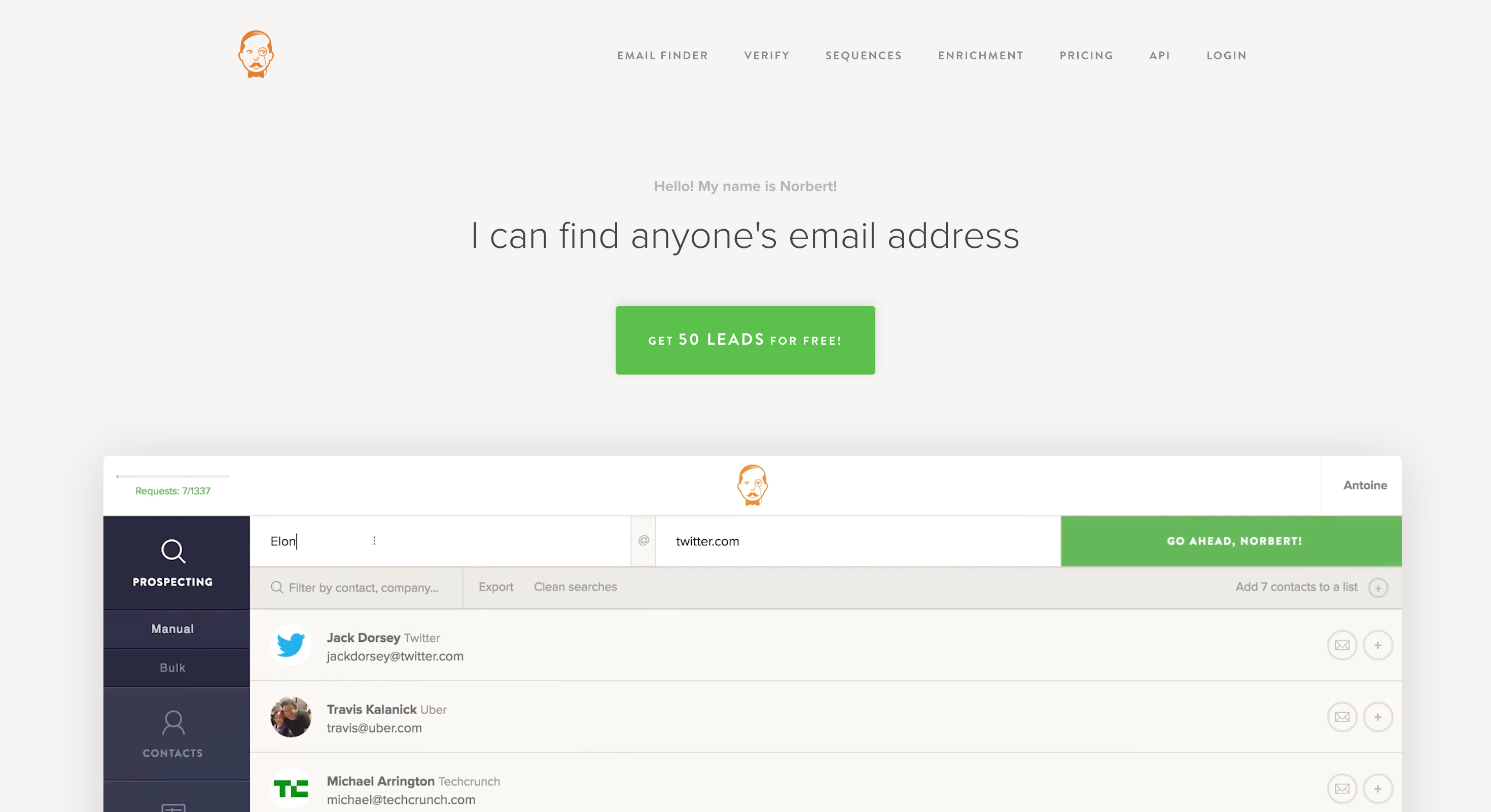
If you want an email finder that does one thing and does it well, Voila Norbert is about as focused as it gets. As an email lookup tool, it specializes in sourcing accurate contact information for your outreach efforts.
No sales automation. No CRM. No outreach sequences. Just email finding.
That singular focus shows up in the experience. When you land on the homepage, the search tool is right there.
Enter a first name, last name, and company name. Hit search. If there’s a valid email address for that contact, you’ll see it almost instantly. That’s the entire workflow, and Voila Norbert provides verified data to ensure the accuracy and deliverability of the email addresses you find.
Most email finder tools keep adding features on top of features until the core experience gets buried. Voila Norbert avoids that trap entirely. You open the tool, find an email, and move on with your day.
Voila Norbert also offers something called enrichment. This works like a reverse email search.
Say you already have a list of email addresses but you want more information about those contacts. Voila Norbert will look up their details and fill in the gaps with data like job title, company, location, and social profiles.
It’s a useful feature for fleshing out thin contact lists.
Voila Norbert is a solid choice if all you need is a fast, accurate way to find emails by name and company. The simplicity is its biggest strength. But if you need verification, enrichment, and flexible search options all in one place without paying separately for each, other tools on this list offer more complete packages.
Accuracy: 97% (verified) | Database: N/A | Free Plan: first 100 credits free
Most email finder tools charge you a credit every time they return a result, whether that email is verified or not.
Anymail Finder flips that model on its head. You only pay for emails that are fully verified. If the tool can’t verify an address, it doesn’t cost you anything.
That simple difference changes everything about how you use the tool.
Every search in Anymail Finder returns two sets of results, each clearly labeled with a verification status. The first set is what they call fully verified emails. These have been checked at the syntax, domain, and SMTP server level. They carry a guaranteed deliverability rate of 97%. The second set is partially verified emails, which have a deliverability rate of 70% or above. You choose which set you want to pay for.
If you only download the fully verified results, you’re building a list you can trust. All results can be exported as a csv file, making it easy to manage or import your data elsewhere. And if those emails don’t live up to the 97% deliverability promise, Anymail Finder offers a money-back guarantee.
That’s a level of confidence very few email finders are willing to put on the table.
Anymail Finder is the safest bet on this list if your top priority is making sure every email you pay for actually works. The pay-for-verified-only model eliminates wasted credits, and the deliverability guarantee adds a layer of trust you won't find in most competitors.
Just be prepared to work around the lack of native integrations and advanced search filters.
Accuracy: N/A | Database: N/A | Free Plan: 10 searches/mo
Clearbit isn’t a traditional email finder.
It’s a data enrichment platform owned by HubSpot, and it approaches email discovery from a completely different angle than every other tool on this list.
Instead of starting with a search for email addresses, Clearbit starts with the data you already have. Its core strength is taking your existing contact records and making them better.
Feed it a name, a company, or even just an email address, and Clearbit will enrich that record with comprehensive company data and over 100 additional data points for each contact. These data points include job title, seniority, company size, revenue, industry, tech stack, social profiles, and location.
The depth of enrichment is hard to match. What makes this especially powerful is that it happens automatically and in real time.
When a contact’s details change, like a job title update or a company move, Clearbit refreshes the record without you lifting a finger. Your CRM stays current without manual cleanup.
For teams managing large databases, that kind of automation saves hours of maintenance every month.
Custom pricing only. Contact Clearbit's sales team for a quote.
Clearbit is the right choice if your primary need is keeping your CRM data rich, accurate, and automatically updated. The enrichment capabilities are best in class.
But if you're looking for a tool to find and verify email addresses at scale for cold outreach, you'll get more value from a dedicated email finder like Leadsforge or any of the other purpose-built tools on this list.
Not every email finder tool is built the same way.
Some are simple search engines for email addresses, while others function as robust bulk email finders that allow you to perform bulk searches across multiple contacts or companies at once.
Look for tools that offer an email finder extension for your browser, which lets you quickly extract business emails from websites or LinkedIn profiles with a single click.
Here’s what to prioritize.
At a minimum, you should be able to search by a person's name and company.
But the best tools go further. Domain search lets you find every email linked to a company website. LinkedIn search pulls contact details directly from profiles. Advanced filters let you narrow results by job title, industry, location, company size, and tech stack.
The more ways you can search, the more targeted your prospecting becomes. If your tool only offers one search method, you'll hit walls quickly.
Finding an email is only half the job. You need to know that the email actually works before you send to it.
This is why you should look for tools that verify in real time as part of the search process. Status labels like valid, invalid, accept-all, and disposable help you make smarter decisions about which emails to include in your campaigns.
If a tool charges you credits for unverified or guessed emails, that's a red flag.
When you're building prospect lists of hundreds or thousands of contacts, you need a tool that handles volume without sacrificing accuracy.
Upload a spreadsheet, run a bulk search, and get clean results back. The best tools maintain the same accuracy at 10,000 contacts that they do at 10.
If accuracy drops when you scale up, your bounce rate will climb right alongside it.
Being able to search for emails directly from LinkedIn, Sales Navigator, or a company website without switching tabs keeps your prospecting flow intact.
Most serious email finders offer one, but the quality varies.
Therefore, it’s best to look for extensions that show verified results, support bulk extraction, and make exporting easy.
Direct connections to CRMs like HubSpot, Salesforce, and Pipedrive let you push found emails into your pipeline without manual imports.
Zapier support extends that to thousands of additional platforms. And if your team builds custom workflows, an API gives you the flexibility to connect the email finder to anything.
A tool that lives in isolation creates extra work instead of reducing it.
CSV export is the standard, but not all exports are created equal.
Clean, well-structured files with consistent formatting save you from spending time on data cleanup after every search.
Some tools also let you push results directly into your CRM or outreach platform, which eliminates the export step entirely.
If you're prospecting in Europe, you need a tool that handles data in line with GDPR.
For US-based outreach, CCPA compliance matters. SOC 2 certification gives you confidence that the tool is handling your data securely. Before you sign up, check what compliance standards the tool meets.
Using a non-compliant data source can create legal headaches that far outweigh any time savings.
If you're looking for a tool that checks every one of these boxes, Leadsforge covers them all. Search flexibility, real-time verification, bulk finding, Chrome extension, direct integrations with the Salesforge outreach stack, clean exports, and full compliance.
It's one of the few tools on this list where you don't have to compromise on any of these features.
Every tool on this list has its strengths.
But let's be honest.
The email finder you choose comes down to one thing: can you trust the data enough to send at scale without worrying about bounces, blacklists, and wasted credits?
That's where Leadsforge stands above the rest.
With 98% email accuracy, a database of over 500 million B2B contacts, and a first-of-its-kind ChatGPT-style chat-based search, Leadsforge makes prospecting faster and more reliable than any other tool on this list.
You describe your ideal prospect in plain English, and it builds a verified list for you.
No complex filters. No guesswork. No unverified emails eating through your credits.
The best part? Leadsforge connects you directly to the Salesforge outreach stack.
Find your leads. Verify them. Push them into cold email campaigns. Warm up your domains with Warmforge. Scale your sending infrastructure with Mailforge and Infraforge. Or let Agent Frank handle the outreach.
It's one continuous workflow from prospecting to pipeline.
No other email finder on this list gives you that.
So what are you still waiting for?
Signup to Leadsforge for a free trial and get 100 credits free.
Leadsforge is the best email finder tool in 2026. It offers 98% email accuracy, a 700M+ B2B contact database, built-in verification, and a ChatGPT-style chat-based search. It also integrates directly with the Salesforge outreach ecosystem, so you can find, verify, and email prospects from one platform.
You enter a person's name and company or a website domain. The tool searches public sources, web records, social profiles, and its own database to find matching email addresses. Some tools also use pattern recognition to predict email formats. The best ones verify every result before returning it to you.
Yes. Leadsforge provides 100 free credits when you signup for the first time. Hunter.io offers 25 free searches per month. Snov.io and GetProspect give you 50 each. Lusha provides 40 free credits. Leadsforge also has a free plan with limited credits. Free plans work for testing, but you'll need a paid plan for real outreach campaigns.
Yes. They source emails from publicly available information like company websites and social profiles. However, how you use those emails matters. Make sure your outreach follows GDPR in Europe, CAN-SPAM in the US, and CASL in Canada. A compliant tool is a good start, but it doesn't replace following email marketing laws.
Use free plans from tools like Hunter.io, Snov.io, or Lusha. You can also check LinkedIn profiles, company websites, or guess the email format (like [email protected]) and verify it with a free verifier. These methods work for a few contacts but don't scale well.