Building B2B lead lists is hard. Copying emails from LinkedIn and websites by hand takes too much time.
Email extractor tools say they can fix this. T
hey help you find work emails from LinkedIn profiles and company pages so you can reach more people faster.
But many tools don’t work well in real use.
Some give the wrong emails.
Some stop working when LinkedIn changes.
Some limit how many leads you can export.
In this guide, I’ve listed the 15 best emails extractor tools for B2B lead generation in 2026.
You’ll see which tools actually work, which are good for LinkedIn, and which are safer to use long term.
TL;DR – 15 Best Emails Extractor Tools For B2B Lead Generation
Leadsforge – Best for finding clean business emails without scraping LinkedIn or websites.
Saleshandy – Good for teams that want to find emails and send cold emails from one place.
Hunter.io – Best for finding work emails by searching company domains.
Snov.io – Good for finding emails, verifying them, and running simple cold email campaigns.
Skrapp – Best for pulling business emails from LinkedIn in bulk.
Wiza – Best for exporting verified emails from LinkedIn Sales Navigator searches.
Waalaxy – Good for LinkedIn outreach with basic email finding for contacted prospects.
GetProspect – Best for simple LinkedIn email scraping with easy exports.
Lusha – Best for quick email and phone lookups from LinkedIn profiles.
ContactOut – Best for finding emails and phone numbers directly from LinkedIn profiles.
Instantly – Good for finding and verifying emails while running cold email campaigns.
Voila Norbert – Best for finding work emails using a person’s name and company name.
UpLead – Best for verified B2B emails with strong firmographic filters.
Snov.io – Good for teams that want email finding plus outreach in one tool.
AeroLeads – Good for collecting business emails and phone numbers from LinkedIn and websites.
How We Evaluated the 15 Best Email Extractor Tools
To find the most useful emails extractor tools, we focused on the things that matter most when you are choosing a tool for B2B lead generation.
Here’s how we evaluated the 15 best emails extractor tools:
Email accuracy and verification, to make sure the emails you collect are real and safe to use for cold outreach.
Ease of email extraction, including how fast you can pull emails from LinkedIn profiles and company websites.
LinkedIn and website support, such as the ability to extract emails from LinkedIn, Sales Navigator, and public web pages.
Export and tool integrations, to check how easily you can send extracted leads to cold email tools or CRM systems.
Workflow simplicity, to see if the tool saves time instead of making your process slow or complex.
Pricing and scalability, including how plans are set up and whether the tool makes sense for solo founders, small teams, or large B2B teams.
Each tool was reviewed based on how well it helps you collect usable business emails, clean your data, and support your B2B lead generation workflow.
15 Best Emails Extractor Tools For B2B Lead Generation: Detailed Review
Now let’s look at each tool in detail.
You’ll see what each tool does well, where it falls short, and who it is best for.
1. Leadsforge – #1 Search Engine To Find The Best Leads
This image shows the Leadsforge homepage
Leadsforge is a B2B lead search engine, not a basic email scraper.
Instead of scraping LinkedIn or websites, you describe your ideal customer in simple words, and Leadsforge finds matching leads for you.
It searches across 500M+ business contacts and returns work emails, LinkedIn profiles, and phone numbers using waterfall data enrichment.
If one data source does not find the contact, it checks other sources until verified data is found.
Leadsforge is built for sales and growth teams that want clean B2B emails, faster prospecting, and fewer broken scrapers.
Key Features of Leadsforge
Chat-based ICP search lets you describe your ideal customer in simple words and get a ready lead list.
Waterfall data enrichment checks multiple data sources to find verified contact details.
Lookalikes search helps you find companies similar to your target accounts using domains or names.
Competitor followers search turns company followers into targeted lead lists.
Built-in intent signals help you spot leads that show buying interest or activity.
Instant data enrichment and verification helps reduce bounce risk before outreach.
Pros & Cons of Leadsforge
Pros
Cons
Does not rely on scraping LinkedIn or websites, so it is safer to use long term
Finds emails, LinkedIn profiles, and phone numbers in one place
Uses waterfall enrichment to improve email match rates
Chat-based search makes lead finding easy for beginners
It is not built to scrape URLs or pages directly
Pricing is credit-based, so high-volume users need more credits
It focuses on B2B contacts, not personal email lists
It does not include native cold email sending
Leadsforge Pricing
This image shows the Leadsforge pricing
Free Credits – New users get 100 free credits to test data quality.
Monthly Plan – $49 per month and includes 2,000 export credits.
Yearly Plan – $588 per year and includes 28,000 credits upfront with 20% extra credits.
Extra Credits – You can buy add-on credits monthly or yearly if you need more volume.
Credit Rollover – Unused credits do not expire and carry over.
Personalized Outbound Strategy
Get The Right Outbound Strategy In Minutes
Enter your email to get a custom plan & stack recommendation for your
business
It's being carefully crafted by AI
Please check your mailbox in 5 minutes
2. Saleshandy – All-in-One Tool for Finding Leads and Sending Cold Emails
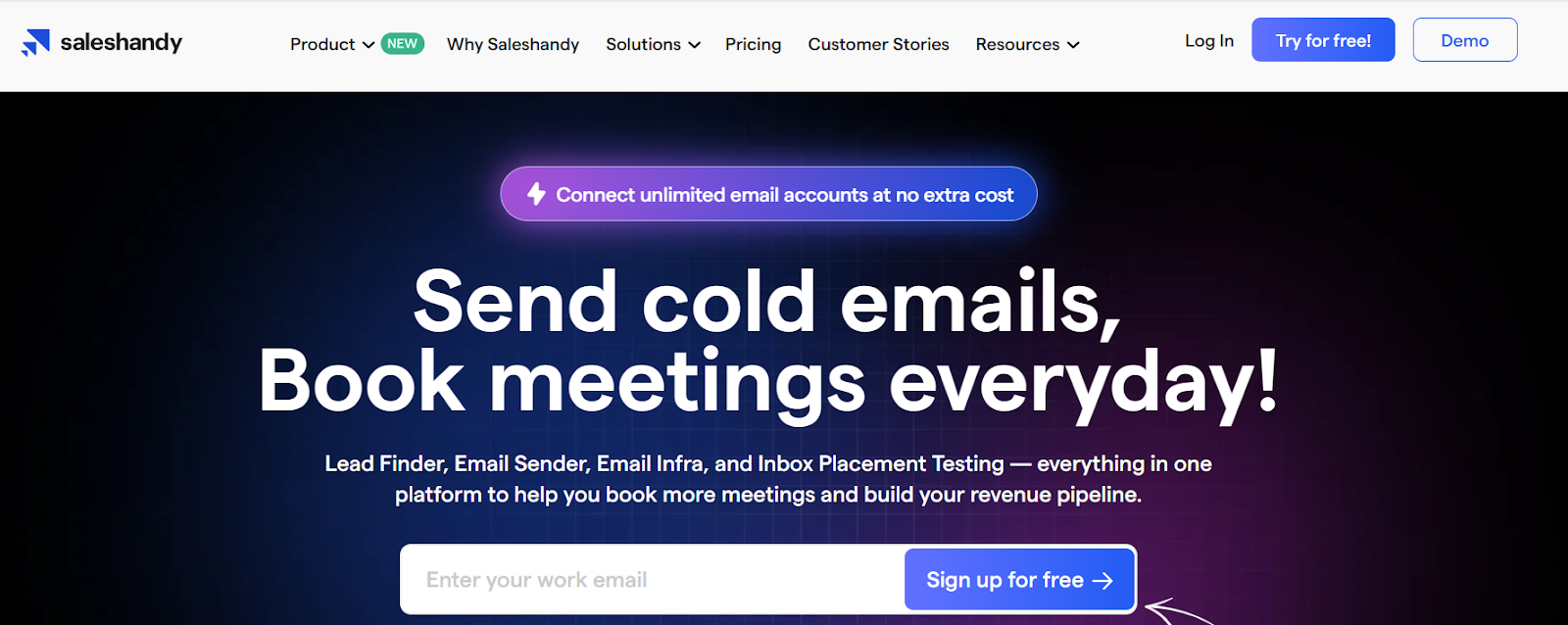
This image shows the Saleshandy homepage
Saleshandy is an all-in-one cold email platform.
It helps you find leads, verify emails, set up email infrastructure, warm up inboxes, send cold emails, and track inbox placement from one place.
You can connect unlimited email accounts at no extra cost and run cold outreach at scale.
Saleshandy also includes a B2B lead finder with 700M+ profiles and 60M+ companies, so you can find emails and phone numbers before launching campaigns.
Key Features of Saleshandy
Advanced prospect filters help you target leads by role, company size, location, and more.
LinkedIn email finder Chrome extension helps you find verified emails and phone numbers from LinkedIn profiles.
Real-time email verification reduces bounces before you send emails.
Cold email sequences with automated follow-ups help you send multi-step campaigns.
AI Sequence Copilot helps you create email sequences using your website and goals.
Email warm-up helps build sender reputation with human-like interactions.
Pros & Cons of Saleshandy
Pros
Cons
Combines lead finding, email sending, warm-up, and deliverability in one platform
Allows unlimited email accounts without extra cost
Includes inbox placement testing and spam checks
Unified inbox saves time when managing replies
The platform can feel feature-heavy for beginners
High-volume lead reveals use credits and can add to cost
LinkedIn automation is not the main focus
Best results need proper warm-up and setup
Saleshandy Pricing
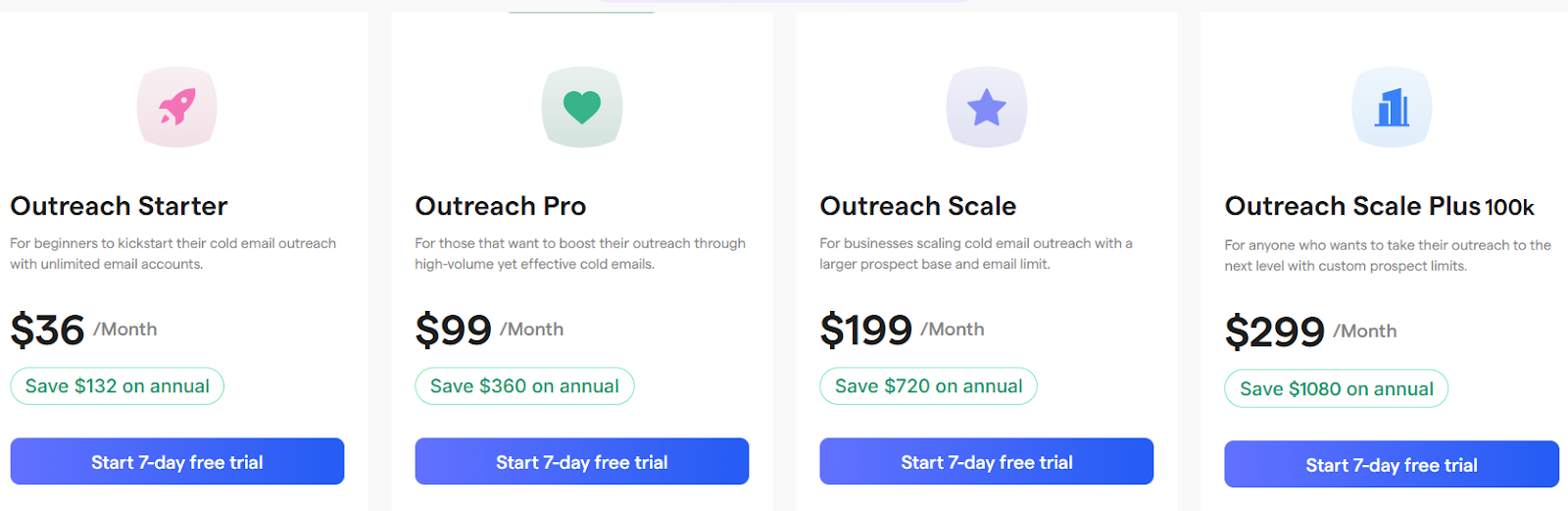
This image shows the Saleshandy pricing
Free Trial – 7-day free trial with no credit card required.
Outreach Starter / Lead Starter – $36 per month and includes 500 credits per month.
Outreach Pro / Lead Pro – $99 per month and includes 1,000 credits per month.
Outreach Scale / Lead Scale – $199 per month and includes 2,500 credits per month.
Outreach Scale Plus / Lead Scale Plus – $299 per month and includes 5,000 credits per month.
One-Time Credits – You can buy extra credits when you need more lead reveals.
Email Infrastructure Add-On – Google Workspace or Microsoft 365 inboxes at $4 per email account per month and domains at $14 per year.
Inbox Placement Testing Plans – Free plan available, with paid plans starting at $49 per month.
3. Hunter.io – Find, Verify, and Send Cold Emails in One Platform
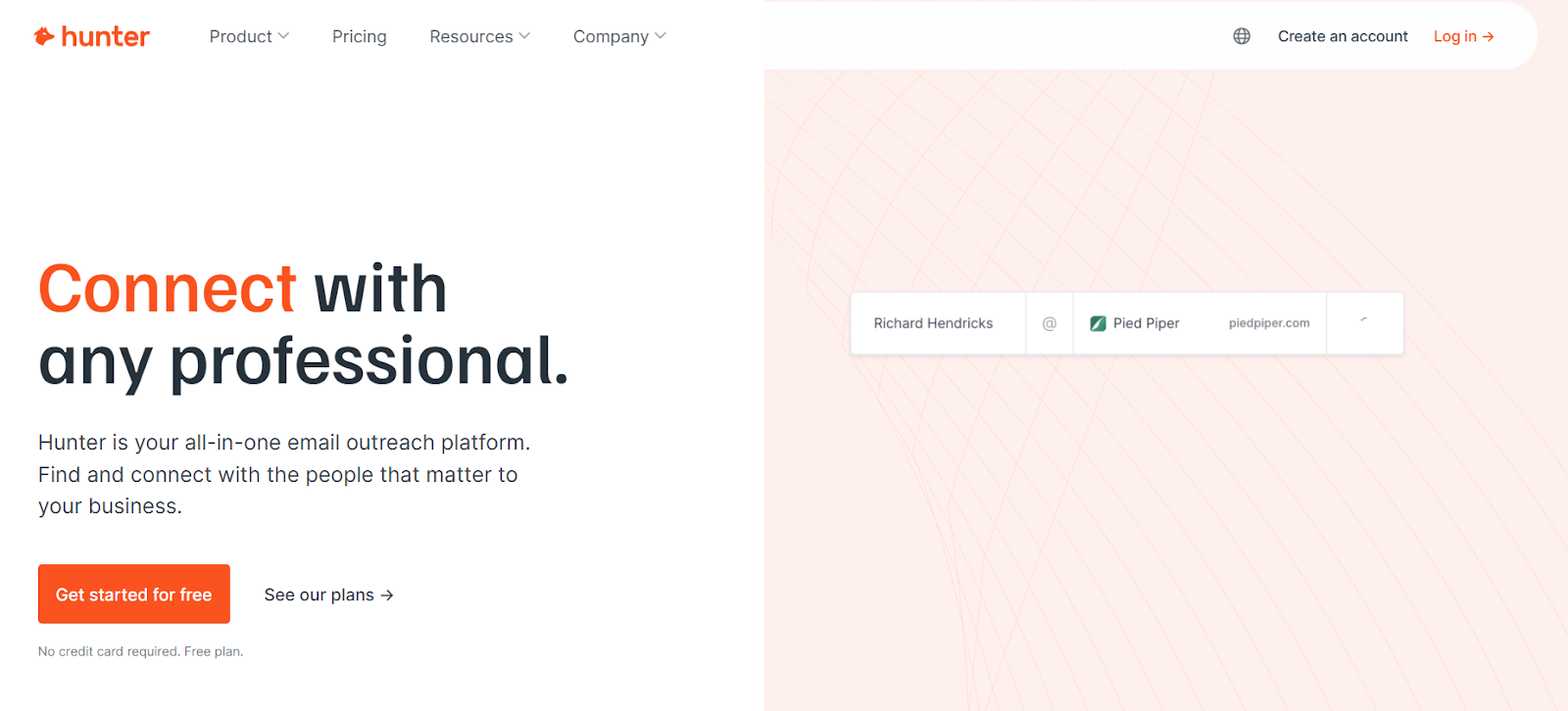
This image shows the Hunter.io homepage
Hunter is an all-in-one email outreach platform.
It helps you find work emails, verify them, and send cold emails from one place.
You can use Hunter to search companies, find emails by name or domain, verify email addresses, and run cold email sequences using your own Gmail, Google Workspace, or Outlook inbox.
Key Features of Hunter.io
Email Finder lets you type a name and find a verified work email address.
Email Verifier checks emails to reduce bounces and protect sender reputation.
Discover helps you find companies and decision-makers using filters or AI prompts.
Signals show company activity like new emails or job openings.
Cold email sequences let you send emails and follow-ups at scale.
Emails are sent from your own Gmail, Google Workspace, or Outlook inbox.
AI Writing Assistant helps write and personalize cold emails on paid plans.
Pros & Cons of Hunter.io
Pros
Cons
Easy to find and verify work emails from domains and names
Includes email finder, verifier, and cold email sequences in one tool
Free plan available with no credit card required
Integrates with Gmail, Outlook, CRMs, Zapier, and API
Used by millions of users and trusted by big brands
Not built for scraping LinkedIn profiles directly
Credits can run out fast for large lists
Free plan has low monthly credit limits
Advanced Discover filters are only on paid plans
Best features are locked behind paid plans
Hunter.io Pricing
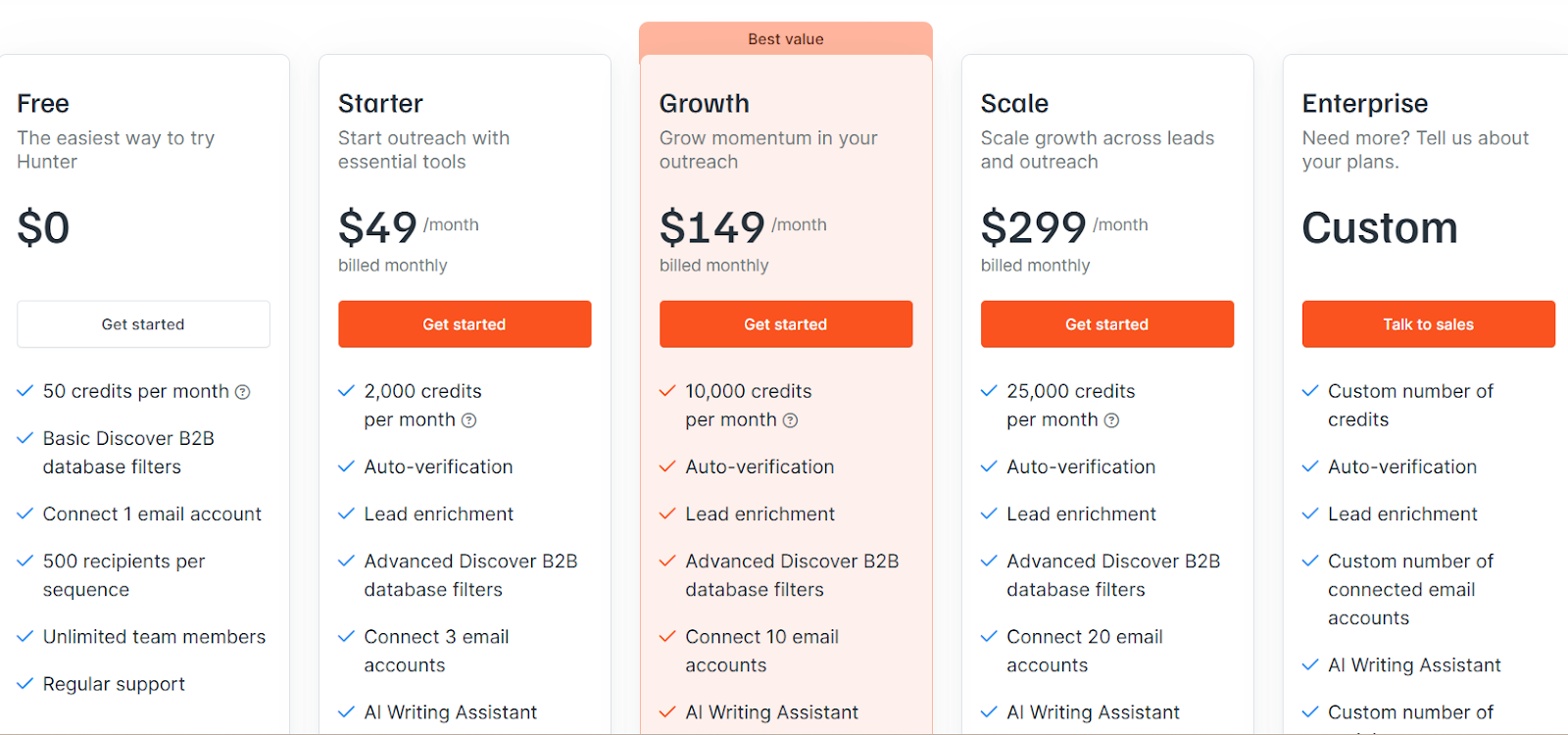
This image shows the Hunter.io pricing
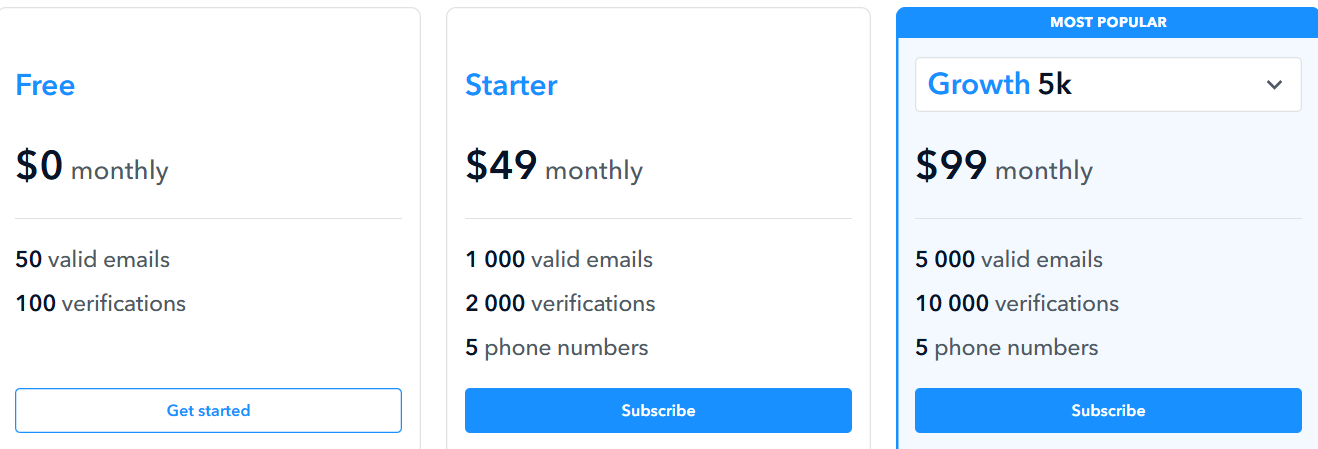
Free Plan – $0 per month and includes 50 credits per month, 1 connected email account, and 500 recipients per sequence.
Starter Plan – $49 per month and includes 2,000 credits per month, 3 connected email accounts, and AI Writing Assistant.
Growth Plan – $149 per month and includes 10,000 credits per month, 10 connected email accounts, and higher sending limits.
Scale Plan – $299 per month and includes 25,000 credits per month, 20 connected email accounts, and advanced limits.
Enterprise Plan – Custom pricing with custom credits and account limits.
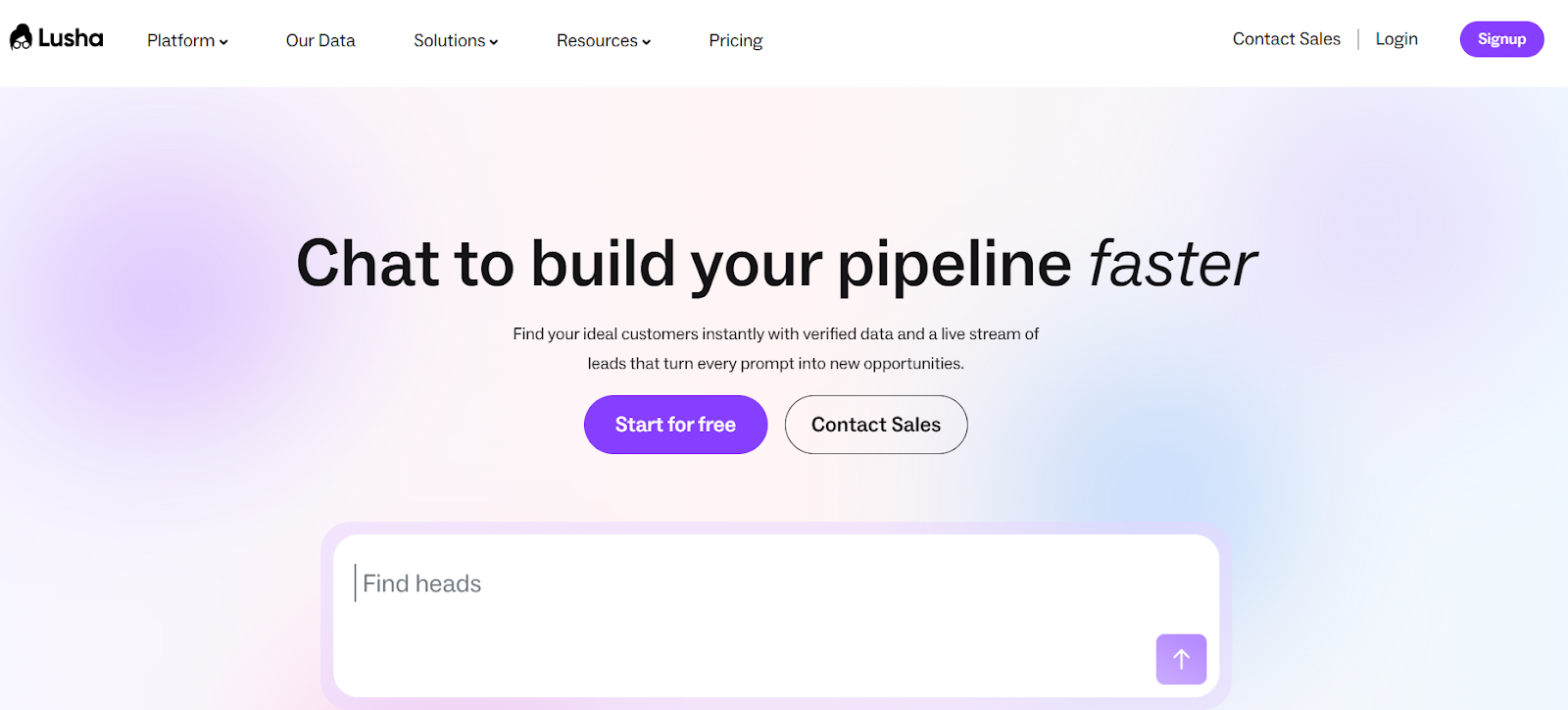
It helps you find verified emails, direct phone numbers, spot buying signals, enrich CRM data, and run outreach from one place.
You can use Lusha to build prospect lists, sync data to your CRM, and trigger email sequences with automation.
It is built for sales, RevOps, marketing, and recruiting teams.
Lusha gives access to 280M+ verified contacts with work emails, direct dials, and enriched company profiles.
Key Features of Lusha
Direct dials and verified work emails to reach decision-makers faster.
Buyer intent signals and activity alerts to spot companies ready to buy.
CRM sync with tools like Salesforce and HubSpot to keep data clean and updated.
Chrome extension to find emails and phone numbers on LinkedIn and websites.
Bulk enrichment and CSV export to update contact lists at scale.
Automated workflows to push new leads into CRM and email sequences.
Pros & Cons of Lusha
Pros
Cons
Very large B2B database with verified emails and direct phone numbers
Strong compliance with GDPR, CCPA, SOC 2, ISO 27001, and ISO 27701
Works well with CRM tools and sales workflows
Phone numbers cost more credits than emails
Credit-based pricing can get expensive at scale
Not a cold email sender by default (needs outreach tools or Lusha Engage)
Lusha Pricing
This image shoes the Lusha pricing
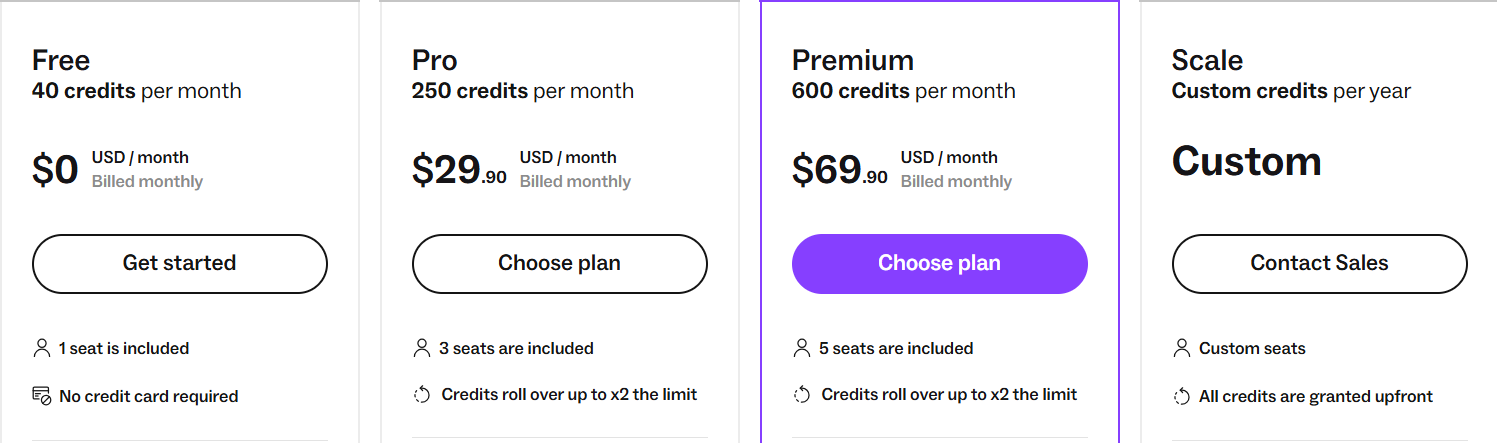
Free Plan – $0/month, includes 40 credits per month and basic access to contact data and filters.
Pro Plan – $29.90/month, includes 250 credits per month and 3 seats. Credits roll over up to 2× limit.
Premium Plan – $69.90/month, includes 600 credits per month and 5 seats. Includes bulk enrichment and advanced analytics.
Scale Plan – Custom pricing, custom credits per year, CSV enrichment up to 10,000 rows, bulk exports, intent filters, SSO, and a dedicated success manager.
10. ContactOut – Email & Phone Finder for Recruiters and Sales
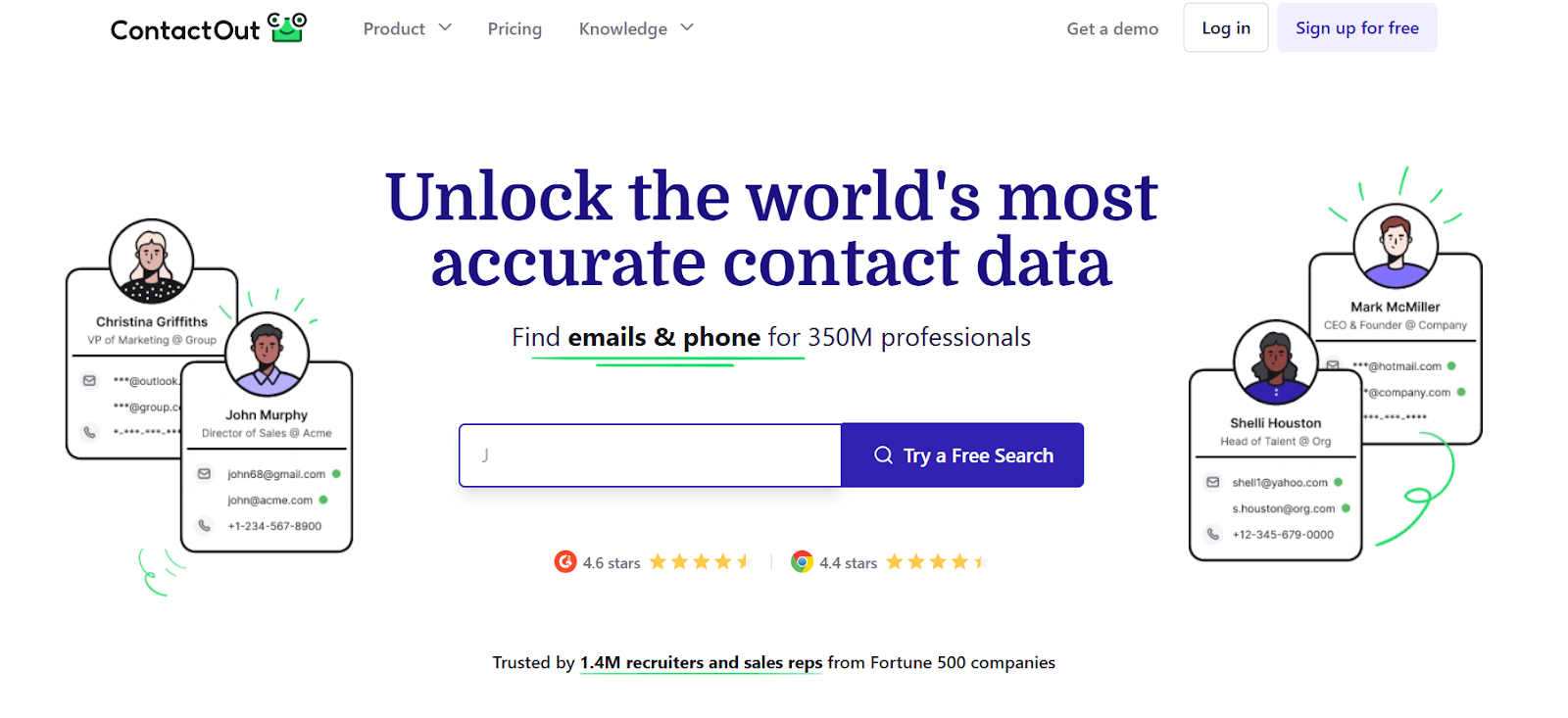
This image shows the ContactOut homepage
ContactOut is a contact data search engine, not a simple email scraper.
It helps recruiters and sales teams find work emails, personal emails, and direct phone numbers for professionals across LinkedIn and company websites.
It gives access to 350M+ professionals from 40M+ companies and updates data hourly.
ContactOut is widely used by recruiters and sales reps to find verified contact details fast.
The Chrome extension lets you find emails and phone numbers for about 75% of people on LinkedIn and add prospects to email campaigns in one click.
Key Features of ContactOut
Search portal lets you search 350M+ professionals using 20+ filters like job title, company, revenue, and location.
Triple-verified emails and phone numbers provide high data accuracy and confidence.
Hourly data updates keep contact data fresh and up to date.
Email campaigns allow you to run multi-step outreach from inside ContactOut.
AI Personalizer helps generate personalized emails using LinkedIn data.
Pros & Cons of ContactOut
Pros
Cons
Large database with 350M+ professionals and 40M+ companies
Finds both work emails and direct phone numbers
Chrome extension works directly on LinkedIn profiles
Data is triple-verified and updated hourly
Best features are locked behind paid plans
Free plan has very limited daily usage
Email sending is basic compared to full cold email tools
Mainly focused on data access, not full outreach automation
ContactOut Pricing
This image shows the ContactOut pricing
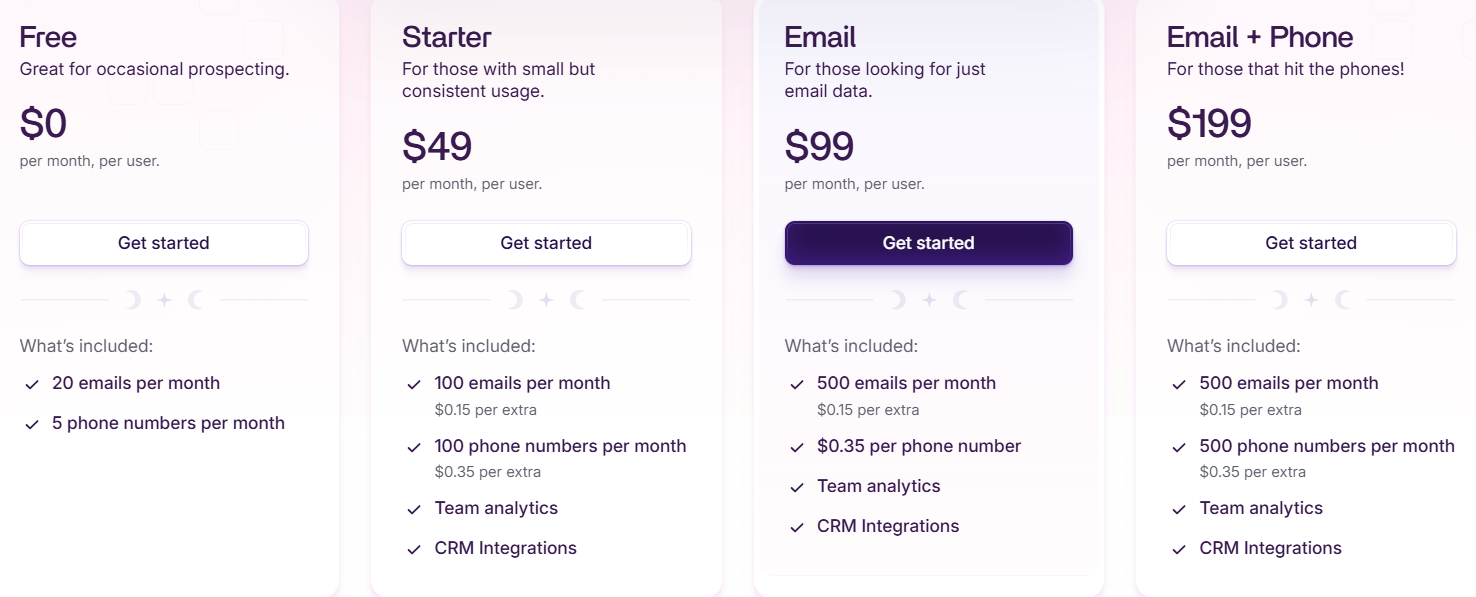
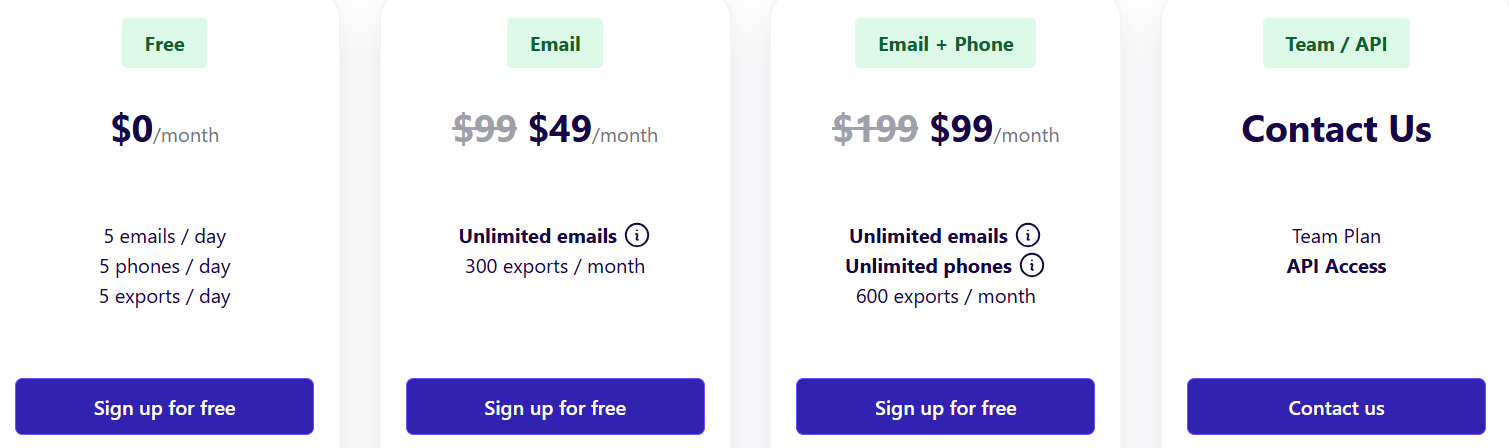
Free Plan – $0 per month with limited daily reveals (emails, phones, and exports).
Email Plan – Paid plan for unlimited email lookups with monthly export limits.
Email + Phone Plan – Paid plan for unlimited emails and phone numbers with higher export limits.
Team / API Plan – Custom pricing for teams, bulk usage, and API access.
Credits Model – Contact reveals and exports use credits based on your plan.
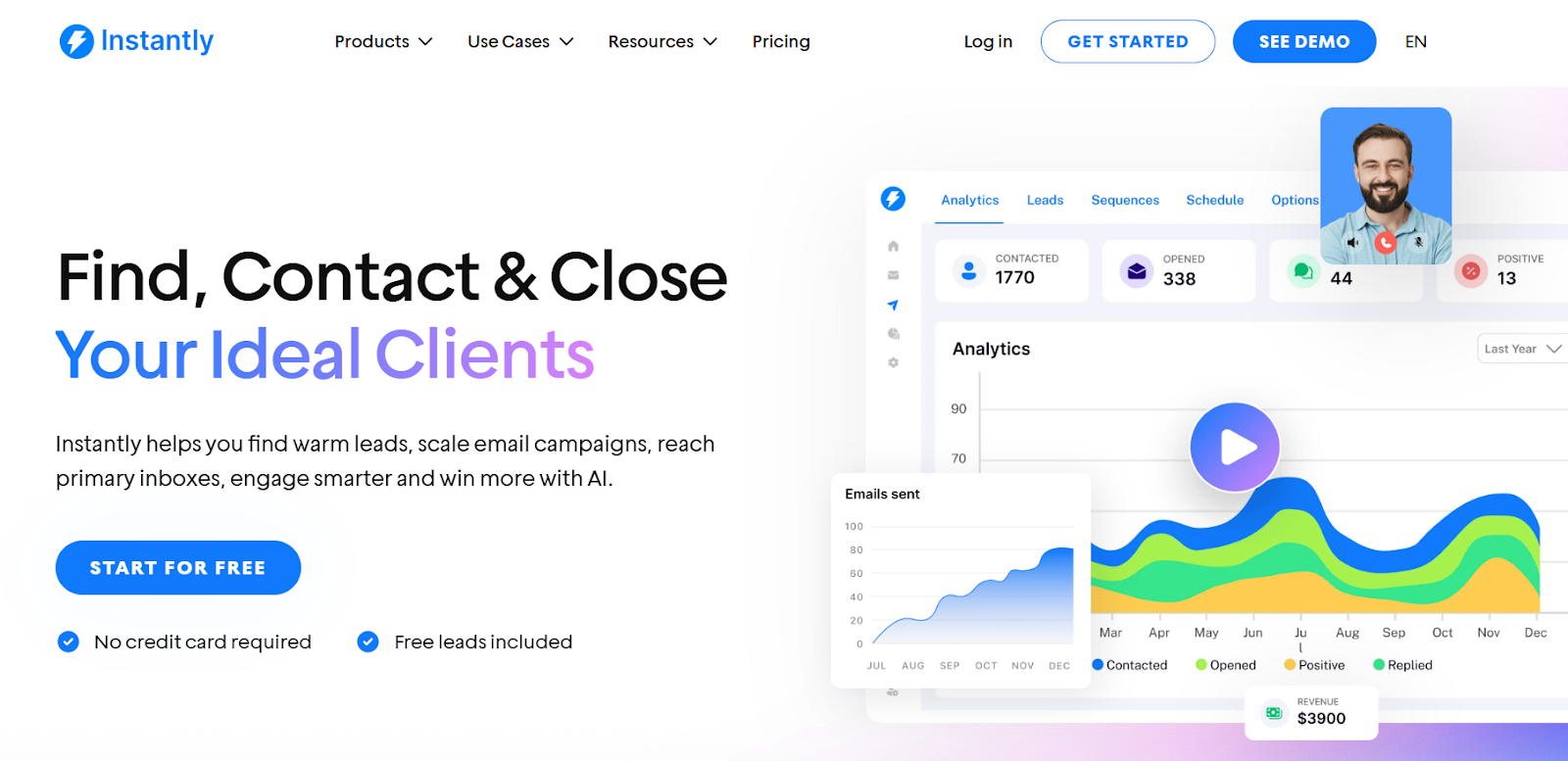
Instantly is an all-in-one cold email and sales engagement platform.
It helps you find warm leads, send cold emails at scale, warm up inboxes, reach primary inboxes, manage replies, and track pipeline results from one place.
You can connect unlimited email accounts and run outreach without paying per inbox.
Instantly focuses heavily on deliverability, so your emails land in the inbox instead of spam.
Key Features of Instantly
Unlimited email accounts with no per-inbox pricing.
Unlimited email warm-up using a large warm-up pool to protect sender reputation.
Cold email sequences with automated follow-ups and scheduling.
Unibox to manage replies from all inboxes in one place.
AI sequence generator to create email sequences for your niche and offer.
Email validation and bulk domain testing to reduce bounces and protect deliverability.
Pros & Cons of Instantly
Pros
Cons
Allows unlimited email accounts without extra cost
Strong focus on deliverability and inbox placement
Built-in lead finder to source warm leads
Needs proper setup and warm-up to get best results
No native LinkedIn automation
Lead finder and verification use credits
Instantly Pricing
This image shows the Instantly pricing
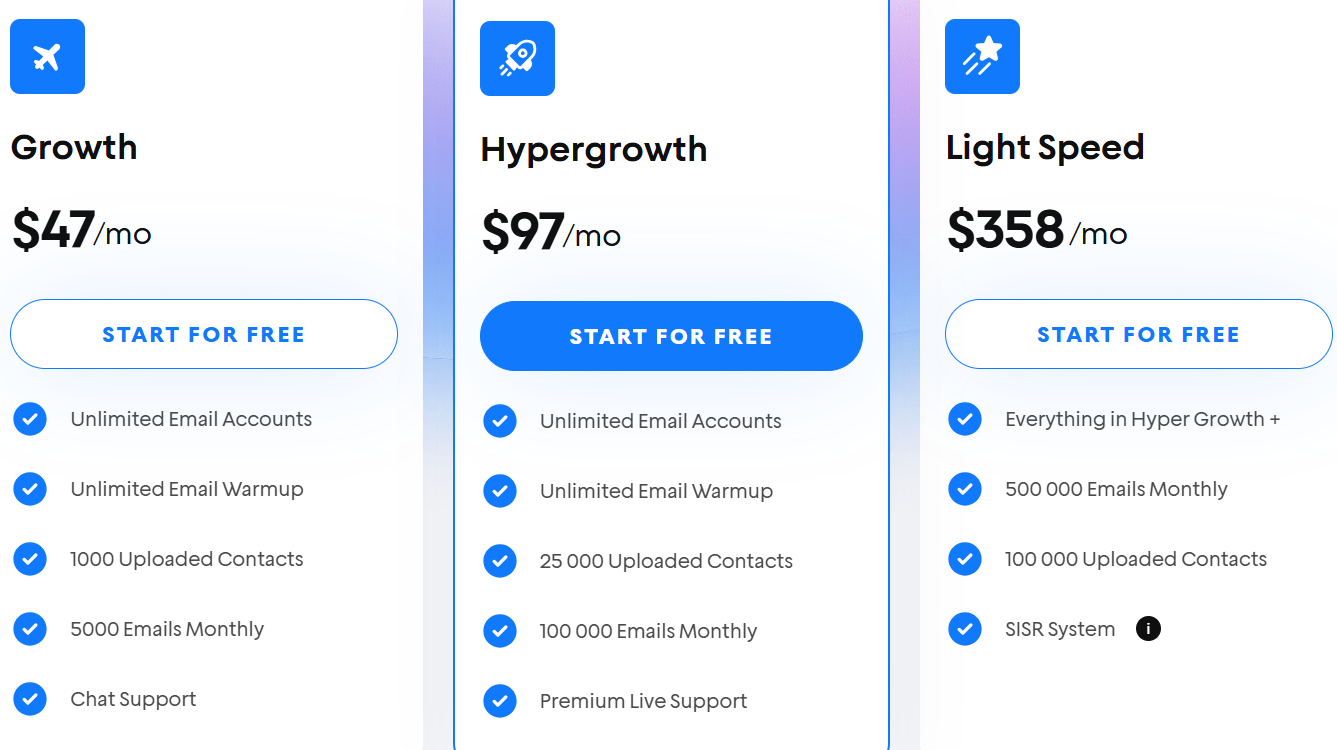
Growth – $37/month, includes unlimited email accounts, unlimited warm-up, 1,000 uploaded contacts, and 5,000 emails per month.
Hypergrowth – $97/month, includes unlimited email accounts, unlimited warm-up, 25,000 uploaded contacts, and 100,000 emails per month.
Light Speed – $358/month, includes everything in Hypergrowth plus 500,000 emails per month and 100,000 uploaded contacts.
Free Trial – Start for free with no credit card required and free leads included.
Lead Finder & Verification Credits – Extra credits can be purchased for lead finding and email verification.
12. Voila Norbert – Email Finder and Verifier for B2B Prospecting
This image shows the Voila Norbert homepage
Voila Norbert is an email finder and verification tool.
It helps you find work emails using name + company domain, verify emails, enrich contacts, and keep your lists clean from one place.
You enter the full name of your prospect and the company domain, and Norbert finds the most likely email in seconds.
Every email is checked with multi-step verification and shown with a certainty score to tell you how accurate it is.
Key Features of Voila Norbert
Multi-step email verification checks if emails are real before you export them.
Bulk email finding using CSV uploads for large lists.
Chrome extension works on websites and LinkedIn profiles.
Email enrichment adds job title, company, location, and social profiles.
Email verification tool to clean old or uploaded email lists.
Pros & Cons of Voila Norbert
Pros
Cons
Very high email accuracy with certainty score
Multi-step verification reduces bounces
Chrome extension works on LinkedIn and websites
You must already have names and domains to find emails
Not a full lead database to discover new leads
No built-in cold email outreach by default
Voila Norbert Pricing
This image shows the Voila Norbert pricing
Free Credits – 50 free email leads for new users.
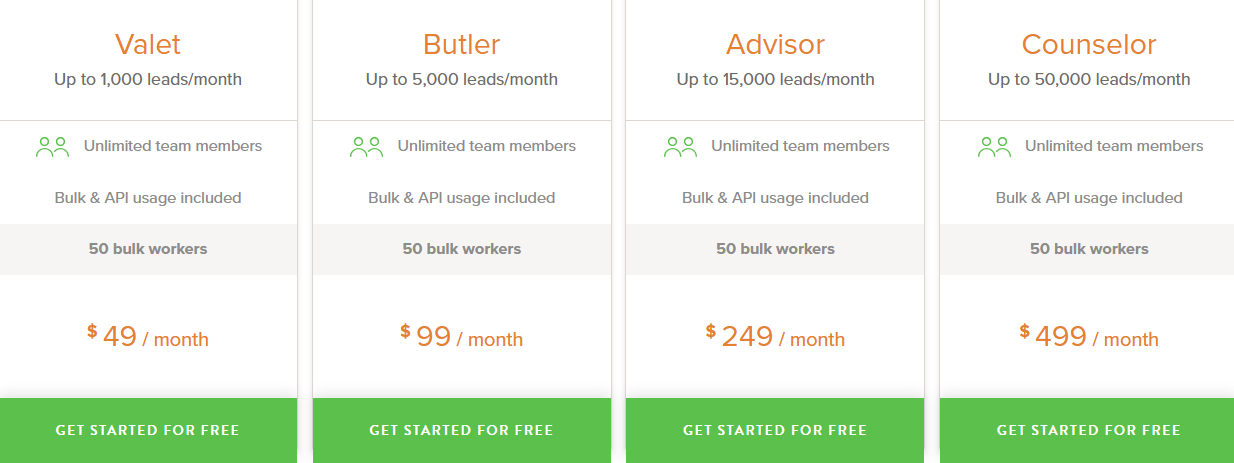
Valet Plan – $49/month for 1,000 email leads, ($39/month when billed yearly).
Butler Plan – $99/month for 5,000 email leads, ($79/month when billed yearly).
Advisor Plan – $249/month for 15,000 email leads, ($199/month when billed yearly).
Counselor Plan – $499/month for 50,000 email leads, ($399/month when billed yearly).
Email Verification – Pay as you go from $0.003 per email (cheaper at high volume).
Enrichment – Starts at $0.04 per email (price drops for large lists).
13. UpLead – B2B Lead Database with Real - Time Verifed Emails & Phones
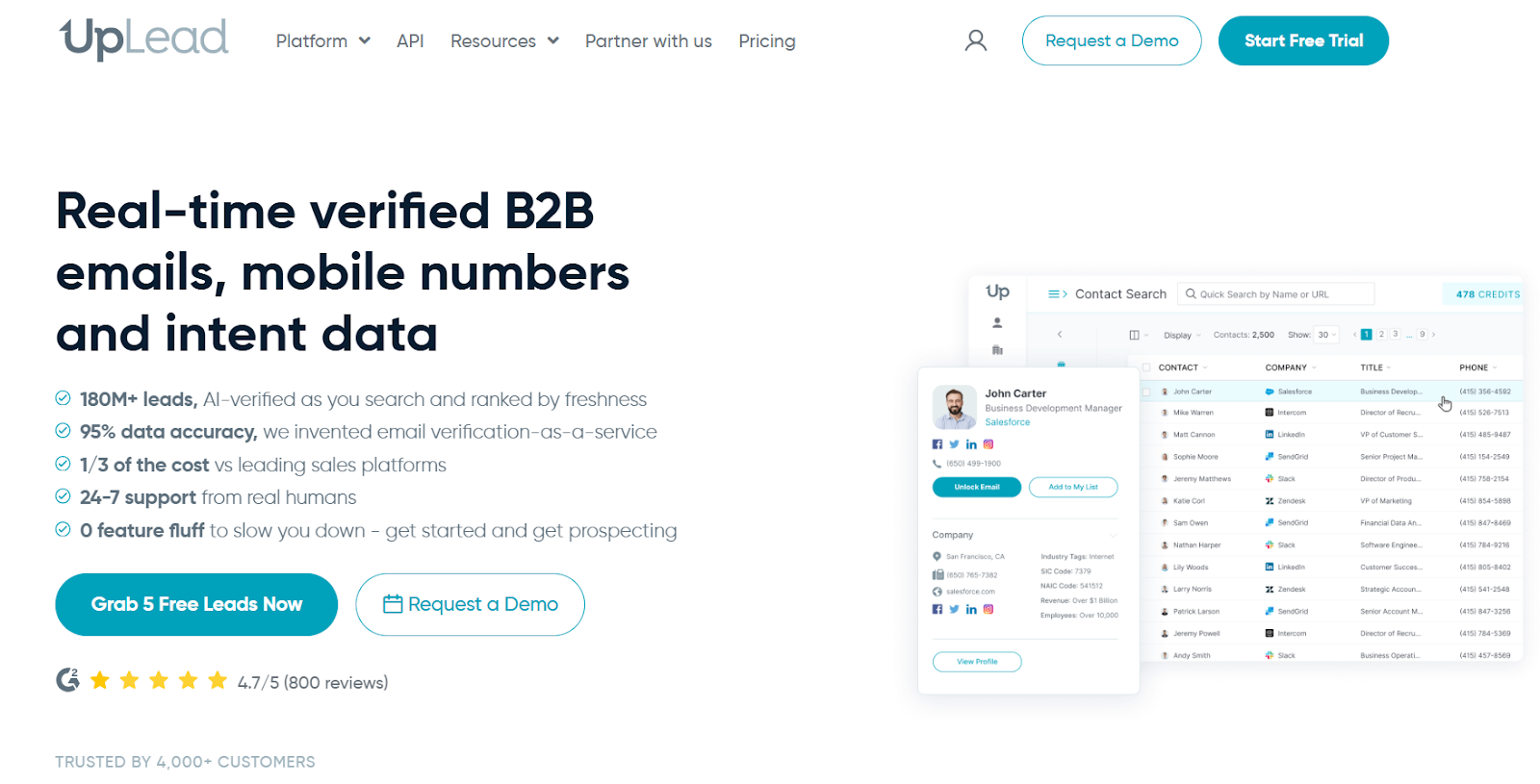
This image shows the UpLead homepage
UpLead is a B2B lead database.
It helps you find leads, get verified work emails, mobile numbers, company data, and buyer intent signals from one place.
UpLead verifies emails in real time when you export, so you only download valid contacts.
It focuses on clean data and high accuracy, with a 95% data accuracy guarantee.
Key Features of UpLead
Real-time email verification checks emails when you export, so bounces stay low.
95% accuracy guarantee on verified emails.
Mobile direct dials and business phone numbers for prospects.
Buyer intent data to find companies that are actively looking to buy.
Technographics with data on 16,000+ technologies companies use.
Bulk lookup to enrich and export large lead lists at once.
Data enrichment to keep CRM records fresh and updated.
Higher plans are needed for intent data and API access
Monthly credits can feel limited for high-volume teams
Costs can add up as you buy more credits
UpLead Pricing
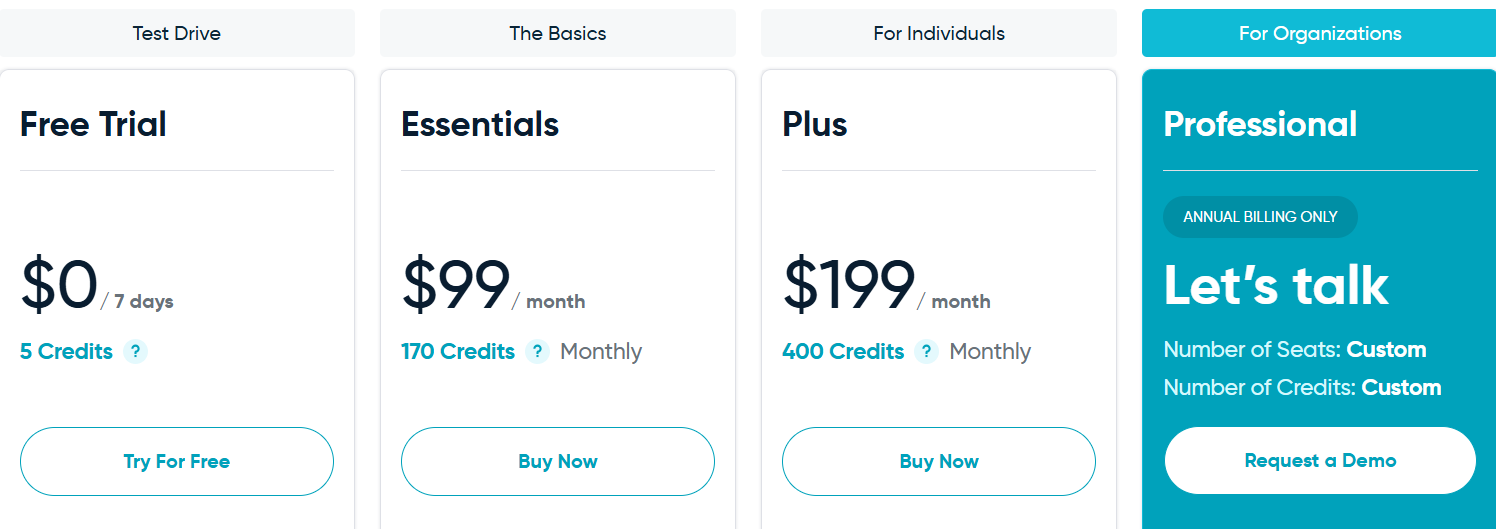
This image shows the UpLead Pricing
Free Trial – 7-day free trial with 5 free credits.
Essentials – $99/month with 170 credits per month.
Plus – $199/month with 400 credits per month.
Professional – Annual billing only (custom seats and credits).
Extra Credits – You can buy more credits as add-ons (credit = 1 contact unlocked with email + mobile).
14. Snov.io – All-in-One Tool for Finding Leads and Running Cold Outreach
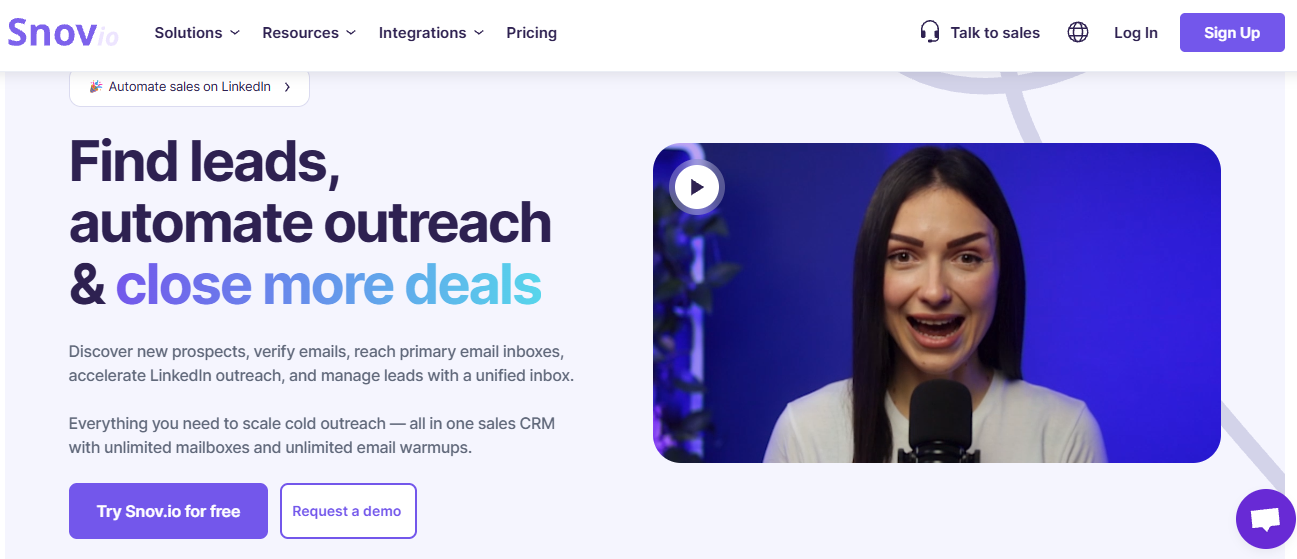
This image shows the Snov.io homepage
Snov.io is an all-in-one sales platform.
It helps you find leads, verify emails, run cold email campaigns, automate LinkedIn outreach, warm up inboxes, and manage replies from one place.
You can connect unlimited email accounts and use unlimited email warm-ups, so you can scale cold outreach without hitting limits.
Snov.io also helps you find verified emails from LinkedIn, company websites, and its own database, and then reach those leads using email and LinkedIn from one dashboard.
Key Features of Snov.io
LinkedIn automation lets you send connection requests, messages, and InMails safely using cloud-based automation.
Cold email campaigns with automated follow-ups help you run multi-step outreach.