If you are searching for a DropContact review, you are likely trying to decide one thing, is this tool worth using or not?
DropContact is a popular lead enrichment tool, especially for teams that care about GDPR compliance and clean CRM data.
Many sales and RevOps teams use it to find and verify professional email addresses.
But having a popular tool does not always mean it is the right tool for you.
In this honest DropContact review, we break down what the tool actually does, how it works, what users like, what users don’t like, and whether it is worth the money.
By the end of this review, you will know if DropContact fits your lead enrichment needs, or if you should look at better alternatives.
TL;DR: DropContact Review
DropContact is a B2B email enrichment and verification tool built for teams that want clean, compliant contact data.
The tool finds and verifies professional business emails using real-time algorithms, not stored contact lists.
It enriches contacts with verified emails, job titles, LinkedIn profiles, company websites, industries, and company size.
Email verification is built in, with up to 98% validity (and strong handling of catch-all domains).
The platform detects and merges duplicate contacts, even when records have no matching fields.
Pricing is credit-based, where 1 credit equals 1 verified email found, and unused credits may require an active plan to carry over.
What Is DropContact?
This image shows the DropContact homepage
DropContact is a B2B email enrichment tool that helps sales and marketing teams clean and improve their contact data.
It is used to find and verify professional business email addresses, not to discover new leads.
The tool works on the contacts you already have. You can upload files, connect your CRM, or use the API.
DropContact then finds missing emails, checks existing ones, and updates contact details automatically.
It is built with GDPR in mind. It does not use or store personal databases.
Every email is generated and verified in real time, which helps keep data fresh and compliant.
Along with email verification, DropContact enriches contacts with job titles, LinkedIn profiles, company websites, industries, and company size.
How DropContact Works
DropContact is built to help teams enrich and clean B2B contact data without wasting time on manual work.
It works on the leads you already have and keeps everything GDPR compliant.
Here is how the process works,:
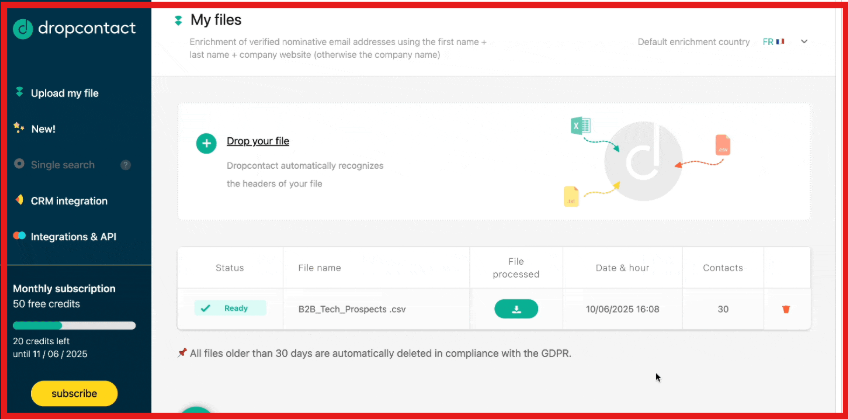
You upload your contacts using a CRM integration, a CSV or Excel file, Google Sheets, or the API. The minimum data needed is a first name, last name, and company name or website.
This image shows the Drop your file on DropContact
DropContact uses real-time algorithms to find professional business email addresses. It does not use stored databases, which keeps the data fresh and compliant.
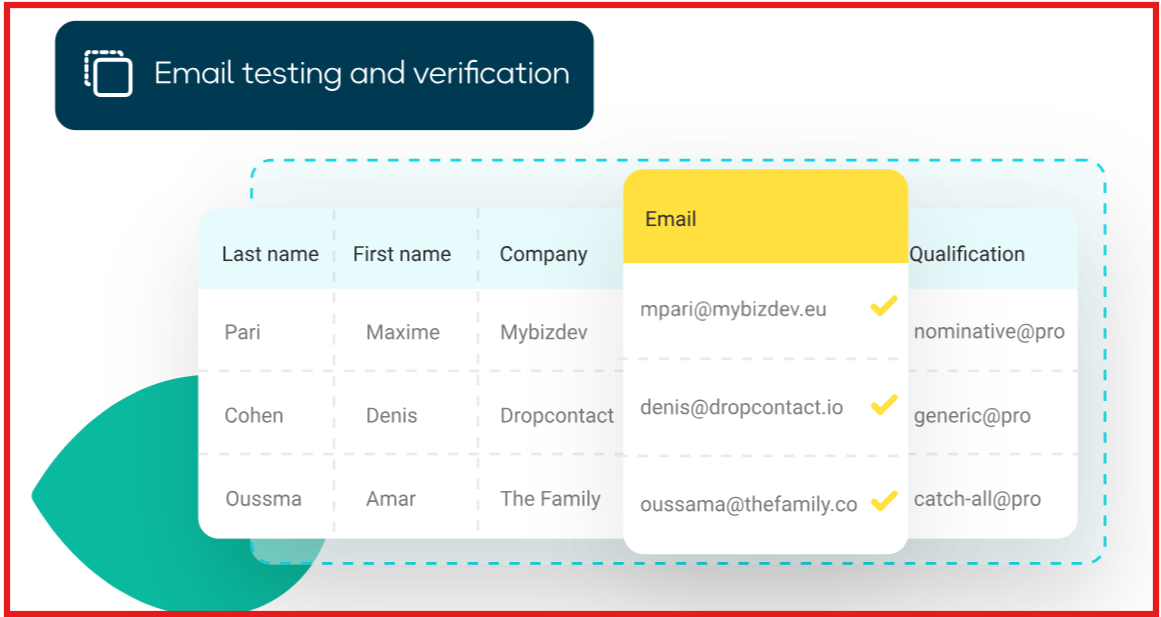
Every email found is verified instantly. The system checks syntax, domain, and deliverability, with around 98% validity and strong handling of catch-all domains.
This image shows the Email testing and verification by DropContact
Along with emails, DropContact enriches contacts with useful details like job title, LinkedIn profile, company website, industry, and company size.
This image shows the Example of DropContact adding Linked profile and company website
If duplicate contacts exist, DropContact detects and merges them automatically, even when records do not fully match.
When a contact changes companies, DropContact can detect this and update the record with new company data and a new verified email.
All enriched data is pushed back into your CRM or returned as a clean file, so your sales team can focus on outreach instead of data cleanup.
In short, DropContact works by taking your existing B2B contacts, enriching them in real time, verifying everything, and keeping your CRM clean and up to date.
DropContact Pricing
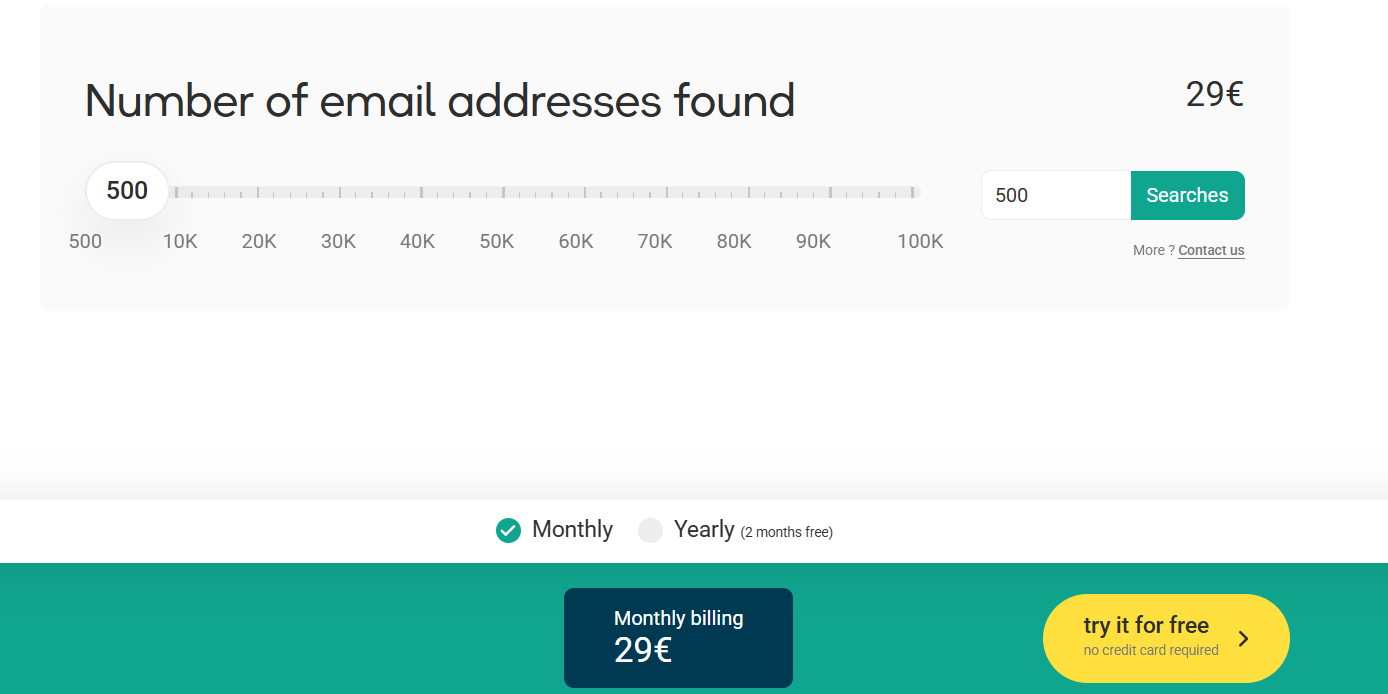
This image shows the DropContact pricing
DropContact uses a credit-based Email Finder subscription. You only pay when a professional business email is successfully found.
1 credit equals 1 email found.
Pricing starts at €29 per month for 500 email searches.
The subscription can be monthly or annual.
Your email quota is renewed on each billing cycle.
If DropContact does not find an email, the credit is re-credited to your account.
With the Credit Carryover option, unused credits can be kept for the next month, as long as you have an active paid subscription.
The Email Finder includes built-in email verification.
You can use the Email Finder via file upload (CSV/XLS), single searches, or the API.
You can upgrade, downgrade, or cancel your subscription at any time from the dashboard.
Pros and Cons of DropContact
Pros
Cons
Fully GDPR compliant by design because it does not use or store any contact database.
Does not provide personal email addresses such as Gmail or Yahoo.
Uses real-time algorithms, so the data is fresh rather than pre-stored.
Does not scrape LinkedIn or websites to find contacts.
Very high email validity rates, around 98% overall and above 85% for catch-all domains.
Not suitable when you only have company names and no contact names.
You only pay for email addresses that are successfully found.
Not ideal for freelancers or small businesses relying on personal email accounts.
Built-in email verification is included at no extra cost.
Coverage is weaker in regions that primarily use non-Latin scripts.
Strong duplicate detection with automatic merging inside CRMs.
CRM enrichment requires a separate plan from Email Finder credits.
Is DropContact Right for You?
DropContact is a good fit if your goal is to clean, enrich, and verify B2B contact data without legal risk.
It works best for teams that already have leads and want accurate, up-to-date information inside their CRM.
Use DropContact if:
You work with B2B contacts using professional company emails.
You already have contact names and companies, and want to find or verify emails.
GDPR compliance is important for your business or legal team.
You want real-time enrichment, not outdated database data.
You need automatic CRM cleaning, deduplication, and enrichment.
You prefer paying only for emails that are actually found.
Avoid DropContact if:
You need a tool to discover new leads from scratch.
You only have company names with no contact names.
You target freelancers or small businesses that use personal emails.
You want LinkedIn scraping, intent data, or outreach automation.
You need personal emails or mobile phone numbers.
In short, DropContact is right for teams that care about data quality, compliance, and clean CRMs.
If your main goal is lead discovery or outbound automation, you will need a different tool.
Best DropContact Alternative for Lead Generation – Leadsforge
If DropContact helps you clean and enrich the contacts you already have, but you also want a tool that actually finds new leads for you, then Leadsforge is the stronger choice.
DropContact focuses on enriching existing records from your CRM or files.
Leadsforge focuses on generating fresh, ready-to-contact leads based on your ideal customer profile.
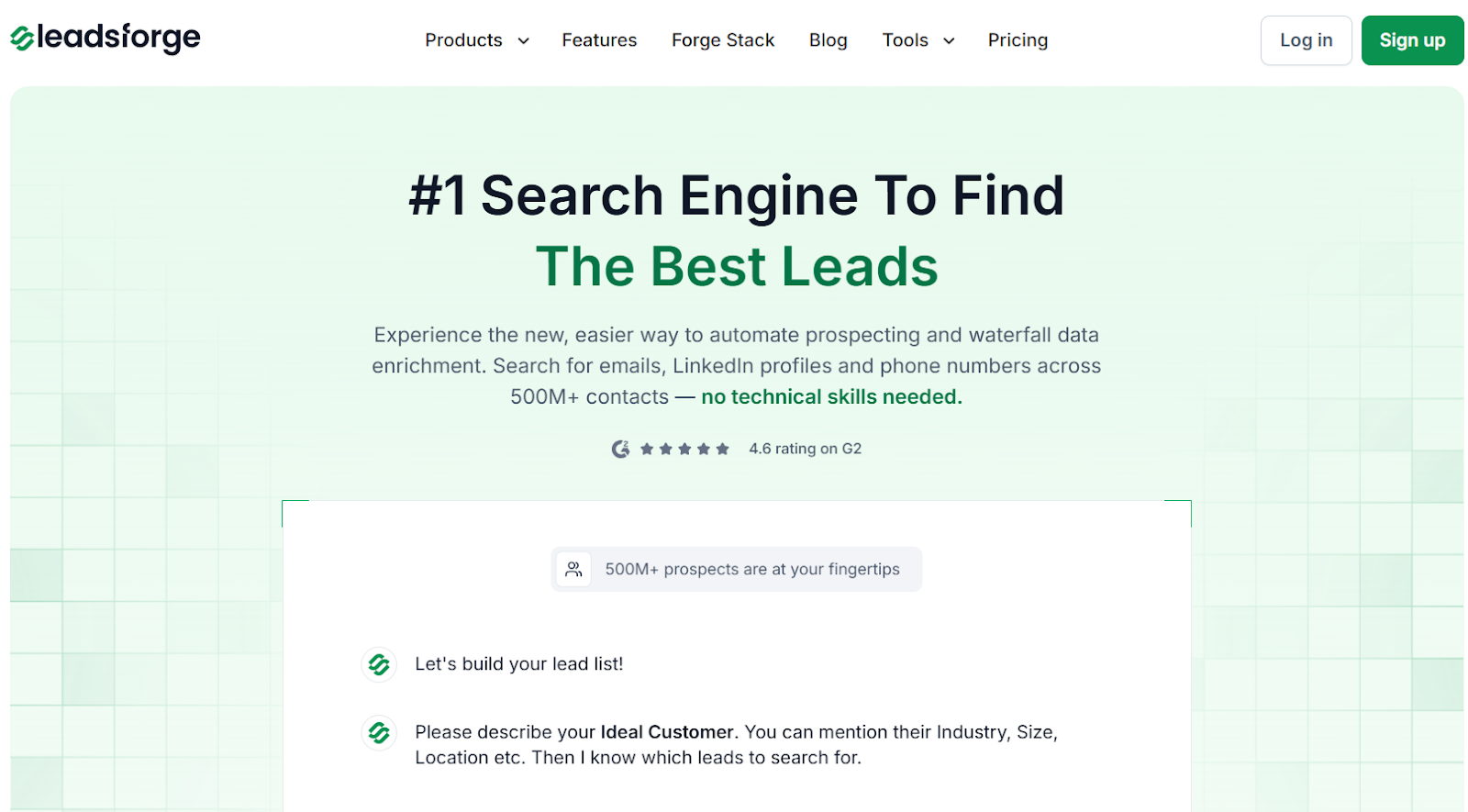
This image shows the Leadsforge homepage
Leadsforge is a chat-based search engine for B2B prospecting.
You simply describe who you want, like “marketing managers in US SaaS companies with 50–200 employees,” and it returns verified emails, LinkedIn profiles, and phone numbers pulled from over 500M contacts.
This image shows the Leadsforge ICP based lead generation
It also goes beyond basic enrichment. Leadsforge can find lookalike companies, pull followers of competitor company pages, and add intent signals that show which prospects are more likely to buy.
DropContact vs Leadsforge: Quick Comparison
Feature
DropContact
Leadsforge
Main Purpose
Enrich and clean existing contacts
Discover and generate new leads
Data Method
Real-time algorithms with no stored database
Multi-source database of 500M+ contacts with waterfall enrichment
Email Finding
Yes, professional emails only
Yes
LinkedIn Profiles
Yes, via enrichment
Yes
Phone Numbers
Business landlines only
Verified mobile and phone numbers
Intent Signals
No
Yes
Lookalike Companies
No
Yes
Competitor Followers Search
No
Yes
Pricing Model
€29 for 500 emails per month, with credits resetting unless carryover is enabled
$49 per month for 2,000 export credits, with unused credits never expiring
Best For
RevOps teams cleaning and updating CRM data
Sales and growth teams building new pipeline from scratch
If your main need is GDPR-safe email enrichment inside your CRM, DropContact is a solid fit.
But if your goal is to find new prospects, build targeted lists, and add buying intent before outreach, Leadsforge gives you more ways to generate pipeline, not just clean it.
Is DropContact Worth It?
DropContact is worth it if you already have your contact list and need a simple, accurate way to find and verify professional work emails.
It is easy to use, GDPR compliant, and helps keep your CRM clean and up to date.
But if you need a tool that actually finds new leads for you, with ICP search, lookalikes, competitor followers, and intent signals, DropContact won’t be enough.
If your goal is to generate new prospects quickly without building manual lists first, Leadsforge is the better choice.
It gives you verified emails, LinkedIn profiles, and phone numbers just by describing your ideal customer in plain English.