If you’re searching for DiscoverOrg reviews, you’re likely trying to decide if it’s worth using for your sales or marketing team.
DiscoverOrg is a B2B sales intelligence tool that helps teams find accurate contact details, understand company org charts, and reach the right decision-makers.
It’s often used by mid-market and enterprise companies that rely on outbound or account-based sales.
To see how well it really works, we looked at 30+ real DiscoverOrg reviews from sales reps, marketers, and revenue teams.
We focused on data quality, features, pricing, and real results.
By the end of this article, you’ll know whether DiscoverOrg is a good fit for your business.
DiscoverOrg Review: Key Takeaways
DiscoverOrg is a B2B sales intelligence and prospecting tool built for sales, marketing, and recruiting teams.
It is best known for highly accurate, human-verified contact data that is updated every 90 days or sooner.
The platform provides detailed, department-level org charts, showing roles, responsibilities, and reporting lines.
DiscoverOrg helps teams find key decision-makers and reach them using verified emails and direct-dial phone numbers.
It includes buying signals and intent data to help prioritize accounts that are more likely to buy.
The tool supports account-based marketing (ABM) by helping sales and marketing teams align on the same target accounts.
Pricing is custom and not publicly listed, which makes it more suitable for teams with higher budgets.
A free trial is available, but full access requires speaking with sales.
What Is DiscoverOrg?
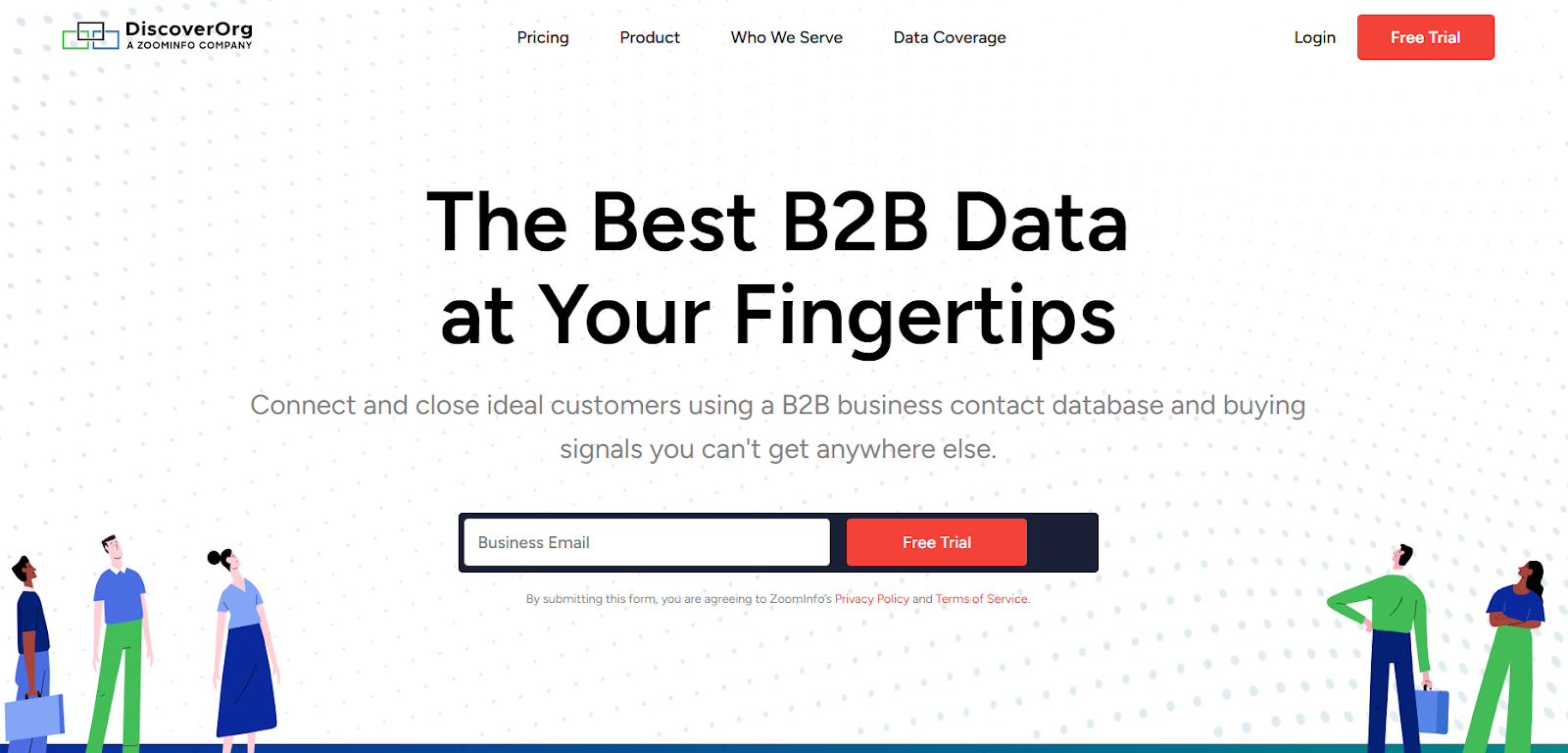
This image shows the DiscoverOrg homepage
DiscoverOrg is a B2B sales intelligence and prospecting tool that helps teams find and connect with the right buyers faster.
It gives sales, marketing, and recruiting teams access to accurate business contact data, company details, and buying signals in one platform.
Instead of guessing or using outdated lists, DiscoverOrg shows clear org charts, roles, and contact details.
It works especially well for teams that use account-based sales or marketing (ABM) and need reliable data to reach the right people.
In short, DiscoverOrg helps teams target better accounts, reach the right contacts, and close more deals using accurate data.
How Does DiscoverOrg Work?
DiscoverOrg helps sales, marketing, and recruiting teams find the right companies, identify the right people, and reach them at the right time.
It brings all key B2B data into one place so teams can focus on accounts that actually matter.
Here’s how DiscoverOrg works step by step:
Define your ideal market: You start by creating your Ideal Customer Profile (ICP) using filters like company size, industry, location, revenue, and technology used.
Find the right target accounts: DiscoverOrg helps you identify companies that match your ICP with just a few clicks, making it easy to build highly targeted account lists.
Identify key decision-makers: The platform shows department-level org charts, so you can clearly see who the decision-makers are and where they sit in the organization.
Access verified contact details: You get human-verified email addresses and direct-dial phone numbers, so you can reach the right people without guessing.
Use buying signals and intent data: DiscoverOrg highlights companies showing interest based on real-time buying signals, helping you focus on accounts more likely to buy.
Prioritize the best opportunities: Accounts are scored and ranked by fit and buying intent, so sales teams know who to contact first.
Sync with your sales tools: DiscoverOrg integrates with CRMs and sales platforms like Salesforce, HubSpot, and Salesloft to keep workflows smooth and data up to date.
In short, DiscoverOrg helps teams stop wasting time on the wrong leads and focus on high-value accounts that are ready to engage.
DiscoverOrg Features That Are Actually Useful
DiscoverOrg comes with many features, but the real value comes from the tools that help teams find the right accounts, identify decision-makers, and focus on buyers who are ready to engage.
Instead of offering random data points, DiscoverOrg is built around accuracy, structure, and intent.
Below are the features that users rely on the most in day-to-day sales, marketing, and recruiting workflows.
Feature
What It Does
Department-Level Org Charts
Shows full org charts with roles, responsibilities, and reporting lines so teams know exactly who to contact.
Verified Contact Data
Provides human-verified business emails and direct-dial phone numbers for decision-makers.
Ideal Customer Profile (ICP) Filters
Helps define and target companies by size, industry, location, revenue, and technology used.
Account & Contact Search
Lets teams quickly find companies and people that match their target criteria.
Buying Signals & Intent Data
Highlights accounts showing interest so teams can focus on prospects more likely to buy.
Account Prioritization
Scores and ranks accounts by fit and buying readiness to help teams focus on the best opportunities.
Unlimited Prospect Access
Allows broad access to contact and company data within purchased plans.
Firmographic & Technographic Data
Shows company size, growth, tech stack, and other key details for better targeting.
CRM Integrations
Syncs data with tools like Salesforce, HubSpot, and other sales platforms.
Data Refresh & Enrichment
Keeps contact and company data updated and cleans records inside connected systems.
DiscoverOrg Pricing
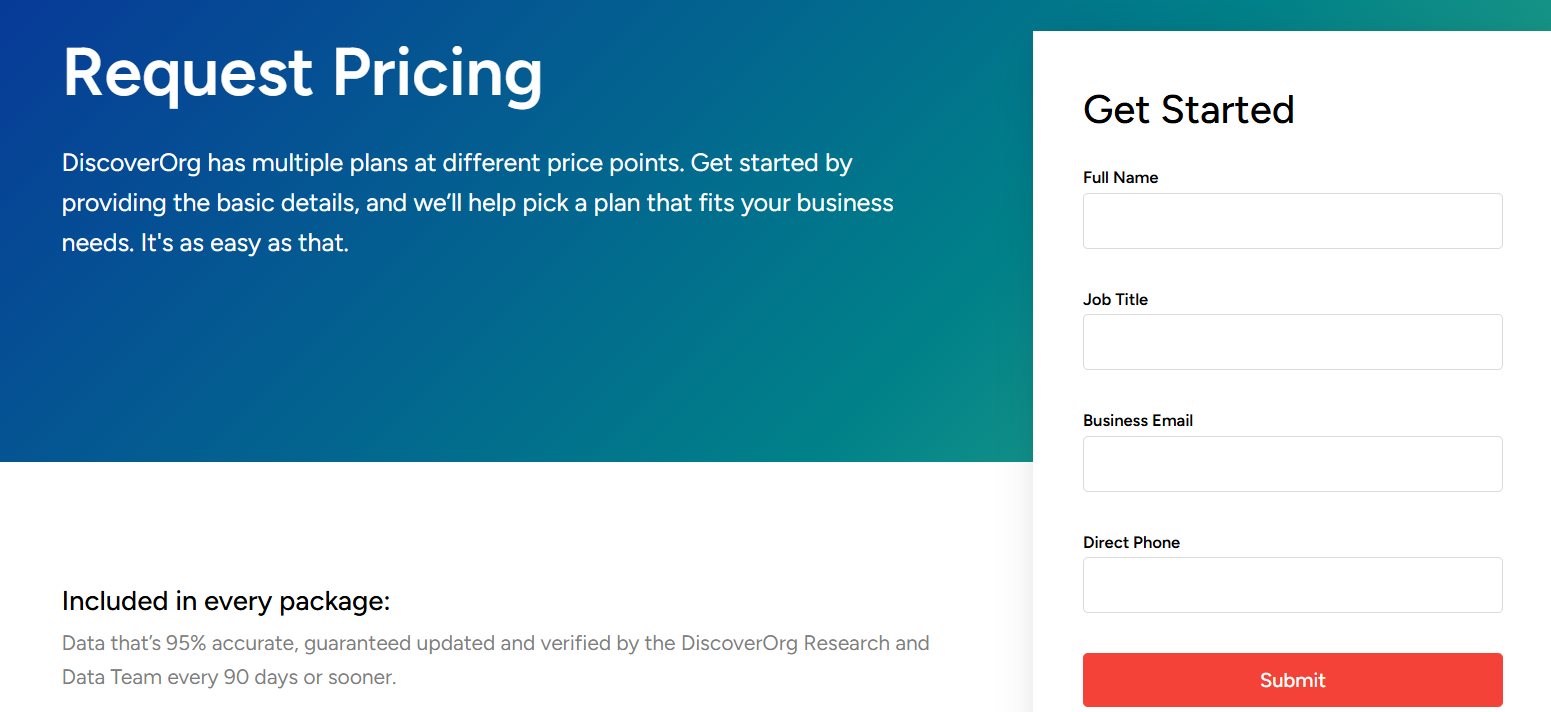
This image shows the DiscoverOrg pricing
DiscoverOrg does not share public pricing. All plans are custom and require contacting the sales team.
Pricing depends on:
Number of users
Type of data and features needed
Market and data coverage
Use case (sales, marketing, or recruiting)
A free trial is available, but access is limited and requires business details.
Most plans include verified contact data, org charts, intent data, CRM integrations, and regular data updates.
Pros of DiscoverOrg
DiscoverOrg provides highly accurate and regularly updated B2B contact data, which helps reduce bounced emails and wrong contacts.
The platform offers detailed department-level org charts, making it easier to find real decision-makers.
It includes intent data and buying signals that help sales teams prioritize accounts that are more likely to convert.
DiscoverOrg supports account-based marketing by allowing teams to build and target ideal customer profiles.
Sales teams can save time by accessing direct dials and verified business emails in one place.
Cons of DiscoverOrg
DiscoverOrg does not publish its pricing, which makes it hard for teams to quickly understand the total cost.
The platform is generally expensive and may not fit the budget of small businesses or early-stage startups.
Access to full features requires speaking with sales and sharing business details, which can slow down evaluation.
The wide range of features and data points can feel overwhelming for new users at first.
DiscoverOrg may offer more data and functionality than needed for teams with simple lead-generation needs.
What Users Like About DiscoverOrg
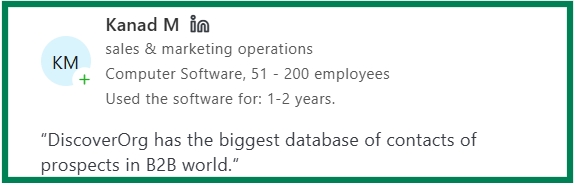
Users like that DiscoverOrg offers a very large B2B contact database with access to phone numbers, email addresses, and detailed company insights.
This image shows the DiscoverOrg Capterra review about database
Many reviewers say the platform saves significant time by reducing manual prospect research and helping sales teams focus more on outreach.
This image shows the DiscoverOrg Capterra review about saving time
Users appreciate the depth of information, including job roles, decision-makers, org charts, and company intelligence.
Several reviewers mention that DiscoverOrg integrates well with CRMs like Salesforce and helps keep databases updated.
Enterprise and IT-focused users report higher accuracy for C-suite and technical roles.
What Users Dislike About DiscoverOrg
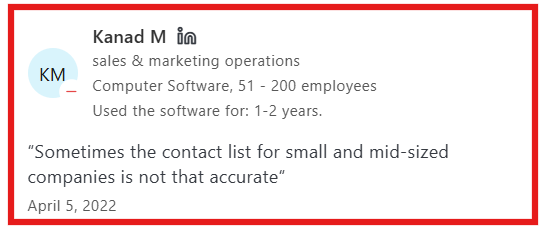
Some users report that contact data for small and mid-sized businesses is less accurate than enterprise-level data.
This image shows the DiscoverOrg Capterra review about accuracy of data
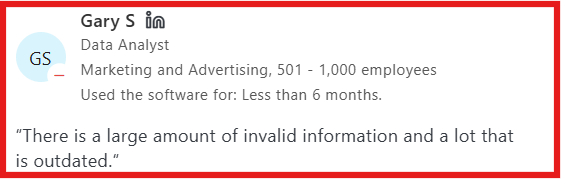
Multiple reviewers mention outdated or invalid contact information, especially for companies with frequent employee changes.
This image shows the DiscoverOrg Capterra review about outdated data
A few users experienced difficulty identifying current decision-makers due to inaccurate role or employment status data.
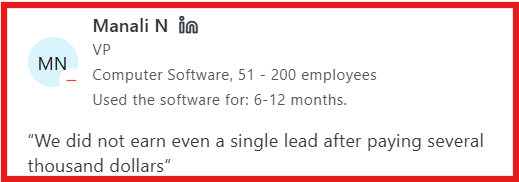
Some reviewers say the platform is expensive, especially when it does not deliver enough qualified leads for their use case.
A small number of users report not generating leads despite paying a high subscription cost.
This image shows the DiscoverOrg Capterra review about lead cost
Is DiscoverOrg Right for You?
DiscoverOrg is right for you if you need a large B2B contact database with emails, phone numbers, and company details.
It works best for sales and marketing teams targeting mid-sized to enterprise companies.
The tool is useful if you want to save time on prospect research and use CRM integrations like Salesforce.
It may not be ideal if you have a small budget or only need basic lead data.
DiscoverOrg is best for teams that are ready to use advanced features to get long-term value.
Best DiscoverOrg Alternative for Lead Generation – Leadsforge
If DiscoverOrg gives you deep B2B data but feels complex, expensive, or slow for everyday prospecting, Leadsforge is a simpler and more flexible alternative, especially for teams that want to find leads faster and enrich them instantly.
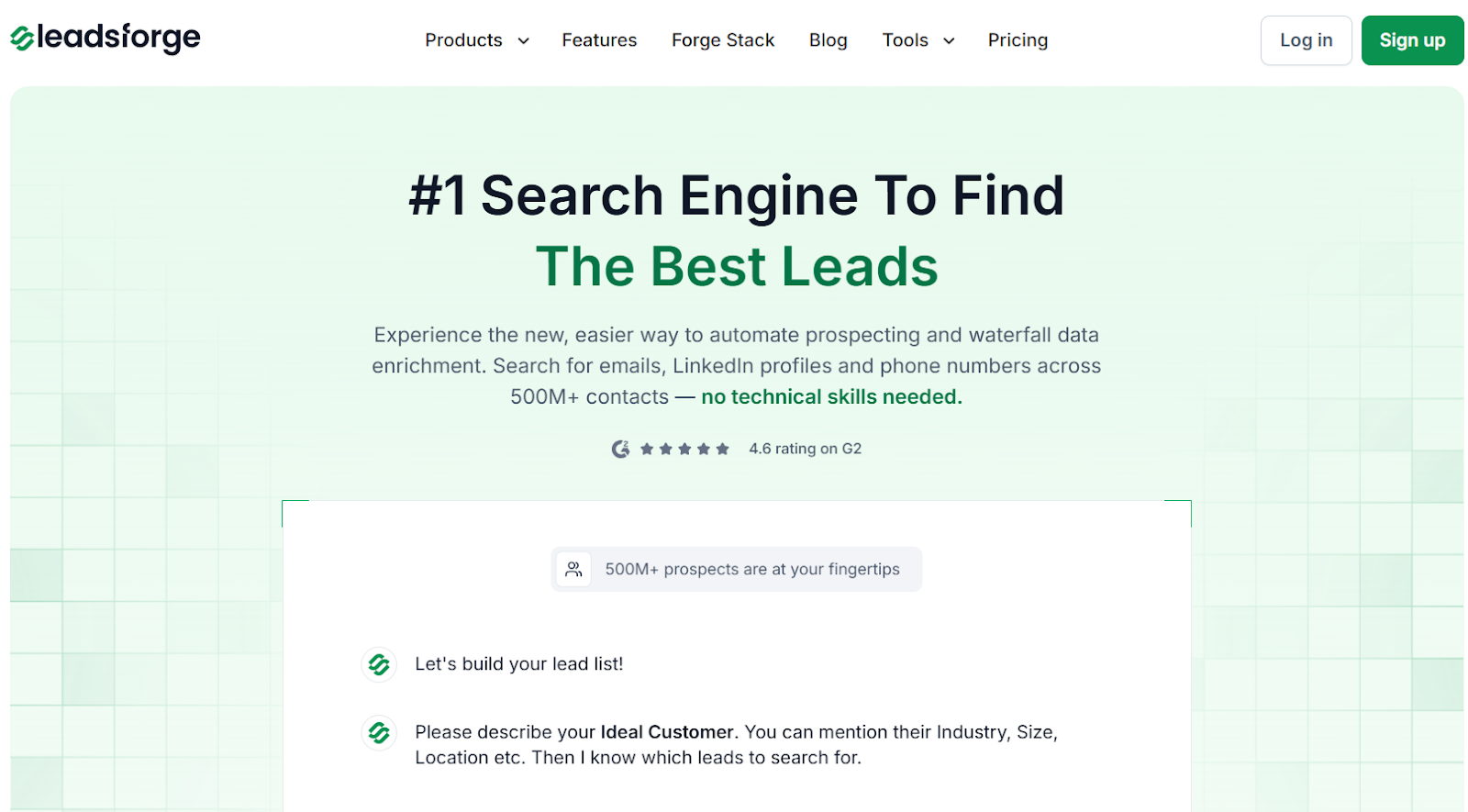
This image shows the Leadsforge homepage
Leadsforge works like a chat-based search engine for B2B leads.
Instead of using heavy filters and dashboards, you simply describe your ideal customer in plain words, such as “C-level leaders in SaaS companies based in the US”, and Leadsforge instantly returns verified emails, phone numbers, and LinkedIn profiles.
This image shows the Leadsforge ICP based lead generation
Leadsforge connects multiple data sources and uses waterfall data enrichment, meaning it keeps searching across sources until it finds the best available contact data.
It also adds intent signals, helping you focus on prospects showing buying interest.
Unlike DiscoverOrg, Leadsforge also makes it easy to:
Find company lookalikes
This image shows the Find lookalike audience with Leadsforge
Turn competitor followers into lead lists
Enrich leads instantly without long setup or onboarding
Leadsforge pricing starts at $49/month for 2,000 export credits, and unused credits never expire, making it more budget-friendly for small and mid-sized teams.
DiscoverOrg, on the other hand, uses custom, sales-led pricing, which can be costly and harder to evaluate upfront.
DiscoverOrg vs Leadsforge: Feature Comparison
Feature
DiscoverOrg
Leadsforge
Platform Type
Enterprise B2B intelligence platform
Chat-based lead search engine
Core Function
Deep company & contact intelligence
Find, enrich, and qualify leads fast
Data Sources
Primarily single-source datasets
Multiple data sources (500M+ contacts)
Enrichment Style
Static enrichment + intent
Waterfall enrichment + intent signals
Pricing
Custom, sales-led pricing
$49/month for 2,000 credits (no expiry)
Extra Features
Org charts, ABM data
ICP search, lookalikes, competitor followers
Best For
Large teams with complex needs
Teams that want speed, flexibility, and value
If you need deep org charts and enterprise intelligence, DiscoverOrg can work well.
But if you want a tool that finds the right leads, enriches them instantly, adds intent data, and stays easy to use, Leadsforge is the better DiscoverOrg alternative for modern lead generation.
Is DiscoverOrg Worth It?
DiscoverOrg can be worth it if you need deep company data, org charts, and enterprise-level insights and have the budget to support it.
It works best for large teams with complex sales processes.
But for many teams, DiscoverOrg can feel too expensive and hard to use for daily prospecting.
If you want an easy and affordable way to find the right leads, Leadsforge is a great choice.
You just describe your ideal customer, and it instantly gives you verified emails, LinkedIn profiles, phone numbers, and intent signals.