If you’re searching for Bitscale review, you want to know if it actually helps with enrichment and outbound data accuracy.
Bitscale is a data enrichment tool that finds emails, firmographics, and LinkedIn data so SDRs, founders, and agencies can target the right accounts.
In this review, we’ll look at how it works, who it’s for, pricing, pros and cons, and if it’s worth using for outbound and data enrichment at scale.
Bitscale Review: Key Takeaways
Bitscale helps GTM teams generate leads, enrich contacts, and find verified emails and mobile phone numbers using 18+ contact data providers for strong coverage.
It delivers global enrichment by sourcing contact and company data across 100+ integrated data sources, supporting use cases in multiple regions and industries.
Its email and phone waterfalls validate results, returning verified contact details. Phone enrichment shows 89%+ coverage, and email enrichment shows 94%+ coverage in recent usage.
The Bitscale AI Agent (BitAgent) automates web research, scraping websites, Google results, and public data to extract ICP fields, case studies, competitors, and other insights normally done manually.
It surfaces buying and intent signals, including hiring, funding, job changes, social activity, and website engagement, helping SDR and RevOps teams prioritize high-intent accounts.
Its GEO Framework breaks outbound into Generate → Enrich → Outreach, giving teams a structured workflow instead of juggling multiple tools.
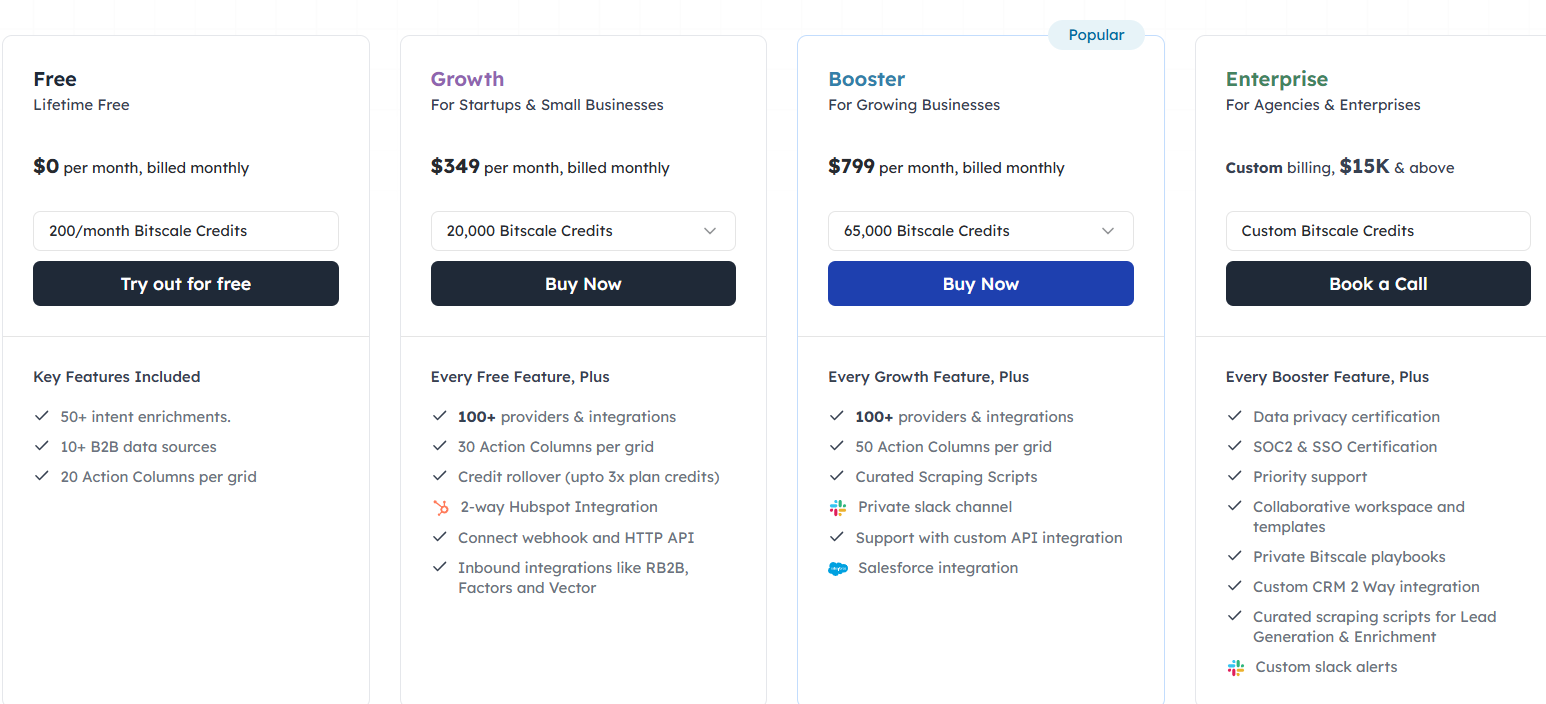
Pricing starts at $349/month for 20,000 credits, $799/month for 65,000 credits, and custom Enterprise plans are offered for larger teams with data privacy and CRM requirements.
What is Bitscale.ai?
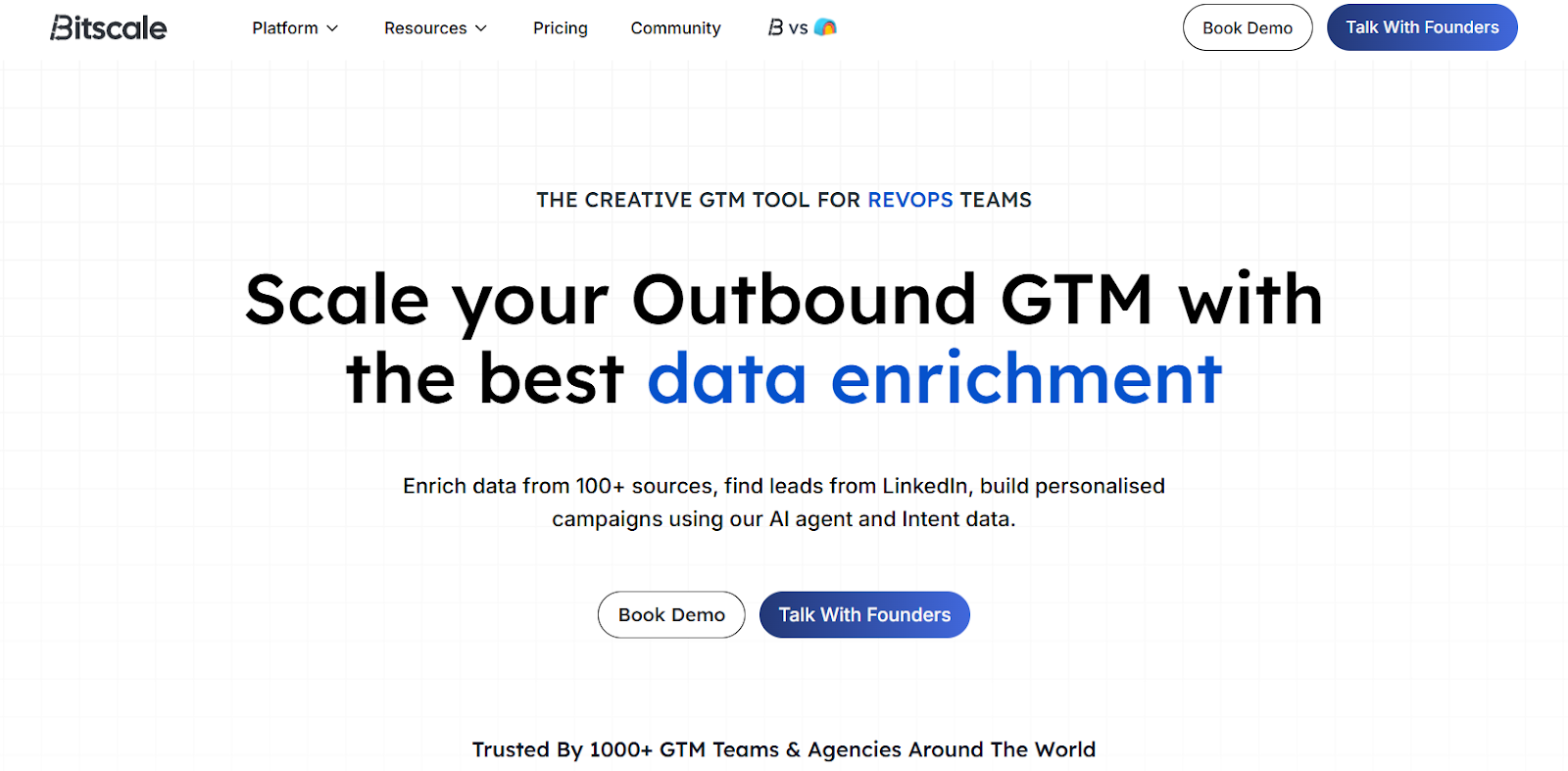
This image shows the Bitscale.ai homepage
Bitscale.ai is a GTM platform built for RevOps and outbound teams that need to find prospects, qualify them, and reach out at scale.
It gives you access to a large database of companies and contacts, plus enrichment data like verified emails, mobile numbers, hiring activity, funding information, tech stack details, and social engagement.
You can also bring your own leads into Bitscale from LinkedIn, HubSpot, Salesforce, Google Maps, or CSV uploads.
Its AI Agent scans websites and search engines to collect missing pieces of information automatically, which removes a lot of manual research.
Bitscale.ai can also create personalized messaging, build outbound campaigns, and send enriched leads into platforms like Instantly, Smartlead, and Heyreach.
In simple words, it’s a platform that combines lead generation, enrichment, and outbound prep in one place.
How Bitscale.ai Works
Bitscale.ai follows a simple operational model called GEO, which stands for Generate → Enrich → Outreach.
You load your leads into the platform, it enriches and researches them using data and AI, and then it prepares everything for outbound campaigns at scale.
Here’s how Bitscale.ai works:
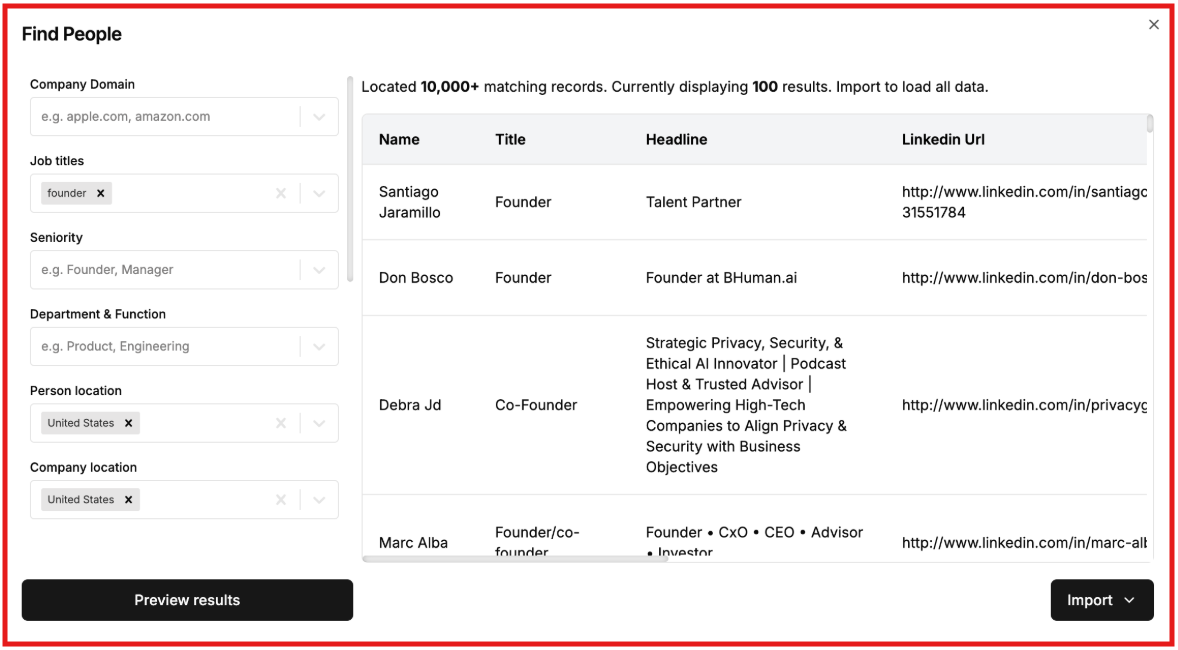
You add leads into Bitscale by either searching its 300M+ company and people database or importing from LinkedIn, HubSpot, Salesforce, Google Maps, Apify, webhooks, or CSV files.
This image shows how to Find people on Bitscale.ai
Leads show up in a table-style workspace where you can sort, filter, and segment contacts based on your ICP.
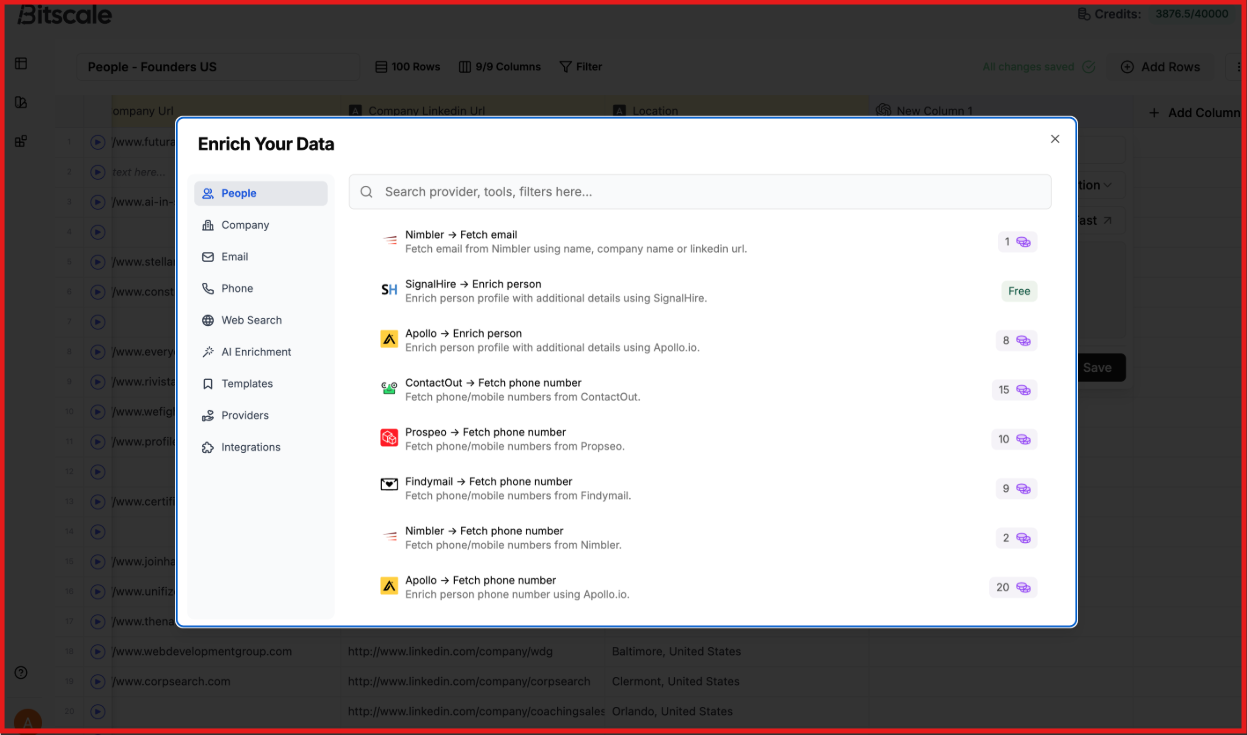
Bitscale enriches leads through 100+ data providers, pulling verified emails, phone numbers, tech stack, funding activity, hiring signals, and social data.
This image shows how to Enrich your data on Bitscale.ai
Emails and phone numbers are verified using a waterfall of 18+ providers, and the system keeps the first confirmed result so contact info is clean and workable.
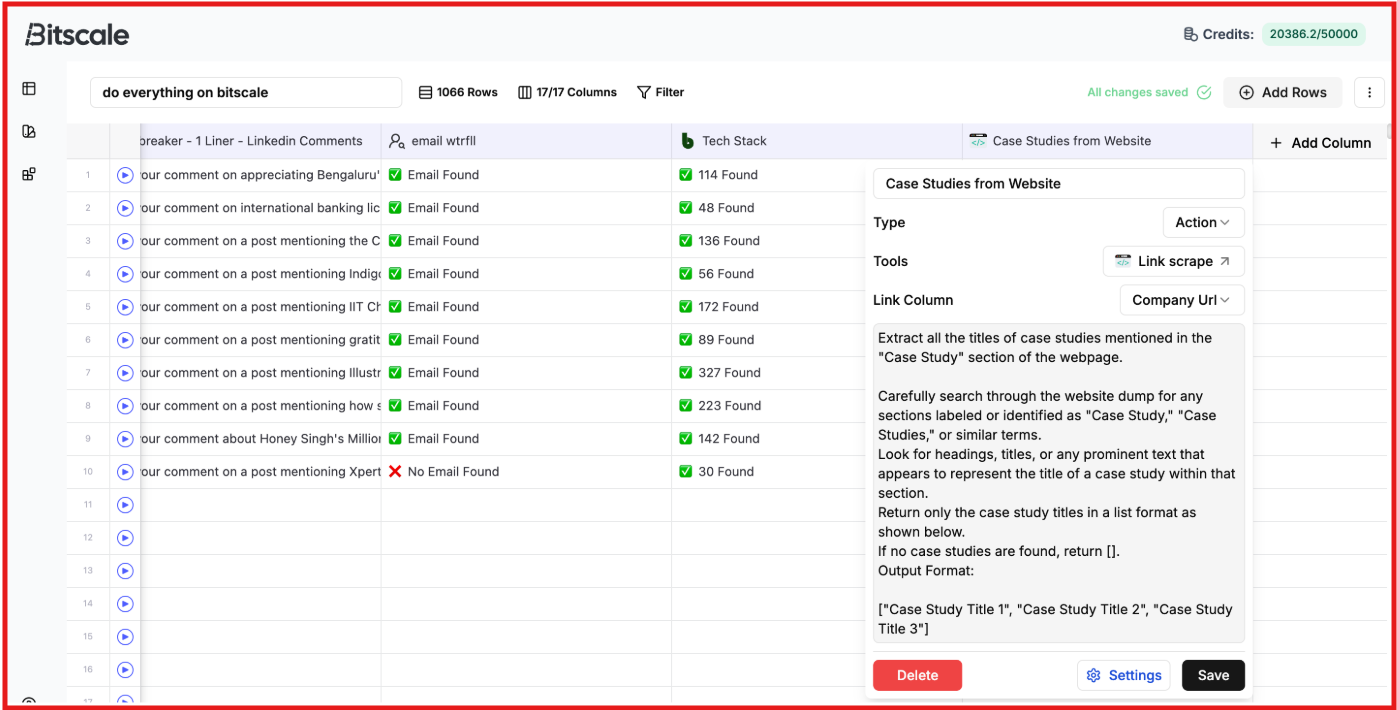
The BitAgent AI browses company websites and search engines to collect missing details like descriptions, case studies, or decision-maker info.
This image shows the BitAgent by Bitscale.ai
Credits are only spent on leads that match your targeting rules, which prevents waste on low-fit records.
You can apply formulas, rules, or labels to clean fields, score accounts, or organize opportunities directly inside the platform.
Bitscale combines signals such as hiring, funding, website updates, and job changes to highlight accounts that may be more receptive.
AI then generates personalized email lines, LinkedIn openers, and outreach messaging based on all the researched data.
Finally, you can send enriched leads to Instantly, SmartLead, Heyreach, or sync everything back into HubSpot using a live two-way connection.
In short, Bitscale.ai helps you build lists, qualify them, enrich them, validate contact data, personalize messaging, and then hand everything off to your outbound tools.
Key Features of Bitscale That Are Actually Useful
Bitscale is packed with capabilities, but a few features matter most because they directly improve how fast GTM teams can find, qualify, and contact prospects.
Here are the key features of Bitscale.ai:
Feature
How It Helps You
Import From External Sources
Brings leads from CRMs, Sales Navigator, CSVs, Google Search and Maps, or APIs into Bitscale for enrichment and qualification.
Waterfall Enrichment (Emails and Phones)
Finds verified emails and mobile numbers using 18+ providers with high coverage, reducing manual lookup work.
AI BitAgent Web Scraper
Scrapes websites and Google in real time to collect details such as tech stack, leadership, case studies, and hiring activity, saving research time.
Intent Signals and Hiring Signals
Detects signals like hiring, funding, job changes, social activity, and buying triggers to help qualify accounts.
Hyper-Personalized Outreach
Generates icebreakers and outbound copy based on real research, LinkedIn signals, and website context.
Google Web Search and Perplexity Research
Pulls live data from the web for funding news, competitor research, trends, and quick summaries.
Company and People Lookups
Lets you search by industry, company size, funding stage, tech stack, or department to build targeted lead lists.
LinkedIn Post and Comment Scraping
Extracts people engaging with LinkedIn posts, which helps with social selling and community-based lead generation.
Website Tech Stack Detection
Identifies tools and frameworks used by a company for integration-based targeting.
Bitscale Pricing
This image shows the Bitscale pricing
Bitscale offers a free plan with 200 credits/month.
It also has three paid plans billed monthly, quarterly, or annually.
I. Growth - $349/month, For startups and small teams. Includes 20,000 Bitscale Credits, 100+ integrations, 30 Action Columns, 2-way HubSpot, inbound integrations, and credit rollover up to 3×.
II. Booster - $799/month, For growing teams. Includes 65,000 Bitscale Credits, 50 Action Columns, curated scraping scripts, Salesforce, private Slack support, and credit rollover up to 3×.
III. Enterprise - Custom Pricing, For agencies and large teams. Includes all Booster features plus SOC2 & SSO, custom CRM 2-way integration, private playbooks, priority support, and custom credit limits.
Unused credits roll over on monthly plans (up to 3× on Growth/Booster), and annual plans give all credits upfront.
Pros & Cons of Bitscale
Pros
Cons
Uses a 300M+ company and people database for ICP-based list building.
Not a low-cost tool. Pricing starts at $349 per month.
Supports lead imports from CRMs, Sales Navigator, Google Maps, CSVs, webhooks, and APIs.
Requires setup and workflow knowledge, including GEO frameworks, grids, and enrichment logic.
Includes waterfall enrichment for emails and phone numbers using 18+ providers.
Advanced workflows may require RevOps or SDR-level familiarity.
Includes AI BitAgent to scrape websites and Google for faster research.
Data quality depends on providers and how the waterfall is configured.
Supports more than 15 intent signals such as hiring, funding, job changes, and tech stack.
Complex signals may need tuning and filtering to avoid noisy results.
Offers hyper-personalized outbound with AI-generated icebreakers and copy.
The full value is unlocked only when paired with CRM and outbound tools.
Is Bitscale.ai the Right Fit for You?
Bitscale is best for teams who want one place to find leads, check their details, and send outreach without doing everything by hand or using many tools.
I. Choose Bitscale if:
You want to find leads from a big database or bring your own list from LinkedIn, Google Maps, or your CRM.
You need correct emails and phone numbers and don’t want to waste time searching for them manually.
You want AI to research companies for you, read their website, find key people, check tech stack, or collect background info.
You want a tool that helps you create lists, enrich them, write messages, and push them into outreach tools in just a few steps.
II. Bitscale might not be ideal if:
You only need a simple CRM or email tool, because Bitscale adds data and workflows, it does not replace those tools.
You want one flat price with unlimited usage, since Bitscale works on credits, and every task uses credits.
You already have clean, verified data and don’t need enrichment, scraping, or research.
You don’t want to set up workflows or steps, because Bitscale needs you to build small flows like grids, filters, or templates.
Best Bitscale Alternative for Lead Discovery & Enrichment – Leadsforge
If you like Bitscale for enrichment and outbound prep but need a tool that actually finds new leads fast without heavy setup, then Leadsforge is the strongest alternative to look at.
Bitscale focuses more on qualification, enrichment, research, and workflow routing, while Leadsforge focuses on ICP search, verified data, lookalikes, competitor followers, and waterfall matching across multiple data providers.
This makes Leadsforge ideal for teams that struggle to find accurate emails, LinkedIn profiles, or phone numbers for the right ICP.
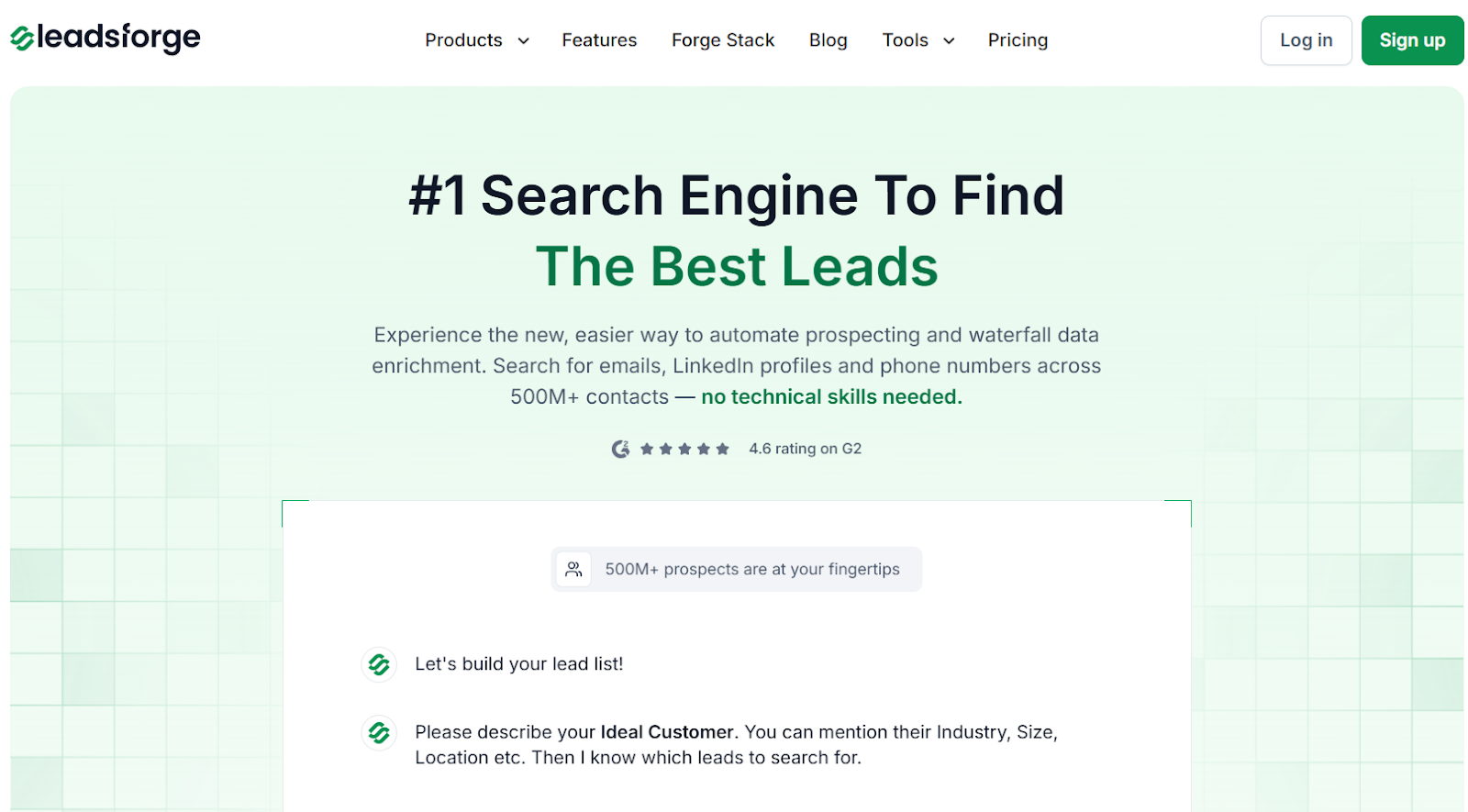
This image shows the Leadsforge homepage
Leadsforge works like a search engine for B2B leads.
You chat with it, describe your ideal customer, and it returns verified leads with emails, LinkedIn profiles, and phone numbers from 500M+ contacts.
This image shows the Leadsforge ICP based lead generation
You can also build lists using lookalikes, competitor followers, or signals, and then export them to CSV or push to Salesforge for outreach.
Leadsforge vs Bitscale: Quick Comparison
Feature / Capability
Bitscale
Leadsforge
Primary Strength
Research, enrichment, and workflow automation
ICP search with waterfall enrichment
Data Coverage
300M+ contacts with multiple enrichment sources
500M+ contacts via multiple providers
Search Method
Database filters and lead imports
Chat-based natural language search
Lookalikes
Not a core capability
Yes, similar companies and contacts
Competitor Followers
Not supported
Yes, company follower extraction
Intent and Signals
Hiring, funding, and tech signals
Built-in signals, follower data, and pattern detection
Email Enrichment
Yes, using 18+ validation vendors
Yes, with waterfall verification
Phone Numbers
Yes, validated phone numbers
Yes, validated mobile numbers
Best For
Teams focused on research and enrichment workflows
Teams focused on fast lead discovery
If your main struggle with Bitscale is finding enough fresh, accurate leads to feed your campaigns, then Leadsforge is the better fit.
You can generate the list in Leadsforge, enrich it, and then push it into Salesforge for multi-channel outreach, making the entire pipeline faster and much simpler.
Is Bitscale.ai Worth It?
Bitscale.ai is worth it if you already have lead data coming from places like LinkedIn, HubSpot, Salesforce, or CSVs, and you mainly need to qualify, enrich, and verify those leads with a high level of accuracy.
It validates contact data, adds company context, and pulls signals across many data sources, which helps RevOps and sales teams push cleaner lists into outbound tools and CRMs.
But some teams find that Bitscale still depends on having existing leads, and doesn’t help much if your problem is finding new ICP leads in the first place.
So if you want a tool that makes it easier to discover new leads, verify their contact details, and scale faster without heavy RevOps setup, then Leadsforge is a better choice.
It gives you more leads, verified data, and faster lead discovery for the same effort, all through a simple chat-style search that anyone can use.