5 Phone Number Lookup Tools in 2025

You probably already have hundreds of phone numbers in your CRM, but how many of them actually connect?
Wrong or outdated numbers waste time, kill response rates, and slow down your outreach.
That’s why teams now rely on phone number lookup tools to get verified, direct-dial contacts before calling.
These tools pull real, validated phone data from millions of sources so you can reach decision-makers without guessing.
In this guide, I’ve shortlisted the 5 best phone number lookup tools, LeadsForge, SalesIntel, Cognism, Lusha, and Wiza, tested for accuracy, reliability, and speed.
If you want phone data that’s accurate and connects you to the right person, choose from these five tools.
TL;DR – 5 Best Phone Number Lookup Tools
- LeadsForge – Best for automated phone verification and enrichment
- SalesIntel – Ideal for human-verified B2B contacts
- Numlooker– Best for reverse phone lookups and identifying unknown callers.
- Lusha – Ideal for quick phone lookups via Chrome or LinkedIn
- Wiza – Best for extracting phone numbers from LinkedIn searches in bulk
Try Leadsforge now with 100 free credits!
How We Evaluated the 5 Best Phone Number Lookup Tools
Our goal was to find tools that give verified, working phone numbers you can actually use in sales or outreach.
Every tool was evaluated based on factors that can help us get accurate and reliable phone numbers.
We checked:
- Accuracy of each phone number by testing live dials and bounce rates.
- Verification process to confirm whether data was AI-verified, human-verified, or both.
- Size and depth of databases, including mobile and direct-dial availability.
- Time taken to search, filter, and export verified contacts.
- How smoothly each tool connects with CRMs and outreach platforms.
- Transparency of pricing, including cost per lookup and available plans.
Only platforms that consistently delivered verified, reachable phone data made it into our list of 5 phone number lookup tools.
5 Best Phone Number Lookup Tools: Quick Comparison
1. LeadsForge
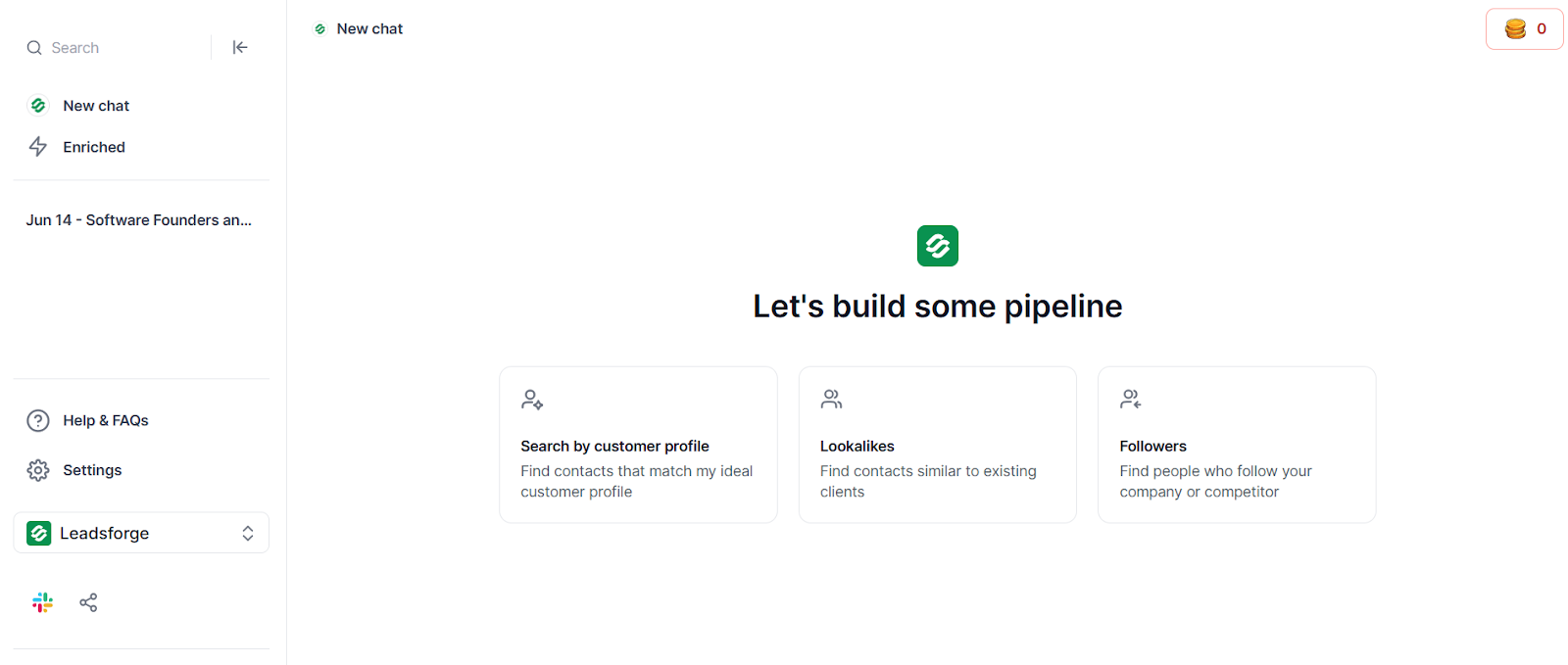
LeadsForge is an AI-powered lead generation tool that helps you find verified contacts including phone numbers in seconds.
Instead of manually searching or guessing contact details, you can simply describe your ideal customer profile (ICP), for example, “CEOs from Atlanta”, and LeadsForge automatically builds a verified contact list.
You can also find company lookalikes, competitor followers, or signal-based prospects to expand your reach beyond your immediate target list.
How Can You Look Up Phone Numbers with LeadsForge?
- Click “New Chat” and type your target audience (for example, “Founders of SaaS startups in New York”).
- LeadsForge instantly generates a list of matching contacts with their names, phone numbers which you can enrich, LinkedIn URLs, job titles, and more.
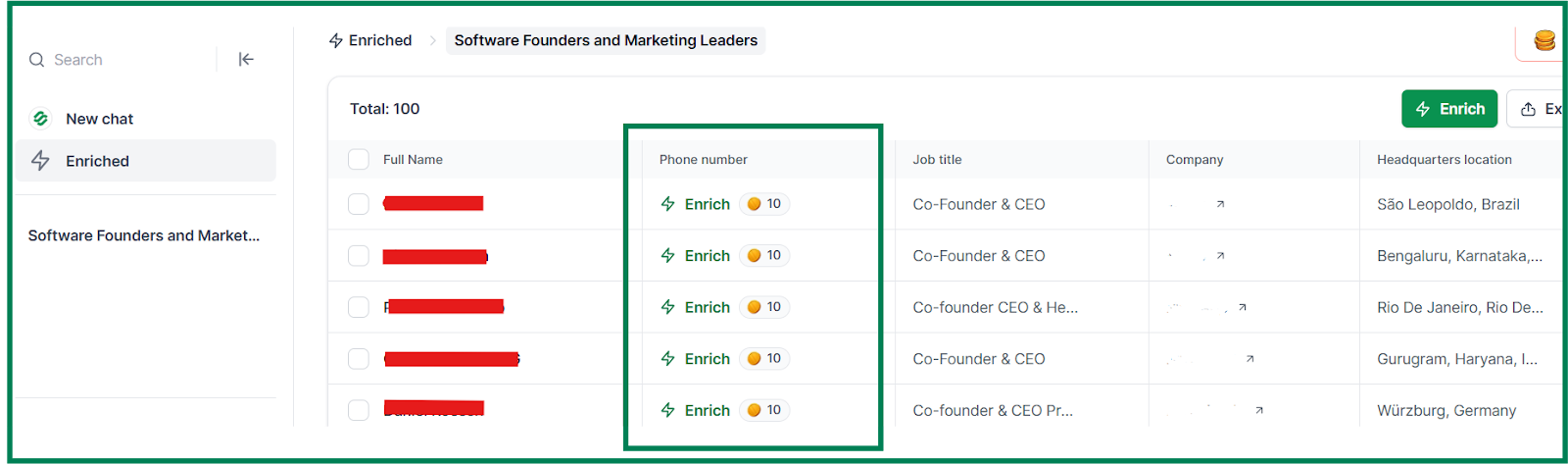
- Click the “Enrich” button beside each contact.
- Each lookup costs 10 credits per number, and credits are only used when valid data is found.
- Once enriched, export your verified list directly to Salesforge, HubSpot, Salesforce, or as a CSV file.
LeadsForge checks each phone number against multiple live databases and marks only verified, working numbers, so every contact you export is ready to call.
Pros of Leadsforge
- LeadsForge verifies every phone number across several live databases, giving you accurate and ready-to-call contacts.
- The enrichment process is fast and automatic, so you don’t have to upload CSV files or handle data manually.
- Credits never expire, letting you save them for future lookups without wasting balance.
- The platform combines phone, email, and LinkedIn enrichment, giving you a complete contact profile in one place.
Cons of Leadsforge
- Advanced segmentation filters such as revenue or tech stack aren’t available yet.
Leadsforge Pricing

- Essential Plan: $49 per month and includes 2,000 export credits.
- Yearly Plan: $588 per year and includes 28,000 credits upfront.
- Extra Credits: Can be purchased anytime directly from the dashboard.
- Credit Policy: All unused credits roll over automatically each month.
- Free Trial: New users get 100 free credits to test phone number lookups before upgrading.
Try Leadsforge now with 100 free credits!
2. SalesIntel
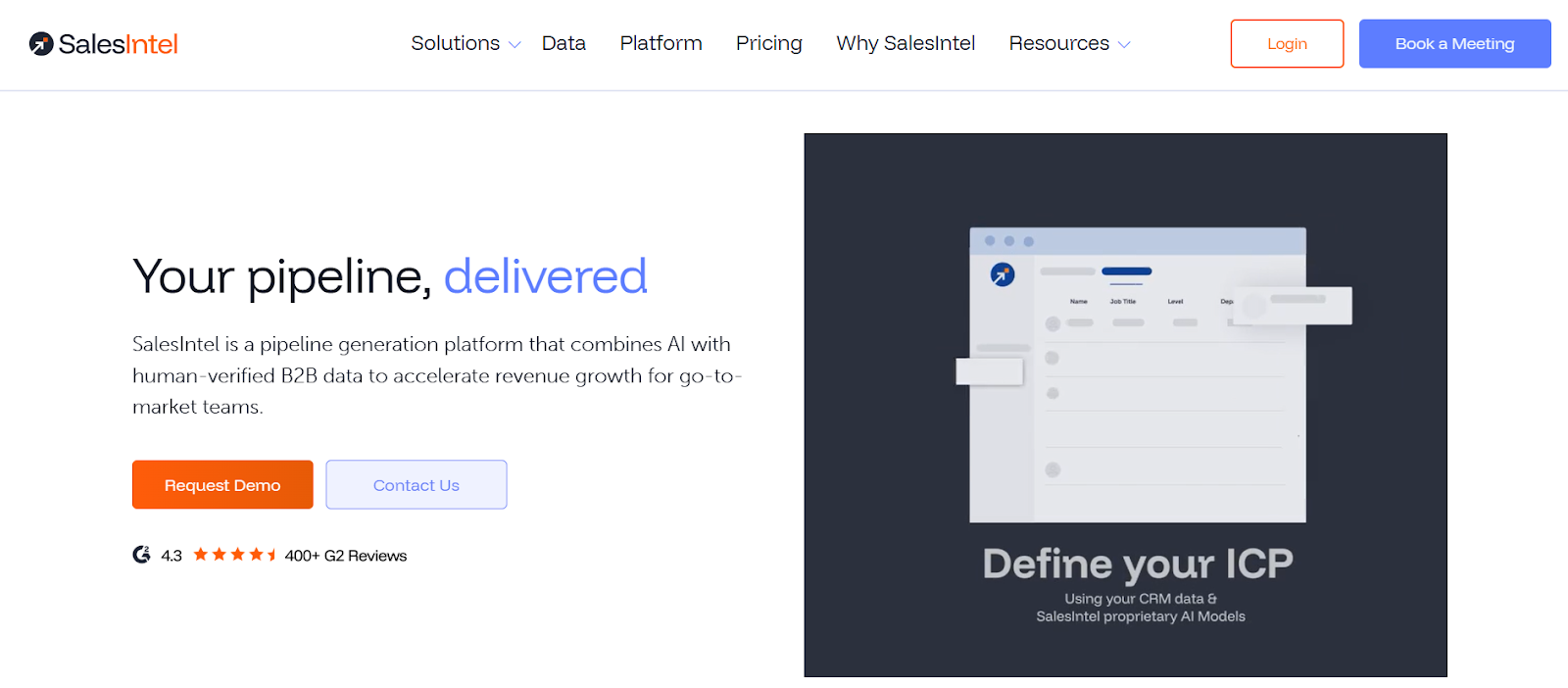
SalesIntel is a B2B contact platform built for sales, marketing, and RevOps teams that need verified data for direct outreach.
It combines AI-driven intelligence with human verification, ensuring every number you call is accurate and up to date.
You can find direct dials, work mobiles, and business emails through the RevDriver Chrome extension, which works directly on LinkedIn, company websites, and Sales Navigator.
How Can You Look Up Phone Numbers with SalesIntel?
- Install the RevDriver Chrome Extension and open any LinkedIn profile or company website, you want data for.
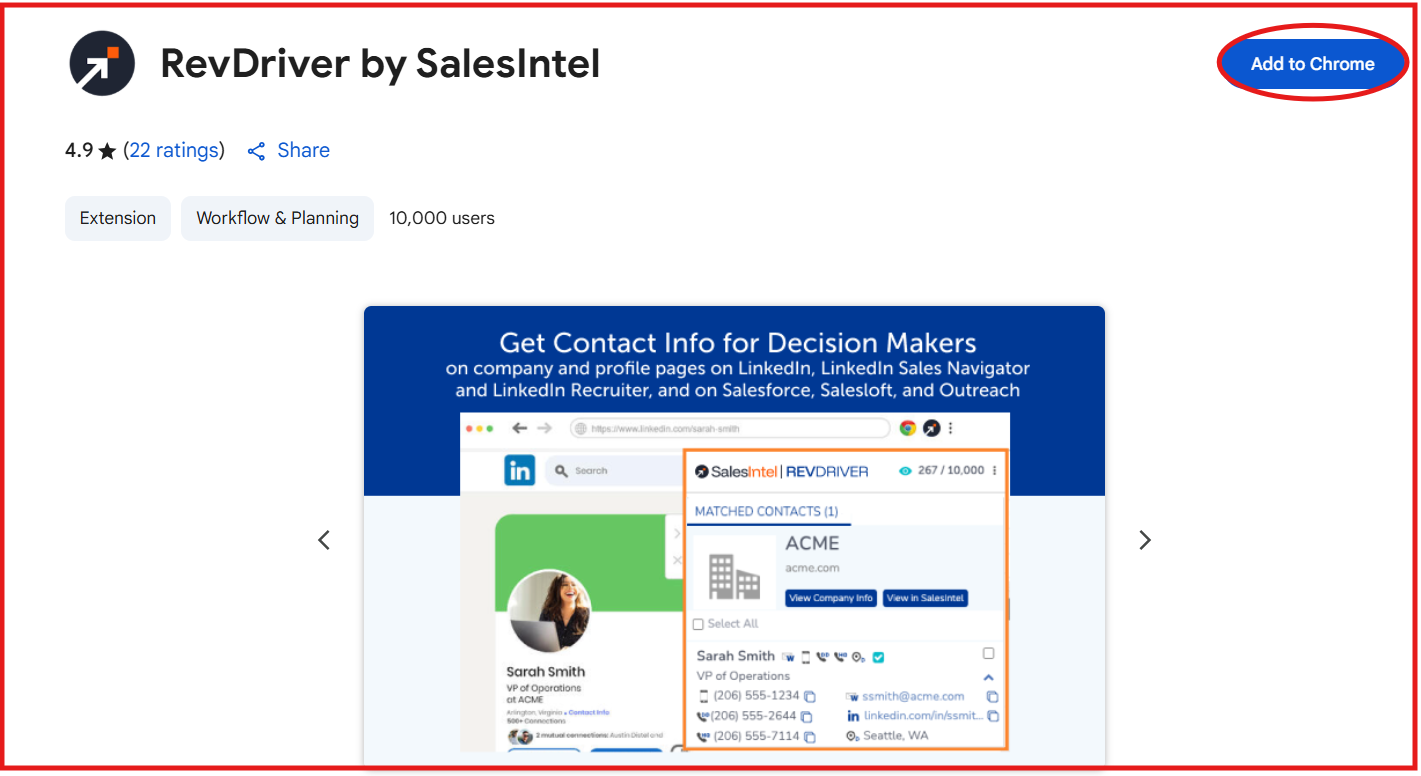
- Suppose you want SalesIntel data, activate the extension and go to the SalesIntel website, click on the SalesIntel icon to reveal work mobile, direct dial, and business email information for that contact.
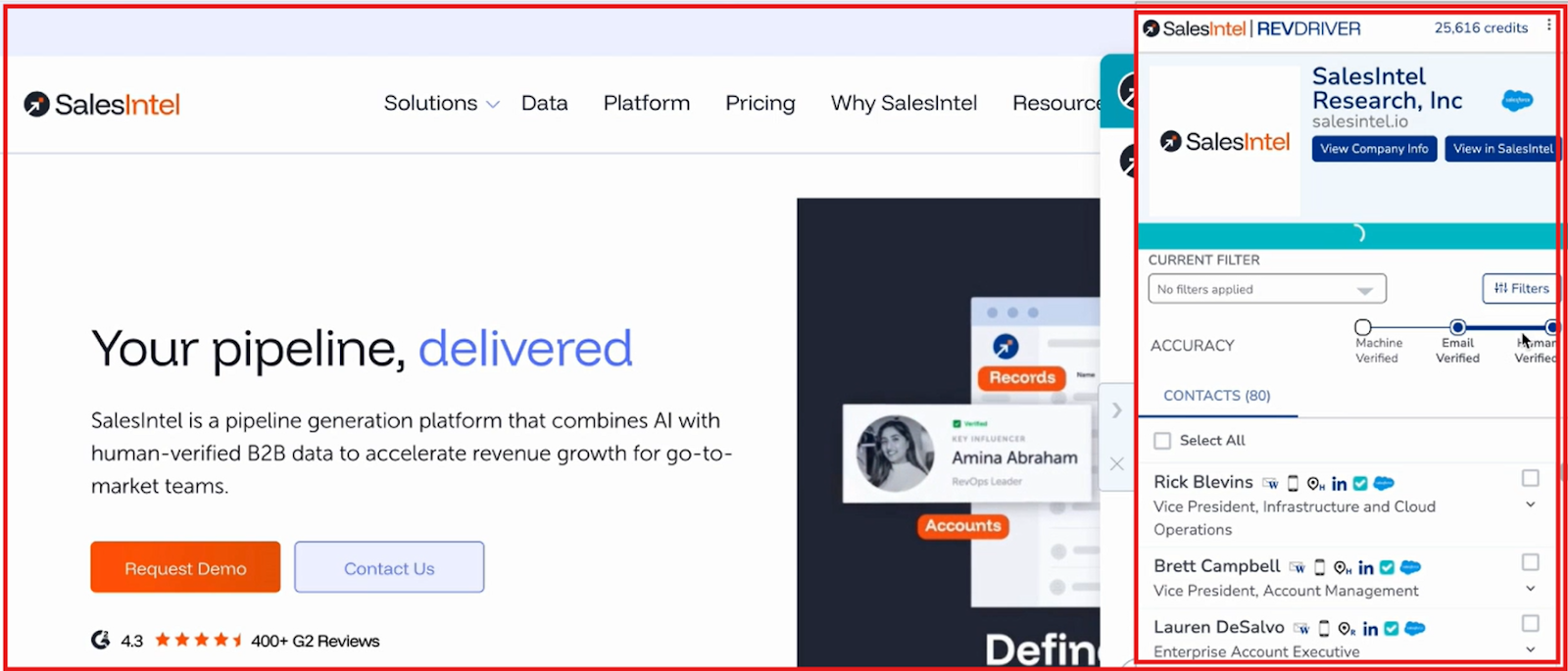
- Save or export the contact directly to Salesforce, HubSpot, Outreach, Salesloft, or a CSV file.
- For bulk lookups, use the ProspectIntel dashboard to filter by job title, company, or industry.
- Export verified contacts or sync them automatically to your CRM or marketing automation tools.
Pros of SalesIntel
- SalesIntel human verification process ensures that every phone number is accurate and active before being added to the database.
- Regular data reverification every 90 days keeps phone numbers fresh and reliable for outreach.
- The Research-on-Demand feature allows users to request missing or niche data directly from SalesIntel’s research team.
Cons of SalesIntel
- The platform has a detailed feature set that can take time for new users to master fully.
SalesIntel Pricing
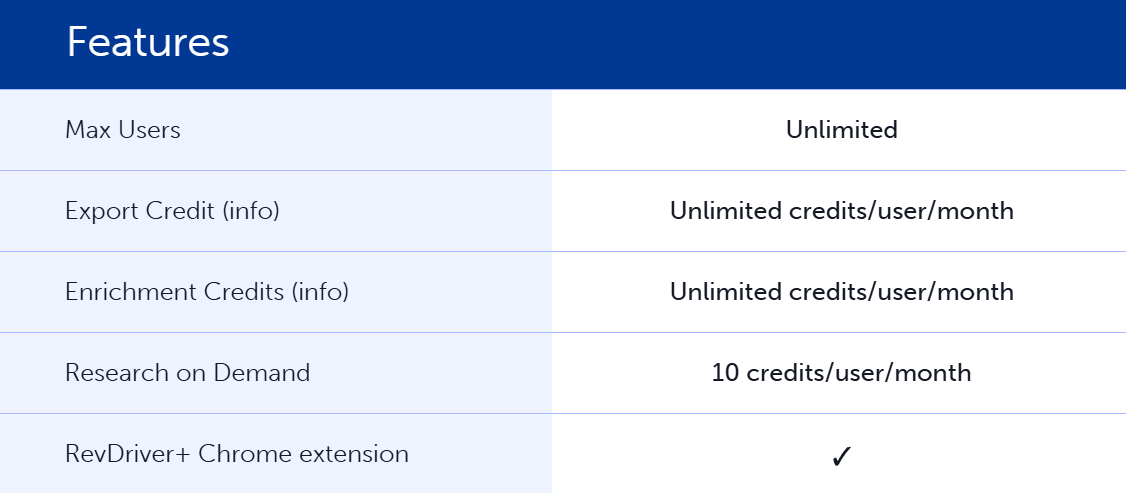
- Custom Pricing: SalesIntel does not publish fixed plans; pricing depends on team size and data needs.
- Unlimited Credits: All users get unlimited data access with no export or enrichment limits.
- Add-ons Available: VisitorIntel, AdsIntel, and FormsIntel can be added for extra GTM insights.
- Free Chrome Extension: RevDriver is available for free to test real-time phone number lookup.
3. NumLooker
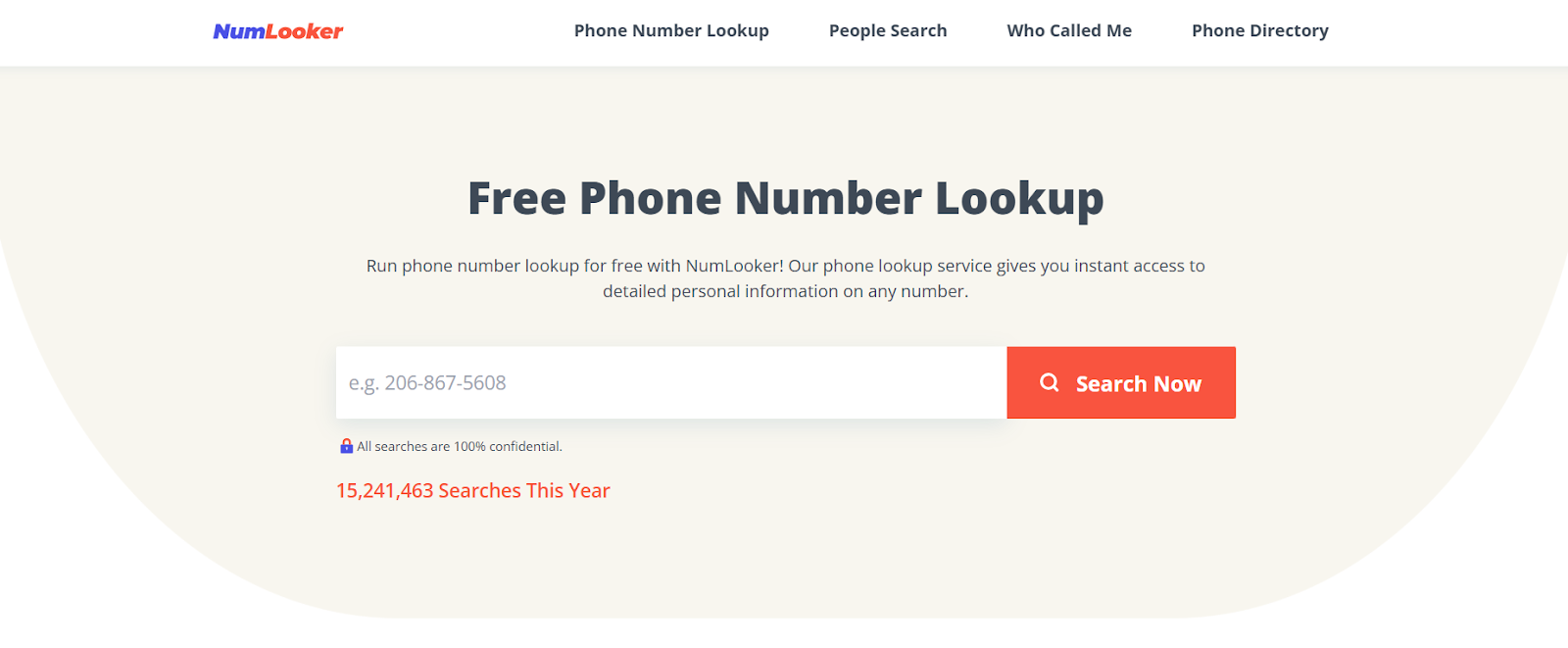
NumLooker is a free reverse phone number lookup tool that helps you instantly identify who’s calling or texting you.
It gathers publicly available data from phone directories, social platforms, and online records to reveal key details such as a person’s full name, age, city, state, email addresses, and social media profiles.
Unlike B2B-focused tools that verify company contacts, NumLooker is mainly built for personal and general public lookups, helping users trace unknown callers, avoid spam or scam numbers, and learn more about people they interact with online or offline.
How Can You Look Up Phone Numbers with NumLooker?
- Go to the NumLooker website and open the Reverse Phone Lookup page.
- Enter the phone number and click “Search Now.”

- The system automatically searches millions of public records, phone listings, and directories.
- Within seconds, you’ll get information such as the owner’s full name, age, address, and linked social profiles.
- You can also use People Search or Reverse Address Lookup to explore other related data.
- All searches are confidential and available for every U.S. state and city.
Pros of NumLooker
- NumLooker allows users to run free reverse phone lookups with no sign-up or subscription required.
- The platform supports additional lookup types, including People Search and Reverse Address Search, for deeper context.
- Every search remains 100% private and anonymous, ensuring your queries aren’t shared or tracked.
Cons of NumLooker
- NumLooker relies entirely on publicly available data, so information accuracy and completeness may vary.
- It does not verify business contacts or company phone numbers, focusing only on personal and consumer-level data.
- The platform lacks real-time verification or CRM integrations found in paid enterprise lookup tools.
NumLooker Pricing
NumLooker is completely free. It offers unlimited reverse phone, people, and address lookups at no cost.
4. Lusha
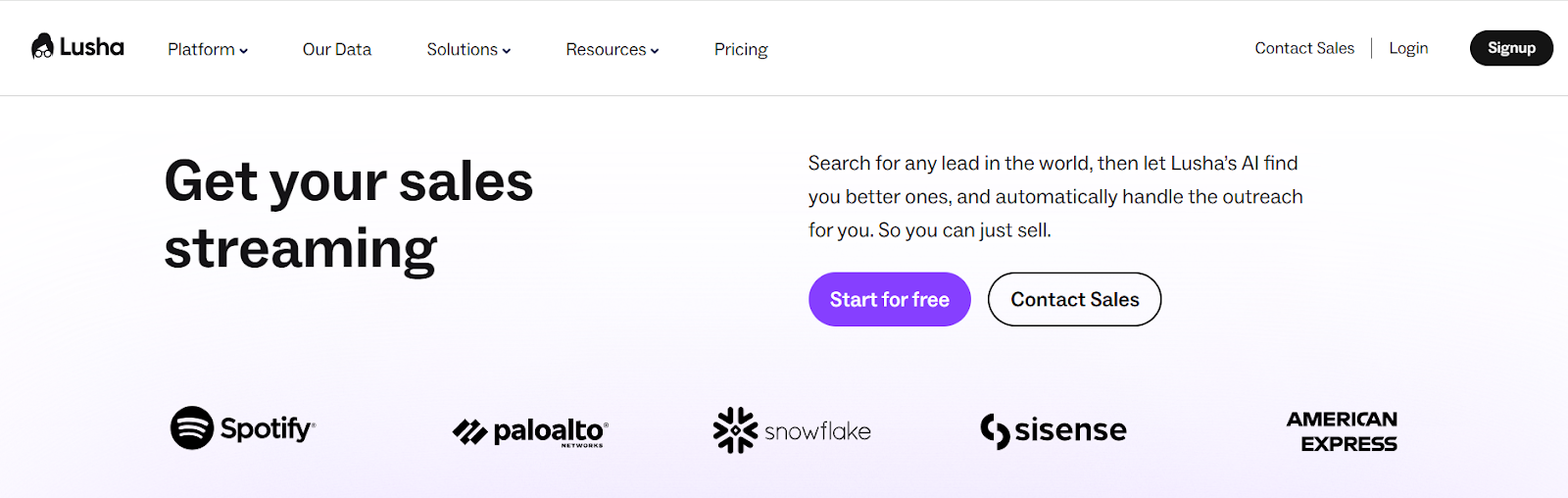
Lusha is a B2B contact and sales intelligence platform that helps you find verified phone numbers, emails, and buyer intent data in seconds.
You can use its Chrome Extension to reveal direct dials and emails on LinkedIn, company websites, CRMs, or Gmail.
Lusha connects to over 285M+ business profiles and validates every contact through real-time verification, giving you one of the most accurate global databases for B2B sales and recruiting.
How Can You Find Phone Numbers with Lusha?
- Install the Lusha Chrome Extension and sign up for a free account.

- Visit a LinkedIn profile, company page, or CRM record.
- Click the Lusha icon to reveal verified phone numbers and emails.

- Save the contact to a list or export it directly to your CRM or email sequence.
- Each phone number reveal costs 5 credits, while emails cost 1 credit.
- You can enrich data in bulk or use Lusha Engage to send AI-personalized outreach sequences.
Pros of Lusha
- Lusha’s data is GDPR, CCPA, and SOC 2 Type II compliant, verified by independent third-party auditors.
- Its AI-powered recommendations and buyer intent signals help you identify and prioritize high-intent prospects.
- The built-in AI email sequence tool lets you send personalized messages directly from Lusha, saving time on manual outreach.
Cons of Lusha
- The Free plan is limited to 40 credits per month, which might not be enough for active sales teams.
- While data accuracy is high, the system occasionally limits data visibility based on region or compliance filters.
Lusha Pricing
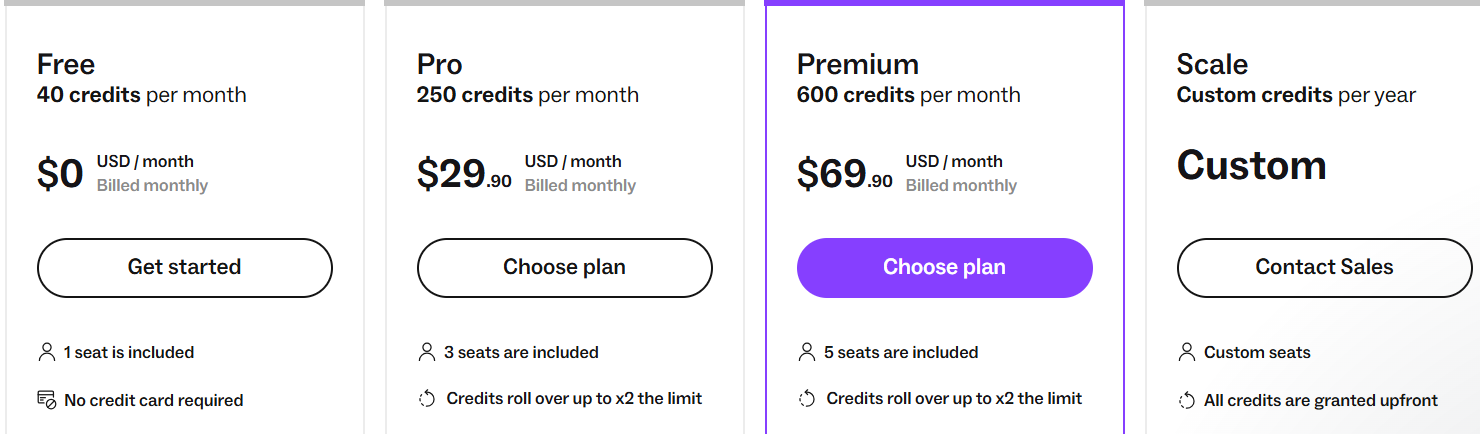
- Free Plan: 40 credits/month, includes verified emails, limited phone lookups, CRM integrations, and extension access.
- Pro Plan: $29.90/month, 250 credits, CSV enrichment (up to 300 rows), and basic analytics.
- Premium Plan: $69.90/month, 600 credits, bulk show (150 contacts), and advanced analytics.
- Scale Plan: Custom pricing, annual credits, 10,000-row CSV enrichment, unlimited intent filters, team management, and dedicated support.
10 Best Lusha Alternatives & Competitors For Lead Finding
5. Wiza
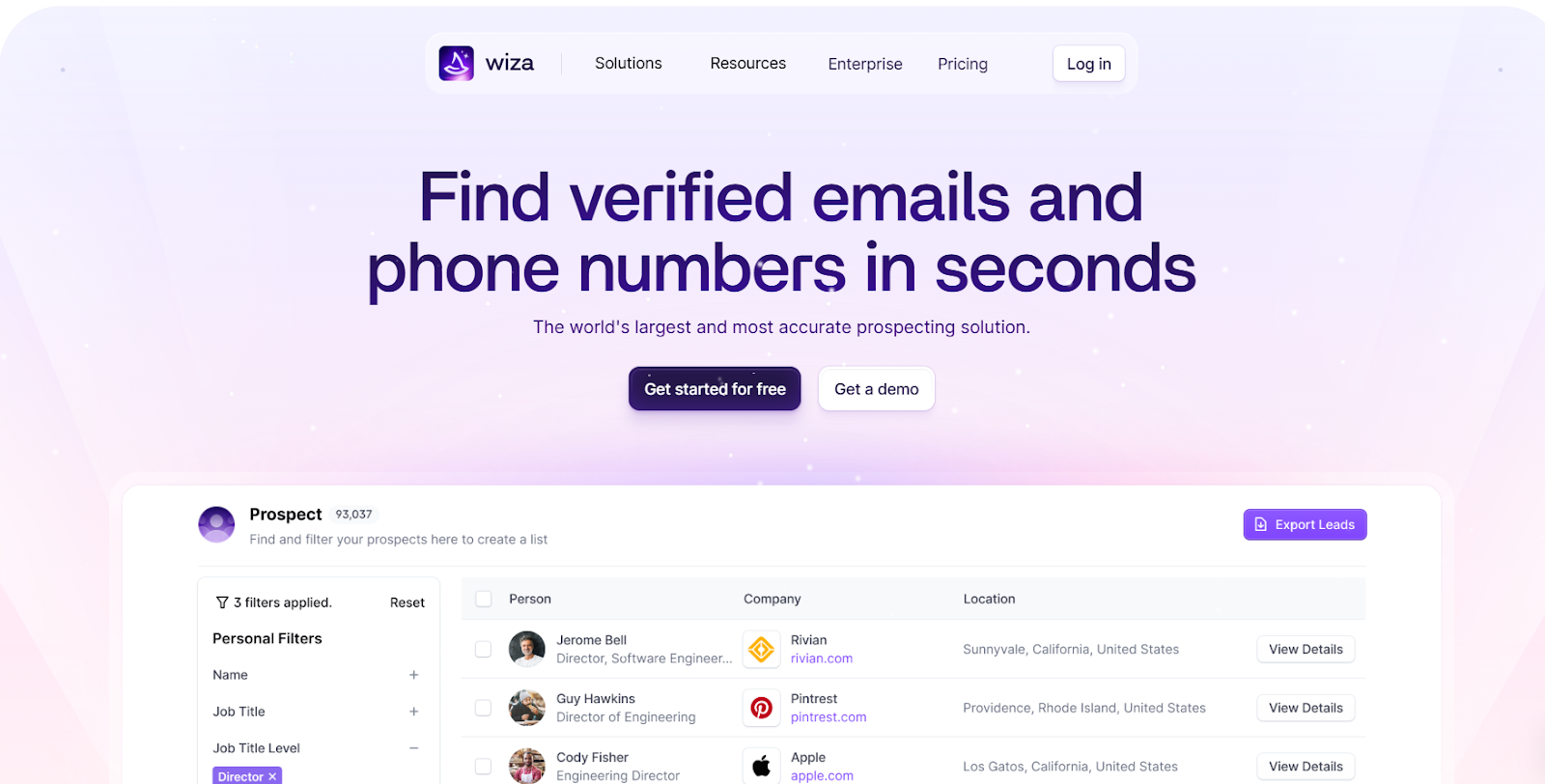
Wiza is a prospecting tool that helps you find verified emails and phone numbers from LinkedIn or other professional sites.
It checks live data sources before showing any result, so the contact details you see are always fresh and accurate.
You can export leads to CSV or CRMs like HubSpot, Salesforce, or Pipedrive, and manage everything from one place using the Wiza Chrome Extension.
How Can You Find Phone Numbers with Wiza?
- Install the Wiza Chrome Extension and create a free account.
- Go to any LinkedIn profile and click the Wiza icon to reveal verified phone numbers and emails.
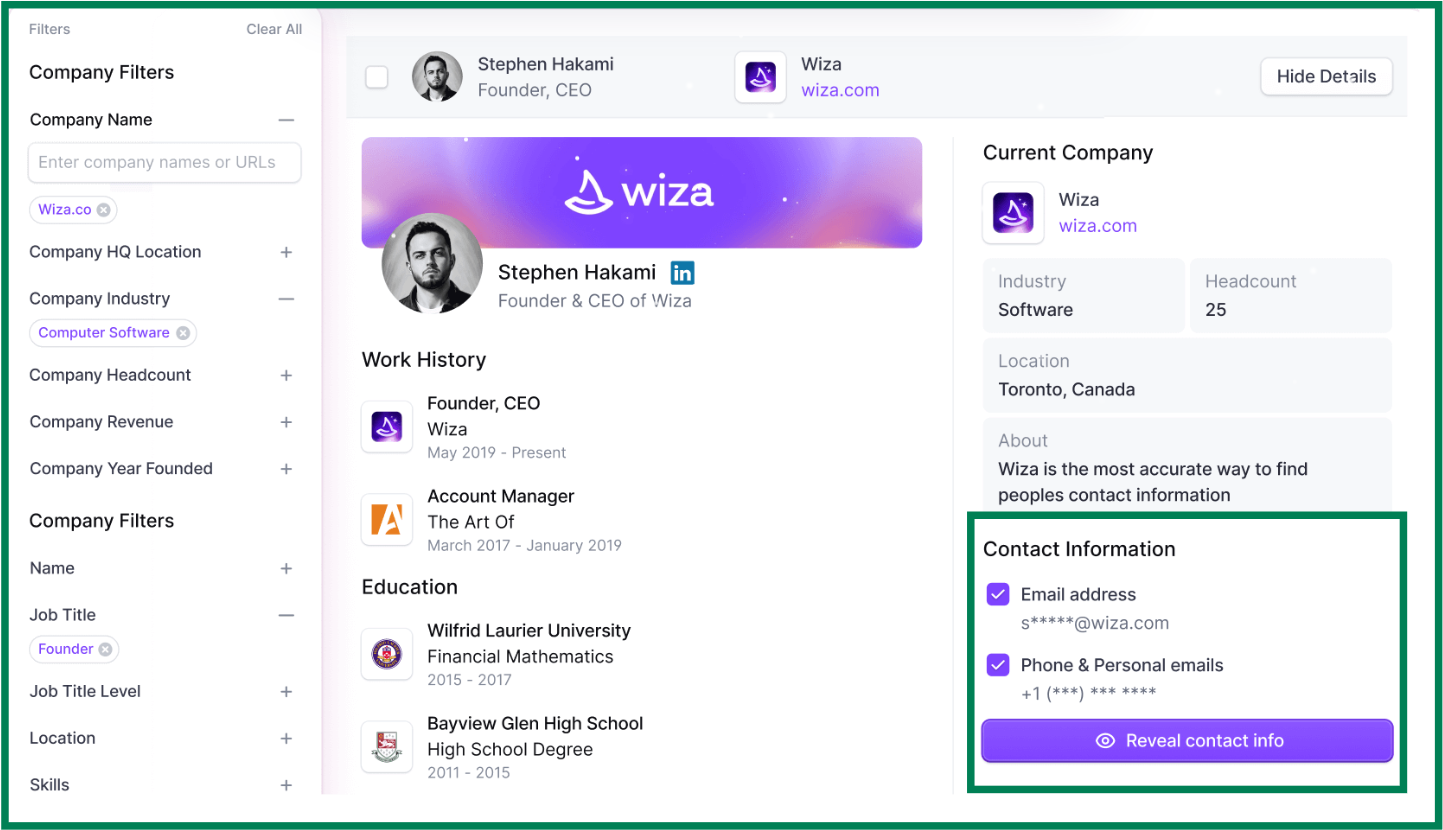
- Wiza instantly checks live sources before showing the contact details.
- You can save contacts to a list, export them to CSV, or sync directly to your CRM.
- Each valid email or phone number uses 1 credit, and risky or invalid ones are skipped.
Pros of Wiza
- Wiza finds both work and personal emails, as well as direct dials and mobile numbers in real time.
- Built-in email verification ensures 99%+ deliverability, so your emails rarely bounce.
Cons of Wiza
- Features like team management, analytics, and API access are only in higher plans.
Wiza Pricing
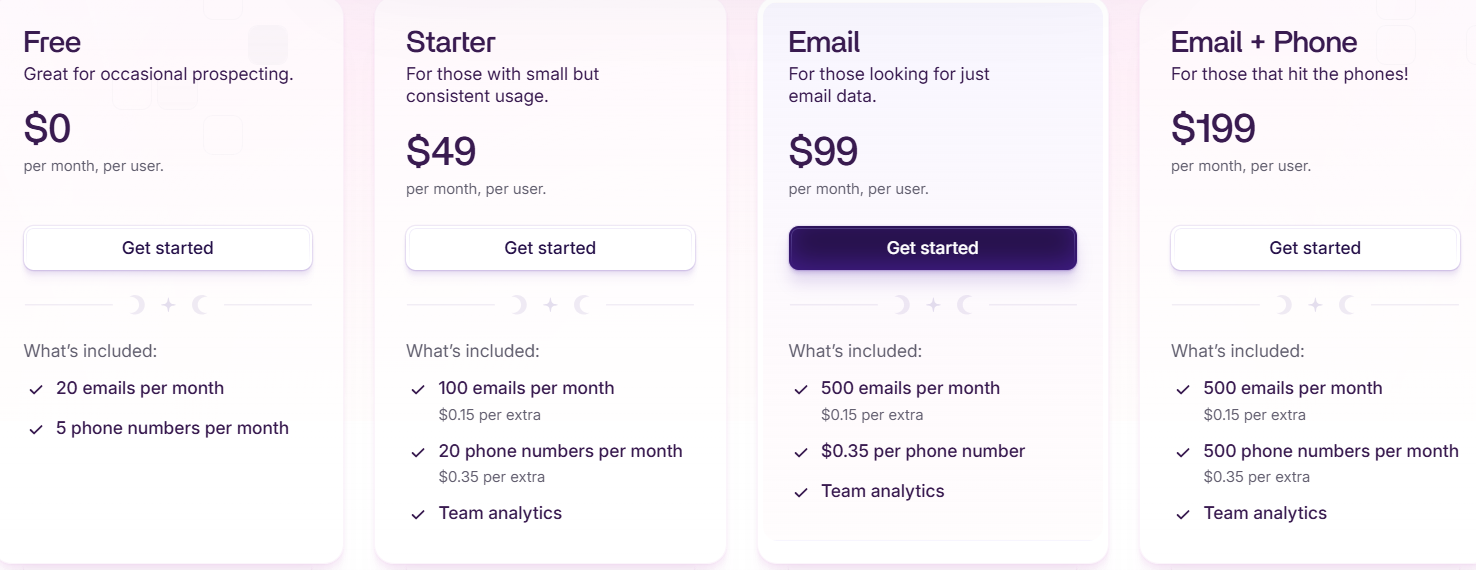
- Free Plan: 25 free credits/month (emails and phones), CRM sync, CSV export, no credit card needed.
- Starter Plan: $49/month, 100 emails and 20 phone numbers; extra usage available per credit.
- Email Plan: $99/month, 500 verified emails; phone lookups cost $0.35 each.
- Email + Phone Plan: $199/month, 500 emails and 500 phone numbers, includes team analytics.
- Team Plan: Starts at $399/month (billed yearly), unlimited emails and phone numbers, CRM sync, CSV import/export, API, and a dedicated success manager.
Which Phone Number Lookup Tool Should You Choose?
If your goal is to check who’s calling you, NumLooker works fine, it’s free and easy to use.
For business use, though, the right choice depends on your need:
- If your team needs human-verified B2B phone data and CRM integration, go with SalesIntel.
- If you often prospect on LinkedIn, Lusha is perfect for quick one-click phone lookups.
- If you need to extract phone numbers in bulk from LinkedIn searches, Wiza works best.
- If you like using chat-style tools, you’ll love LeadsForge.
Just type who you’re looking for, like “Marketing heads in New York,” and it instantly gives you verified phone numbers and emails.
Try Leadsforge now with 100 free credits!